An old phone can serve as a kitchen recipe display and cooking timer if its screen, battery, and Wi-Fi still work well enough for the job. Set it on a stable stand, open the recipe before you start cooking, adjust the screen timeout, and test a timer alert. You can let the screen sleep while a timer runs; the phone does not need to stay unlocked for every kitchen task.
Decide what the phone needs to do
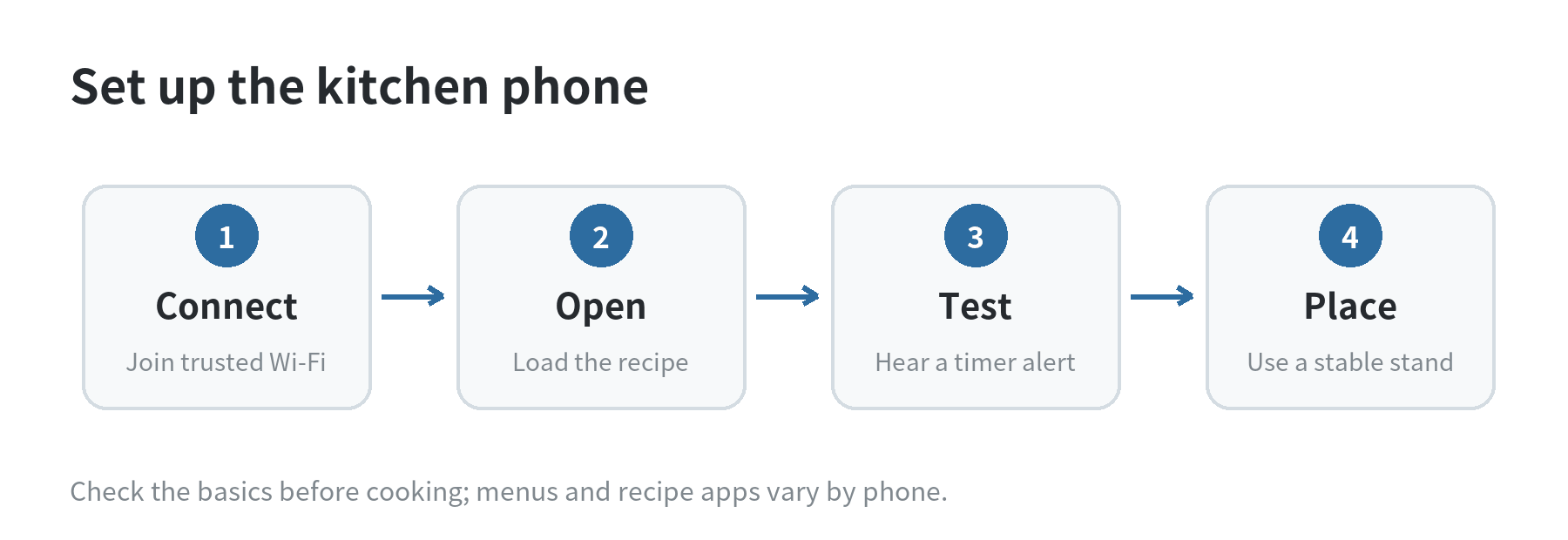
Keep the setup narrow: show recipes, start timers, and leave other tasks on your main phone. A dedicated home screen makes the old device easier to use with messy hands. Put the browser or recipe app and the Clock app where you can reach them without searching.
Check the phone before moving it to the counter. Confirm that it charges, connects to your home Wi-Fi, opens the recipe source you plan to use, and plays a timer sound at a volume you can hear. If the battery swells, the phone gets unusually hot, or the charging port feels unreliable, stop using it as a kitchen device and have it assessed through an appropriate repair channel.
If the phone will work without a SIM, its online recipes still depend on Wi-Fi. For a device you are setting up without cellular service, see our guide to using an old phone without a SIM. If your old phone no longer joins the home network, our walkthrough for reconnecting after a router password change covers that separate setup problem.
Make recipes easy to read
Choose a recipe page or app that stays readable in portrait or landscape orientation. Increase text size with the page or phone controls if the instructions are hard to scan from your usual cooking position. Scroll to the ingredient list and method before you begin, then note where each step starts so you can return quickly.
If a recipe page puts a long introduction, pop-ups, or video between the title and instructions, open the page early and check that the method remains accessible after it loads. If the connection drops, the page may not refresh or load the next section. A saved note or screenshot can preserve the steps you already have, but it will not include later changes to the online recipe.
Use a stand that keeps the phone upright and lets you reach the screen without balancing it against cookware. Place it beyond the area where you chop, pour, or wash. Keep the charging cable routed away from the sink and stove, and make sure the stand cannot slide when you tap the screen. The best position is the one where you can read the current step without leaning over a hot pan.
Keep the recipe visible when you need it
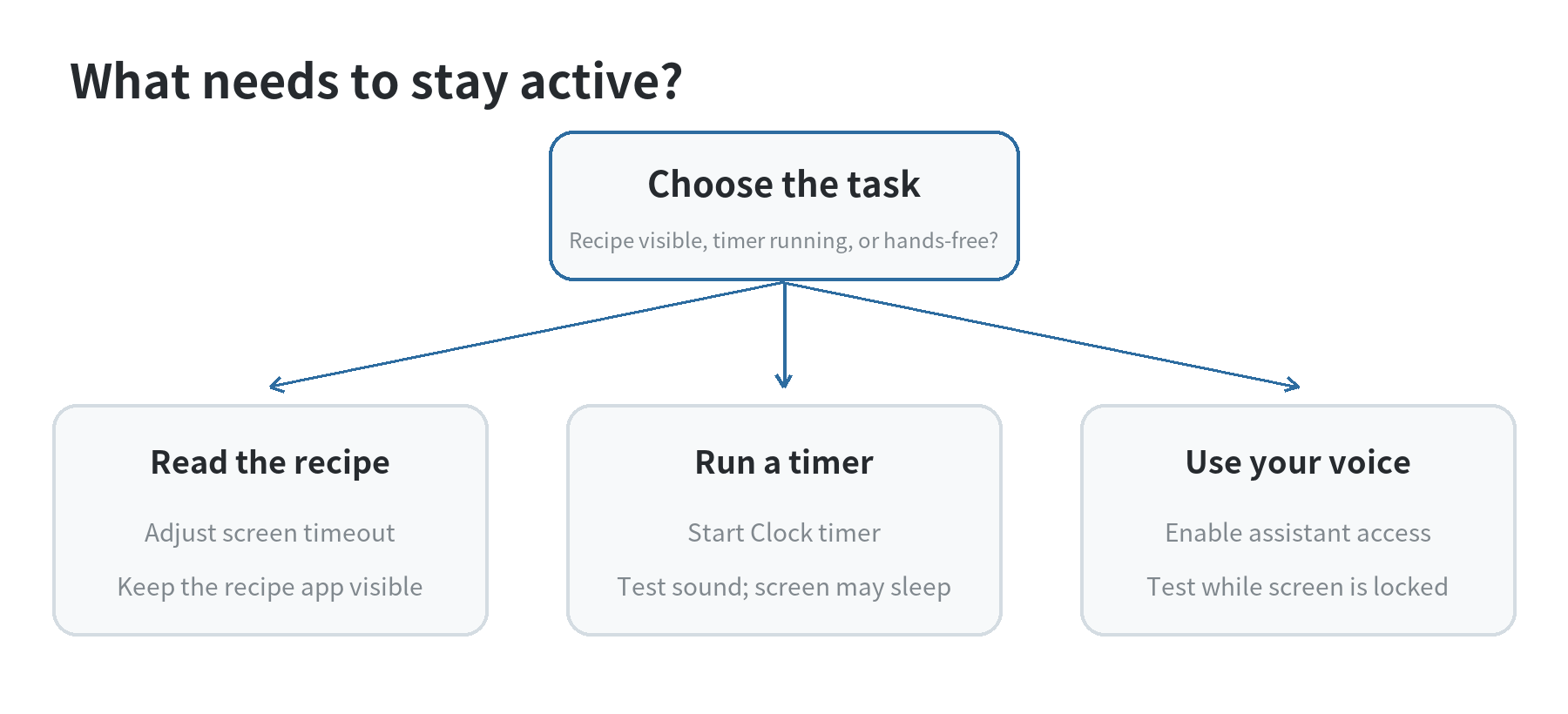
On iPhone, Apple Support says you can change the Auto-Lock interval in Settings under Display & Brightness. On supported models, Always-On display shows a dimmed Lock Screen, which is different from keeping a recipe app open. Apple also notes that delaying or preventing Auto-Lock may increase power use. These settings were checked in September 2026.
On Pixel phones, Google Pixel Help describes Screen timeout under Display & touch and Screen attention on Pixel 4 and later. Screen attention keeps the display on while you are looking at it; it is a viewing aid, not a promise that every recipe app will stay foregrounded. Google’s display guidance was checked in September 2026.
For a cooking session, choose a timeout long enough to read a step, then let the screen turn off when you are done. Leaving a bright display on continuously can use more battery, so connect the phone only if its charging setup can stay clear of water and heat. A dimmed always-on clock is not the same as an open recipe page.
Set and test the cooking timer
Start with the phone’s built-in Clock app. On iPhone, Apple Support says a timer continues if you open another app or the phone goes to sleep. You can name a timer and choose its ending sound. Set a short test timer first, lock the phone, and confirm that the alert is audible from where you will stand. These Clock instructions were checked in September 2026.
On Android, use the Clock app or a voice assistant that is enabled on your device. Google Assistant Help says Assistant can set a timer from the lock screen when lock-screen responses are enabled; Google’s guide lists Android 8.0 and later for that feature. Turn on the setting only if you want hands-free access, then test a timer while the phone is locked. The menu may differ by device and Assistant configuration. Google’s instructions were checked in September 2026.
Siri can set a timer by voice, according to Apple’s Siri guide. Say a clear duration such as “Set a timer for ten minutes,” then check the displayed countdown before relying on it. If voice control is inconvenient, use the Clock app directly. A spoken request can be misheard, and background noise can make a confirmation harder to hear, so glance at the timer when you can.
Keep separate timers labeled by task when your phone supports labels, such as “pasta” or “oven.” When an alert sounds, identify which timer finished before dismissing it. For a second timer, start it deliberately rather than assuming the previous countdown restarted.
Place, power, and maintain the phone
Heat, splashes, and food residue are the practical constraints. Keep the phone away from burners, steam vents, sink edges, and places where a utensil can knock it down. Do not handle a charging connector with wet hands. If you need to move the phone, pause and dry your hands first.
Charge it before cooking or use a cable routed along a dry, protected edge of the counter. If the phone’s battery drains quickly, keep sessions short and let the screen sleep between recipe steps. A phone that shuts down cannot show the next instruction or sound a timer, so check its charge before starting a long recipe.
Before each session, confirm the Wi-Fi connection if the recipe is online, adjust brightness for the room, and make sure notification sounds will not mask the timer. After cooking, wipe the stand and phone case with a cloth suitable for the device; avoid spraying liquid into ports or openings.
FAQ
Can an old phone run a recipe and a timer without a SIM card?
Yes. The built-in Clock timer can run without cellular service, while online recipes need a Wi-Fi connection. Open the recipe before cooking so you know whether its instructions are available on the current connection.
Will an iPhone timer stop when the screen locks?
No. Apple Support says the iPhone timer continues when the phone sleeps or you open another app. Test the alert volume at your counter before using it for a recipe.
Can I ask a locked Android phone to set a timer?
Google Assistant Help says lock-screen timer requests are available when Assistant responses on the lock screen are enabled on a supported device. Check the setting and test the command while the phone is locked.
Does Always-On display keep a recipe open?
No. Apple describes Always-On as a dimmed Lock Screen on supported models. Use Auto-Lock settings when you need an open recipe page to remain visible.
Last updated: 2026-09