An old phone can work as a quick digital level and a rough measuring aid for small DIY jobs.
Use its level feature to check whether a shelf, picture frame, or short board is tilted;
use a camera-based measuring feature for a first estimate of a nearby object.
For cuts, fittings, and anything that must match closely, confirm the measurement with a physical tape measure or level.
The setup depends on the phone. Apple’s iPhone User Guide describes a Level feature in the Measure app and says its measurements are approximate.
Android does not provide one universal app or sensor setup across every phone,
so check the maker’s help page or the app’s device requirements before relying on a tool.
Choose the job before opening an app
A digital level answers an angle question: is a surface horizontal or vertical, or how does its tilt compare with another surface?
A measuring app estimates a distance or object dimension. These are separate tasks.
A phone may be useful for one and lack a supported feature for the other.
For a wall shelf, the level can help line up bracket positions.
A camera-based ruler may help you estimate a cabinet opening, but record its width and height with a tape measure before making a close-fit cut.
Check the screen, camera, and case before using the phone.
A cracked display can hide a reading, and a bulky case can keep the device from sitting flat.
Remove the case if it changes the contact with the surface, and keep the phone away from dust, paint, and saw debris.
Find the built-in tool on an iPhone
On an iPhone that has Apple’s Measure app, open it and choose Level.
Apple says you can hold the phone against an object such as a picture frame, rotate the object until the display turns green,
and tap the screen to capture a slope before comparing it with another object.
The green display indicates the app’s level reading, not that a wall or floor has been inspected for every kind of alignment.
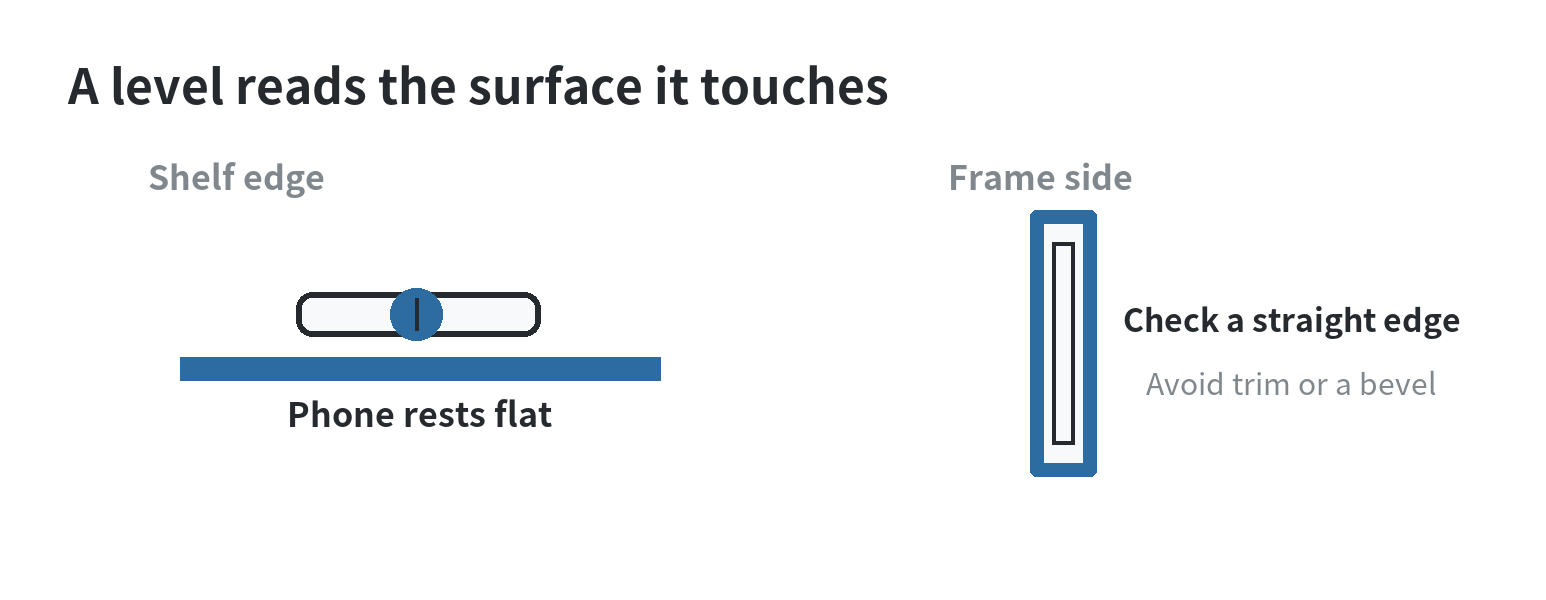
For a horizontal shelf, rest the phone along the shelf’s front edge or another straight, flat edge.
For a vertical frame, place the phone against one side. Avoid placing it on a decorative lip, beveled edge, or flexible surface;
the phone can only report the orientation of the surface it touches.
If the contact area is too short or uneven, use a straight board as a bridge and place the phone on that.
Apple also describes measuring nearby objects with the iPhone camera,
including automatic detection of rectangular objects and manual start and end points. Treat those dimensions as estimates.
Camera-based measurement relies on seeing the scene and understanding where its boundaries are, so a hidden edge, poor lighting,
or an awkward camera angle can make a reading harder to use.
Check Android tools by phone model
On Android, look for a level or measuring function in the phone maker’s own tools,
then verify the exact model and Android version in its support material.
Google’s Android Developers documentation says sensor availability varies between devices and versions,
and Android does not require manufacturers to include every sensor type.
An app listing that says “Android” alone does not establish that it works with an older handset.
Camera-based measuring apps may use augmented reality. Google’s ARCore device documentation says supported devices are checked for camera,
motion-sensor, design, and processor capabilities. Check whether the old phone appears in the supported-device list and whether the app requires a
depth feature. If the app will not start its measuring mode, do not assume the phone can be fixed by changing the displayed units.
Before using an unfamiliar app, review its feature description, supported models, and permission requests.
Apple’s iPhone User Guide and Android Developers’ permissions documentation explain that apps request access to hardware such as the camera or microphone
when those features are needed. Skip unrelated permissions that the tool’s stated purpose does not explain.
A home-screen shortcut can make a single-purpose phone easier to use,
but keep the original phone account and security settings in mind if the device will be stored in a workshop.
Make a level reading repeatable
Set the phone on the surface, let the reading settle, and note which edge is facing up. Rotate the phone end for end and check again.
If the number or bubble changes substantially, the contact surface or phone placement may be affecting the result.
You can also check the same area with a known straight edge and a physical level before marking permanent holes.
For a picture frame, place the phone against the side, adjust it, and then check the top edge. For a small shelf, check near both ends;
a shelf can flex or have raised trim. Mark the position once the reading is stable and the phone rests on the edge you intend to align.
When comparing surfaces, note the location, edge, phone orientation, and displayed angle. Keep the case setup consistent.
To copy a slope, Apple’s instructions describe capturing the first reading and rotating the second object until the display returns to green.
Measure distances without trusting the first number
For a camera-based measure, clear the view, hold the phone steady, and identify the actual endpoints before accepting a result.
If the app asks you to move the phone so it can map the scene, follow its on-screen guidance and keep the object being measured in view.
Do not measure through glass or assume that a shadow, trim piece, or overlapping object marks the true edge.
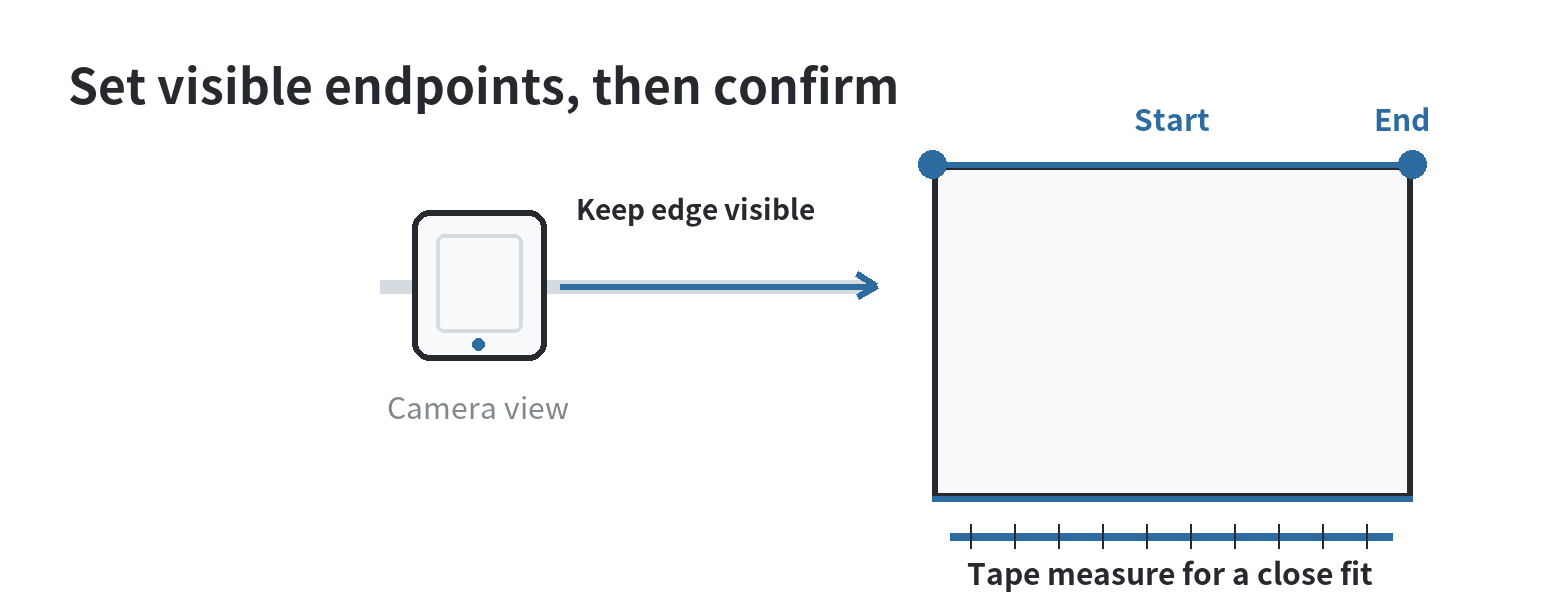
Repeat a dimension from another position, then compare it with a tape measure. A phone estimate is most useful for planning and rough checks;
it can miss the mark when the object is small in the camera view, partly hidden, or difficult to distinguish from its background.
If repeated readings disagree, treat that as a reason to use a physical tool, not to average the numbers into a precise answer.
For a rectangular opening, measure the width near the top and bottom and the height at both sides with a tape measure.
If those values differ, the opening may not be square. A phone’s single camera estimate cannot establish that a full opening is square or reveal what
is behind the visible surface. For a diagonal or corner check, use a tape measure and compare the two diagonals.
When a phone is the wrong tool
Use a physical level and tape measure for a long span, repeated cuts, a close-fitting part, or a job where a small error matters.
A phone is short and has rounded corners, camera bumps, and a screen or case that may not rest flush.
Those details can affect contact with the workpiece even if the sensor reading is steady.
Do not use a phone as the only reference on a loose, bowed, soft, or vibrating surface.
Its sensor reports the phone’s orientation, not whether a structure is straight, firmly attached, or suitable for a load.
For several pieces, use one physical reference edge and a tape measure.
Save the dimensions with the project name and each measurement’s start and end points. A dedicated old phone can also document measurements;
see our guide to using an old phone as a document and receipt scanner to organize project records,
and our old-phone photo frame setup for another reuse idea.
FAQ
Can an old phone replace a bubble level for hanging a frame?
It can help with a quick alignment check if the phone sits flat against a straight frame edge and its level feature works.
Check the top and side, and use a physical level when a small error would matter.
Can I measure a room with an old phone camera?
A supported camera-measuring app may estimate visible dimensions, but use a tape measure for room dimensions needed for a close fit.
Confirm the phone model and app requirements before planning around the feature.
Why does my Android phone have no level app?
Android phones do not all share the same sensors or preinstalled tools.
Check the manufacturer’s documentation for your model, or choose an app whose requirements explicitly include your device.