Yes—an old phone can become a useful digital photo frame if it can stay powered, join your home Wi-Fi, and display a small, intentional album. The cleanest setup is a charging stand, a short album of pictures you actually want to see, and the phone’s built-in display feature. Android and iPhone take different routes, so start with the one your phone supports.
Start with the phone and the spot
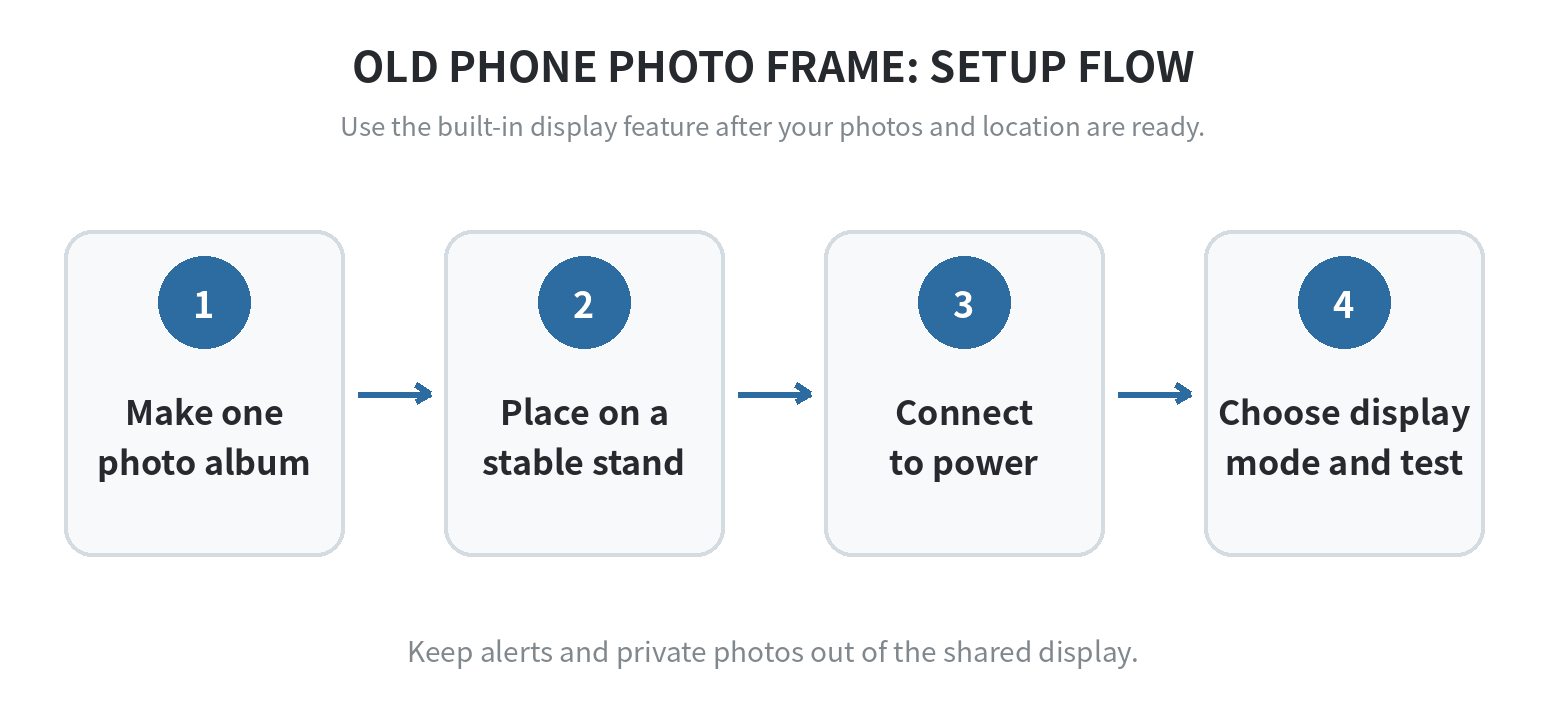
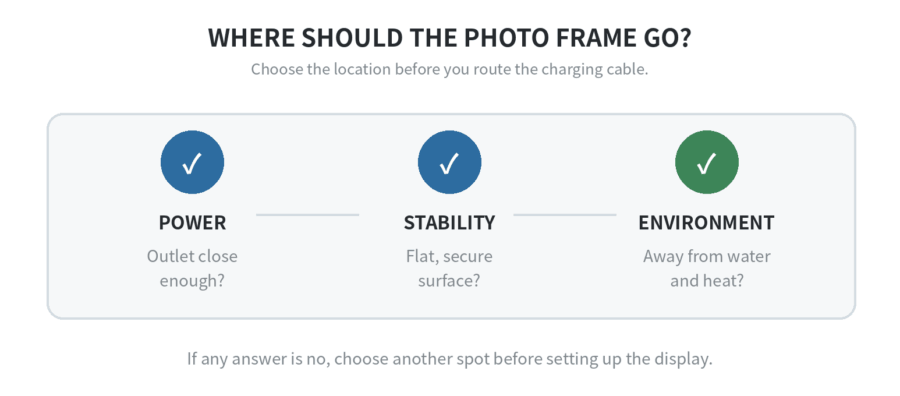
Pick a stable shelf or countertop near an outlet, away from a sink, stove, window condensation, and the edge of furniture. Use a stand that holds the phone securely in portrait or landscape. Run the charging cable so it does not pull on the phone when someone walks past.
Before you mount it, unlock the phone, connect it to your home Wi-Fi, and open a few photos. If the screen has damage or the charging connection cuts in and out, choose a different old phone instead.
If the battery is swollen, stop using and charging the phone. Keep it off the stand and follow the manufacturer’s battery-safety or recycling instructions for that device.
Make a frame album before you turn anything on
Create one album just for the frame. Add family photos, travel pictures, artwork, or scanned prints that still look good on a phone-sized display. This gives you one place to add or remove a picture without putting the whole camera roll on display.
Before placing the phone in a shared room, check the album for private images, screenshots, receipts, and awkward crops. Portrait shots suit a vertical phone; landscapes suit a sideways phone. Keep the mix only when you are comfortable with the rotation.
Choose a simple viewing rule
Decide the frame’s use and album theme before you fill it. A kitchen or living-room frame suits pictures anyone in the room can see. A desk frame can be more personal, but it still benefits from a short, clear theme. A defined use and theme keep the display from becoming an unedited stream of every image on your phone.
Keep the first version small enough to review in one sitting. Look at it from the place where the frame will live, not only from your hand. If an image is awkwardly cropped, too dark, or reveals information you would not leave on a countertop, remove it from the album. The frame will feel more deliberate with fewer better choices.
Set up an Android phone as a photo frame
On a current Pixel, open Settings, choose Display & touch, then Screen saver. Turn on the screen saver, select the photo option, grant photo-library access if prompted, and choose when it should appear. Google says the screen saver can show photos while the phone is charging or docked; its current instructions note that some steps apply to Android 14 and later.
Use the preview or test control before putting the phone on its stand. It can reveal a clock selected instead of photos, or a screen saver waiting for a charging condition you have not met. Screen-saver names and photo choices differ by maker, so if your old Android phone does not show the Pixel menu, check that maker’s support page rather than installing a random display app.
Set up an iPhone as a photo frame
On iPhone, select the pictures you want to display and look in Photos for its slideshow control. The control’s label and location can differ with iOS, so use the choices shown on that phone. Apple’s slideshow guide is the place to check the current path.
If the frame sits where visitors or children can touch it, look for Guided Access in Settings > Accessibility before placing the phone on its stand. Set it up while you can still use the phone comfortably, then test whether Photos stays in the state you want when someone taps the screen.
The available Guided Access controls and shortcuts vary by iPhone model and iOS. Use the on-screen setup choices for that device, and check Apple’s Guided Access guide if you need the current steps to start or end a session. Test it on the stand, with the cable connected and the screen visible from the usual viewing spot.
Keep notifications and interruptions off the display
Put the frame on Wi-Fi, then silence the distractions that do not belong in a shared room. Turn on Do Not Disturb or Focus, hide sensitive lock-screen previews, and silence alarms you no longer need. A frame is easier to live with when it looks like a frame, not a spare phone that happens to be charging.
If the old phone still handles calls, authentication codes, or smart-home controls, confirm those functions have moved safely before removing them from this device. Keep its passcode recorded somewhere safe. If you use a cloud photo library, decide whether the frame should receive new pictures automatically or only when you add them to its dedicated album.
Test the frame for one normal day
Set it up where you plan to use it and watch it through a normal charging cycle. Check that the cable stays seated, the stand does not slide, the photos stay visible from the chair or doorway you care about, and the phone does not keep returning to an alert screen.
If a photo frame app or screen saver stops after an update, return to the built-in photo and accessibility settings first. That keeps your troubleshooting tied to the phone’s own controls. For a separate refresher on the strengths and differences of the two platforms, see our iPhone vs. Android overview; for photo-library preparation, see this guide to iPhone photo storage.
When an old phone is the wrong frame
Use an old phone as a frame when you have a reliable outlet, a stable place for the stand, and a viewing distance where its screen is easy to see. Choose another display if you need a large screen, reliable wake-up visibility from across a room, or unattended operation for long stretches. Use the phone for occasional slideshows in those situations rather than as a permanent appliance.
FAQ
Can I use an old phone as a digital photo frame without a SIM card?
Yes. An old phone can use stored pictures without mobile service, and Google’s Android Help says a phone can get internet services through Wi-Fi without using mobile data. See Google’s Wi-Fi setup guidance. Keep the phone connected to power; use Wi-Fi only if you want cloud albums or new photos to sync.
Why does my Android photo frame show a clock instead of my pictures?
Your selected screen saver may be a clock rather than a photo option. On supported Pixel phones, return to Screen saver, choose the photo frame option, allow photo access, and preview it before leaving the device on the stand. Google lists those controls in its Screen saver guide.
Can I stop people from leaving the slideshow on an iPhone?
Possibly. If your iPhone offers Guided Access, configure it before putting the phone on display and test the result in Photos. The available controls and shortcut depend on the model and iOS; Apple’s Guided Access guide gives the current setup and session steps.
Last updated: 2026-09