An old phone can help you spot when a room gets louder, compare noise at the same place over time, and identify when a sound source deserves a closer look.
Treat its decibel display as a screening estimate: the microphone, app, phone age, orientation, and room all affect the result, so a reading is not a formal noise survey.
What a phone reading can—and cannot—tell you
A sound meter app converts microphone input into a sound-level estimate. The display may jump as a door closes, a fan cycles, or a vehicle passes.
For a changing household sound, record the averaged level rather than a glance at the live number.
If the app offers an equivalent continuous level such as LAeq, save it alongside the maximum.
NIOSH reports ±2 dBA laboratory accuracy for its tested iOS sound-level-meter app.
It says the app system meets Type 2 IEC requirements with a calibrated external microphone.
NIOSH also says it cannot currently verify the accuracy of Android-based apps in its laboratory. Those results describe a tested setup, not every older phone or every app.
That distinction matters at home. A phone can help you compare the same appliance or room under similar conditions.
It cannot prove that a reading is exact or replace a calibrated instrument when a measurement must meet a formal standard.
Set up the phone before measuring
Choose an app that explains what its displayed metrics mean and, where available, reports an averaged level rather than only a momentary value.
Check the microphone permission and make sure the phone is not recording through a connected headset or another input by mistake.
Check the current feature description on the app developer’s own page.
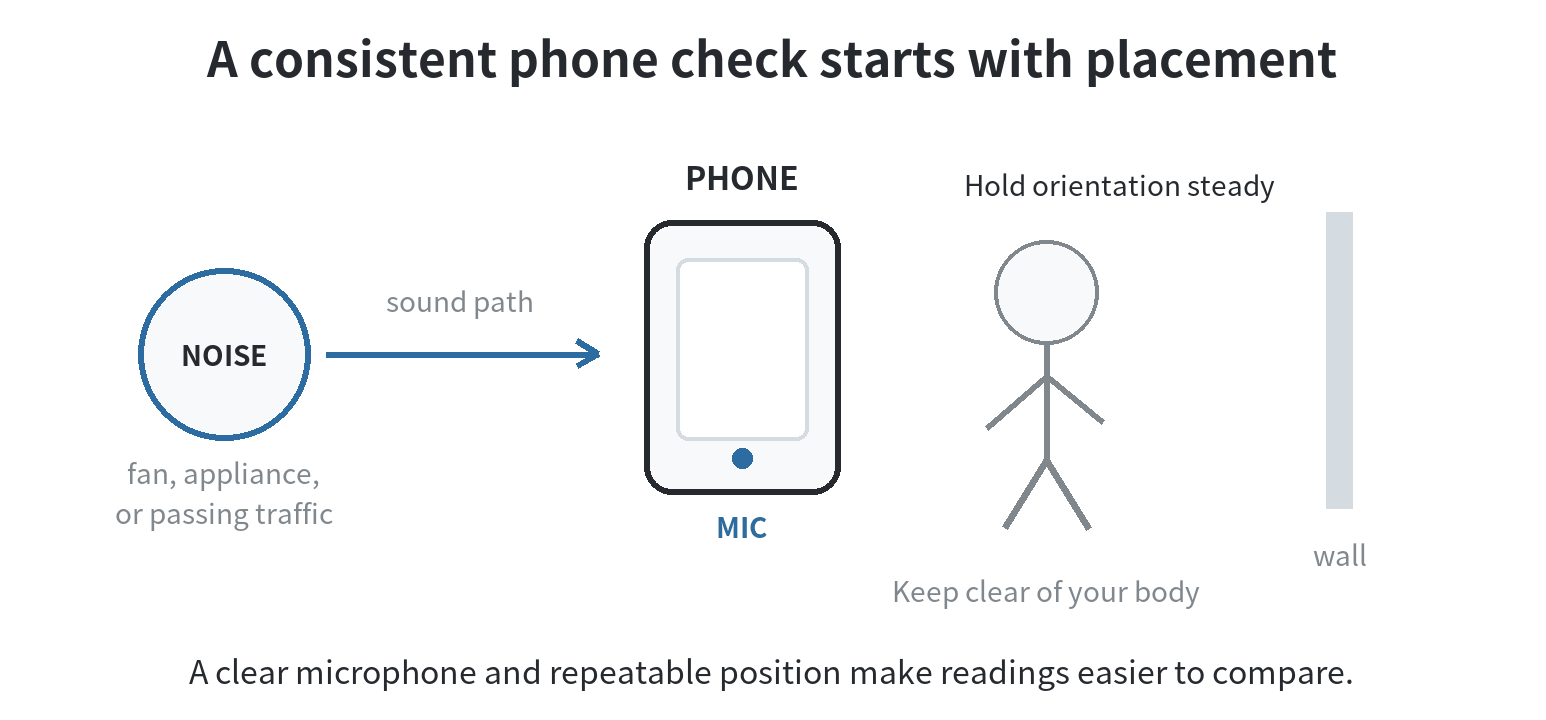
Take off a case if it covers the microphone opening. Keep the phone away from your hand, clothing, cushions, and other surfaces that can block or reflect sound.
NIOSH guidance says to point the microphone toward the sound source and keep it away from your body and nearby objects.
It also notes that humidity, temperature, wind, handling, and phone age can affect a measurement.
If the app offers microphone calibration, do not invent a correction value.
A meaningful calibration needs a known reference, such as a calibrated meter or acoustic calibrator.
Without that reference, leave the setting at its default and describe the result as an estimate.
Run a repeatable room check
Start with a question you can answer: Is the air conditioner louder in the bedroom than the living room? Does the noise happen only when a particular appliance runs?
Avoid trying to measure everything at once. A focused comparison makes it easier to keep the location and conditions steady.
- Pick a listening position.
Use a place where the sound is noticeable. Keep the phone at the same height and orientation for each reading.
- Keep the room conditions alike.
Note whether windows and doors are open, the HVAC is running, and other appliances are on.
If you change a condition, record it instead of treating the readings as directly comparable.
- Let the reading settle.
Watch the level over a representative stretch of the sound, rather than capturing a single instant.
For an intermittent sound, include a full cycle or event and note what happened.
- Save context with the number.
Record the room, position, date and time, source, app metric, phone, and unusual events such as traffic or a door closing.
A saved number without these details is difficult to interpret later.
For example, compare the same phone position with a refrigerator running and after it cycles off. This can help you notice whether the sound changes with the appliance.
It does not isolate the appliance perfectly if traffic, ventilation, or another source changes at the same time.
Read the pattern, not just the peak
A brief maximum can capture a dropped object or a passing truck, while an averaged level describes sound across the measurement period.
Keep the metric consistent between checks.
If you compare locations, save each reading separately and label the room position; do not combine numbers from unlike conditions.
A-weighted readings, shown as dBA in NIOSH guidance, apply a frequency weighting. They do not fully describe every low-frequency rumble or tonal quality.
Use a short log to separate steady sound from events.
A fan that runs continuously creates a different pattern from a compressor that switches on, footsteps overhead, or a vehicle that passes.
Add a plain-language note such as “low hum, starts with cooling cycle” rather than relying on the app’s number to identify the source. Keep the note neutral and tied to what you observed.
Repeated measurements from the same phone can reveal a relative change when the location, orientation, app, and room conditions stay alike.
A different phone or app can have a different microphone response or processing, so do not treat their readings as interchangeable.
Research published by NIOSH and coauthors notes that phone orientation, proximity to the user, and handling can introduce measurement error.
Turn a noisy-room log into a clear question
A useful note separates what you heard from what you think caused it.
Write “a low hum starts when the cooling system runs” as an observation; keep a guess about a fan, compressor, or duct as a question to investigate.
This makes it easier for a maintenance person or building manager to check the equipment without treating an app reading as a diagnosis of the building.
When you share the log, include the measurement position and what else was running.
If the noise is intermittent, describe the event in ordinary terms: it starts, stops, rattles, or pulses.
Add whether a door or window was open and whether traffic or another appliance was audible.
A short audio recording may help someone identify the kind of sound, while your written notes capture when and where it occurs.
Ask the recipient what they need next: a maintenance visit, a different measurement location, a particular metric, or a reading from a calibrated meter.
That question helps you avoid repeating phone checks that cannot answer the building or equipment question.
Keep the original notes so later checks can use the same position and conditions. A consistent log can also show which conditions still need to be checked.
Know when a phone is not enough
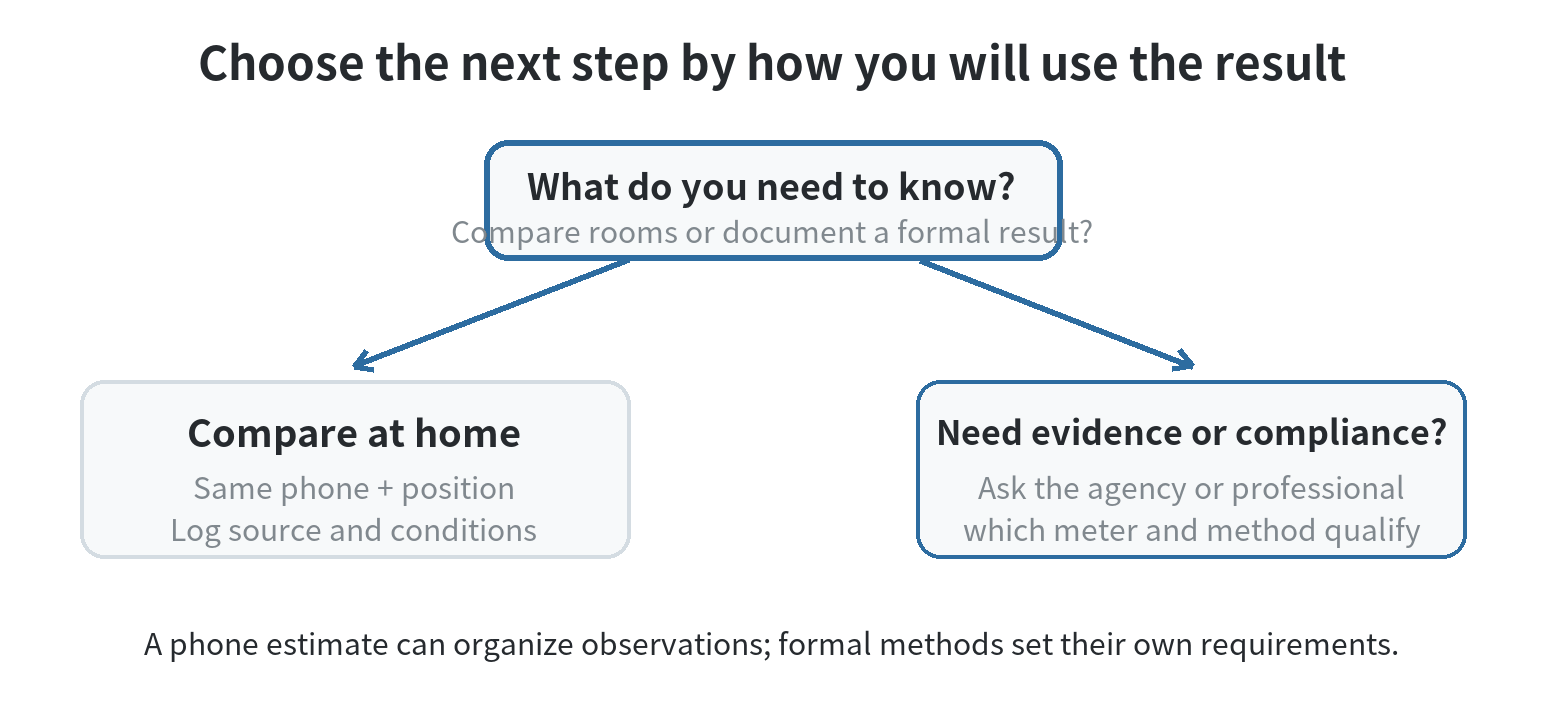
If you need a result for a landlord conversation or noise complaint, ask the relevant agency which measurement method it accepts.
The same applies to workplace or code questions. Requirements can specify the meter, calibration, location, timing, or metric.
A phone estimate may help you explain when and where the sound occurs, but it may not meet that method.
NIOSH says sound-level-meter standards test the complete instrument, including the microphone and preamplifier.
The tests cover level response, directionality, and frequency weighting.
NIOSH-published smartphone research says a phone app cannot support a regulatory assessment unless its system meets applicable requirements.
For a recurring home issue, share the observation log: where the sound is heard, when it starts, how long it lasts, and what was operating.
Ask what evidence is useful before paying for a measurement or making a technical conclusion from a phone display.
You can also read our related guides on reducing digital noise from a phone and smartphone hearing safety limits.
FAQ
Can an old phone still compare two rooms?
Yes, as a rough comparison if you use the same phone, app, microphone opening, orientation, and room conditions.
NIOSH guidance notes that phone age and microphone condition can affect readings, so keep the comparison relative and do not present it as a certified result.
Should I calibrate the app before a home check?
Only if you have a known sound reference and the app supports calibration for that microphone.
NIOSH’s application guide describes calibration against a known reference; changing the display by guesswork does not make the measurement more reliable.
Why does the number change when I move the phone?
Sound reaches the microphone differently as its direction and nearby surfaces change.
NIOSH’s smartphone research identifies device orientation, distance from the user, and handling as sources of measurement error, so repeat checks from a consistent position.