
To save for a laptop, set a target from a current complete quote and divide what remains by the months you can wait.
Protect bills, essentials, debt payments, and planned savings first. The contribution that fits afterward sets the pace.
Set the target from your tasks and a current quote
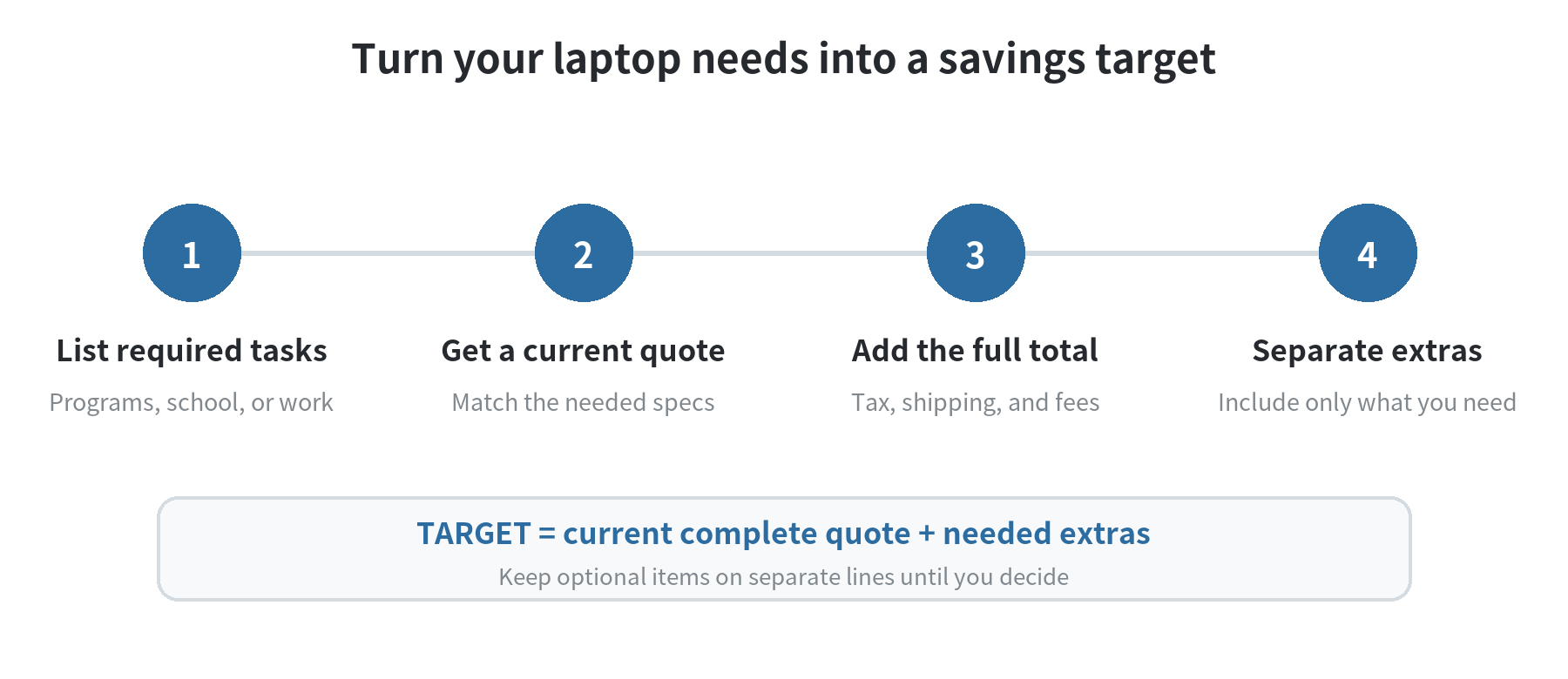
Start with what the computer must do. List the programs, schoolwork, or job tasks it has to handle.
Note whether you need to carry it daily and which accessories you already own. This keeps a replacement need distinct from optional upgrades.
Use that list to identify a configuration that meets the requirements, then get a current quote for it.
Compare equivalent specifications and write down the final total, including applicable taxes, shipping, delivery, and other fees.
The FTC’s online-shopping guidance, checked September 30, 2026, says to compare the total cost and read the full product description.
A headline price is not a savings target if delivery, required fees, or taxes change the amount you will pay.
Keep optional costs separate. A case, mouse, external drive, software, or protection plan belongs in the target only if you need it.
For a service contract, compare its cost and coverage with the included warranty before adding it to your plan.
The FTC says an extended warranty or service contract costs extra and may cover different issues. Its guidance was checked September 30, 2026.
If you do not yet know whether an add-on is necessary, leave it out of the first target and decide after checking its price and terms.
A student writing papers and a designer running demanding software need different laptop configurations.
Use the configuration you need and its current total instead of planning around an average price.
If the quote changes before you have saved enough, update the target and recalculate rather than treating the old amount as fixed.
Choose a monthly amount your budget can carry
Start with take-home income and actual account activity. List bills, spending, debt payments, and savings already assigned to other goals.
The CFPB’s “My New Money Goal” worksheet, checked September 30, 2026, uses income, expenses, and existing savings to find room for a new goal.
It suggests reviewing three months of income and expenses when those amounts vary. Use statements or a spreadsheet to make your own list.
Subtract essential expenses, minimum debt payments, and savings you have already committed from the money available for the period.
The remainder is not automatically laptop money. Leave room for irregular bills and flexible spending you need.
If the planned contribution would make you carry a bill balance or skip an expense, lower it or extend the date.
For example, assume a current laptop target of $900 and $120 already saved. The remaining amount is $780.
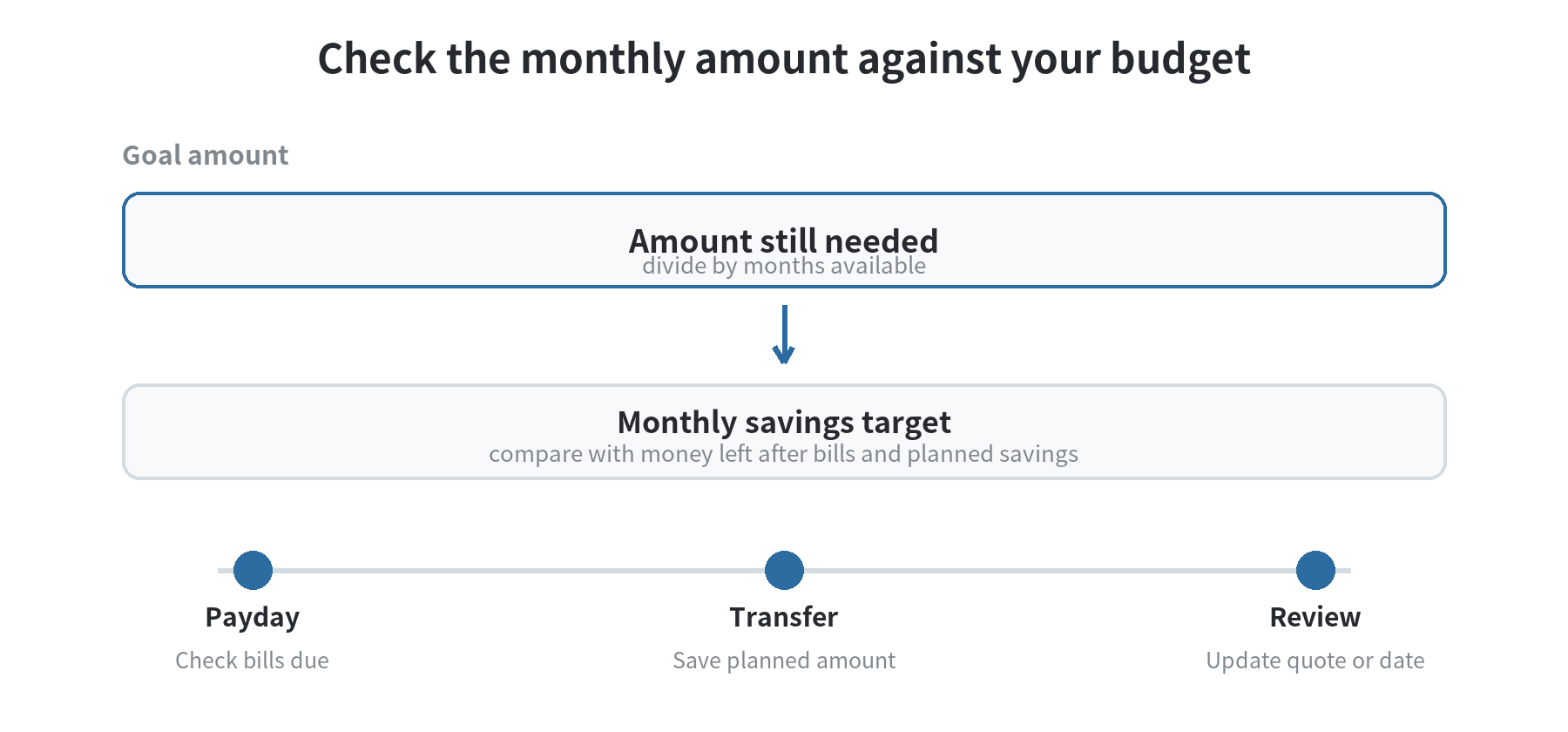
Over a ten-month timeline, $780 divided by ten is $78 per month. These are example inputs, not a market price or savings-rate recommendation.
Replace the example quote, current savings, and timeline with your own numbers.
Place the plan beside your pay calendar. If you receive two checks in a month, you could save half the amount from each check.
You could also set the full contribution aside from one check, if bills due before the next check remain covered.
If income changes, choose an amount that works in a lower-income month. Add extra only after it arrives.
The CFPB worksheet lists a longer timeline, lower goal amount, lower expenses, or extra income as ways to adjust a goal.
Match the transfer to payday and bill dates
Choose where the laptop money will sit and when it will move. A separate savings account or labeled bucket can make the balance easy to see.
Check your bank’s transfer timing and terms before setting a recurring move. Keep enough in checking for bills due before the next payday.
The CFPB says financial institutions may let customers choose a recurring transfer amount and date.
The CFPB’s automatic-savings guidance, checked September 30, 2026, says to consider income and transfer timing.
It notes that insufficient funds may incur an overdraft fee.
Schedule a transfer after income arrives and after accounting for payments due before the following paycheck.
If checking is tight, review pending bills and transfer manually instead of setting an amount that could leave too little for them.
If you automate the transfer, check the account after it runs. Adjust the amount when pay, bills, or the laptop quote changes.
A missed transfer is useful information. Note whether an unexpected bill, a smaller paycheck, or a changed target interrupted the plan.
Then change one input. Extending the timeline may work better than borrowing for an optional upgrade or squeezing an essential bill.
Adjust the goal when the quote or timeline changes
If the monthly amount is too high, check whether a lower-cost configuration can still handle the tasks on your list.
Compare current quotes for equivalent specifications. Check whether shipping, fees, or required add-ons change the advertised total.
FTC guidance recommends comparing the full cost and reading sale terms. Keep the quote date with your notes because prices can change.
Separate “needed now” from “can wait.” A protective sleeve or extra storage may be useful without being part of the initial purchase.
Check the warranty and return terms on the specific offer. Price a service plan separately and compare what it covers and excludes.
The FTC’s service-contract guidance, checked September 30, 2026, also advises checking costs, coverage limits, and the claims process.
You can change the goal date, too. If $78 a month would disrupt the rest of your plan, calculate a lower contribution.
Then divide the remaining amount by that contribution to see how much longer the goal would take.
The CFPB worksheet includes a longer timeline and lower goal amount among possible adjustments. Keep other planned savings visible while you decide.
For a broader example of fitting a planned expense into monthly spending, see our guide to budgeting for a recurring membership.
For a worksheet-based way to monitor categories and cash flow, see our overview of budgeting with a money-tracking app.
Keep a short laptop fund worksheet
| Line | What to enter |
|---|---|
| Required tasks | Programs, school, or work needs |
| Current target | Quote total with applicable tax, shipping, and fees |
| Optional items | Separate prices for accessories or service plans |
| Already saved | Balance reserved for this goal |
| Amount remaining | Target minus current laptop savings |
| Monthly contribution | Amount remaining divided by months available |
| Budget check | Does it fit after bills and planned savings? |
Keep the quote date, configuration, total, delivery or tax charges, and return terms with your worksheet.
Review the target when the quote or requirements change, and revisit the contribution when income or bills change.
The CFPB worksheet’s sequence is simple: set an amount and date, list income and expenses, then compare available money with the goal.
FAQ
Should I save for a laptop with a credit card offer?
Use the full amount you expect to pay as the target, not a promotional monthly payment. Check the offer’s fees and due dates.
Read the written terms and decide whether its payment fits your budget.
What if I need a laptop before I can save the full amount?
Recheck the required tasks and compare current complete quotes. A used or refurbished device may be another option to evaluate.
Include any financing charges and return terms in your comparison before deciding.
Should accessories be part of my laptop savings goal?
Include accessories you need for the tasks you listed and whose prices you have checked. Keep optional items separate.
When should I update my laptop savings target?
Update it when the quote, required configuration, income, or bills change. A new total or contribution changes the balance or timeline.
Last updated: September 2026.
Last updated: 2026-09