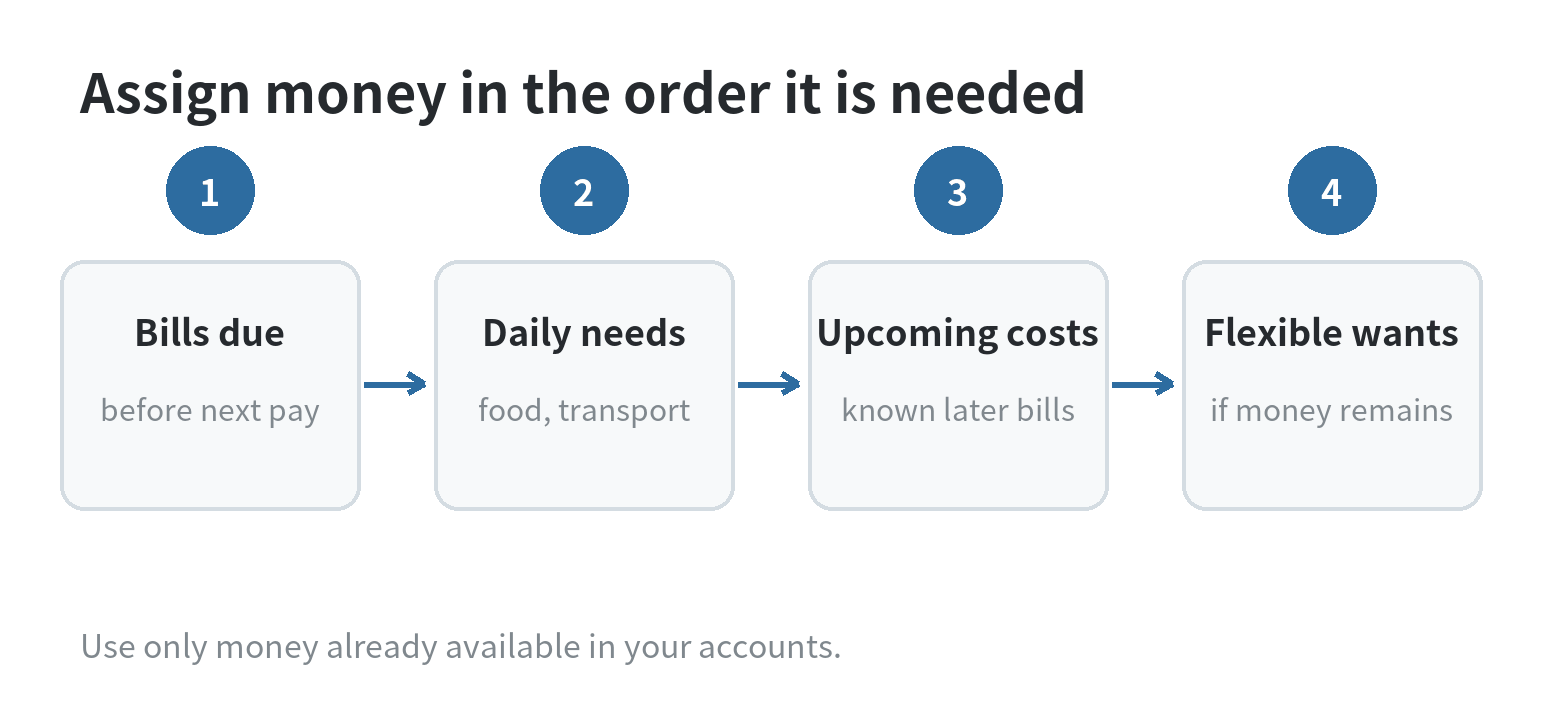
YNAB is easiest to use when you budget only money already in your accounts, give it jobs in order of urgency, and update the plan when spending changes. Start with bills due before your next paycheck, then groceries and fuel, then expenses you are setting aside for later.
YNAB is a budgeting app built around assigning available money to categories. The company describes its approach as giving every dollar a job; that means your plan is about what your current cash needs to do, rather than a forecast of income that has not arrived.
Start with money you have today
Make a list of the accounts you want represented in your plan and note each current balance. Include cash accounts you use for spending and savings you intend to manage in this budget. Leave out an account if you do not want its money available for the plan. YNAB’s feature information describes linked accounts and transaction tracking; the App Store listing also describes manual transaction entry for people who prefer to enter purchases themselves.
Before assigning anything, write down the next deposits you can count on and the bills with due dates before those deposits. Do not budget a paycheck that is expected next week as though it were already in checking. When that deposit arrives, add it to the money available and decide what it needs to cover.
That timing changes the first planning question. Instead of asking, “What should my whole month look like?” ask, “What must this money cover before more money arrives?” Keep unassigned cash visible as the pool you still need to make choices about. It is not extra money beyond the balances in your accounts.
Build categories from your real calendar
Use category names that tell you what a dollar is for. Begin with rent or mortgage, utilities, groceries, transportation, minimum debt payments, and any other bill you must pay. Then add irregular costs with a known purpose, such as an annual registration, a school expense, or a car repair fund. A category is useful when it makes the next choice clearer.
For a monthly bill, enter the amount shown on the bill or your current expected amount. For a flexible category such as groceries, look at recent statements and choose an amount you can explain. If you are unsure, make a working estimate and revisit it after recording actual spending. A budget is a plan you can revise, not a verdict on whether you are good with money.
Keep the first category list short enough to use. A separate category for every small purchase can make the plan tiring to maintain. You can split a category later if you need to answer a real question, such as whether takeout is crowding out groceries.
For an irregular bill, start with its expected due date and the amount you need. If a $600 expense is due in three months, setting aside $200 in each of those months is a simple example of spreading the cost, in line with YNAB’s method for planning non-monthly costs. Use your actual amount and timeline when you create the category.
Give each paycheck a job in priority order
Imagine your current available balance is $1,800 and rent of $1,200 is due before the next payday. These are sample numbers, not a recommended budget. Following YNAB’s priority-first approach, assign $1,200 to rent first. If groceries need $250 and a transit pass costs $80, assign those next. The remaining $270 can cover another bill or begin a category for an upcoming expense, based on its due date.
If the available money cannot cover every category, leave lower-priority categories short and make a specific choice about what waits. Move money from a less urgent job if that reflects your priorities. Avoid filling every target just to make the screen look complete; the balance in your accounts is the limit.
YNAB’s method also includes adapting your plan when priorities change and anticipating irregular expenses. In plain terms, when a bill is higher than expected, make a specific decision about which other job will be reduced instead of pretending the original plan still works. As you keep funds available for later bills, you may rely less on the next deposit to pay expenses due immediately. That is a direction for your plan, not a promised result.
Record spending and adjust before the next choice
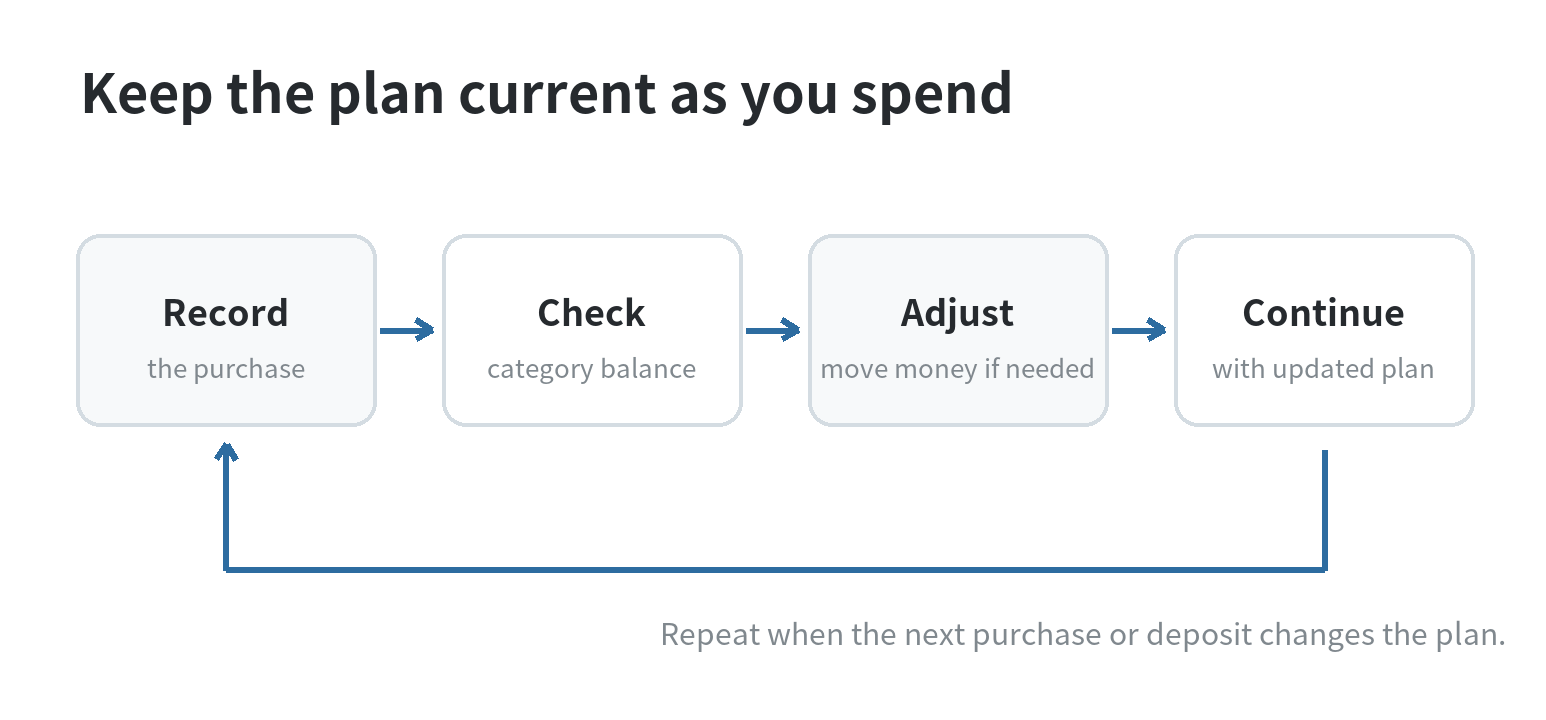
When you make a purchase, enter it or review its imported transaction and assign it to the right category. Check that category before making another purchase in the same area. If you overspend, decide where the replacement dollars will come from. That small adjustment keeps the plan connected to the cash you still have.
YNAB describes linked account imports, and its App Store listing describes manual transaction entry. Imports can save typing, but a bank connection does not decide whether an expense belongs in groceries or household supplies. Review imported entries, correct the category when needed, and confirm that the transaction has not already been entered manually.
When income arrives, return to Ready to Assign and repeat the priority order. When a plan changes mid-month, move money between categories. This is the central routine: assign only available funds, record what happened, and adjust the next decision to fit the updated balances.
If the imported balance and your bank balance do not match, compare transactions before making another assignment. Look for a missing or duplicate entry, then update the plan using the corrected balance. This check matters because a budget built on an incorrect account balance can make available money look larger or smaller than it is.
Check subscription cost as part of the budget
As checked on September 30, 2026, YNAB’s US pricing page lists a Monthly Plan at $14.99 per month and an Annual Plan at $109 paid annually; the Apple App Store listing shows in-app subscription items at the same amounts. Taxes may apply. Confirm the current amount and billing terms on the official pricing page or in the app store account where the subscription would be managed, because app prices and billing options can change.
Include the subscription itself as a category if you use the service. For the annual option, set aside part of the expected renewal cost in advance if that fits your priorities. This example is only a way to represent a known bill in the plan; it does not make one payment schedule better for every household.
Know what the app can and cannot decide
YNAB lists categories, account activity, goal tracking, and transaction imports among its features. It cannot know which bill matters most to your household, whether an expense is worth delaying, or what amount your next paycheck will contain. Those decisions come from your due dates, account balances, and priorities.
If bank linking is unavailable for an account or you would rather not connect it, manual entry is one option listed by YNAB. If you share a budget, agree on category names and who will record purchases so the same expense is not entered twice. The app is a working record; the choices still belong to the people using it.
If you are comparing budgeting apps, see our overview of planning a monthly budget with phone apps and our guide to budgeting apps on a phone. For YNAB itself, the next useful action is simple: list your current available money, put your next due bill first, and work down the list.
FAQ
Can I use YNAB if my income changes from paycheck to paycheck?
Yes. Assign each deposit after it arrives, based on bills and needs due before the next deposit you expect. Keep future income out of the available amount until it reaches your account.
Should I connect my bank account when I start a budget?
No. YNAB’s App Store listing describes manual transaction entry as an option. You can use that approach if you prefer to keep the account unlinked, then compare your entries with your account records.
What should I do when a category goes over budget?
Move money from a category with room if you choose to cover the extra spending. The useful step is to decide what gives up those dollars, so your remaining category balances still describe the plan.
Do I need to budget a full month before I begin?
No. Start with money available now and the expenses due before your next deposit. You can assign later income when it arrives and extend the plan as the month unfolds.
Last updated: September 2026
Last updated: 2026-09