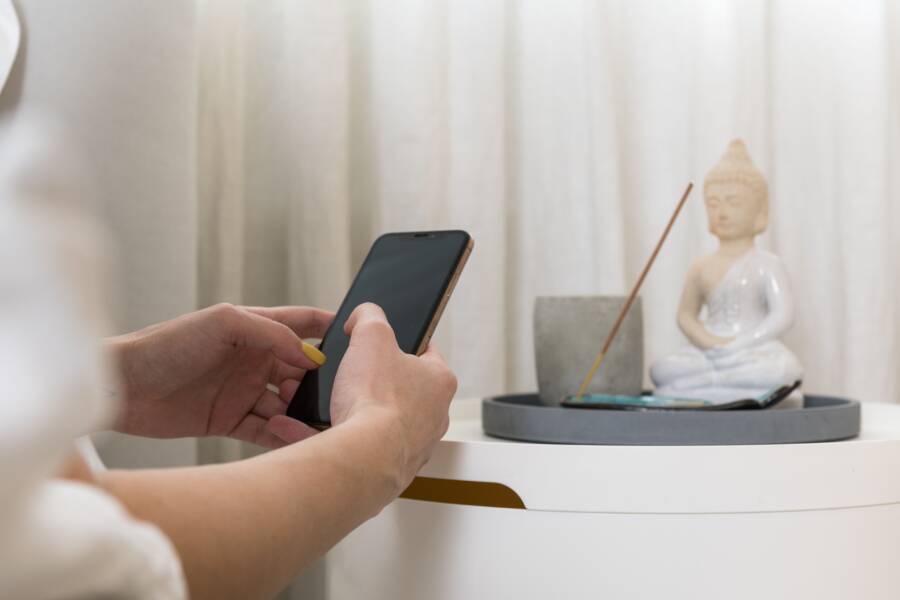
Your smartphone is a tool for balance rather than just a source of constant distraction. You can quickly reclaim your focus by activating the built-in digital wellness features already present on your device.
These tools allow you to set specific time limits for apps and create regular reminders to pause. By adjusting these settings, you regain control over your attention throughout the day.
The Benefits of Scheduled Breaks on Your Smartphone
Your smartphone is a powerful tool, but constant engagement drains your physical and mental stamina. Activating scheduled breaks helps you maintain a healthier relationship with your device. By forcing a pause, you provide your body and mind the space they need to recover from the demands of the modern workplace.
Reducing Digital Eye Strain and Fatigue
Staring at a screen for hours causes digital eye strain, which often presents as dry, irritated eyes or blurred vision. When you focus on a small display, your blink rate drops significantly. This lack of moisture leads to discomfort that persists long after you put the device away.
Simple prompts to pause serve as a vital reminder to blink and look away. Shifting your gaze to an object at least twenty feet away relaxes the ciliary muscles inside your eyes. This small change prevents the accumulation of physical tension in your neck, shoulders, and face. Following a schedule helps you break the habit of prolonged, unblinking focus. You will find that these brief periods of rest keep your vision clearer throughout the day.
Improving Long-Term Concentration
Constant notifications create a phenomenon known as attention residue. Each time your smartphone pings, your brain must switch contexts from your current task to the alert. This mental friction makes it difficult to return to deep, focused work. Your cognitive capacity stays fragmented as you move from one notification to the next.
Taking intentional breaks allows your mind to reset. During a scheduled pause, you step away from the cycle of constant incoming information. This quiet time helps your brain process previous tasks and consolidate information. Manual control of your smartphone notifications is necessary to protect this mental environment. When you decide when to check your alerts, you stop the constant interruption of your thought process.
Consider the following ways that regular breaks support your cognitive health:
- You lower your baseline stress levels by reducing the pressure to respond instantly.
- Your brain finishes tasks more effectively when it is not juggling multiple incoming inputs.
- You maintain a higher level of alertness for important projects because your mind is not fatigued by constant switching.
These practices transform your device from a source of distraction into an asset for your productivity. When you govern your usage, you sustain your focus for much longer periods. Over time, you will notice that your ability to concentrate on demanding tasks improves because you allow for natural recovery.
Setting Up Native Wellness Tools on iOS and Android
Your smartphone includes built-in settings to manage how you interact with apps and notifications. These tools help you build boundaries without requiring third-party software. By customizing your settings, you gain control over your daily usage patterns.
Configuring Downtime and App Limits on iPhone
Apple includes Screen Time to help you manage your focus. This feature tracks your usage and allows you to restrict access to specific apps during certain hours.
Follow these steps to schedule your downtime:
- Open the Settings app on your iPhone.
- Select Screen Time from the main list.
- Tap on Downtime.
- Toggle the switch for Scheduled to enable the feature.
- Choose whether you want the schedule to repeat every day or on specific days.
- Set your start and end times to block non-essential apps during your rest period.
You can also set daily usage limits for individual app categories. This prevents you from spending too much time on social media or games during the workday.
- Navigate to the Screen Time menu in Settings.
- Tap App Limits.
- Select Add Limit to choose specific categories like Social Networking or Entertainment.
- Set the timer to your preferred duration, such as thirty minutes per day.
- Tap Add to confirm your settings.
When you reach your limit, the screen dims and displays a notification. You can choose to ignore the limit for fifteen minutes or block it entirely until the next day.
Using Focus Mode and Break Reminders on Android
Android devices offer Digital Wellbeing tools to help you disconnect. These features let you create a wind down routine that prepares you for rest by adjusting your screen settings.
Set up your wind down schedule with these steps:
- Open your device Settings menu.
- Find and tap Digital Wellbeing and parental controls.
- Select Bedtime mode.
- Choose to turn it on based on a schedule or when your phone is charging at night.
- Customize your settings to grayscale the screen, which makes the display less stimulating.
- Enable Do Not Disturb to silence incoming notifications during these hours.
Focus mode is another useful tool for blocking distracting apps while you work. You can turn this on manually or schedule it for your most productive hours.
- Return to the Digital Wellbeing menu.
- Select Focus mode.
- Choose the apps that cause the most distraction from the list provided.
- Tap Set a schedule to automate when these apps remain blocked.
- Select Turn on now if you need to block notifications immediately.
You can also select Take a break if you need to access a blocked app for a few minutes. Your smartphone will pause the timer and allow you to use the app before returning to its restricted state.
Customizing Your Notifications for Better Peace of Mind
Managing how your smartphone interrupts your day is the most effective way to regain control over your attention. Notifications often arrive in a chaotic stream that forces you into a state of reactive stress. By filtering these alerts, you build a digital environment that supports your focus rather than constantly shattering it. You can achieve peace of mind simply by choosing which apps deserve your immediate attention and which ones can wait for a more convenient moment.
Silencing Non-Essential Alerts
Most apps on your smartphone send unnecessary pings to keep you engaged with their platform. These alerts are often designed to create a sense of urgency, even when the underlying information provides no real value to your current task. Turning these off completely removes the background noise that drains your mental energy.
Start by auditing your notification settings and disabling alerts for the following categories:
- Social media apps that send updates about likes, comments, or trending posts.
- Shopping apps that send frequent alerts about sales or promotional offers.
- Games that nudge you to return and play to maintain streaks or earn rewards.
- News aggregators that push breaking alerts for stories that do not require your immediate reaction.
Removing these interruptions helps you identify exactly which tools provide genuine utility. You remain in charge of your smartphone usage when you choose to open an app, rather than letting the app summon you. If you realize you miss an alert from a specific service, you can always re-enable it later. Most users discover they do not miss the constant stream of updates after a few days of silence.
Creating Custom Notification Schedules
When you need to stay productive, notifications are a major obstacle to finishing your work. Batching your alerts allows you to group incoming information into specific time windows. Instead of responding to individual pings throughout the day, you process all your messages during dedicated check-in periods.
Many modern devices include features like “Scheduled Summary” on iOS or “Do Not Disturb” schedules on Android to manage this flow. Use these tools to designate times when your phone remains quiet, such as during your deep work blocks or meal times.
You can organize your communication strategy by using the following approach:
This structure ensures that you stay responsive to important people while protecting your time from random interruptions. If you find that your workflow is still interrupted, adjust the timing of your silent blocks to match your natural energy peaks. Over time, this rhythm becomes a habit that minimizes the urge to check your screen constantly. You gain significant relief when your smartphone stops acting as a source of random noise.
Common Questions About Digital Wellness Settings
Many users worry that changing their settings will make their smartphone less useful or difficult to operate. These tools exist to help you manage your time rather than restrict your access to important information. You remain in control of every setting you activate.
Will enabling focus modes stop important calls?
You decide which contacts can reach you while your phone is in a restricted mode. Both iOS and Android allow you to create an exceptions list for specific people. If a family member or a colleague needs to reach you urgently, you can add them to your allowed list within the settings menu.
You can also choose to allow repeated calls from the same number within a short window. This ensures that you do not miss emergency communications even if your smartphone is otherwise silenced. Review your allowed contacts list after you set up any new mode to confirm you included everyone necessary.
Can I quickly disable these settings if I need my phone?
You never lose the ability to override your digital wellness rules. A simple tap on your screen or a quick adjustment in the control center turns off any active limits instantly. These settings are meant to assist your habits, not trap you in a restricted environment.
If you find yourself needing full access, you can choose to pause a timer or exit a mode for a set duration. Your phone will usually ask if you want to resume the restriction after that time expires. You are the ultimate authority over when your device provides alerts and when it stays quiet.
Do these features affect my battery life?
Digital wellness tools operate in the background and use very little power. They are integrated directly into the system software of your smartphone to prevent excessive resource usage. Turning on features like grayscale or bedtime mode often saves battery life by reducing screen brightness and background activity.
You might notice a small improvement in your daily battery performance when you limit notifications and background refreshes. These features function efficiently because they do not require constant processing power. You can safely keep them enabled without worrying about your battery draining faster during the day.
How do I know if my settings are actually working?
Most platforms provide a daily or weekly report that summarizes your screen time habits. You can check these logs to see how many notifications you received and how often you picked up your smartphone. These metrics give you objective data on whether your adjustments are reducing your screen dependence.
You will also notice the change in your own focus. If you feel less stressed about checking alerts, your settings are doing their job. Adjust your limits periodically based on these reports to match your current work demands or personal goals.
Conclusion
You now have the tools to turn your smartphone into a source of balance rather than a constant distraction. These settings exist to serve your needs, so adjust your schedules whenever your work or personal life changes.
Prioritizing your focus is a continuous habit that rewards you with clearer vision and better concentration. You are in command of your attention when you decide when and how your device interacts with your day.
Pick one setting mentioned above, such as a downtime schedule or a custom notification filter, and activate it on your phone today. You will soon see how small adjustments produce a calmer and more productive routine.