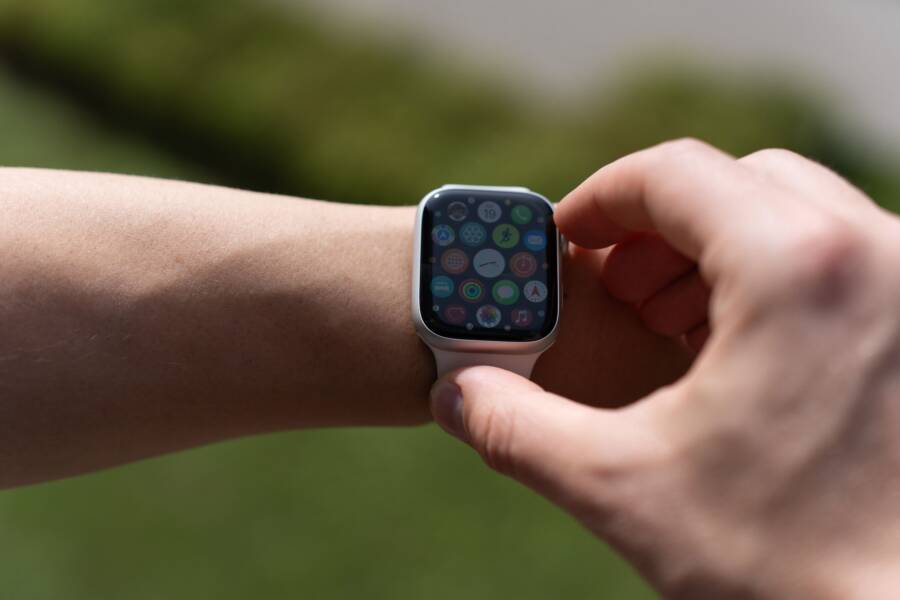
You can track your fitness goals effectively without buying expensive specialized hardware. Your smartphone already functions as a powerful health hub because it contains the necessary sensors to monitor movement and activity levels.
Many people assume they need a dedicated wearable device to see results. However, this gear is often unnecessary for building consistent exercise habits. You already carry the tools required to track your progress and stay motivated every single day.
Why You Do Not Need Expensive Gadgets to Track Progress
Many people believe they must purchase a premium wearable to start tracking their fitness. This assumption ignores the powerful technology already sitting in your pocket. Your smartphone functions as a comprehensive health monitor using internal components that rival the sensors found in dedicated devices. You gain immediate access to accurate data by using the hardware you own today.
The Power of Built-in Smartphone Sensors
Modern phones rely on a specialized set of sensors to detect motion and spatial changes. The primary component is the accelerometer, which measures the acceleration of your device in three axes. It tracks every step you take by sensing the unique pattern of your movement. Your phone interprets these patterns to estimate total distance and cadence during a walk or run.
In addition to motion, your device uses a gyroscope to determine orientation and rotation. This sensor helps the phone understand whether you are holding it, walking with it, or placing it in a pocket. By combining data from the accelerometer and gyroscope, the system creates a precise picture of your activity levels.
Many devices also include a barometer to detect altitude. This sensor measures changes in air pressure to determine if you are climbing stairs or hiking uphill. You get detailed information about your total elevation gain without needing external hardware. Your smartphone uses these inputs to calculate metrics such as:
- Steps taken throughout the day.
- Distance traveled during exercise sessions.
- Floors climbed during your daily routine.
- Active calorie burn based on movement intensity.
These sensors work together to provide consistent data. You can trust these internal components to record your progress accurately for most common fitness goals.
Keeping It Simple for Long Term Success
Simplicity is a major factor in maintaining a consistent exercise habit. Adding extra gadgets often creates friction that hinders your progress. You must remember to charge a watch, manage software updates, and ensure the device syncs correctly with your phone. These extra tasks distract you from the actual goal of your workout.
A minimalist setup removes these barriers. You do not worry about battery life or syncing issues when your phone handles the tracking. You keep your focus on your physical effort instead of managing tech accessories. This clarity helps you stay committed when life gets busy.
Focusing on the movement rather than the hardware fosters a healthier relationship with your data. You view your progress as a result of your own hard work instead of attributing success to a gadget. You save money and reduce clutter while still receiving the metrics needed to improve. Building a routine becomes easier when you remove unnecessary steps between your goals and your daily life.
Setting Up Your Manual Tracking System
You possess a powerful monitoring tool in your pocket that requires little configuration to start recording your activity. Your smartphone acts as the central hub for your health data by aggregating information from internal sensors and manual inputs. Establishing this system involves connecting automatic data feeds and building a rhythm for recording the activities that machines cannot detect on their own.
Configuring Health Apps for Automatic Data Collection
Most modern devices come equipped with built-in health platforms that manage data collection automatically. On an iPhone, Apple Health serves as the primary dashboard. You open the app and set up your profile by entering your age, weight, and height. The system then requests permission to access motion and fitness data. You grant these permissions to allow the phone to count your steps and record walking distance without further input.
Google Fit functions similarly for Android users. You download the app from the Play Store and sign in with your Google account. Once you provide the necessary permissions, the app runs in the background. It monitors your daily movement and converts that activity into move minutes or heart points. You should check the settings menu to verify that activity tracking is active. This ensures your smartphone records every walk, run, or climb throughout the day. Both platforms sync with third-party apps, so you can choose which data sources to trust.
Manual Logging for Diet and Workout Consistency
Automatic sensors track movement, but they often miss the specific intensity of weightlifting or yoga. You need a manual method to record these sessions for a complete fitness picture. Simple journals or dedicated apps reduce the friction of logging your workouts. Paper notebooks remain a reliable choice because they require no battery or internet connection. You simply write down the date, exercise name, sets, and repetitions after finishing your session.
If you prefer a digital record, minimalist apps like Strong or Hevy help you store your lifting history without unnecessary complexity. These apps allow you to create custom workout routines and log your progress in seconds. For non-structured movement like yoga or stretching, use a simple notes app on your phone. Write a quick entry every day to maintain accountability. Consistency matters more than the specific tool you choose for tracking these details. You build better habits when the process feels quick and repeatable. Keep your logs accessible to ensure you finish the entry before you leave the gym or finish your home session.
Creating Your Own Workout Logs Without Complex Software
You don’t need proprietary platforms to track your strength gains or endurance progress. A simple text file or a basic grid on your smartphone keeps your history safe and accessible. These DIY methods put you in full control of your data without the hidden costs or subscription fees of fitness apps. By building a custom system, you define exactly which metrics matter to your training goals.
Using Note-Taking Apps to Track Personal Records
Standard notes apps on your smartphone are perfect for capturing session details quickly. They allow for free-form input, so you can record everything from specific equipment adjustments to how a lift felt on a given day. Consistency improves when you remove the extra clicks and menu navigation found in dedicated fitness software.
Use a simple template to keep your data organized for future comparison. Structure each entry with the date, the name of the exercise, and your results for every set.
For instance, your entry might look like this:
- Date: October 12
- Squat: 135lbs x 10, 155lbs x 8, 165lbs x 5
- Bench Press: 95lbs x 12, 105lbs x 10, 115lbs x 8
Keep your notes in a single file labeled with the current training block. You can search through previous entries to see how your strength levels changed over time. This approach works well because it captures the nuance of your workout without forcing your input into a rigid format. You maintain your focus on the movement while logging your progress in seconds.
Why Spreadsheets Offer More Control
Spreadsheets turn raw numbers into a visual history of your physical growth. While note apps provide a quick way to log data, spreadsheet software on your smartphone displays your trends in clear, readable tables. You can easily compare your performance across different months or even years. This bird’s-eye view helps you identify which exercises contribute most to your long-term success.
Data entry in a spreadsheet is straightforward once you set up your column headers. You track metrics like total volume, rep range, and rest time in rows. Because you own the file, you can sort your data to see which lifts are stalling and which are improving.
Consider these advantages of using a spreadsheet for your routine:
- You create custom charts that show your strength progress over months.
- The data remains portable, as you can open the file on any device or computer.
- There are no limits on how many exercises or years of history you can archive.
Visualizing your data keeps you motivated when progress feels slow. You see the actual numbers climb, which proves your hard work is paying off. This clarity makes it easy to adjust your training plan based on facts rather than guesswork. You gain a better understanding of your body by analyzing the history you built yourself.
Common Questions About Phone-Only Fitness Tracking
Many people worry that a phone-only setup lacks the precision of specialized devices. You might wonder if your movement data stays accurate or if your phone interferes with your workout flow. Most concerns center on battery drain, data reliability, and physical comfort during exercise. These questions often surface when you start replacing dedicated gear with your current technology.
Does carrying my phone affect my movement data?
Your smartphone tracks movement through internal sensors that work regardless of where you carry the device. Most modern models handle pockets, armbands, or waist belts with equal ease. The accelerometer inside detects the rhythm of your gait rather than the specific position of the phone. You get consistent step counts as long as the device remains on your person during activity.
Some users prefer an armband for stability during intense cardio like running. This keeps the phone secure and prevents it from bouncing in a pocket. If you place your phone in a bag or a backpack, the sensors still register your movement accurately. You do not need to hold your phone or keep it in a specific spot to see progress.
Will constant tracking drain my battery?
Modern smartphones optimize background processes to minimize the power used by fitness apps. Tracking your steps or movement typically consumes very little battery compared to streaming video or using GPS navigation. You might notice a small change in battery life, but it rarely impacts your ability to get through a standard day.
You can take a few steps to preserve power if you plan a long training session. Disable high-drain features like constant screen brightness or unnecessary background refreshes before you begin. Most fitness apps function perfectly fine without these extras. You benefit from a simple setup that works well with your current battery performance.
How accurate are smartphone sensors compared to fitness watches?
Both your smartphone and a dedicated wearable often use the same fundamental sensor technology. Accelerometers found in your phone are highly capable of counting steps and distance with high reliability. You receive data that is sufficient for personal goal setting and tracking long-term trends.
Wearables provide an advantage only if you need continuous heart rate monitoring or skin temperature data. If your goal is to track total activity, distance, and daily movement patterns, your phone provides comparable results. You rely on the same physical principles to measure your daily effort and health improvements.
Can I track multiple types of exercise at once?
You use a combination of automatic and manual tracking to capture a full picture of your health. Your smartphone automatically records your walking and distance throughout the day. You then use simple logs or apps to record specific sessions like strength training or mobility work. This dual approach ensures you capture every bit of effort you put into your fitness routine.
Organizing your data helps you stay consistent over time. You might track your cardio via the native health app while keeping a separate list for your weightlifting records. This method works well because it separates raw movement from structured workouts. You remain the primary owner of your data and keep the system simple enough to maintain for years.
Conclusion
Tracking your progress does not require expensive gear or extra hardware. Your smartphone contains the same internal sensors found in dedicated wearables. It counts your steps, calculates your distance, and logs your daily activity with high accuracy. The most effective setup relies on the tools you already have in your pocket.
True fitness comes from the movement you perform and the consistency you maintain. Accessories are secondary to your actual effort in the gym or on the trail. By removing the need for extra devices, you eliminate friction and focus entirely on your training goals.
Start recording your next workout today using your phone. Open your health app or create a simple note to document your progress. Your path to better health begins with the habits you build, not the equipment you buy.