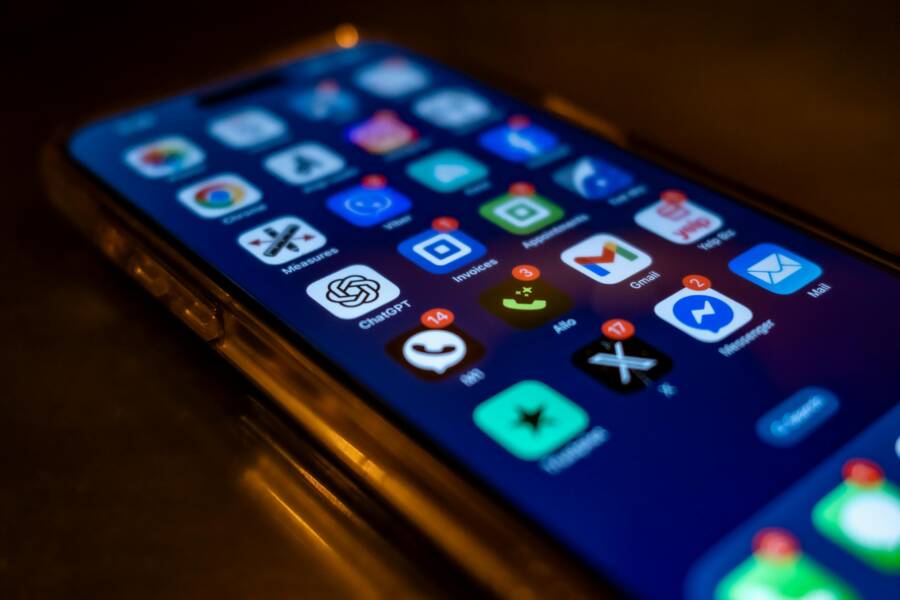
Your smartphone should support your daily flow rather than interrupt it. Organizing your apps by specific routines helps you find tools quickly and keeps your screen free of digital clutter.
When you group icons based on your habits, you reduce the time spent hunting for tasks. This simple habit turns your phone into a predictable tool for focus and well-being. Read on to learn how to structure your screen for a better experience.
Why Organizing Apps by Your Daily Routine Matters
Structuring your smartphone home screen to match your habits transforms how you interact with your device. Instead of relying on random placement, you align your tools with the flow of your day. This approach turns your phone into a predictable assistant rather than a source of distraction. When every app has a logical home based on when you use it, you save time and mental energy.
Lowering Distraction Through Better Screen Layouts
High-frequency apps often become a source of mindless habit. When social media or news apps sit directly on your main screen, your fingers reach for them without a conscious decision. This phenomenon is known as friction. By increasing the physical effort required to open these apps, you regain control over your attention.
You can hide distracting apps inside folders or move them to secondary home screens. Placing these folders on a different page creates a buffer between your intent and the action. When you must perform an extra swipe or tap to find an app, you provide your brain a moment to pause. Often, that brief window allows you to realize you are acting out of boredom instead of necessity.
Organizing your screen layout serves as a gatekeeper for your focus. Consider these strategies for managing your apps:
- Keep essential productivity tools on the first screen for quick access.
- Put entertainment and social apps in folders on your second or third screen.
- Move distracting apps into a folder named with a neutral, non-tempting label.
- Remove notifications for every app that does not require an immediate response.
Building a Digital Environment That Reflects Your Priorities
Your smartphone setup acts as a reflection of what you value in your daily life. If your main screen is filled with work tools, you associate the device with productivity. If it is packed with games and feeds, you view it as a primary source of recreation. Designing a layout that aligns with your true goals helps you maintain focus during important tasks.
Distinguish between apps that serve your growth and those that fill your downtime. Productivity tools include your calendar, email, note-taking software, and task managers. Relaxation apps consist of streaming platforms, social media, and games. Separating these categories prevents work sessions from spilling into personal time and keeps leisure activities from interrupting your flow.
Consider how your priorities shift throughout a single day. You might need your transit app and music player during your morning commute, yet you rarely need them while working at your desk. Arrange your home screen pages to support this shift. Place morning-focused apps on the first page, and move work-related tools to a secondary page you access once you sit down. This organization keeps your digital workspace clean and helps you stay present in the moment.
How to Create App Folders That Match Your Daily Routine
You can reshape your relationship with your smartphone by grouping apps based on your daily intentions. When you organize your screen, you minimize the effort needed to find tools for your current task. This structure creates a clear path for your focus and reduces the chance of wandering into aimless scrolling.
Categorizing Your Apps by Context and Intent
Assigning apps to specific folders helps you switch mindsets quickly as you move through your day. Each folder acts as a container for a certain state of mind. When you open a folder named for a specific task, you signal to your brain that it is time to work, relax, or manage chores.
Consider these categories to structure your apps by context:
- Morning Flow: Group apps here that you use for your early routine, such as your alarm clock, meditation apps, news summaries, or calendar.
- Deep Work: Place your project management software, document editors, and research tools in this folder to keep your focus on professional tasks.
- Finance: Put banking apps, budget trackers, and investment tools here to centralize your money management.
- Unwind: Collect your reading, streaming, and creative hobby apps in this folder to define the end of your productive day.
Labeling these folders by their function allows you to ignore irrelevant apps during specific parts of your day. You stop seeing distractions when you are looking for work tools. This mental separation helps you stay present and protects your time from unwanted interruptions.
Ordering Folders Based on Frequency of Use
Your thumb travels across the screen in predictable ways. Smartphone designers often call the area closest to the bottom corners the thumb zone. You reach these spots with the least physical effort. Placing your most used folders here makes your daily interactions faster and more fluid.
Follow these steps to optimize your screen layout for comfort and speed:
- Identify the apps or folders you open every single day, such as your messaging or task list.
- Move these high-frequency items to the bottom half of your home screen.
- Place secondary folders that you only access occasionally at the top of the screen or on a separate page.
- Keep the absolute most distracting apps, like social media or games, off your primary home screen.
You can also arrange your folders based on the sequence of your day. Put your morning routines on the bottom left if you are right-handed. Place your end-of-day wind-down apps on the bottom right. This physical arrangement mirrors your natural movement. By syncing your screen layout with your routine, you turn your device into a reliable tool that works with you rather than against your focus.
Practical Examples for Your Home Screen
You can tailor your smartphone home screen to support your goals. Organizing apps into routine-based folders helps you avoid the trap of mindless scrolling. By grouping your tools by intent, you change how you interact with your device throughout the day. These specific layouts keep you productive and protect your time from unwanted distractions.
The Morning Routine Setup
Your morning sets the tone for the rest of your day. Most people check their phones immediately after waking up, which often leads to an hour of aimless browsing. You can replace this habit by placing a morning-specific folder at the bottom of your home screen. This folder acts as a dedicated space for activities that wake your mind rather than drain it.
Fill this folder with tools that help you prepare for the day ahead. These might include:
- A weather app to check the forecast.
- Your calendar or daily planner to review your schedule.
- A meditation or breathing app to center your focus.
- A habit tracker to log early goals.
- A news aggregator set to specific, non-political topics.
By limiting this folder to these essentials, you remove the urge to open social media. You only find tools that serve your morning rhythm. If you do not have these apps readily available, you might consider moving your email or messaging apps to a secondary page. This extra step forces you to decide if you truly need to check messages before you have even finished your coffee.
The Work and Productivity Workflow
Keeping your work environment organized reduces mental fatigue. When your email, project management software, and document editors occupy the same space as personal messaging or entertainment, your brain struggles to separate tasks. You can improve your output by splitting these tools into two distinct zones.
Use one primary folder for immediate communication tools like Slack, Teams, or your email client. This allows you to manage alerts and messages during designated check-in times. When you finish your communication tasks, you move your focus to a second folder dedicated to creation and document editing.
This separation helps in a few ways:
- You create a physical barrier between constant interruptions and deep work.
- You prevent the urge to check personal messages while drafting documents.
- You clarify your intent each time you tap a folder icon.
Keep your deep work folder clean by removing apps that send non-essential alerts. If an app belongs in this category but keeps pulling your attention away with notifications, you should turn them off. A clean, focused smartphone environment acts as a partner in your workday. By structuring your apps this way, you remove the clutter that usually blocks your concentration.
Common Questions About Phone Organization
Many users struggle with digital clutter on their smartphones. You might wonder how often you should rearrange your apps or if folders actually save time. Most of the confusion stems from trying to force a rigid system onto a dynamic lifestyle. The most effective approach focuses on utility rather than aesthetics.
How often should I update my home screen layout?
You should update your layout whenever your daily habits change. This might happen when you start a new job, join a gym, or adopt a different morning schedule. There is no need to reorganize your smartphone on a fixed calendar schedule. Instead, notice when you spend too much time swiping through pages looking for specific tools. If you find yourself searching for an app more than twice a day, move that icon to your primary screen. Frequent adjustments help you keep your most important tasks within reach.
Do folders really reduce distraction?
Folders provide a buffer that prevents accidental usage of addictive apps. When you place social media or games inside a folder, you add a layer of friction to the process. You must tap the folder, find the app, and then launch it. This extra step gives you time to question if you actually need to open that app right now. While folders do not remove the urge to browse, they stop your fingers from tapping icons by muscle memory.
Is it better to hide apps or remove them entirely?
Deleting apps is the most effective way to eliminate distraction. If you do not use an app at least once per week, it likely occupies space and mental energy that you could use elsewhere. Hiding apps in folders is a secondary option for tools you need occasionally but want to keep out of sight. You can also move distracting apps to a folder on the last page of your home screen. This physical distance makes it easier to resist the urge to open them while you work.
How do I manage notifications alongside organization?
Notifications often defeat the purpose of a clean screen layout. Even if your smartphone is organized perfectly, a sudden alert can pull you away from your current task. You should disable push notifications for any app that is not essential for work or safety. Keep your notifications limited to calendar alerts, direct messages from family, and urgent task reminders. When you stop the constant pinging, your organized app layout can finally help you focus on your actual priorities.
Conclusion
Your smartphone is a living tool that changes as your priorities and habits shift. A static home screen quickly becomes outdated, so you should treat your app organization as a fluid project rather than a one-time task.
Set a reminder to review your folders once a month to ensure they still match your current routine. If you no longer use a specific set of apps, remove them or rearrange your folders to reclaim your focus. This habit keeps your digital space efficient and prevents unnecessary clutter from building up again.