
Give Netflix, Hulu, and Disney+ one household budget line, then base the amount on the charges that actually hit your account. Add monthly plans, divide any annual fee by 12 for planning, and keep the renewal date visible so a large once-a-year bill does not surprise you.
Streaming costs are easy to underestimate when one service is billed through a different account or an annual renewal lands outside your usual bill week. A short statement review gives you a usable number without guessing how much a household “should” spend.
Start with the amount that leaves your account
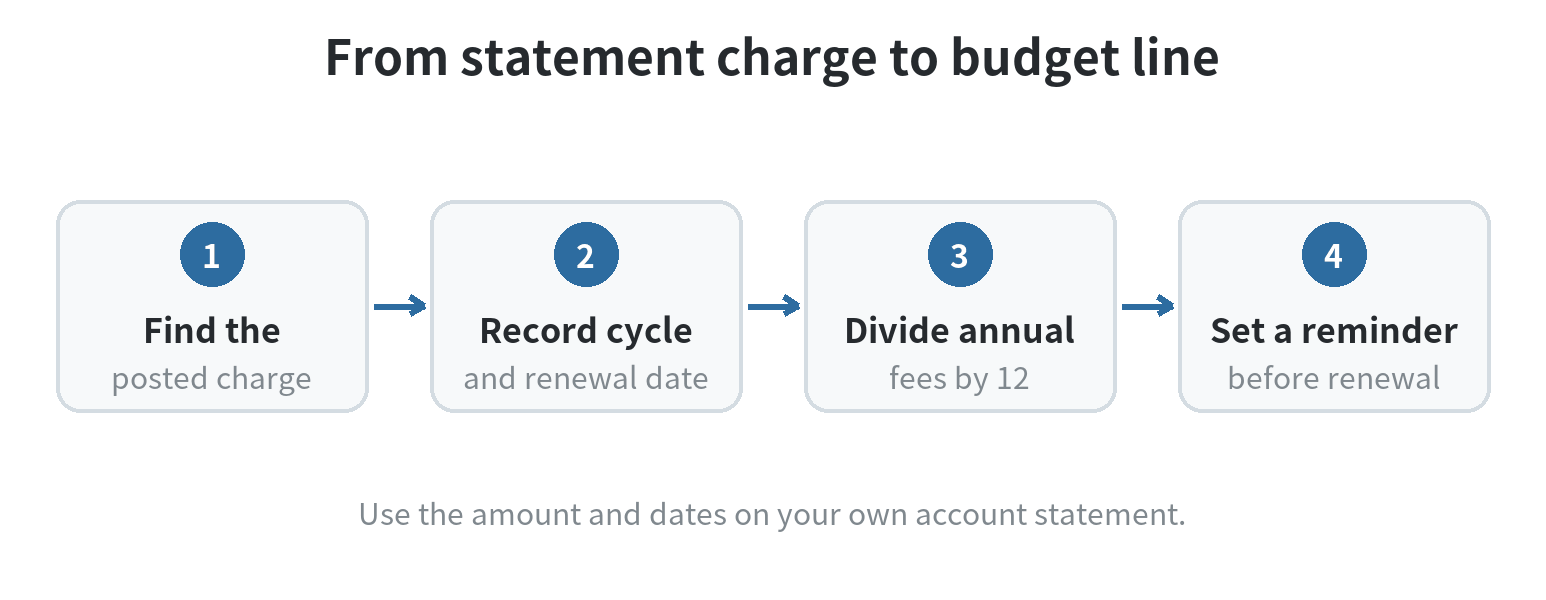
Pull the latest statements for the checking account and cards that pay for entertainment. Search the transaction descriptions for Netflix, Hulu, Disney+, and any billing intermediary you recognize. Record the posted amount, date, payment account, and whether the charge repeats monthly or covers a longer term.
Use the amount charged, not an advertised starting price, as the budget baseline. A plan may have more than one tier, a promotional period, an add-on, or a billing arrangement that changes the final amount. Taxes may also make the account charge differ from a listed plan price. The Netflix Help Center says taxes may be added depending on location, and that prices can vary when an account comes through a package or add-on (checked October 1, 2026).
Make one row for each service, even when two appear on the same bill. This keeps a bundle or shared payment from hiding the separate amount you are assigning to streaming.
| Service or charge | Amount charged | Cycle | Next renewal |
|---|---|---|---|
| Service A | $12.00 example | Monthly | May 14 example |
| Service B | $120.00 example | Annual | October 2 example |
| Bundle or add-on | Check statement | Check terms | Record date |
Sample entries only; use your own statement dates and charges.
Use current plan pages as a cross-check, not your budget
Official plan pages help you understand what a listed rate covers; your bill tells you what your account pays. On September 30, 2026, Netflix’s U.S. pricing information listed Standard with ads at $8.99 per month, Standard at $19.99, and Premium at $26.99. The Netflix site separately described its range as $8.99 to $26.99 per month before tax.
Its Disney+ and Hulu bundle page showed a six-month introductory rate of $11.99 for the ad-supported bundle or $19.99 for the Premium bundle, then a regular monthly rate of $12.99 or $21.99 once that period ends. These are dated snapshots; the companies can change plan names, prices, and offer terms.
When you compare a posted charge with one of those pages, check the plan name, whether the price is introductory, and whether the bill includes another service. Netflix’s help page says its plans bill monthly on the signup date, and the Disney+ bundle page describes the switch from the six-month offer to its monthly rate. Put the next renewal date beside the amount, especially if your statement groups several services together.
Turn an annual fee into a monthly reserve
A yearly charge belongs in the monthly plan even though the account only pays it once. Divide the annual amount by 12 and set aside that portion each month. For a $120 annual plan, the planning amount is $10 a month; when the renewal arrives, the reserved balance covers the bill.
If the annual plan renews in October, record October as the cash-flow month and start reserving for the next renewal after the current payment. Do not count the whole annual charge as both a monthly expense and a second October expense. Your budget can show the monthly reserve while your calendar reminds you when the actual payment posts.
Keep the reserve in the account used for recurring bills, or track it as an earmarked amount in a spreadsheet. If the renewal is close and you have not set money aside, make a one-time line for the upcoming bill first; begin the monthly reserve for the following renewal after that.
Keep a bundle from being counted twice
A bundle can include more than one service under a single charge. Disney+’s bundle page lists Disney+ and Hulu together in its Duo plans (checked September 30, 2026). If one bundled payment covers both, enter the payment once in your budget and note the included services in the description. Do not add the bundle amount and the standalone prices as if both were being charged.
If your statement shows separate charges, record each posted amount separately even if the services appear together in a promotion or account view. When a charge comes through a phone, TV, or app account, note that billing name alongside the service name. Then you can search the right statement and review the terms in the account that controls the renewal.
Give each service a job before keeping it
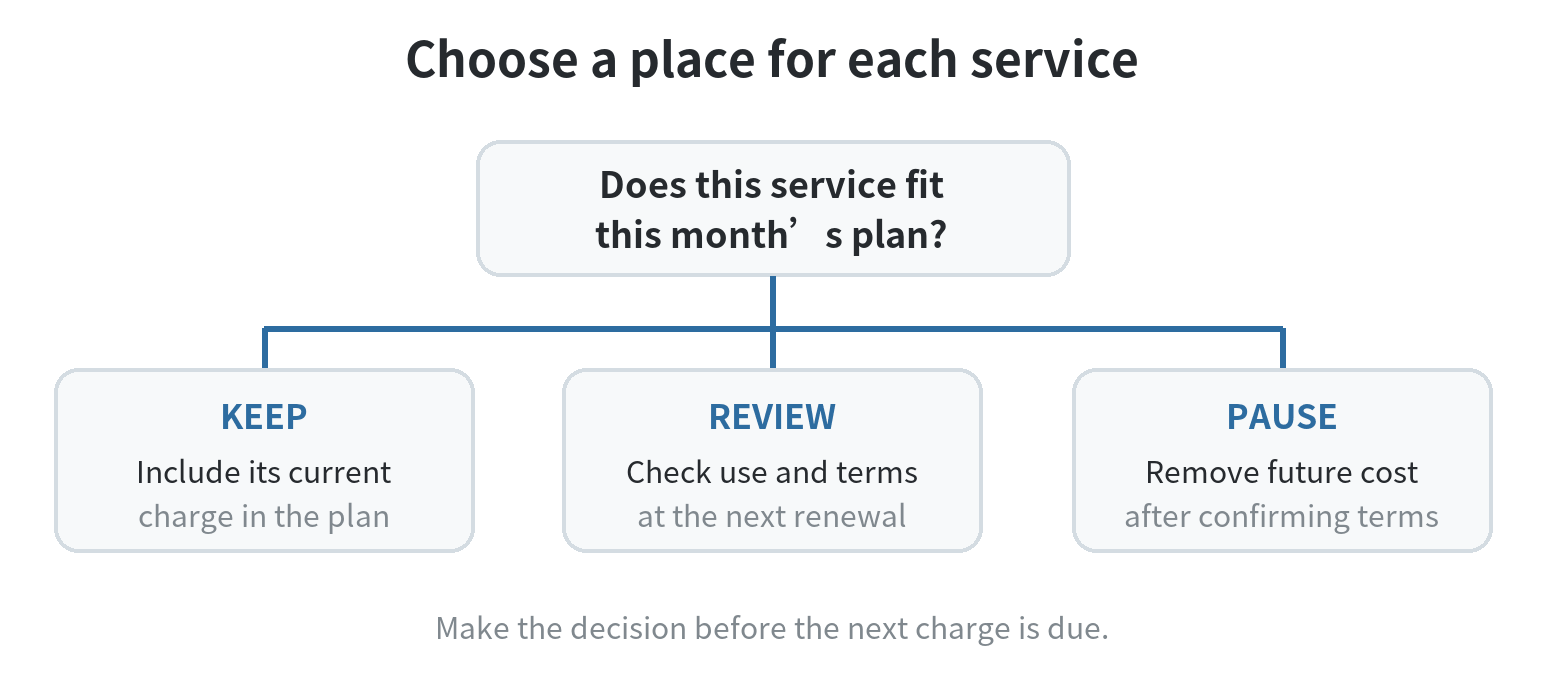
List what your household uses each service for: a particular show, a shared family routine, or occasional viewing during a release window. Then mark each one “keep,” “review,” or “pause.” The label is a household choice; it does not need to match a universal rule about how many services to carry.
If you want to rotate subscriptions, choose the next service before the current billing cycle ends and note the date you need to act. Check the service’s cancellation and renewal terms first. Netflix says members can cancel at any time; a bundle or promotional plan can work differently, so check its own cancellation and renewal language before assuming a mid-term change is handled the same way. Those terms make the billing cycle relevant: a monthly plan and an annual commitment do not create the same budget decision.
For a family or roommate household, agree on who owns the account, who pays, and how a shared cost is split. Put the full charge in the shared budget, then record each person’s contribution separately. If one person covers the account, set a reminder for the others’ share before the renewal date rather than relying on an informal memory.
Check the line when a charge changes
Compare the next statement with the amount you budgeted. If a charge changes, update the service row and identify whether the difference came from a plan change, a renewal, an add-on, or another account. Keep a note of the source of the charge so you know where to review its terms.
If several charges land close together, check the total due in that stretch of the month as well as the monthly total. Place the renewal dates on your cash-flow calendar, then reserve the money before assigning the same dollars to flexible spending. If that week is tight, review a service before its next renewal rather than counting a possible cancellation as money already freed up.
A small tracker can hold the service name, current amount, billing cycle, renewal date, payer, and decision. The phone budget tracker guide explains how to organize spending categories, and this phone-based budget guide covers a recurring review routine. Keep your streaming line separate from general entertainment if you want to see whether the service charges fit the amount you set.
Update the record after a plan or payment change, then revisit the line when the next statement arrives. The next month’s budget should reflect what is active now, not a service you meant to cancel or a rate you saw in an old promotion.
FAQ
How do I budget for a free trial that may become paid?
Treat the trial’s listed end date as a decision date and check the terms shown on the account before it ends. If you plan to keep the service, add the paid amount and its billing date to the budget before the first charge.
What if a streaming bill is paid through a phone or TV account?
Use the account statement that shows the charge, then identify the service and renewal terms in the account that manages it. Keep the intermediary and streaming service names in your notes so you can trace the payment later.
Should roommates split one streaming charge evenly?
Agree on the split before adding it to the shared budget. An equal split is one option; a household can also assign the full amount to the person who uses or manages the account.
How much should I set aside if I am switching services?
Set aside the next confirmed bill amount and date, then add the replacement service only after you know when its charge begins. This prevents a trial, overlap, or annual renewal from disappearing between budget months.
Last updated: 2026-09