Rain can sneak into a phone through the ports and seams, turning a simple shower into a water damage worry. Quick action matters because moisture can short circuits and corrode internal components within minutes. In this guide you’ll find clear, practical steps that work in real life, not myths or old wives tales.
You’ll learn immediate actions you can take the moment you notice rain on your device. We’ll cover the best drying methods, including why silica gel beats rice every time, and how to test your phone safely before you power it back on. You’ll also get tips to protect data and prevent rain damage in the future. By the end, you’ll know exactly what to do to maximize the chances your phone survives a rain incident.
A quick preview of the plan: power off right away, remove accessories, and avoid shaking or turning the device on while moisture is present. Then use silica gel packets in a sealed container for at least 24 hours, check for moisture, and only then attempt a cautious power up. This approach reduces risk and keeps more data intact, which is essential since most people rely on their phone for work, photos, and daily life. If you want a straightforward, reliable routine for rainy days, this guide has you covered.
What to do right away when your phone gets wet in the rain
Rain can sneak into a phone through ports and seams, turning a light drizzle into a potential data and hardware headache. Acting fast helps reduce moisture and the risk of short circuits. Below are concise, practical steps you can take the moment you notice rain on your device. Each step is designed to keep you in control and maximize the chance your phone survives the incident with minimal damage.
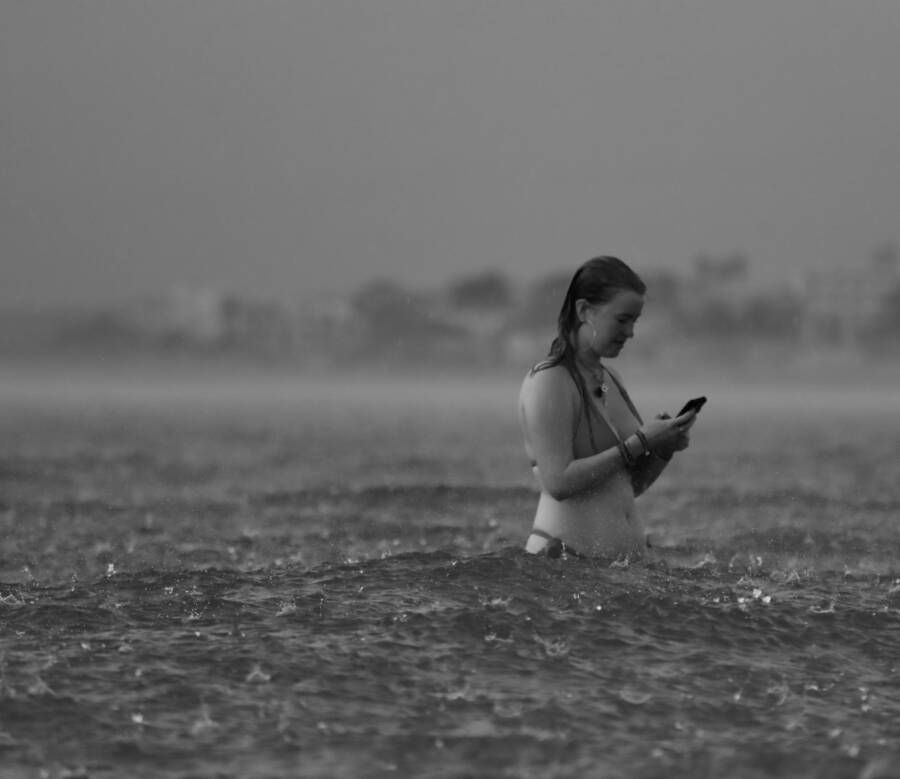
 Photo by Efrem Efre
Power off immediately to prevent short circuits
Turning off the phone cuts power to the circuits and lowers the risk of a short running through water on the board. Do not press buttons repeatedly during shutdown; a slow, deliberate power-off is best. Keep the device off until it is fully dry. If you’re unsure, hold the power button until the screen goes dark and wait a moment before proceeding with the next steps. For added peace of mind, cross-check that no audio or vibration cycles keep running after the screen goes dark. This simple action buys you time and protects crucial components. For more context on rapid response, see reliable guides from repair experts. https://prophonerepairs.com/phone-dropped-water-7-steps-save-device/
Remove case, SIM card and memory cards to expose ports
Take off the protective case to allow air to circulate into crevices. Remove the SIM card and any memory cards to expose ports and reduce moisture retention in hard-to-reach areas. This step accelerates drying and helps air reach damp surfaces. Handle SIM and microSD cards carefully to avoid bending pins or damaging connectors. Gently set removed parts aside on a clean, dry surface as you continue with the drying process. Quick note: keep track of all parts so you can reassemble them correctly. For additional how-tos, refer to practical guides from reputable repair sources. https://www.wikihow.com/Save-a-Wet-Cell-Phone
Gently wipe exterior and avoid aggressive actions
Pat the device dry with a soft, lint-free cloth. Wipe ports gently to remove surface moisture without forcing liquid further inside. Do not shake the phone vigorously, do not blow into ports, and avoid applying heat sources like a hair dryer or sunlight. Aggressive actions can push moisture deeper or warp components. Let the surface air-dry for a short period after early patting, then continue with a controlled drying phase. For a comprehensive Do and Don’t list, see expert roundups. https://www.cellphone911az.com/our-blog-1/reviving-a-wet-device-steps-to-take-after-water-damage
Check for indicators and set up for safe drying
Look for moisture indicators or color changes in accessible ports and around the SIM tray area. Place the phone upright with ports facing downward in a well-ventilated space. A steady, patient drying period matters; aim for a minimum of 24 hours before attempting to power the device again. If moisture remains, repeat the inspection and maintain a dry environment. This approach reduces the risk of hidden water causing corrosion or short circuits over time. For additional guidance on safe drying timelines, review reliable post-water guidance. https://abqphonerepair.com/info/dropped-your-phone-in-water-8-things-you-should-do-after-you-save-your-phone-from-drowning/
If you want a faster, more reliable drying method, consider using silica gel packets and a sealed container as part of a controlled drying environment. This technique has shown better results than rice in numerous quick-response guides. Always prioritize safety and patience over a rushed power-on. You can also explore other practical steps from trusted sources that emphasize careful handling and thorough drying. https://www.asurion.com/connect/tech-tips/8-steps-save-phone-water-damage/
Drying methods that actually work for rain soaked phones
Rain can surprise you and your phone can suffer in minutes. Getting moisture out safely is about using proven methods, staying patient, and avoiding quick fixes that can trap water inside. This section covers practical drying strategies that work in real life, with clear steps you can follow right away.
Skip the rice myth and choose proven drying methods
Rice is a myth that wastes time and can leave dust or starch in ports. Instead, use silica gel packets when you can, or rely on natural air drying in a controlled space. Silica gel pulls moisture from the device more reliably, especially when paired with a sealed environment. Plan for a 24- to 48-hour dry period so you give every internal cavity a chance to vent completely. For a straightforward explanation of why rice isn’t helpful and what to do instead, see reputable guides from major outlets. https://apnews.com/article/one-tech-tip-drying-phones-2a173bc38f2f188e35e3487b27f9da32
Use silica gel or natural air drying the right way
If you have silica gel packets, place the phone and packets in a sealed container. The goal is to trap moisture so it can migrate from the device into the gel. Leave it undisturbed for 24 to 48 hours, checking for any signs of moisture before attempting to power on. If you don’t have gel, you can opt for natural air drying in a well-ventilated area, with the phone ports facing downward to encourage drainage. Keep the device out of direct sun and away from heat sources. For practical guidance on this method, refer to trusted articles that outline a safe, measured drying process. https://www.asurion.com/connect/tech-tips/8-steps-save-phone-water-damage/
What to avoid during the drying phase
Do not apply heat sources such as a hair dryer, oven, or space heater. Direct sunlight can overheat the device and warp components. Do not freeze the phone or expose it to rapid temperature changes, which can cause internal condensation. Patience wins here; check the device regularly and stay the course through the full drying window. If moisture lingers, reassess in a controlled environment and repeat the inspection. For an accessible overview of these precautions, see trusted recommendations from multiple sources. https://www.wired.com/story/how-to-rescue-a-wet-phone/
Assessing device health and protecting your data after drying
After the device dries, the next steps matter just as much as the drying itself. You want to verify core functions, safeguard your data, and know when to seek professional help. This section walks you through quick checks, practical backup actions, and signs that call for expert repair. It’s all about turning a rain incident into a controlled recovery rather than a guesswork gamble.
Power up carefully and test core functions
Wait until the device is completely dry before powering on. Once on, test the basics: touch screen accuracy, speakers, microphone, camera function, and charging capability. Listen for odd sounds or faint buzzes and feel for unusual heat, which are red flags. If anything seems off, power down again and recheck drying progress. For broader context on safe reactivation, see repair guides and expert tips. https://prophonerepairs.com/phone-dropped-water-7-steps-save-device/
Back up data and protect important information
Now is the time to secure what you can. Back up to the cloud or a computer today, then enable automatic backups to keep new data safe. Focus on photos, contacts, and documents, but don’t forget app data and messages if you rely on them. Regular backups mean a rain event won’t derail your work or memories. If you need a quick refresher, follow practical guidance from trusted sources. https://www.asurion.com/connect/tech-tips/8-steps-save-phone-water-damage/
When moisture warnings persist or things go wrong
If moisture warnings keep showing up or if components still feel unreliable, don’t push your luck. Ongoing moisture alerts, corrosion on connectors, or non functioning features indicate professional assessment is needed. Find a nearby repair service with solid reviews and clear pricing. Expect a diagnostic check, potential parts replacement, and a written estimate. This helps you decide whether to repair or replace. https://help.ifixit.com/article/105-water-damage
Preventing rain damage in the future and smart care tips
Your phone survived this time, but rain will strike again. Smart choices now keep it safe long-term. Pick the right gear and build easy habits to cut risks. These steps turn rainy days from threats into non-events.
Choose a protective setup that helps in rain
Grab a water-resistant case with a solid seal around ports and buttons. Pair it with a tempered glass screen protector that repels water beads. Look for IP ratings on cases; IP67 handles splashes and brief dips, while IP68 offers better everyday shield against rain. These ratings test lab conditions, so they predict real-world help like walks in drizzle. Check your smartphone’s built-in rating too, often IP68 for newer models. For details on what numbers mean, see CNET’s IP guide. This setup adds layers without bulk.
Smart habits for rainy days
Stash your phone in a waterproof pouch before heading out in downpours. Skip screen checks or calls during heavy rain; pocket it screen-down in a sealed bag instead. When walking wet streets, keep it out of front pockets where sweat and rain mix. At home during storms, store it in a dry drawer away from windowsills. These routines take seconds but block most moisture paths. Dry your hands before handling it post-rain. Simple shifts like these protect your smartphone without fuss. Grab more ideas from Progressive’s water tips.
Charging safety and weather aware reminders
Always wait until your phone feels bone-dry before plugging in. Rain residue in ports can spark shorts or corrosion during charge. If moisture warnings pop up, power off and air-dry another day. Wipe the port with a soft cloth, then test with a wireless charger if available. Notice steam or odd smells? Skip charging and get pro help. Set phone alerts for weather apps to remind you of storms ahead. This habit saves hardware and data. Follow Anker’s port advice for safe routines.
Conclusion
A wet phone can be saved with calm, step by step action. Quick off, careful drying, and using the right desiccant matter more than rushed power ups. Remember to skip the rice myth; silica gel or natural air drying in a controlled space works far better and reduces dust or debris inside ports.
Back up your data now and set automatic backups where possible. After a rain incident, secure what you can before attempting a reboot, so you don’t lose valuable photos, messages, or documents. If moisture warnings linger after drying, seek professional help rather than guessing.
With smart habits, you can protect your smartphone from future rain events. Invest in a water resistant case and a good screen protector, and keep your phone out of pockets when it’s wet. Build a quick routine for drying and testing that you can reuse anytime.
If you’ve tried a method that worked for you or graphed a new tip, share it below. Questions about specific models or backup strategies are welcome. A few practical tips from readers often save others from similar headaches. Your experience helps everyone keep data safe and devices running.