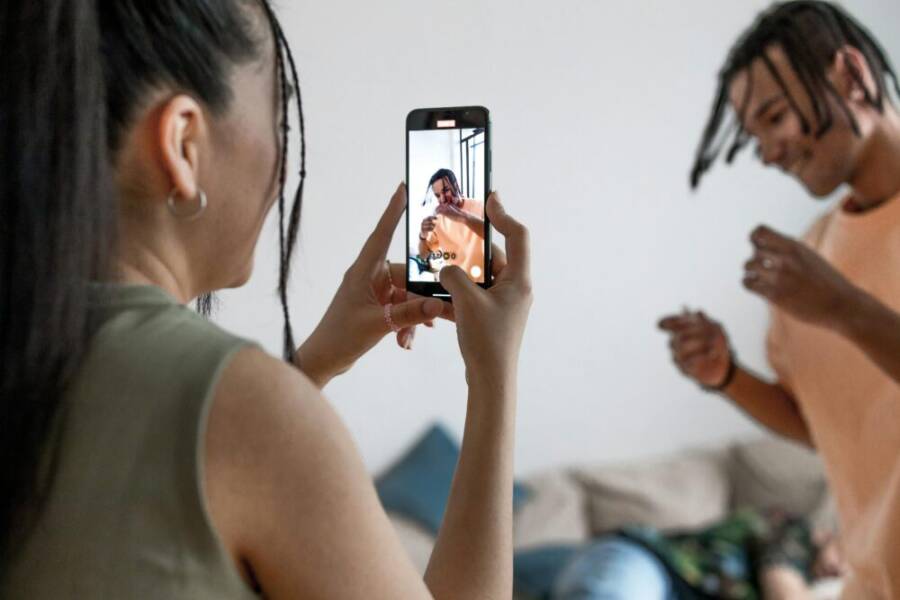
Can a pocket device really change the way we tell stories? The answer is yes, and it’s happening faster than you think. today’s phone cameras put powerful tools in your hand, turning filming, editing, and publishing into a quick, on the go process. With each new model, more creators can produce polished content without heavy gear or big budgets.
For creators, brands, and hobbyists alike, content creation now means more than photos and clips. It’s reels and blog posts, short videos for social media, tutorials, and live streams. It’s the ability to experiment, iterate, and publish from the same device you use for messaging, notes, and maps.
This post lays out what’s changing and why it matters. We’ll look at accessibility, improved image and video quality, smart features that automate tasks, practical tips you can use today, and the trends shaping the near future. By the end, you’ll see how to make the most of your smartphone for real, tangible results.
How Phone Cameras Are Changing Content Creation
Phone cameras have become a cornerstone for everyday creators. They shrink the gap between inspiration and publishable work, turning a casual moment into a polished post with minimal setup. In this section, we explore how a single device can replace a growing stack of gear, how daily moments become shareable content, and how smartphones compare to traditional rigs.
 Photo by Ron Lach
Lower costs and easy access to gear
A phone can replace multiple pieces of gear, slashing upfront costs and ongoing maintenance. Consider the common setup for a creator on a budget:
- A single device serves as camera, mic, and editor. Many phones now feature directional mics, improved internal stabilization, and robust processing power that handles editing apps directly on the device.
- Add-on gear often fits in a pocket. Attach a compact lavalier mic, a small tripod, or a portable LED light, all designed to work with the phone you already own.
- Apps compress gear needs into software. Instead of buying a separate video editor, color grader, and audio suite, you can unlock these capabilities with a handful of well-chosen apps.
- One device for planning, shooting, and publishing. From notes and prompts to camera controls and distribution, the same phone keeps workflow tight.
Practical examples show how a single device can cover a day of production. A jogger filming a quick workout video can capture the clip, trim it, add music, and post to social feeds in one sitting. A family vacation becomes a sequence of short clips and stories without lugging a separate camera rig. For many creators, the savings aren’t just in the hardware, but in time and mental energy. If you’re curious about how this translates in real life, see a recent comparison of smartphone and traditional gear to weigh the trade-offs and understand when upgrading might be worth it. DSLR vs. Camera Phone: Which is better for content creation?
- Link: DSLR vs. Camera Phone: Which is better for content creation?
Smartphone ecosystems also bring accessibility. Apps for learning, editing, and content planning are often free or low cost, lowering the barrier to entry for new creators. That means more people can experiment, learn, and iterate without a big financial commitment. If you want a quick read on when a phone might be enough and when you should consider a more capable rig, this guide weighs the pros and cons of smartphone versus DSLR setups. Smartphone vs. DSLR for Reels: When to Upgrade Your Camera
From moments to posts: daily content with a phone
Daily life is a content mine if you know how to frame it. Phones turn everyday scenes into stories with little prep:
- Quick captures become ready-to-publish clips. A spontaneous coffee shop chat or a walk in the park can be filmed, cut, and shared within the same session.
- Stories and reels thrive on spontaneity. Short, authentic moments often perform better than highly polished but less relatable content.
- Micro videos scale easily. Vertical formats suit mobile audiences, making it easy to repurpose a single moment into multiple formats—story, post, and short video.
- Lightweight editing boosts speed. With built-in editing tools and mobile apps, you can adjust exposure, color, and audio on the fly, then publish to multiple platforms.
- Consistency beats perfection. Regular posting keeps audiences engaged. You don’t need a perfect shot to start; you need a predictable workflow.
In the real world, this approach lowers the stakes for experimentation. You can test different captions, formats, and topics without investing hours in a single project. It also aligns with how audiences consume content today, especially on mobile devices. In fact, mobile-first content is dominant in how people watch videos, underscoring why phone-first creators are thriving. A quick look at current trends shows that a large share of video consumption happens on smartphones, making it essential to tailor your content for mobile viewing. For more context on how mobile viewership is changing content strategy, this overview provides helpful insights. Smartphone vs Digital Camera: Which is better?
- Link: Smartphone vs Digital Camera: Which is better?
To maximize impact, plan for the format first. Vertical video is a natural fit for stories and shorts, while landscape works well for longer form or hero content. Your phone’s built-in stabilization, computational photography, and rapid export options let you publish with confidence, even when you’re on the go.
Comparing to traditional camera gear
Smartphones fit many use cases now, often in ways that once required a dedicated camera. Here’s how they stack up against DSLRs and cinema cameras:
- Convenience and speed. Phones are always with you; you don’t need to rent or carry multiple devices. This speeds up ideation and publishing.
- Image quality that keeps pace. Modern smartphones deliver excellent stills and video with advanced processing, good low-light performance, and high dynamic range.
- Computational tools at the core. Smart processing helps with exposure, focus, color, and stabilization, often making professional calibration less critical for casual projects.
- Social-friendly formats. Phones naturally align with vertical and short-form formats that dominate social platforms.
- Limitations and trade-offs. For high-end cinematic work, you’ll still want dedicated cameras, larger sensors, and more control over depth of field and dynamic range.
The industry is evolving toward a blended approach: use the phone for quick, daily content and reserve professional gear for controlled shoots or high production value projects. It’s not about choosing one tool over another; it’s about selecting the right tool for the job and knowing when to step up.
- Links you can explore for deeper comparisons include discussions on when a phone is enough for reels and when to upgrade your camera setup. Smartphone vs DSLR for Reels: When to Upgrade Your Camera and DSLR vs. Camera Phone: Which is better for content creation?
Mobile content is not just about the gear; it’s about the workflow. With the right apps, you can storyboard, shoot, edit, and publish in a single session. This creates a lean, repeatable process that helps you publish more, with less friction. If you want to understand how the broader market is shifting, a look at current trends shows that professional gear remains strong while entry-level options grow in popularity. The balance between mobile creators and those who rely on higher-end rigs reflects a healthy, expanding ecosystem. Digital Camera vs Phone Camera
- Link: Digital Camera vs Phone Camera
As you plan your next content project, remember that the phone is more than a camera. It’s a complete toolset for ideation, creation, and distribution. The right mindset and a few practical habits can help you build a consistent, high-quality presence without a heavy gear load.
- For readers who want a snapshot of how device choice influences content strategy, this brief summary shares the mobile-first mindset that many creators adopt. Smartphone Photography Has Raised the Bar for…
Statistics show mobile content is not a sideshow. People increasingly consume video on smartphones, which reinforces the value of optimizing for mobile formats and delivery. While precise splits between phone-only creators and those using hybrid setups vary, the trend is clear: phones are a primary tool for many creators, especially for quick hits and day-to-day publishing. If you want to see a broader synthesis of the market, the latest reports emphasize how smartphone adoption fuels both production and distribution. Smartphone vs Digital Camera: Which is better?
- Link: Smartphone vs Digital Camera: Which is better?
In short, smartphones empower more people to start producing content now. They deliver the right balance of quality, speed, and convenience for a large portion of daily content needs, while still letting serious creators reach for pro gear when the project demands it.
Quality on the go: video and photo improvements you can count on
Smartphone cameras have quietly become the first choice for serious content creators. They deliver dependable quality in a compact, always-with-you package. In this section, we break down how autofocus, stabilization, frame rates, lenses, and low light improvements work together to raise your on-the-go content game. You’ll see how these features translate into sharper video, steadier footage, and more versatile photos, even when you’re moving between scenes or shooting in challenging light.
Sharper video and smooth motion
Autofocus that locks quickly and accurately is the backbone of reliable on-the-go video. Modern phones use advanced focusing systems that track your subject and adjust focus smoothly as they move, so you don’t end up with soft, drifting footage. That means interview clips, gym workouts, or street scenes stay crisply in focus from moment to moment.
Stabilization matters just as much as focus. Optical image stabilization (OIS) and electronic stabilization work together to dampen hand shake and camera jiggle. On a brisk walk or a crowded street, it keeps jerkiness to a minimum, so the viewer feels like they’re gliding through the scene rather than watching a shaky clip. For higher drama, some devices push stabilization into multi-axial correction, which smooths motion across pans, tilts, and zooms.
Frame rate is another practical lever. Higher frame rates capture smoother motion and give you more flexibility in post. If you’re filming fast action, a 60 frames per second (fps) or 120 fps option lets you slow the footage later without crunchy motion. For everyday storytelling, 24 or 30 fps still feels natural while preserving battery life and storage. If you’re curious about current options, a helpful guide on the best smartphones for video covers how these features come together in real-world use. Best smartphones for video – cinematic reels made easy
When you combine accurate autofocus, solid stabilization, and appropriate frame rates, you get video that stays sharp and steady across sudden movements or changing light. It’s the difference between a clip you publish and a clip you skip. The key is to practice a couple of quick settings tweaks before you shoot: enable stabilization, choose a frame rate that fits the action, and test autofocus in a few quick takes to confirm it tracks your subject reliably. For a deeper dive into stabilization and autofocus performance, see the latest comparisons among leading phones. Top 10 Best Phones for Video Stabilization
Versatile lenses in your pocket
The built-in lens family on a modern phone covers a wide range of framing options without changing bodies. Here’s how the three most common lenses help you tell different stories.
- Primary (standard) lens: This is your everyday workhorse. It strikes a balance between field of view, detail, and low-light performance. For talking-head videos, handheld vlogs, and general photography, the primary lens is usually the simplest route to strong results.
- Ultra wide: When you want to capture more of the scene in a single frame, the ultra wide lens is your go-to. It’s perfect for landscape shots, architecture, or establishing shots where you need to show scale. It can also create a dynamic sense of space in a street scene or interior room tour. Watch for slight distortion at the edges, but this is often a small trade-off for dramatic perspective. For a solid grounding on how ultrawide lenses change composition, check out guides that explain wide-lens usage across Android and iPhone platforms. The best phone camera lens explained
- Telephoto: The telephoto lens brings distant subjects closer without moving the camera. It’s ideal for candid close-ups in events, wildlife, or architectural details where you can’t get physically close. Telephoto can also compress a scene for a more cinematic look, which helps when you want subject separation from the background. Telephotos are especially valuable for on-location shoots where changing lenses would slow you down. If you want a practical read on how telephoto and other lenses behave, a concise guide on iPhone camera lenses is a good starting point. Understanding iPhone Camera Lenses: A Guide
The beauty of a pocket lens system is its flexibility. You can move from broad establishing shots to tight detail without swapping gear. For creators who often shoot in tight spaces, the ability to switch focal lengths on the fly saves time and preserves momentum. If you’re exploring how multiple lenses influence framing, a quick overview of smartphone camera design basics helps. Smartphone camera design basics: Optics and form factor
To maximize results, plan shots around the lens you’ll use. For landscapes and rooms, start with ultra wide to establish context, then zoom in with standard or telephoto for character and detail. When shooting in busy environments, keep the phone steady with a small tripod or a hand-held grip to preserve sharpness across lenses. If you want a practical read on how wide lenses affect perspective and how to manage distortion, there’s a handy guide on wide-lens photography. Wide-Lens Android Photography Guide
Low light and color science improving
Low light performance hinges on two things: sensor capability and smart processing. Modern phones use larger or more efficient sensors, faster lenses, and smarter image processing to pull detail from shadows without introducing heavy noise. Some devices combine multiple frames with real-time stacking to boost brightness while preserving color and texture. The result is footage and stills that feel closer to what the eye saw, rather than a washed-out afterthought.
Night modes are more than a gimmick. They merge longer exposure with rapid stabilization and computational tweaks to reduce blur and improve color accuracy. The goal is natural skin tones, faithful skies, and preserved textures in dim environments. If you’re new to night mode, a quick test in a restaurant or street scene can show how it handles tungsten lighting, neon signs, and mixed sources. For a practical overview of current night-mode capabilities, see how top devices compare. Best smartphone cameras for video — 2025
Color science ties the whole image together. With smarter white balance, tone mapping, and HDR processing, phones render more accurate browns in wood, richer greens in foliage, and more faithful skies. This matters most when you’re editing later or sharing with clients who expect consistency across clips. In practice, you’ll notice a more natural look in skin tones and better separation between subject and background, even under mixed lighting. If you’re curious about how color capture has evolved, a concise read on camera sensor design explains the basics. The best phone camera lens explained
The practical takeaway is simple. When you shoot in low light, choose a mode that favors stabilization and color accuracy over pushing past the noise floor. Shoot with a tripod or steady surface when possible, use the night mode sparingly for scenes with steady highlights, and rely on post-processing apps to refine color and exposure. The combination of better sensors, smarter night modes, and improved color capture makes those late-day clips feel natural rather than grainy. If you want a broader context on how mobile content is evolving in the market, this overview tracks smartphone adoption and production trends. Smartphone vs Digital Camera: Which is better?
As you plan future shoots, remember that the phone is more than a camera. It’s a complete workflow tool that handles planning, capture, and quick editing in one device. With steady hands, smart modes, and thoughtful framing, you can produce share-worthy content on the go without heavy gear or big budgets. If you’re curious about how the market is shifting toward mobile-first production, a concise market synthesis provides deeper context. Digital Camera vs Phone Camera
Key takeaways from this section:
- Autofocus, stabilization, and frame rates work in concert to keep motion smooth and subjects sharp.
- Lenses give you framing options that were once reserved for bigger rigs.
- Night modes and color processing close the gap between daylight and low-light work.
For many creators, these on-the-go improvements mean you can shoot instead of planning around gear. The result is a steadier, more cinematic look that travels with you. To see these capabilities in action, explore the latest phone camera guides and real-world tests from reputable sources. Best smartphones for video – cinematic reels made easy
Smart features that speed up creation
Smartphone cameras today do more than just capture moments. They anticipate your needs, suggest settings, and handle tricky tasks so you can focus on telling the story. This section explores the features that shave minutes off each step of the process, from choosing the right shot to sharing it with the world.
AI helps you get the shot faster
AI scene detection and auto settings turn a rough idea into a polished clip in less time. Here are simple examples of how this works in practice:
- Scene recognition adjusts exposure and white balance as soon as you point the camera at a scene. If you’re outdoors with a bright sky, the AI nudges shadows up while keeping highlights balanced, so skin tones stay natural.
- Real-time adjustments optimize color and contrast for the subject, whether you’re shooting a bright storefront or a dimly lit cafe. You get a view that matches what you expect to see.
- Quick lens suggestions cue the best focal length for the moment. If you’re framing a person against a landscape, the phone may swap to a tighter crop automatically to keep the subject prominent.
- Face and gesture detection guide focus. As the subject moves, the device keeps their eyes sharp while maintaining a pleasant background.
These automations aren’t about replacing skill; they’re about speeding up decisions so you can move fast. If you want to see how AI-driven scene adjustments play out in real life, check out how AI camera systems adjust exposure and color in action. Smartphones are Using AI to Drive Imaging and Photo Experiences
For those who want a quick, practical takeaway, try shooting a short indoor scene with mixed lighting and compare the auto settings against a manual tweak. You’ll notice the auto mode preserves skin tones and overall balance with less effort. Some phones also offer prompts to tweak settings after the shot, nudging you toward better results without slowing you down. If you’re curious about which devices excel at AI-assisted capture, this overview is helpful. Best smartphones for video – cinematic reels made easy
Auto framing, tracking, and smart edits
Keeping subjects in frame is crucial when you’re moving or shooting solo. Auto framing and subject tracking do the heavy lifting, so you don’t miss a moment. After capture, smart edits on the device let you polish the clip without moving to a computer.
- Auto framing follows the action. The camera detects who or what is important and zooms or pans to keep the subject centered. This works well for talking heads, kids at play, or a moving pet.
- Subject tracking preserves composition as you walk, run, or pivot. You can film a podcast interview in a busy street with minimal hiccups, since the device compensates for movement.
- Simple, on-device edits speed up publishing. Trim clips, adjust exposure, and apply color corrections without exporting to a desktop app. You can also add transitions and overlays to keep the story moving.
- Templates provide a quick path to a finished look. Prebuilt styles for intros, captions, and color grades help you achieve a cohesive aesthetic across multiple clips.
Tracking is especially useful for social formats. It reduces the need to re-shoot or stabilize in post. If you want to see how a leading brand implements auto framing on mobile devices, this guide explains the feature and how to enable it on Galaxy devices. Record with Auto framing on Galaxy phones and tablets
For practical tips on usage, a popular guide shows how to take advantage of video auto framing on modern phones. It covers setup, best practices, and limitations you should know before you rely on it in the field. Your Samsung Galaxy can automatically track subjects
Smart edits on device save time and keep your workflow tight. You can publish directly to your social apps from the phone, which makes it easier to respond to audience feedback quickly. To see how creators implement on-device editing and sharing, explore the latest comparisons and tutorials. How auto framing and tracking work in practice
Editing and sharing tools right on the device
The best phone editing tools feel invisible until you need them. Built-in editors, templates, and direct sharing capabilities make a big difference when you’re rushing to post.
- Integrated editors streamline common tasks. You can cut, stabilize, color correct, and sharpen directly in the camera app or a companion app, keeping your project in one place.
- Templates standardize your look. Prebuilt color grades, caption styles, and transitions help you maintain a consistent brand across posts, reels, and stories.
- Direct sharing speeds distribution. Publish to social apps from the same device you used to shoot, which reduces file transfers and waiting time.
A growing set of on-device templates and presets means you don’t need a separate editing rig to deliver polished content. If you’re curious about the latest features, several guides compare on-device editors across major platforms. One UI 6 Update: 7 Tips for Making the Most of AI Camera on Your Galaxy
For readers who want hands-on proof, quick reviews highlight how a few taps can produce a finished reel with captions and color corrections ready to post. These practical examples demonstrate how much time you save when the device handles most of the heavy lifting. If you’re exploring best practices in on-device editing, this concise guide is a good starting point. Best smartphones for video – cinematic reels made easy
The bottom line is simple: when you can edit and share on the same device, you shorten the path from idea to audience. You get faster publishing, which means more frequent engagement and a stronger content rhythm.
In sum, smart features speed up creation by handling technical chores with reliable accuracy. AI helps you get the shot, auto framing keeps subjects in frame, and on-device editing brings the final touches into the palm of your hand. This combination lets you iterate quickly, stay consistent, and focus on storytelling rather than gear. If you want to see these capabilities in action, these guides and reviews provide real-world context and practical tips. Best smartphones for video – cinematic reels made easy
Practical tips for creators using phone cameras
Smartphones have turned content creation into a fast and approachable craft. You don’t need a full gear rack to tell a compelling story. With the right approach, your phone can be the complete production engine—from planning to publishing. Below, you’ll find practical, no-nonsense tips designed for quick results. Each subsection gives concrete steps you can apply today, plus a few reliable references to deepen your understanding.
Plan your shoots for quick results
A tight plan keeps you efficient on set and helps you nail the result in less time. Use a simple, repeatable checklist to streamline every shoot.
Practical planning checklist
- Define the objective: What story are you telling and what platform will host it?
- List essential shots: Start with a shot list that includes a wide, a medium, and a close-up.
- Decide the format first: Vertical for stories and reels, horizontal for longer videos or hero content.
- Schedule a short run-through: Do a 5 minute test capture to confirm framing and exposure.
- Confirm audio needs: If the scene has speech, plan for clear audio from the start.
- Build a rough timeline: Allocate time blocks for setup, shooting, and quick edits.
- Prepare backups: Have an extra battery, a small power bank, and a spare microSD card or cloud backup plan.
A quick, practical way to think about planning is to treat your shoot like a mini-production. You don’t need to over plan, but a simple shot list and a clear end goal save you from scrambling in the moment. If you want a more detailed blueprint, check out a comprehensive guide on planning a content shoot. Content Shoot: The Ultimate Guide
When you work with mobile gear, you’ll find that planning translates to faster turnarounds. Use a ready-made template for your shot list and storyboard to speed up preproduction. For a practical approach to building a shot list, observe how social media teams structure their shoots. Creating the Perfect Shot List for Your Social Media Shoot
The goal is to keep momentum. Your plan should reduce decision fatigue, not add steps. If you ever feel stuck, remember that a single phone can capture a complete narrative when you stay focused on the core message and the essential visuals.
Boost audio without heavy gear
Good audio is non-negotiable. A clean voice track or clear ambient sound elevates a video instantly. You don’t need a full mic setup to get noticeable improvement.
Affordable mics to consider
- Wireless lavalier mics: Compact, easy to use, and budget-friendly options often deliver solid results for on-the-go interviews or walking tours. Look for models with a simple 3.5mm or USB-C connection and good battery life.
- Pin-on lapel mics: Wired options tend to be cheaper and more reliable in crowded environments where wireless signals can falter.
- Smartphone-specific mics: Small, clip-on mics designed for phones usually come with adapters and are plug-and-play.
Placement tips for better sound
- Clip the mic close to the speaker’s mouth, but avoid rubbing against clothing. About 6 inches away is a solid starting point.
- Keep the mic out of the frame unless you’re using an external mount. For cleaner video, run the cable along the back of the subject and hide it from view.
- Use a lightweight windscreen or foam cover if you’re outdoors. It reduces wind noise without muffling the voice.
- Test before you shoot: Do a quick audio check with a short voice sample and listen for peaking or hiss.
If you’re shopping on a budget, a reliable wireless lavalier like the Mini Mic Pro or similar models can dramatically improve sound quality without breaking the bank. For accessible guidance on affordable options and tips, explore a concise roundup of budget mics and practical placement strategies. Best Wireless Mics & Tips for Smartphone Video Interviews
If you want to understand how different mic types perform on mobile, a quick primer can help you choose the right tool for your scenario. The Most In-Depth Beginner’s Guide to Microphones
For a practical, device-focused read, consider checking a helpful guide on smartphone mics and setup. Guide to microphone for smartphone
Smart placement and testing are the quickest paths to audio clarity. A little investment goes a long way in elevating the overall production value.
Keep files tidy and ready to share
A tidy workflow saves time and reduces stress when you’re chasing a publish deadline. The moment you finish a shoot, you should have a clear path to store, back up, and export.
File management basics
- Create a simple folder structure: Date/Project/Raw, Edited, and Final.
- Name files consistently: Use a consistent naming convention like “YYYYMMDD_Project_ShotNo.”
- Back up automatically: Enable cloud backups on your phone and keep a secondary local copy on a computer or external drive.
- Version control: Keep at least two edited versions, and archive older drafts to keep the active project lean.
- Use lightweight proxies for editing: If your device slows down, work with lower-resolution proxies and swap to full resolution on export.
When it’s time to share, you want a smooth export workflow. Many phones let you export directly to social platforms or cloud drives with minimal taps. If you’re looking for a deeper dive into on-device editing and quick sharing, a practical guide shows how mobile editing speeds up the publishing loop. Best smartphones for video – cinematic reels made easy
Backups are the safety net you can’t skip. A good rule of thumb is to back up your original files in at least two places, plus a third offsite if possible. This approach protects you from hardware failure or accidental deletion. For a broader context on mobile data management and backup strategies, this overview provides useful guidance. Digital Camera vs Phone Camera
Export decisions matter too. If you’re posting to social platforms, export at the platform’s recommended specs. For client work, deliver a clean, color-balanced master file and a lightweight cut version for quick review. A quick reference on format choices for social posting can help you stay consistent. Smartphone vs Digital Camera: Which is better?
The essence of tidy files is consistency. A predictable, repeatable system makes you faster each week and reduces the chance of missing a beat when a deadline looms. If you need a simple starter template for your file structure and naming conventions, you can adapt a ready-made checklist to fit your workflow. Content Shoot: The Ultimate Guide
In practice, you’ll find that clean storage and quick exports let you publish sooner, respond to feedback faster, and iterate with confidence. A well organized archive also makes it easier to assemble content libraries for clients or collaborators.
Key takeaways
- A clear folder structure and consistent naming save time during editing and sharing.
- Regular backups prevent data loss and give you peace of mind.
- Export to platform-specific formats and keep a high-quality master file for future use.
In short, a tidy workflow turns your phone into a reliable publish machine.
These practical tips are designed to fit naturally into your article about how phone cameras are changing content creation. They emphasize actionable steps you can apply today, with references that offer deeper context if you want to explore further.
What the future holds for phone cameras
Phone cameras are not just improving bit by bit; they’re reshaping how we create and distribute content. As sensors get smarter and software gets more capable, the line between pro gear and pocket tech keeps narrowing. This section maps out what creators can expect in the near term, from AI driven upgrades to smoother cross platform workflows and practical guidance to stay ahead.
AI and computational photography getting smarter
AI is moving from a helpful feature to a core creative partner. The result is faster, more consistent results with less manual fiddling. For everyday creators, that means you can focus on storytelling while the device handles the technical details in real time.
- Scene awareness and automatic adjustments. Phones can recognize whether you’re outdoors, indoors, or against backlight and adjust exposure, white balance, and color tone accordingly. You get natural skin tones and balanced skies without a second thought.
- Real time image fusion. Computational photography combines multiple frames into a single shot to boost detail and reduce noise. That makes low light moments look closer to what you remember, not just what a sensor could capture.
- Smart framing and subject mapping. The device helps you compose on the fly, suggesting tighter crops or switching lenses for the best perspective as action unfolds. This makes dynamic scenes easier to capture without missing key moments.
- AI guided video enhancements. Expect on-device color grading, stabilization, and motion tracking that adapt to the scene. This accelerates post production and helps you publish quicker without sacrificing quality.
For creators, these advances translate into lower barriers to high quality. You can shoot more often, experiment with different looks, and still deliver a cohesive, polished story. In practical terms, you’ll see apps and phones push smarter defaults that reduce guesswork and speed up decisions. A quick peek at recent analyses shows AI focused on image processing and streamlined workflows is where most improvements are landing. What the future holds for computational photography in smartphones
- Real world takeaway: start with auto and then quickly compare with a minimal manual tweak. You’ll often stabilize skin tones and exposure faster than you think.
As AI becomes more embedded, devices also start suggesting creative directions. For example, if a scene looks cinematic but you’re shooting a quick vlog, the phone might propose a color grade or a cut that matches a trending style. This is not about replacing your vision; it’s about giving you reliable, high quality options at your fingertips. For a broader view of what AI can do across devices, this perspective is helpful. Ex-Apple engineers on AI and the future of smartphone photography
Even easier cross platform workflows
Content creation today is rarely one device, one app, one output. The future holds smoother transfers between apps and devices, so you can start on a phone and finish on a laptop without friction.
- One project, many outputs. Start a shoot on your phone, push a clean proxy to your tablet or laptop for quick edits, then export to multiple formats from the same project. This keeps your revisions in one place and speeds up delivery.
- Seamless app handoffs. Major editing platforms are investing in better inter app ecosystems. You can jump between color grading, audio mixing, and captioning tools without exporting to a new file format each time.
- Cloud sync that respects privacy and speed. Real time or near real time syncing means you won’t wait for transfers. Your latest cut shows up on your desktop moments after you press publish on the mobile app.
- Unified color and branding. Templates, LUTs, and caption styles travel across devices, ensuring you maintain a consistent look regardless of where you edit.
To illustrate, consider the practical workflow many creators adopt today. You shoot a vertical clip on your phone, trim and color grade on a tablet, add captions in a desktop editor, and publish directly to multiple platforms from the same project. The efficiency gains are real: less shifting between apps, fewer export steps, and faster posting. For readers curious about how this plays out in practice, a recent overview dives into cross platform capabilities and where the major apps are headed. The best tech for content creation in 2026
- Real world tip: plan output formats at the start. If you know you’ll post to Stories, Reels, and a YouTube Short, keep a single project with multiple export presets to save time.
Across the ecosystem, hardware and software teams are aligning on a single principle: speed without sacrificing quality. That means better auto tools, faster transfers, and more predictable results across devices. For a deeper look at upcoming phone lineups and cross platform features, you can read comparisons and forecasts from multiple outlets. Comparing the 2026 phone lineups from Apple, Samsung, Google, and everyone else
Tips for staying ahead as a creator
Staying ahead means continuously learning and trying new ideas. The future is bright for creators who mix curiosity with disciplined practice. Here are practical guidelines you can apply now.
- Build a habit of bite sized experiments. Reserve 15 minutes a day to test a feature you haven’t used before. Try a new lens, a different frame rate, or a fresh color style. Small, frequent experiments build confidence and portfolio variety.
- Treat your phone as a production studio. Map out your workflow from idea to publish. The more you can do on device, the faster your cycle. This reduces bottlenecks and saves time for storytelling.
- Keep an eye on AI assisted tools. Don’t fear automation; use it to free up space for creative decisions. Practice with AI driven scene adjustments, auto framing, and smart edits to see what you like and what you don’t.
- Develop a portable content kit. A lightweight mic, clamp on light, and a small tripod can dramatically improve audio and visuals without adding bulk. The right accessories help you push beyond casual clips.
- Curate a flexible content calendar. Use themes and formats that suit mobile audiences. Vertical video, short clips, and bite sized tutorials often perform best, especially when paired with consistent posting times.
- Learn by example. Follow creators who share behind the scenes of mobile shoots. Note the tools they use and how they adapt to different environments. This practical insight helps you replicate success on your own terms.
To broaden your understanding, explore guides that focus on staying ahead of trends and building a practical content approach. The future of video creation: How phone cameras are changing the game
- Practical next step: pick one area to improve this week. If you’re not sure where to start, pick audio. Great sound elevates any video and often requires less gear than you expect. A simple wireless mic can make a noticeable difference in crowded spaces.
For readers who want a broader market view, there are insights into how creators stay ahead by blending new camera features with evolving platform trends. These perspectives emphasize practical, repeatable methods rather than theoretical possibilities. How high performing creators stay ahead of trends
If you’re evaluating the bigger picture, consider which devices and apps best align with your style. Some creators lean into AI powered editing, while others focus on hands on control. The right mix depends on your goals, audience, and the kinds of stories you want to tell. For guidance on new video technology and staying current, this article offers a concise snapshot. New video technology trends: Stay ahead in 2025
Key takeaways
- AI driven camera features streamline the most time consuming parts of production.
- Cross platform workflows cut friction from idea to publish.
- A disciplined, experiment focused mindset keeps you adaptable in a fast changing landscape.
As you plot your next project, remember that the future of phone cameras isn’t about swapping one tool for another. It’s about expanding what your pocket device can do. With smarter AI, smoother workflows, and practical growth habits, you can push your content further than you imagined. For deeper context on how creators can stay ahead, this overview offers relevant perspectives. The future of video creation: How phone cameras are changing the game
Conclusion
Smartphones have reshaped content creation by combining capture, edit, and publish in one pocket tool. AI and smart features speed up decisions, while versatile lenses and better low light open new framing options without extra gear. The result is faster workflows, higher quality on the go, and more people telling stories they care about.
Experiment with a small phone-based project this week to test new setups and formats. Try a vertical quick-cut reel, a micro-tutorial, or a day-in-the-life post, then compare results across platforms. Your next step is simple: plan, shoot, and publish. Share what you learn with readers and invite them to try your approach.