The Home Depot military discount is 10% off eligible purchases for verified U.S. veterans, active service members, and spouses, with a $400 annual savings cap. To use it, register your military status with a Home Depot account, then check that the discount appears for the items and checkout method you plan to use. As of October 6, 2026, The Home Depot’s store FAQ lists the $400 annual cap.
Who the everyday discount covers
The Home Depot describes the everyday benefit as available to U.S. veterans, active service members, and spouses. Its 2021 program announcement says those groups can receive 10% off eligible purchases in stores and online after registering. A store FAQ repeats the eligibility groups and the annual cap.
“Eligible” matters: the program does not promise 10% off every item in the store. Check the discount shown on the specific item or at checkout before you include the savings in a project budget. If an item is excluded or the price does not change after verification, contact customer service or the verification provider through the program’s help options.
This is the regular military benefit, rather than a one-day holiday offer. The company’s announcement describes the expansion as an everyday program. Other military-related benefits may have separate rules, so do not assume they share this discount’s eligibility or redemption process.
The current store FAQ names U.S. veterans, active military, and spouses; it does not list “retiree” as a separate category. If your service history or household status does not fit the wording on the registration screen, ask the program’s support team how it classifies your record instead of choosing a status that does not match your documents.
For spouses, make the account choice before starting verification. The Home Depot-specific help center includes a question for spouse verification, and Military Times reported in 2022 that the spouse and service member each needed a separate personal account. If you manage household purchases through one shared login, verify which account will hold the status and which one will be used at checkout.
Register once before planning around the savings
Start from the Military Discount Benefit section while signed in to your Home Depot account. The company’s registration guide says verification connects your military status to your personal account. The verification service may ask for information or documentation to confirm eligibility; use the exact status and name that match your records.
- Sign in to the account you intend to use.
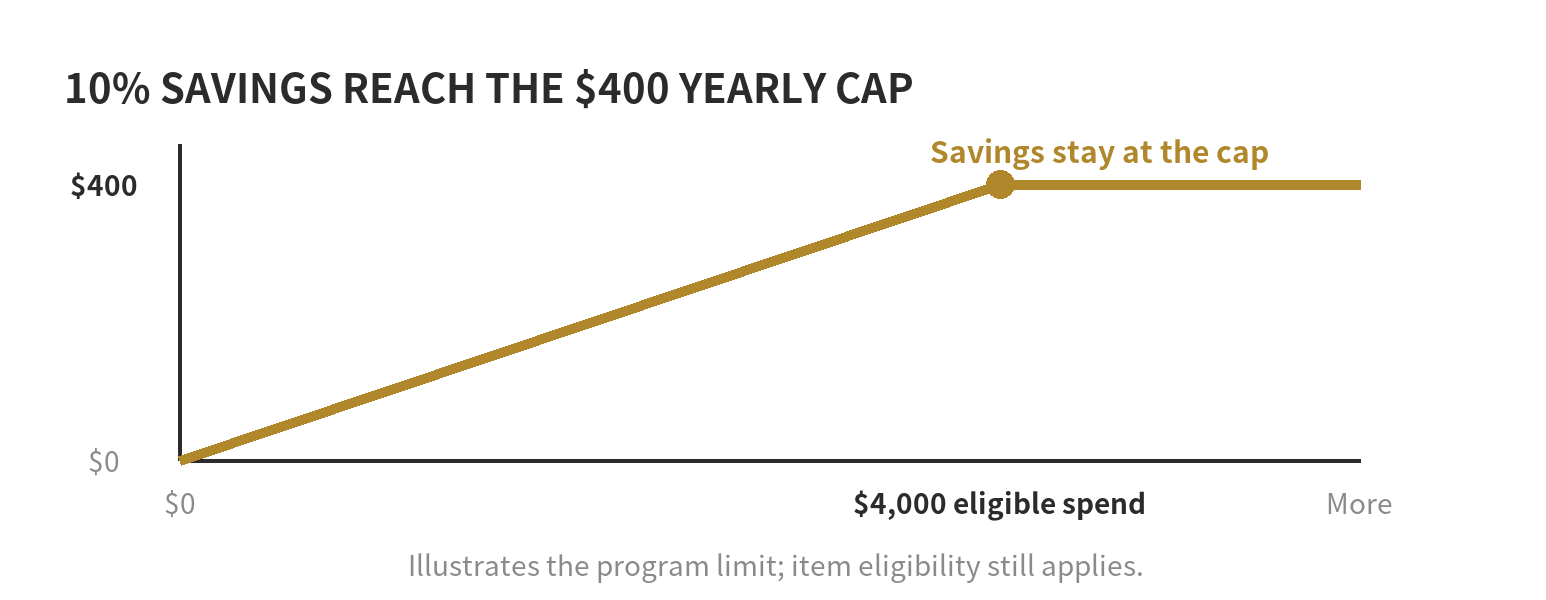
- Open the military discount registration and complete the verification prompts.
- If the automated check requests documents, submit the requested proof through that verification flow.
- After approval, return to the account or app and check that your verified status is visible before checkout.
SheerID’s Home Depot help center lists separate help topics for a missing QR code, a discount that does not apply online, verification limits, and a status attached to the wrong account. That is a useful distinction: verification confirms status, while checkout still has to apply the offer to an eligible purchase.
If the automated match does not finish, pause before submitting repeated forms. Check that the name and status you entered match your military records, then use the help topic for documentation or verification trouble. SheerID’s general military FAQ says it may request government-issued documentation showing a person’s name, branch, and current military status; the specific request on the Home Depot verification screen controls what you need to provide.
How the $400 cap changes a project estimate
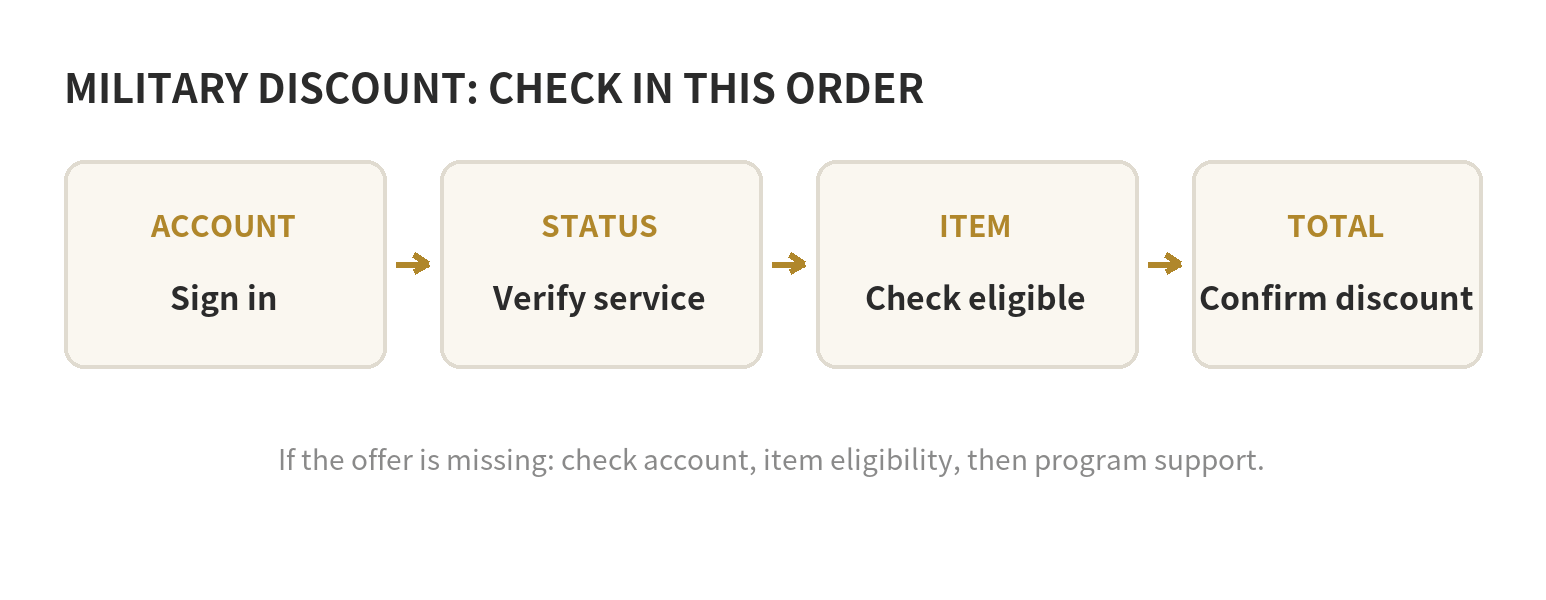
The store FAQ lists a maximum of $400 in military-discount savings per year. At a 10% discount, that ceiling corresponds to $4,000 in eligible purchases receiving the discount: 10% of $4,000 is $400. It is a limit on discount savings, not a $400 coupon added to an order.
| Eligible purchase total in this example | 10% before the cap | What to budget |
|---|---|---|
| $500 | $50 | $50 savings, if all items qualify |
| $2,000 | $200 | $200 savings, if all items qualify |
| $4,000 | $400 | Annual maximum reached |
| $5,000 | $500 before the cap | No more than $400 annual savings |
If only some items qualify, the eligible subtotal is lower than the receipt total. For a renovation spread across several orders, keep a simple running note of discount amounts applied and leave room for items that do not qualify.
The Home Depot store FAQ lists an annual $400 maximum. Military Times reported the same cap in 2022, and USA Today’s 2026 guide also lists it. Check the current program terms before relying on the figure for a large project; the store FAQ was checked October 6, 2026.
A cap estimate is easiest to use as a running balance. Start at $400, subtract the military discount actually shown on each completed order, and use the remainder as the most that could still be saved that year. For example, after $125 in applied discounts, the remaining ceiling is $275. An order worth $900 does not automatically use $90 of the cap; that calculation only works if the full $900 qualifies and the offer is applied.
Why the checkout total may not drop by 10%
First, the benefit applies to eligible purchases, not automatically to every line on an order. Second, a sale price or other promotion can affect what the checkout system treats as eligible. Third, an account that has not completed verification may not show the benefit. Review the eligible subtotal and the discount line before deciding whether your estimate is still workable.
For an in-store trip, have the verified account or app available and follow the current military discount instructions shown there. For an online order, sign in to the verified account and confirm the discount is reflected before submitting the order. The Home Depot’s company guide points customers to its app and registration support; the Home Depot-specific verification help page addresses both in-store QR codes and online application problems.
If a discount is missing, check the item eligibility and account used first. If you verified under another account, the verification help center has a specific topic for that situation. If your QR code is missing or the online discount fails despite successful verification, use the support route attached to the Home Depot military program rather than starting a second registration with a different account.
For a large cart, do a small check before relying on the savings in your project plan: sign in to the account with verified status, add the items you already intend to purchase, and inspect the eligible subtotal and discount line. If the result differs from your estimate, remove the assumed savings from the budget and contact support about the specific line. A product name alone is not enough to determine how the checkout system will treat a specific size, package, sale price, or delivery arrangement.
Use a project list to avoid overcounting
Separate your project estimate into three columns: item, quoted price, and discount confirmed. Put a zero in the last column until the item is eligible and the account applies the offer. This keeps a planned 10% from being treated as guaranteed cash before the checkout calculation.
For example, if a sample materials list totals $1,200 but only $800 is eligible, the discount estimate is $80—not $120. If your account has already used $350 of its annual limit, the most remaining savings available under a $400 cap would be $50. Use the order’s actual eligible subtotal and remaining account allowance when doing this calculation.
For the clearest total, compare the final checkout amount with the offer applied, then save the receipt with your running cap note. That gives you a record of what counted without treating a general program description as a guarantee for any particular product.
If you still need to scope the home project, see our guide to using Home Depot project guides to plan a makeover. For a simple materials list before your trip, read our overview of shopping for a project when you have no tools.
FAQ
Can a veteran’s spouse register under a separate account?
The Home Depot lists spouses among the eligible groups, but the account-specific rules determine where verification is attached. The verification help center has a dedicated spouse question; follow the instructions presented for the spouse’s own status and account.
What should I do if I verified the wrong account?
Use the Home Depot military help center’s “wrong account” support topic. Confirm which account holds the verification before trying again, since the service also lists a verification-limit issue.
Does the discount work on every item in an order?
No. The offer is for eligible purchases. Check the discount on each item or the eligible subtotal at checkout before using it in a project estimate.
Can I count the annual cap as $400 in cash off any project?
No. The cap is the maximum savings available under the program, and only eligible purchases receive the discount. At 10%, $400 in savings requires $4,000 of eligible purchases before any other limits apply.
Last updated: 2026-10