Mint is gone, so the useful replacement is the one whose budgeting style matches how you want to handle a paycheck: assign dollars to jobs, plan a flexible monthly budget, or monitor spending and recurring bills. Intuit says Mint’s features moved to Credit Karma, while YNAB, Monarch, and Rocket Money each offer a different way to organize a budget. Compare the workflow first, then check the current plan price before connecting accounts.
Intuit’s Credit Karma announcement said Mint was going away and described a phased move; the current Mint page says its features have a new home on Credit Karma. Credit Karma’s announcement and Mint’s current page describe that transition.
Start with the kind of budget you will actually maintain
A budget app can import transactions, but it cannot decide which bill gets paid first or whether a purchase fits your priorities. Pick the method before you move old account data. If you want to tell each available dollar what to do, look at YNAB. If you want a monthly cash-flow view with category or flexible budgeting, compare Monarch. If your main job is watching spending and recurring charges, Rocket Money’s free tier includes basic budget tools.
| App | Budgeting approach | Plan and price checked September 2026 | Good fit when you want to… |
|---|---|---|---|
| YNAB | Make a plan for the money you have, with planned category amounts and goals | Annual plan: $109; monthly plan: $14.99. YNAB pricing and the US iOS listing. | Actively assign and adjust money as you spend |
| Monarch Money | Choose Flex Budgeting or Category Budgeting; plan around monthly cash flow | Core: $99.99 per year; Plus is billed annually, with the current amount on Monarch’s plan page. Core pricing also appears in the US iOS listing. | See categories, household finances, and goals together |
| Rocket Money | Track income, bills, spending, and recurring subscriptions | Free tier; Premium price is selected on a sliding scale. Rocket’s pricing breakdown lists $7–$14 per month. Rocket Money Help and Rocket’s pricing breakdown. | Keep an eye on spending and recurring charges with a light budget setup |
These are subscription prices shown by the providers when checked on September 30, 2026. iOS billing can show different price options: the iOS listing for Rocket Money displays multiple in-app amounts without identifying each billing period. Confirm the plan name, renewal interval, and total shown in the app before choosing a paid tier. the iOS listing for Rocket Money.
What each app asks you to do with your money
YNAB: assign available money before spending it
YNAB’s method is hands-on. You make a plan for available cash, set category amounts, and adjust the plan when a bill or priority changes. The company’s feature page describes account balances, priorities, goals, and transactions syncing across devices; its pricing page lists an annual and a monthly plan. YNAB’s plan and feature page and the iOS listing for YNAB.
This setup suits a person who wants to make decisions before spending, not just inspect what happened afterward. It requires you to revisit category amounts when life changes. If you prefer a dashboard that does more of the categorizing while you review, the other two approaches may feel less demanding.
Monarch: plan monthly cash flow at your preferred detail level
Monarch offers Flex Budgeting, which groups more variable spending into a flexible amount, and Category Budgeting, which assigns individual categories. Its help center says the monthly plan is based on expected income, with expenses and savings subtracted from it; transactions are automatically categorized. It also says its initial budget uses an average of the previous six months of spending. Monarch’s budgeting instructions and Monarch’s budgeting feature page.
That history-based starting point is a draft, not a decision. Check whether transfers, reimbursements, annual bills, or an unusual month distort a category. Core is the budgeting tier; Plus adds forecasting and business tracking. Monarch lists Core at $99.99 annually; its help center says Plus is billed annually, so check the current plan page for the amount. Monarch’s current plan page and Monarch’s Plus help page.
Rocket Money: track spending and recurring charges
Rocket Money’s free plan includes subscription tracking, budgeting, and bill reminders. Premium adds tools such as custom budget categories and Financial Goal plans. The help center says Premium pricing uses a sliding scale and can vary across platforms; the provider’s pricing page lists Premium at $7–$14 monthly. Check both the billing interval and amount displayed for your account, since the iOS app listing displays several in-app purchase prices without labeling every interval. Rocket Money Help, Rocket Money’s tier breakdown, and the iOS listing.
If subscription review is the reason you are switching, start by matching the app’s recurring-charge list against a statement. A detected payment is a prompt to check the bill, not proof that the service is unnecessary. Keep the cancel decision and any provider contact in your own hands unless you have checked what a paid cancellation service includes.
Move one clean month into the new budget
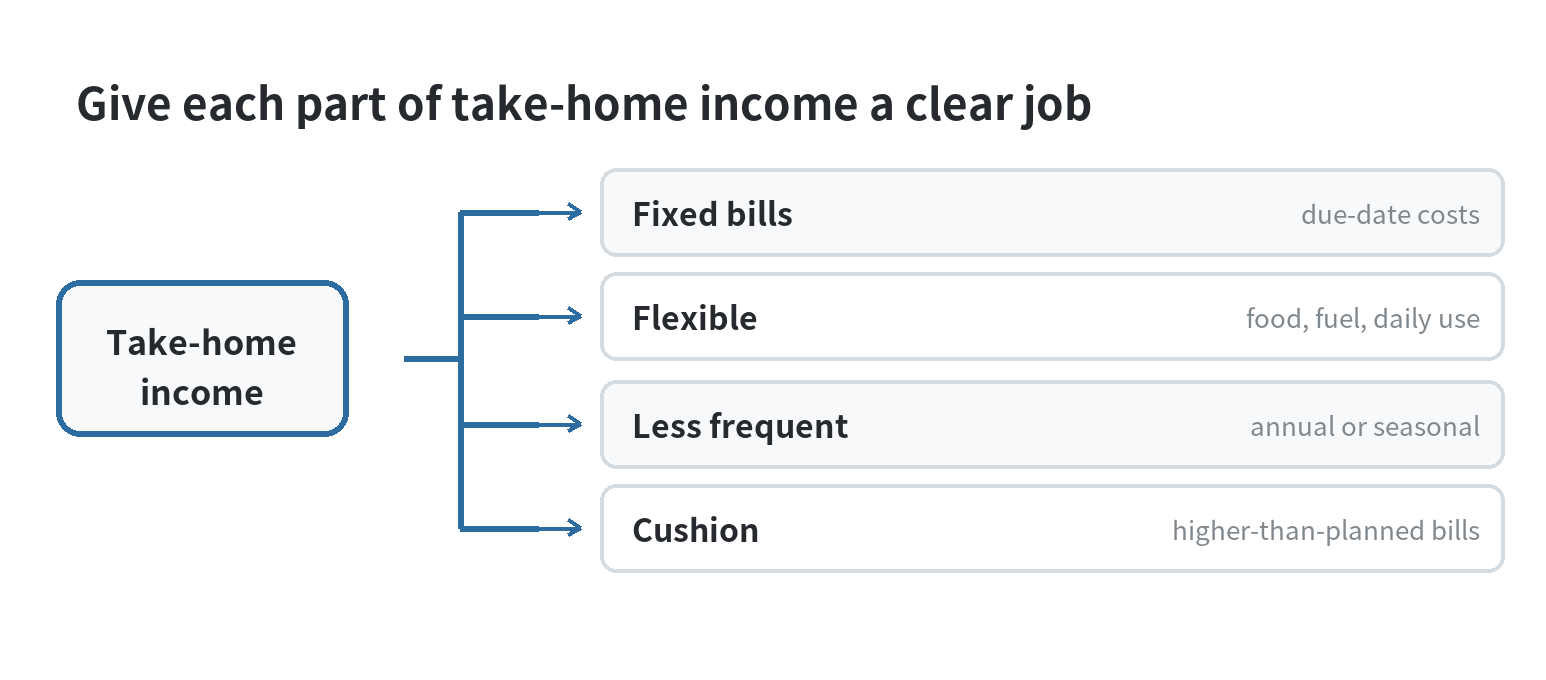
Do not begin by importing years of history and trying to perfect every category. Use a recent statement and your next set of bills to create a clean first month. For example, imagine $3,200 in take-home pay, with $1,400 rent, $450 utilities and phone, $500 groceries, $250 transportation, and $300 debt payments. That leaves $300 for other planned costs and $0 unassigned only if you deliberately allocate the remaining $300. This is a made-up example to show the arithmetic, not a national spending figure.
- List income that has arrived or is scheduled. For variable pay, enter only the amount you can reasonably plan around, then revise when a deposit clears.
- Put fixed due dates on the calendar. Rent, minimum debt payments, insurance, and utilities compete with each other by timing as well as amount.
- Set aside money for less frequent bills. Divide an expected annual bill by the number of pay periods or months before it is due, and create a category for it.
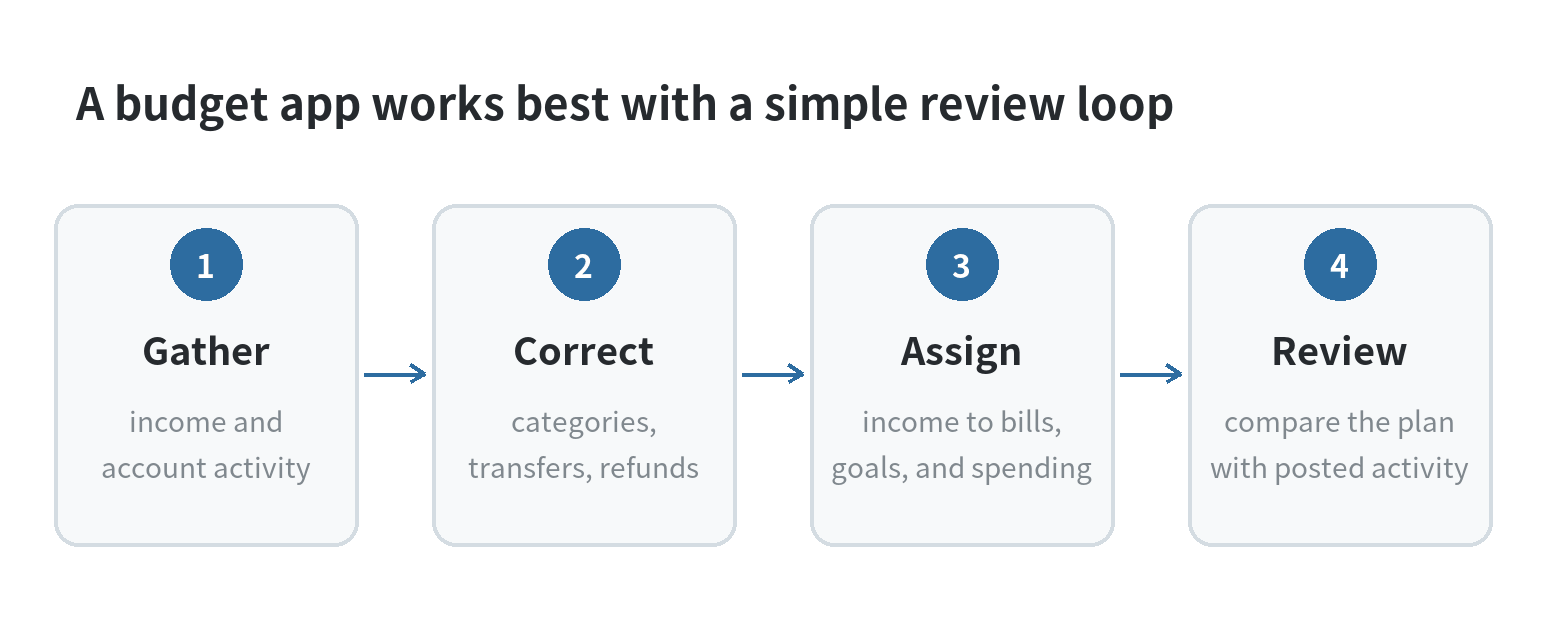
- Review imported categories. Correct transfers, refunds, and purchases that landed in the wrong category before judging the remaining amount.
- Leave a small unassigned cushion if your plan permits it. Use it for a bill that is higher than expected, then update the category rather than treating the balance as free spending.
YNAB’s assign-as-you-go method emphasizes planning available dollars; Monarch centers its budget on the coming month’s cash flow; Rocket Money pairs a monthly spending plan with subscription and bill tracking. YNAB’s feature description, Monarch’s setup instructions, and Rocket Money’s budget setup instructions explain their current workflows.
Check the records before trusting the dashboard
Bank connections can misclassify a payment, miss a pending transaction, or show a transfer as spending. Compare the app’s entries with your bank and card statements before you change a limit. Keep a manual note for cash purchases or accounts you choose not to connect. If your paycheck timing is irregular, a category plan based on a full month of expected income can look balanced while leaving a bill due before the next deposit.
Also decide what information you want in one dashboard. A connected account can make transactions easier to categorize, but it means the app handles financial data. Review its current privacy terms and account access settings before linking; Monarch says it does not directly access or move money, and Rocket Money describes linked-account budgeting in its help center. Monarch’s setup guide and Rocket Money’s budget guide.
Choose based on the next action, not the longest feature list
If you want to plan every available dollar, compare YNAB’s assignment method with the amount of review you are willing to do. If you want budget categories, household visibility, and goal tracking in one dashboard, compare Monarch’s Core features with its higher Plus tier. If you mainly want a view of transactions, bills, and subscriptions with a free starting tier, look closely at Rocket Money’s limits and paid feature split. No app sets a spending limit that fits your household without your input.
For a phone-first walkthrough of the basic monthly setup, see how to plan a monthly budget with your phone. If you would rather build a lightweight tracking routine around the device you already use, see the smartphone budget tracker guide.
FAQ
Can I keep using Credit Karma as my Mint replacement?
Credit Karma is Intuit’s named destination for Mint users, and Intuit says some popular Mint features moved there. Compare the functions you need with the current service description before relying on it for category budgeting. Credit Karma’s announcement and Mint’s current page.
Can two people share a household budget?
Yes. Monarch says Core and Plus let you add a partner, and YNAB says one subscription can be shared with up to six people. Check each app’s current permission settings to decide which accounts and transactions each person can see. Monarch’s plan details and YNAB’s subscription details.
What should I do if an account will not sync?
Enter the transaction manually if the app supports it, then reconcile it against the next statement. YNAB lists manual transactions alongside linked account imports, while Rocket Money’s budgeting instructions describe connected account setup. YNAB’s app listing and Rocket Money’s setup guide.
Last updated: September 2026.
Last updated: 2026-09