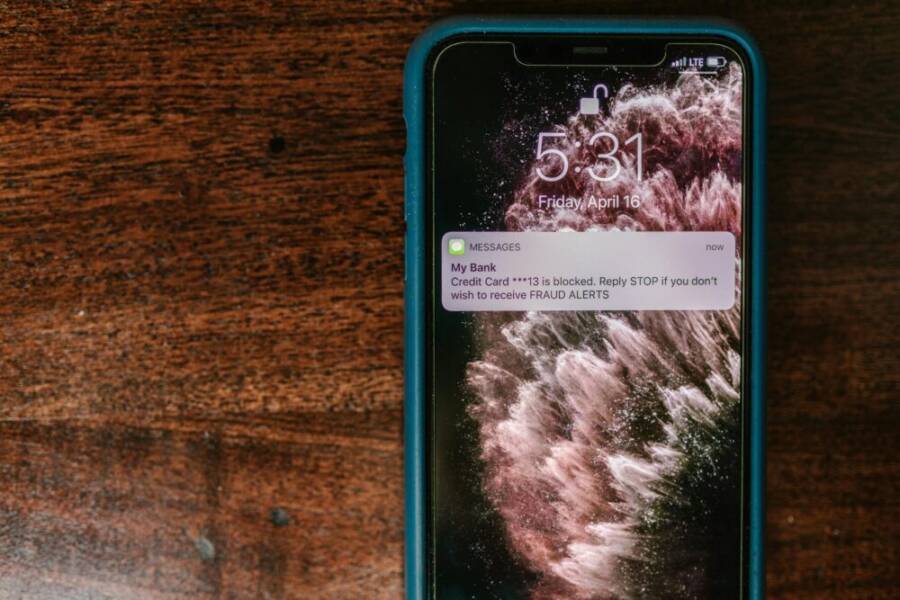
Every day, a single device handles your banking and personal data, so the choice of phone matters more than you think. A hack can hit hard, making quick logins, strong data protection, and smooth app performance essential. This guide highlights the key features that keep your money safe, from biometrics to encryption and long software updates, so you can bank with confidence and ease on your next smartphone.
Key Security Features Every Banking Phone Needs
Choosing a phone for online banking isn’t just about speed or screen size. It’s about a stack of features that work together to keep your money safe while you use apps every day. Below are three essential areas to look for, with practical explanations and quick takeaways you can apply when you shop.
Biometrics: Unlock with Your Face or Finger
Biometric authentication uses unique physical traits to unlock your device and authorize payments. Face ID and in-display fingerprint sensors are designed for speed and security in everyday tasks like logging into banking apps or authorizing a payment.
- Face ID works by analyzing the contours of your face with infrared light, so it can unlock your phone even in low light. It also enables quick authentication for apps and payments, reducing the temptation to fall back on weaker PIN codes. Learn more about how Face ID secures access and payments in official guidance from Apple. Face ID advanced technology
- In-display fingerprint sensors use your fingerprint to unlock and authorize actions directly from the screen. Modern sensors range from optical to ultrasonic, with ultrasonic being more resilient to dirt and moisture. For a broad look at how these sensors work, this explainer covers the basics of optical and ultrasonic options. How fingerprint scanners work — Optical, capacitive, and …
One important note: top models typically prioritize one biometric path over another. You won’t usually find a phone that has both the newest Face ID and the latest in-display fingerprint on the same device. Still, both options are strong, fast, and designed to thwart casual intrusions. If you value quick access and strong protection, biometric options beat PINs for most daily banking tasks.
Image idea: A close-up of a smartphone screen showing a biometric prompt, highlighting the ease of use.
Photo by RDNE Stock project on Pexels:
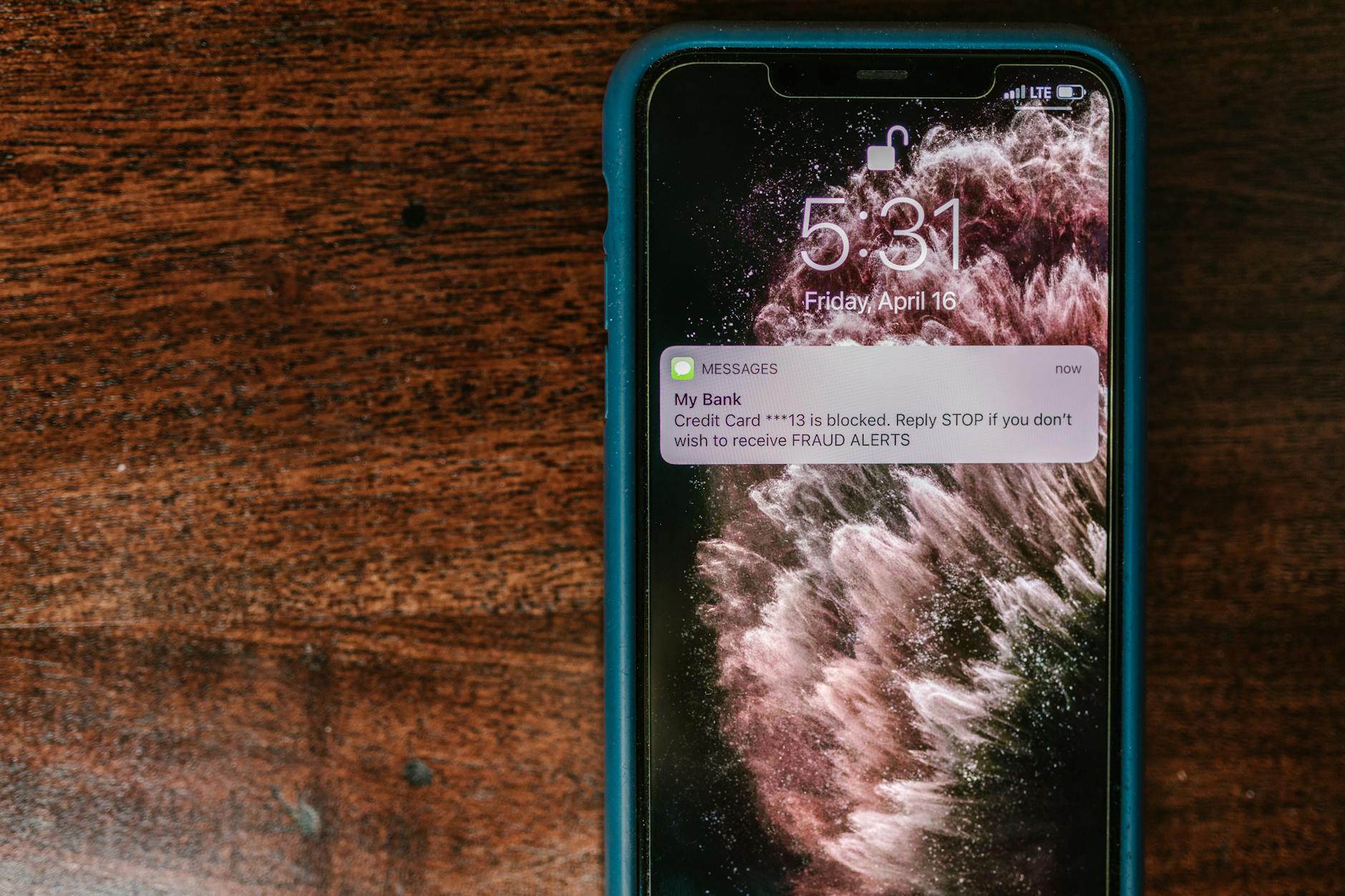
Photo by RDNE Stock project
Encryption and Dedicated Security Chips
Strong encryption and secure storage are the quiet heroes behind safe banking on a smartphone. The core idea is simple: data remains unreadable if the device is lost or stolen, and sensitive keys stay isolated from the rest of the system.
- Full-disk encryption protects all data at rest. Even if someone steals your phone, the data cannot be read without the proper credentials.
- Dedicated security chips store cryptographic keys in a separate, tamper-resistant area. This separation makes it harder for attackers to extract keys or tamper with the signing process.
Different manufacturers implement these protections in their own ways, but the goal is the same: keep your keys and data isolated from the main processor and memory. For a quick overview of leading approaches, consider these references:
- Apple’s secure enclave and system design for key protection and authentication. About Face ID advanced technology
- Google’s Titan M2 chip, which handles keys and critical security functions separately from the main CPU. (Overview of secure hardware and its role in device security.)
- Samsung’s Knox Vault, a hardware-based security layer built to guard sensitive data and keys. (Overview of secure hardware features.)
When shopping, look for devices that explicitly state hardware-backed security and verified key storage, and ask manufacturers how their solutions handle key management for banking apps and payments.
Image idea: Diagram-style image showing a device with a shield icon and a separate security chip label.
Long Updates and App Protection
Security is not a one-and-done feature. The real strength comes from sustained software support and proactive app protection.
- Regular software updates are the backbone of long-term safety. Aim for devices that receive security patches for at least 5 to 7 years. This extended support helps keep banking apps protected against new threats.
- App protection and reputable app stores matter. Rely on verified apps from official stores, and enable protections like Google Play Protect when available. Fast, reliable fixes after discovered issues minimize exposure time.
Proactive updates reduce the window of vulnerability. When a vulnerability is found, a prompt patch can close the gap before it’s exploited. This approach matters especially for financial apps that access sensitive data and perform transactions.
If you want more background on how updates help your security posture, you can check credible sources about ongoing security patching practices and protections built into app stores and devices.
Image idea: A staged calendar or timeline illustrating long-term support and patch cadence.
Image credits (optional):
Photo by [your photo credit here] (link)
iPhone 17 Pro Max: Best for Apple Users
For Apple enthusiasts, the iPhone 17 Pro Max stands out as a secure, fast, and seamless option for online banking. The combination of built-in biometrics, a dedicated security architecture, and a long track record of timely software updates helps you bank with confidence. This section breaks down the key features that make the iPhone 17 Pro Max a strong choice for securing your money and personal data.
Face ID: Fast, reliable authentication for banking apps
Face ID is more than a cool feature; it’s a primary gatekeeper for banking apps and payments. It analyzes facial features from multiple angles, which makes it tough to spoof with photos or videos. The result is quick access to banking apps and fast authorization for payments, reducing the need to rely on weaker PINs.
- Practical security: Because Face ID uses data that stays on the device in the Secure Enclave, sensitive biometric information never leaves your phone. This setup minimizes exposure even if other parts of the system are compromised.
- Real-world advantage: In daily use, you can authenticate payments and logins with a glance, keeping your banking routine both secure and friction-free. Apple’s official guidance provides deeper insight into how Face ID protects access and payments, reinforcing why it’s trusted for sensitive tasks. About Face ID advanced technology
Secure Enclave: A separate shield for your secrets
The Secure Enclave is a dedicated component that isolates biometric data, cryptographic keys, and critical security operations from the main processor. This separation creates a hard barrier against attackers who might compromise the operating system or apps.
- Why it matters for banking: Banking apps rely on encryption keys and tokens. Keeping these keys in the Secure Enclave reduces the risk of key extraction or tampering, even if the device is under attack.
- Trust through isolation: The architecture ensures that sensitive operations stay within a protected boundary, reinforcing the integrity of transactions and authentication.
Apple’s documentation on Secure Enclave explains how this isolated processor supports key protection and authentication. It’s a foundational element that underpins every secure payment on the iPhone. Secure Enclave
Apple Pay and tokenization: Secure payments from tap to tap
Apple Pay adds a layer of tokenized transactions that keeps card details off your device and out of merchant systems. When you pay in stores or online, Face ID confirms it’s really you before the payment is processed, and a unique token is used instead of your actual card number.
- What this means for you: If a banking app supports Apple Pay, you get an extra shield during checkout. The combination of biometric approval and tokenized payments reduces the chances of card data exposure.
- Enhanced privacy: Apple Pay uses end-to-end protections and never shares your actual card number with merchants. For more on how Apple Pay secures transactions, see expert explanations and official guidance. Apple Pay security features on iOS
Memory Integrity Enforcement (MIE): Guarding memory from attacks
Memory safety is a front-line defense against sophisticated malware. Memory Integrity Enforcement on the iPhone 17 Pro Max acts as a watchdog for the phone’s memory and core system, helping prevent exploits that target how apps store data while they run.
- Real-world impact: By monitoring kernel activity and critical apps, MIE reduces the risk of stealthy intrusions that could compromise banking data or credentials.
- User experience: Apple designed MIE to run in the background without noticeably slowing the device, so security comes without sacrificing performance.
This level of memory protection complements other hardening work across the platform, giving you a more robust security posture for everyday banking tasks.
iOS updates: Ongoing patch cadence you can rely on
Security is strongest when you keep software current. iPhone owners benefit from regular iOS updates that address new threats and reinforce existing protections.
- What to expect: Apple supports devices with security patches and feature improvements for many years. Staying updated is one of the simplest, most effective ways to defend your banking apps and data.
- Practical habit: Turn on automatic updates where possible, and periodically review available patches to ensure you have the latest protections.
Apple’s approach to updates reflects a long-term commitment to security and privacy, which matters when you use banking apps daily. Regular patches reduce the window of exposure to newly discovered vulnerabilities.
eSIM security and device resilience
The iPhone 17 Pro Max uses eSIM technology to manage your carrier profile. This approach offers practical security advantages for banking and personal data.
- Benefits in practice: With eSIM, there’s no physical SIM that can be swapped out easily, which helps deter SIM swapping attacks that aim to hijack your number and intercept two-factor authentication codes.
- Practical note: If you rely on SMS-based 2FA, consider enabling app-based codes or hardware keys as an additional layer of protection. The combination of eSIM security and strong 2FA strategies keeps banking access safer.
For a broader look at secure hardware and how Apple’s hardware design supports safe transactions, you can explore how Secure Enclave and related features work in practice. Secure Enclave overview
Battery life and reliability: Keeping banking access uninterrupted
While not a direct security feature, reliable battery life matters for safety. A device that can stay powered through a workday reduces the risk of being unable to receive security prompts or complete a payment at a critical moment.
- Practical takeaway: Look for a model with long battery life and fast charging capabilities. This ensures you can approve transactions, receive alerts, and reauthenticate when needed without scrambling for a charger.
Built for Apple users: Why this matters
If you’re already invested in the Apple ecosystem, the iPhone 17 Pro Max provides a cohesive, tightly integrated security stack. The combination of Face ID, Secure Enclave, Apple Pay, and strong update cadence creates a reliable platform for online banking. The device’s design focuses on protecting sensitive data while keeping everyday tasks smooth and intuitive.
- Quick-start tips for banking security on this device:
- Enable Face ID and ensure it’s configured with attention awareness and alternate appearance if you wear glasses or masks.
- Use Apple Pay for transactions and rely on tokenization for card data protection.
- Keep iOS updated and review app permissions regularly.
- Consider non-SMS 2FA methods for critical accounts to minimize exposure to SIM-based attacks.
- Stay mindful of app sources and only install banking apps from official stores.
External resources for deeper reading and official guidance are linked above, offering official explanations of security features and practical use cases. Face ID advanced technology Secure Enclave Apple Pay security and banking apps
Google Pixel 9 Pro XL: Top Secure Android Pick
When you want a phone that keeps your banking data safe without slowing you down, the Pixel 9 Pro XL stands out. It combines strong hardware security, robust privacy features, and long software support. If you value quick access to apps and safe transactions, this device deserves a closer look. Below you’ll find the core security strengths and practical tips to maximize protection on this Android flagship.
 Photo by I’m Zion
Titan M2 security coprocessor and hardware-backed protection
The Pixel 9 Pro XL uses a dedicated security chip to handle keys and sensitive operations away from the main processor. This separation makes it far harder for attackers to extract credentials or tamper with the signing process. In practice, you get stronger defense for things like login tokens and payment authentication, which are critical for online banking.
- Why it matters: Hardware-backed storage reduces the risk of key leakage even if the system is compromised.
- Real-world impact: Banking apps can verify transactions with confidence, and you can log in more securely without exposing passwords.
For a quick overview of how Google designs this protection, see the Pixel specs and security-focused materials from Google. Tech Specs of Pixel 9 Pro & Pixel 9 Pro XL
Biometric authentication: reliable and fast
Biometrics speed up daily banking tasks while keeping a high barrier against unauthorized access. The Pixel 9 Pro XL supports both facial recognition and in-display fingerprint options, giving you flexible choices for secure logins and payments.
- Face unlock: Quick and convenient, with on-device processing that helps protect biometric data.
- In-display fingerprint: Reliable in various lighting conditions and resistant to common spoofing attempts.
Note that most top Android phones focus on one primary biometric path. You’ll typically get excellent performance from either face unlock or fingerprint, not both at their absolute latest implementations. For in-depth guidance on unlocking and biometrics, check the Pixel support resources. Unlock your Pixel phone with your face
Encryption, secure storage, and app protection
Strong encryption keeps data unreadable at rest, while a hardware-backed key store protects cryptographic material. The combination means your banking data stays protected even if the device is lost.
- Full-disk encryption: Data is secured by default, requiring authentication to read.
- Secure storage: Keys and tokens live in a protected area, isolated from the main system.
Together with verified app stores and trusted app updates, this setup minimizes exposure to malware and data leakage. For a broader view of the Pixel security approach, explore Google Safety and Pixel security features. Google Pixel Privacy & Security Features
Long updates and ongoing protection
Security only helps if it is kept up to date. The Pixel 9 Pro XL benefits from Google’s regular update cadence, including security patches and OS refinements that extend years of protection for banking apps.
- Practical habit: Enable automatic updates so you always have the latest protections without thinking about it.
- What to expect: Patches address newly discovered threats and keep built-in protections current.
For an official outline of how Pixel devices stay current, you can review the Pixel for Business and security materials from Google. The Google phone. Built for business — Pixel for Business
eSIM, connectivity, and resilience
eSIM support helps reduce risks associated with SIM swapping and enhances overall device resilience. With a digital carrier profile, you can switch plans without swapping physical SIMs, limiting certain attack vectors.
- Security takeaway: Fewer opportunities for SIM-based fraud helps keep two-factor authentication codes safer.
- Practical note: If you rely on SMS 2FA, supplement with app-based codes or hardware keys for higher security.
Battery reliability and everyday security
A dependable battery supports secure banking routines. When a handset can stay powered through a full day, you’re less likely to miss important security prompts or fail to complete a payment.
- Pro tip: Use the device’s built-in power management features to extend uptime and keep security prompts accessible when you need them.
Why this device is a strong choice for US users
The Pixel 9 Pro XL packs a comprehensive hardware and software security stack, a proven track record of updates, and robust biometric options. It aligns well with tight privacy expectations and the needs of serious online banking. For users who want a refundable sense of security with mainstream Android usability, this phone hits the mark.
- Quick-start security tips:
- Enable both biometric options if you can, choosing the one you find more reliable while keeping a strong backup method.
- Use a secure payment method and tokenization for checkout where available.
- Keep the device updated and review app permissions regularly.
External resources for deeper reading on Pixel security features include official guidance on Face Unlock and Secure Enclave equivalents in Google’s ecosystem. Face Unlock and Pixel security Tech specs and security information
Images and references are provided to illustrate how security features translate into real-world use. For readers seeking a broader context on Android security, Google’s safety resources offer practical guidance and ongoing updates. Google Pixel Privacy & Security Features
Samsung Galaxy S25: Trusted Business Security
When your smartphone doubles as a portal to your bank and sensitive data, security needs to be a habit, not an afterthought. The Galaxy S25 stacks hardware and software protections that fit a business user’s daily life. From a hardware-backed trust chain to frequent updates, this device is built to keep financial data safe without sacrificing speed or convenience. The goal is simple: you should feel confident signing in, approving payments, and storing confidential documents on a single device you rely on every day.
Knox Vault and hardware-based protection
Samsung Knox Vault acts as a secure, isolated space inside the device. It stores keys and sensitive data away from the main processor, making it much harder for attackers to extract credentials or tamper with the signing process. This layered defense starts the moment the phone boots up and continues to protect data even if other parts of the system are compromised.
- Why it matters for business banking: Payment tokens, banking tokens, and passkeys stay protected in a separate hardware area, reducing exposure to malware and root exploits.
- Real-world impact: If you lose the phone, the data inside Knox Vault stays locked behind multiple protections, helping prevent unauthorized access to apps and accounts.
For a deeper understanding, Samsung explains how Knox Vault strengthens privacy and data protection in the era of AI. How Knox Vault protects you
Regular security updates keep risk low
Security patches matter as much as fancy hardware. Samsung commits to timely security updates that address newly discovered vulnerabilities and align with Google’s monthly patch cadence. This steady stream of patches closes gaps before they can be exploited and helps keep online banking apps safe.
- What to expect: Monthly or near-monthly patches that tackle OS and driver weaknesses, with longer-term support plans for devices in enterprise programs.
- Practical effect: You’ll have fewer surprises at audit time, and you won’t have to scramble for patches after a zero-day becomes public.
Learn more about Samsung’s security update strategy and the scope of patches from Samsung’s security resources. Security Updates Scope | Samsung Mobile Security
Biometric security you can trust, with flexible options
The S25 offers strong biometric options to accelerate safe access to banking apps. Whether you prefer in-display fingerprint sensors or facial recognition, you get fast unlocks and secure authentication right where you need them.
- Practical benefit: Biometrics provide quick sign-ins while keeping credentials on-device. Pair with a strong PIN for added layers of protection.
- Tips: Ensure biometrics are set up with safeguards like screen lock timeouts and attention awareness for a more robust defense.
Organizations often deploy device-based biometrics in conjunction with enterprise policy controls to enforce robust authentication for banking apps. For guidance on biometric security principles, see industry resources and official product guidance from Samsung.
Secure Folder: a private workspace inside your phone
Secure Folder creates an encrypted sandbox where you can store banking apps, documents, or sensitive files separate from your main workspace. It requires its own authentication, so even if someone gains access to your phone, they’ll encounter an extra barrier before reaching confidential data.
- Use case: Keep banking apps and encrypted documents in Secure Folder, while leaving your everyday apps in the main profile.
- Benefit: Reduces risk of data leakage if the device is shared or compromised.
Samsung’s security pages describe how secure environments inside Galaxy devices help protect sensitive information. Device Security Fundamentals
Data privacy controls and on-device AI protection
The Galaxy S25 processes a significant portion of sensitive data locally, limiting exposure to cloud-based threats. Features like Personal Data Engine and Knox-enhanced protections keep your private information out of reach from external observers while AI features run securely on-device.
- Practical effect: You get smart features without dramatically increasing risk to banking data.
- How it helps you: Local processing reduces the attack surface for remote threats and helps preserve privacy in daily tasks.
Samsung’s materials outline how on-device AI and secure processing cooperate to safeguard privacy. Samsung Galaxy S25: The Smart Choice for Data Security
Theft protection and resilience for business continuity
If a device goes missing, built-in theft protection can lock the phone quickly and delay access to sensitive data. Automated responses reduce exposure while you recover the device and revoke access for banking apps and corporate tools.
- What to do: Enable remote management features if your organization supports them, and ensure devices can be wiped if lost.
- Why it helps: Quick containment minimizes risk of data exposure during a theft event.
Samsung’s security resources discuss how these protections contribute to a safer lifecycle for business devices. Samsung Knox Security Fundamentals
Long-term reliability: updates that matter for banking apps
A banking device should stay protected for years. The S25’s update cadence is designed to keep banking apps secure as threats evolve. Automatic updates help ensure you receive patches without manual intervention, so you don’t miss critical protections when you need them.
- Best practice: Keep automatic updates enabled, and review patch notes to understand what each update fixes.
- Benefit: Consistent protections reduce the risk of crime or fraud that targets older software versions.
For more on how update policies support ongoing security, explore Samsung’s update documentation and partner resources. Security Updates Overview
A note on the smartphone you choose for business
If you manage multiple devices in a fleet, consider how Knox Vault, Secure Folder, and a strong update cadence translate into a cohesive security strategy. The Galaxy S25 is designed to align with business needs, offering a robust foundation for online banking tasks, data protection, and enterprise controls.
- Quick-start tips:
- Activate Secure Folder for banking apps and sensitive documents.
- Use biometrics as the primary unlock method, with a strong PIN as a backup.
- Enable automatic security updates and verify what each patch changes.
- Deploy device management policies to enforce encryption, app restrictions, and remote wipe capabilities.
External reading for deeper context on Samsung security architecture and practical usage can be found at Samsung’s official pages and security briefs. Galaxy S25 for Business | Galaxy AI Phones
Compare Top Phones and Extra Safety Tips
Choosing a phone for online banking means looking beyond speed and screen size. It’s about a cohesive security stack that protects your data at every touchpoint. In this section, you’ll find practical comparisons of the leading models and clear tips to boost protection in daily use. We’ll cover the iPhone, the latest Google Pixel, and Samsung’s business-first options, with bite-sized takeaways you can apply today.
iPhone 17 Pro Max: Best for Apple users seeking a trusted security harness
Apple’s iPhone line remains a strong choice for banking apps thanks to a tightly controlled ecosystem, top-tier hardware security, and a long habit of timely updates. The combination of Face ID, Secure Enclave, and Apple Pay tokenization creates a robust shield for everyday transactions.
- Face ID: Fast, reliable access for banking apps and payments while keeping biometric data on the device. Apple’s guidance explains how this system protects access and payments. Face ID advanced technology
- Secure Enclave: Isolates biometrics and keys from the main processor, reducing exposure if the system is compromised. Learn more here: Secure Enclave
- Apple Pay and tokenization: Payments rely on tokens rather than card numbers, reducing data exposure at checkout. See how Apple Pay secures transactions. Apple Pay security and banking apps
Photo: A close-up of a smartphone screen showing a biometric prompt
Photo by Stefan Coders on Pexels:
 Photo credit: Photo by Stefan Coders
- Memory integrity and ongoing updates: iOS updates arrive on a predictable cadence, keeping security layers current without disrupting daily use. Regular patches close gaps that could affect banking apps.
- Battery and reliability: Strong battery life ensures you can approve transactions and reauthenticate without scrambling for a charger.
If you’re embedded in the Apple ecosystem, the iPhone 17 Pro Max delivers a coherent security stack that blends biometrics, hardware isolation, and smooth payments. Quick-start tips: enable Face ID with attention aware features, use Apple Pay for card data protection, keep iOS updated, and consider non-SMS 2FA for critical accounts.
External reading for deeper reading on Apple’s security design:
- Face ID advanced technology
- Secure Enclave
- Apple Pay security and banking apps
Google Pixel 9 Pro XL: Top secure Android pick with hardware-backed protection
For Android users who value strong hardware security and long software support, the Pixel 9 Pro XL is a standout. It combines a dedicated security chip, fast biometrics, and a robust update cadence that guards banking apps over time.
- Titan M2 security coprocessor: Handles keys and critical security tasks away from the main CPU, increasing resilience against attacks. See Pixel security materials for a general view. Tech Specs of Pixel 9 Pro & Pixel 9 Pro XL
- Biometric authentication: On-device face recognition and in-display fingerprint provide flexible, fast options for safe logins and payments. Guidance on using facial unlock on Pixel is available here. Unlock your Pixel phone with your face
- Encryption and secure storage: Full-disk encryption plus a protected key store keep banking data private even if the device is compromised. See Google’s safety resources for security context. Google Pixel Privacy & Security Features
Photo: Close-up of a hand holding a smartphone locked with a fingerprint sensor
Photo by I’m Zion on Pexels:
Credit: Photo by I’m Zion
- Long updates and ongoing protection: Google’s update cadence delivers security patches and OS refinements that extend protection for banking apps. Activate automatic updates to stay current.
- eSIM and connectivity: eSIM reduces certain attack vectors by eliminating the need for a physical SIM swap, while keeping two-factor options flexible. If you rely on SMS 2FA, add app-based codes or a hardware key for stronger security.
Practical tip: pair Pixel’s strong hardware with a trusted password manager and app-based 2FA. For a broader sense of Pixel security, explore these resources:
- Face Unlock and Pixel security
- Tech specs and security information
Samsung Galaxy S25: Business-grade security with a flexible protection stack
The Galaxy S25 brings a robust, business-ready security suite to everyday banking tasks. Its hardware-backed trust chain and frequent security updates help keep sensitive data safe in a busy workday.
- Knox Vault and hardware protection: A secure, isolated space for keys and sensitive data, protected from the main processor. This layered defense starts at boot and continues as you work. Learn more about Knox Vault. How Knox Vault protects you
- Regular security updates: Samsung mirrors a monthly patch cadence to address new threats and keep banking apps safe. See how updates are planned. Security Updates Scope | Samsung Mobile Security
- Secure Folder: A private workspace inside the phone to isolate banking apps and documents. Device Security Fundamentals
- On-device privacy controls and data protection: Local processing for sensitive data reduces exposure to cloud threats. See Samsung on-device protections. Samsung Galaxy S25: The Smart Choice for Data Security
Photo: A close-up of a smartphone with a shield icon representing hardware security
Photo by Stefan Coders on Pexels:
Credit: Photo by Stefan Coders
- Secure Folder and data privacy: Separate, encrypted spaces keep banking apps and documents shielded even if the rest of the phone is accessed.
- Theft protection and remote wipe: Quick containment minimizes exposure if a device is lost or stolen. Combine with enterprise controls for stronger protection.
Practical guidance for business users: enable Secure Folder for banking apps, use biometrics as the primary unlock, keep automatic security updates on, and deploy device management policies to enforce encryption and remote wipe.
External reading on Samsung security measures:
- Security Updates Scope | Samsung Mobile Security
Extra safety tips for all devices
- Use a strong, unique passcode in addition to biometrics. Rely on biometrics for quick access, but keep a stubborn PIN as a backup.
- Enable 2FA with an authenticator app or hardware security key whenever possible. SMS codes are convenient but less reliable.
- Keep only official banking apps from trusted stores. Regularly review app permissions and revoke those you don’t need.
- Turn on automatic updates for the OS and banking apps. Patches close security gaps fast.
- Consider using a dedicated, encrypted Secure Folder or sandbox for banking apps on Android devices.
- Regularly review device settings for privacy controls, and disable unneeded features that contact banks less often.
If you want deeper context on how these devices compare for online banking, you can explore broader security discussions and official guidance from the brands. For example, Apple’s and Google’s security materials outline their approach to protecting keys, biometrics, and payments, while Samsung provides enterprise-focused resources on Knox and Secure Folder.
- Apple security context: Face ID advanced technology Secure Enclave
- Pixel security overview: Tech Specs of Pixel 9 Pro & Pixel 9 Pro XL Face Unlock and Pixel security
- Samsung enterprise security: Security Updates Scope | Samsung Mobile Security Device Security Fundamentals
Images and references are included to show how these security features translate into real-world use. If you want broader insights on Android or iPhone security, the official safety and support sites offer thorough guidance.
Note: The smartphones discussed here are presented as examples of common security strengths. Your choice should reflect how you bank, how you prefer to authenticate, and how much you value hardware-backed protection versus software updates.
Conclusion
Choosing the right smartphone for online banking is about a cohesive security stack, not just speed or flair. For Apple users, the iPhone offers simplicity and strong hardware protection that keeps logins and payments smooth and secure, with a straightforward setup that most people can adopt quickly. For those who prize ongoing updates and long-term protection, the Google Pixel shines with its robust update cadence and hardware backed security that stays current year after year. If your work relies on a business grade security approach, Samsung’s Knox driven ecosystem provides a flexible, enterprise friendly path with reliable privacy controls and frequent patches.
The top picks map directly to how you bank: pick the one that fits your habits, then set it up securely. Use biometrics as the primary unlock, enable tokenized payments, and keep automatic updates on so you stay protected against new threats. If you can, enable an authenticator app or hardware key for two factor authentication. In the end, your peace of mind comes from a deliberate choice and a solid setup, not from a single feature.