If an old iPhone still fits a job you need, keep it; if it is sitting unused, pass it on through a trade-in, private sale, or recycling route. Choose based on what you need next, the phone’s working condition, and how much time you want to spend. Before any handoff, finish your backup and account-removal steps.
Apple Support’s pre-handoff instructions, checked October 12, 2026, put backing up and transferring information before removing personal data. The Federal Trade Commission’s phone-disposal guidance, also checked October 12, 2026, likewise says to back up, remove physical SIM or SD cards, and erase personal information before selling, giving away, or recycling a phone.
Decide whether the phone still earns a place
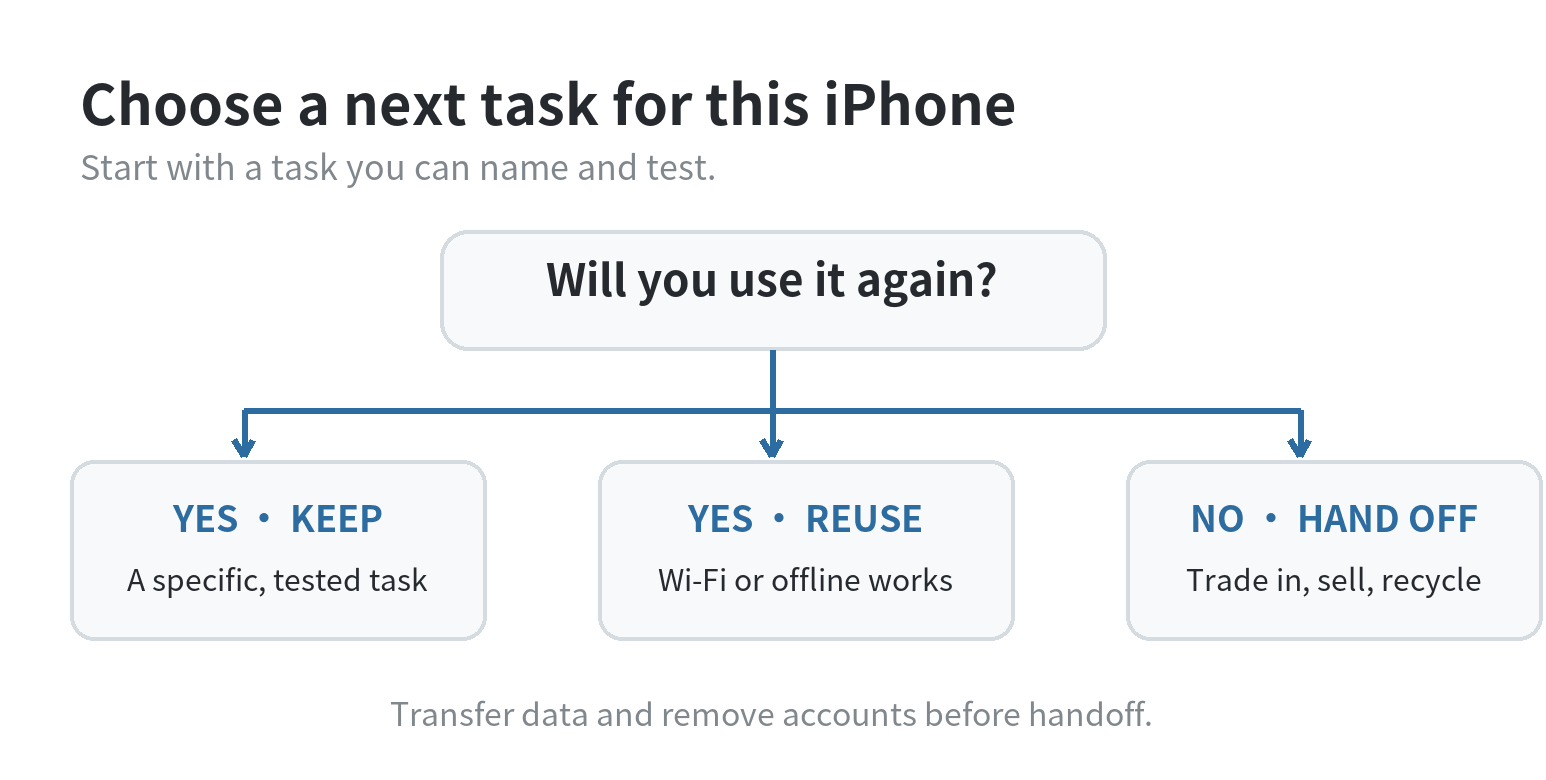
Start with a specific job, not with the fact that the phone still powers on. A device you rely on for a backup camera, music, or a household task may be worth keeping. A phone with no planned use takes up space and still needs charging, updates when available, and a safe place to store it.
Write down the task and the conditions it needs. If the job needs a cellular number, confirm that the phone and your carrier can support the service. If the job only needs internet access, Apple’s iPhone internet guide, checked October 12, 2026, describes connecting through Wi-Fi or a cellular network. A Wi-Fi-only role can work without an active phone line, but it cannot replace calls or cellular data when Wi-Fi is absent.
Open the app or service on the iPhone and confirm it supports the installed software. For an offline task, save what you need while connected, then test with Wi-Fi off. That reveals whether the task depends on a live connection before you count the phone as a backup.
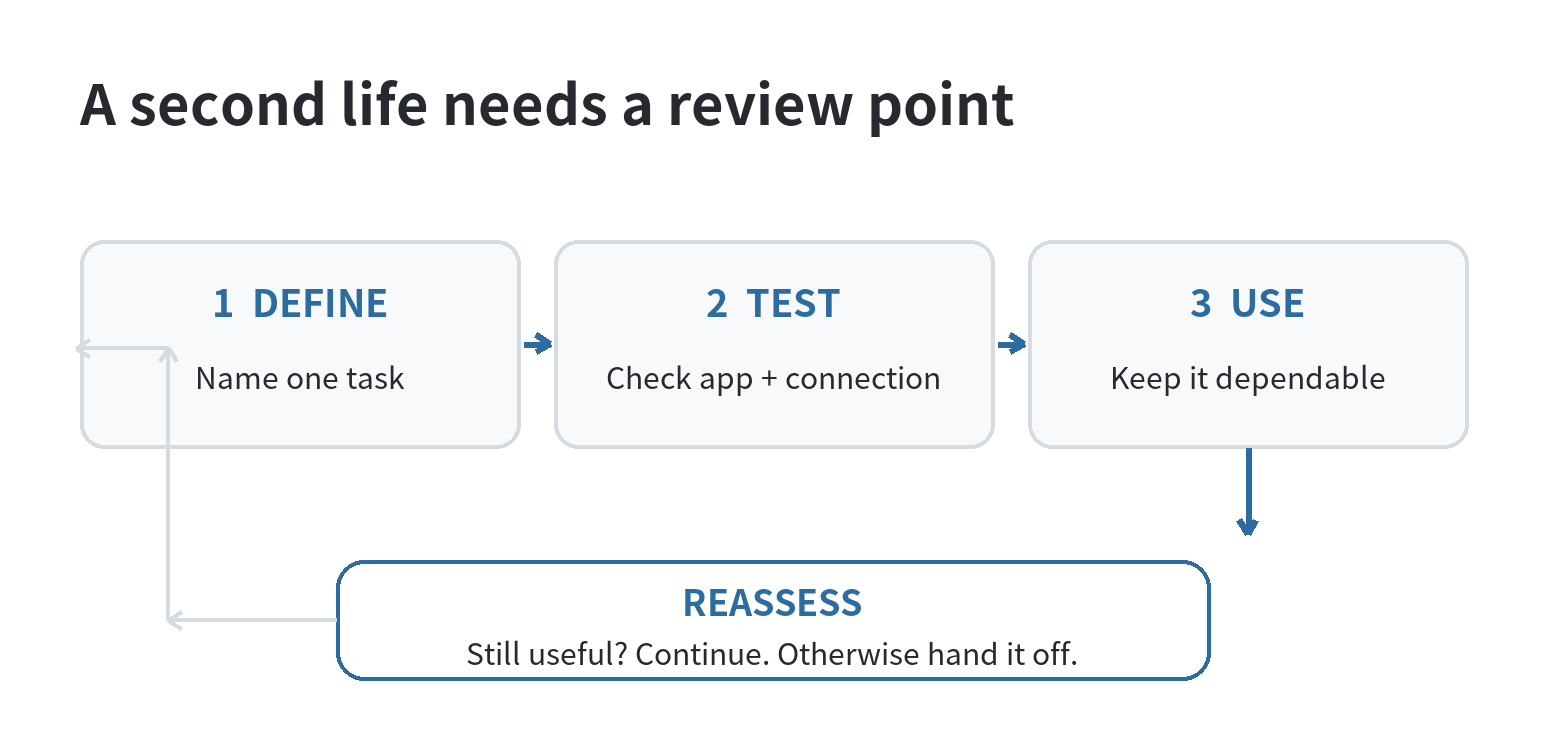
Set a review point while you decide. If the phone has no defined use by then, move it to a handoff path. This keeps “I might need it” from becoming indefinite storage and gives you a clear moment to complete the data-transfer and erase steps.
Keep it for a job you can name
Keeping the iPhone makes sense when the task is already part of your routine and the phone can do it without adding a new burden. For example, a family might use a spare device for music in a shared room, while a traveler might keep one as an offline copy of maps and tickets. These examples depend on compatible apps and saved content; they do not require the phone to remain your primary handset.
Give the device a clear role and place. Remove alerts for accounts you no longer use and store it where you can find it. If someone else will use it, decide whether to erase it and set it up for them; do not leave your personal account signed in just because the phone stays in the house.
Battery condition sets a practical limit. If the phone shuts down unexpectedly, cannot hold enough charge, or has physical damage, do not rely on it for a time-sensitive task or as your only copy of important information.
Reuse it only when Wi-Fi and software are enough
A retired iPhone can serve as a single-purpose device if its task works with the available connection and installed software. Possible roles include a music player, a camera for a fixed location, a remote control for a compatible service, or a dedicated screen for a household routine. Check the app’s current device requirements and test the exact task before you rearrange your setup.
Without cellular service, the iPhone does not have a carrier connection for calls or mobile data. It can still connect to Wi-Fi when a network is available, as Apple’s internet guide explains. This distinction matters for navigation, messaging, streaming, and account sign-in: each app may need a live connection, a downloaded file, or a phone number for verification.
Keep the setup narrow. Remove unrelated apps and alerts. If you do not intend to keep using an account or subscription on the phone, review it separately before you reset the device. If another household member will use it, check account and family-sharing settings before the handoff.
If reuse needs a repair, a new service plan, or extra maintenance, compare that effort with handing the phone on. Repairability alone does not make a task worth keeping.
Trade in or sell when you want the phone to leave your hands
A trade-in fits when you want a program-defined handoff. Apple’s Trade In information, checked October 12, 2026, says an estimate depends on model and condition and may change after inspection. It also describes recycling for devices that do not qualify for trade-in value. Check the current terms for your phone before deciding.
A private sale gives you more control over the listing and the handoff, but you must describe the condition accurately and handle questions, payment, and delivery yourself. If that route fits, use the site’s guide to safely selling an old phone for the sale-specific details.
Before a trade-in, follow that program’s preparation instructions. Apple Support’s page, checked October 12, 2026, says to back up and erase the iPhone, check for unfinished repairs, and handle its SIM or eSIM service before shipping. Transfer and verify your data before you erase the phone.
For the shared privacy steps across selling, giving away, or recycling, use the site’s old-phone wipe and recycling walkthrough. If your next step is specifically a sale or trade-in, the phone handoff preparation checklist covers the preparation details. These guides keep this decision page focused on choosing the route.
Recycle it when there is no useful next task
If the phone has no useful role and you do not want to sell or trade it in, choose electronics recycling or local household hazardous-waste collection. U.S. Environmental Protection Agency guidance, checked October 12, 2026, says devices containing lithium-ion batteries should not go in household garbage or curbside recycling bins because they can cause fires in waste handling. It directs households to separate battery recycling or hazardous-waste collection points.
For a whole phone, check the device maker’s take-back option and your local waste authority’s instructions. A damaged or swollen battery needs special handling; EPA advises contacting the device or battery maker for direction when a lithium-ion battery is damaged. If a recycling program accepts the complete device, follow its packing and drop-off rules.
Before the phone leaves you, verify your backup, sign out, erase the device, and remove its physical SIM. Apple Support says erasing turns off Find My and Activation Lock; the FTC also recommends erasing personal information before disposal. For eSIM, Apple says to choose the option to erase the profile. See the wipe and recycling guide for the privacy steps.
Compare the routes before you choose
| Route | Choose it when | Check first |
|---|---|---|
| Keep | You have a recurring task for this phone. | Battery, software, and whether the task needs cellular service. |
| Reuse | A single-purpose setup works on Wi-Fi or offline. | App compatibility, saved content, and account access. |
| Trade in | You prefer a program-defined handoff. | Current eligibility, estimate, inspection, and return instructions. |
| Sell | You are willing to manage a listing and buyer handoff. | Accurate condition details, payment, delivery, and data removal. |
| Recycle | The phone has no useful role or handoff path. | Accepted devices, battery condition, and local collection rules. |
Ask: “What will this phone do next week?” If you can name and test the task, keeping it has a purpose. Otherwise, choose the handoff that fits your time and complete the data steps before it leaves your account.
Last updated: October 2026
FAQ
Can I keep an old iPhone as a backup without a SIM card?
Yes, for tasks that work over Wi-Fi or offline. It will not provide carrier calls or mobile data without cellular service, so test any app that needs a connection or phone-number verification before relying on it.
Should I erase my iPhone before checking trade-in value?
You can check the program’s estimate first, then erase the phone after you have transferred and verified the data you want to keep. Apple’s trade-in instructions separate checking an estimate from preparing the device for shipment.
Can I put an old iPhone in household recycling?
No. EPA says devices containing lithium-ion batteries should not go in household garbage or curbside recycling bins. Use a dedicated electronics or battery collection route and follow the local program’s directions.
What should I do if my old iPhone battery is swollen?
A swollen battery indicates damage and a potential fire hazard. EPA advises contacting the device or battery maker, or a local waste agency, for handling instructions.
Last updated: 2026-10