Losing a phone abroad can feel overwhelming, but you can regain control quickly with a clear plan. Start with fast, simple steps to protect your data and stay reachable. This guide walks you through immediate actions and the people you’ll need to contact.
If your device goes missing in another country, the clock is counting. You’ll need to secure accounts, notify your carrier, and reach out to your embassy if necessary. We’ll show you exactly what to do to minimize risk and stay connected, even when you don’t have your usual setup on hand. Your smartphone plays a central role in this process, so acting fast matters.
By following these practical steps, you’ll know how to lock your device, change passwords, suspend service, and obtain a temporary line or data plan. You’ll also learn how to file a police report, contact banks, and get help from local authorities or your embassy. This plan keeps you in control and reduces disruption while you find a safe path forward.
What to do the moment you realize your phone is stolen while traveling
Losing a phone on the road is stressful, but the right steps can limit data exposure and get you back on track quickly. This section outlines immediate actions to protect yourself, locate the device if possible, and decide what to replace first. Use a calm, systematic approach so you can act fast without missing crucial steps.
Stay calm and act fast to protect personal data
When you realize your phone is missing, your first job is protecting personal data. Panic can slow you down, so take a few deep breaths and commit to a short action plan. Here are the essential moves:
- Lock your accounts remotely. If you use Apple or Google ecosystems, you can secure your accounts from another device. This is your first line of defense against unauthorized access.
- Display a finder message. A clear note with a way to reach you can help someone return the device or enable a quick block if needed.
- Decide on data wipe versus retention. If there’s sensitive information on the phone, wiping it may be the safer choice after you’ve attempted a lock and locate. If you think the device can be recovered soon, you may opt to keep data until you confirm the theft. Remember, you can still wipe remotely if the device is found later.
- Keep your authentication methods flexible. If you use two factor authentication, update recovery options and codes if necessary. Have backup access to critical accounts through a trusted device or email.
These steps minimize risk while you work through the next moves. The sooner you act, the better your chances of securing your data and reducing disruption to your trip.
Try remote locate and lock with Find My iPhone or Google Find My Device
Remote locate and lock tools are your fastest route back to control. Here’s how to use them from another device and what you can expect to see:
- For Apple devices: Use Find My via iCloud.com or the Find My app on another Apple device. Sign in with your Apple ID, then select the missing device. You can play a sound to locate it, put it in Lost Mode to lock it, display a custom message with contact information, and turn on Lost Mode automatically. If you believe you won’t recover the device, you can erase it remotely to protect your data.
- Helpful resource: If your iPhone was stolen, you can mark it as Lost and take protective actions quickly. For more details, see Apple’s support article on losing an iPhone or iPad.
- https://support.apple.com/en-us/120837
- https://support.apple.com/en-us/101593
- https://www.icloud.com/find
- For Android devices: Use Find My Device on another phone or computer. Sign in with the Google account linked to the missing device. You can locate the phone on the map, ring it, lock the screen, display a message with contact details, and erase the device if necessary.
- Helpful resource: Learn how to find, secure, or erase a lost Android device.
- https://support.google.com/accounts/answer/6160491?hl=en
- https://www.google.com/android/find/about
- https://myaccount.google.com/intro/find-your-phone?hl=en-US
Timing matters. The sooner you trigger a lock or a wipe, the lower the chance an unauthorized user will access accounts or data. If you have a backup device, use it to monitor the location updates and confirm actions in real time. If the device is located, coordinate with local authorities or your embassy as needed.
Make a quick inventory of what is missing and set priorities
Once you’ve secured your accounts, take stock of what’s actually gone and what you need to replace first. A rapid inventory helps you decide where to focus resources and how to stay connected while abroad.
- What to note: your phone, SIM card, passport or travel documents, bank cards or travel wallet, and any work devices or keys stored on the device.
- Priorities: replace essential items first. If you rely on your phone for navigation or banking, consider obtaining a temporary phone or SIM quickly to maintain access. If you carry a digital copy of critical documents, ensure those backups are accessible from a trusted device.
- Risk mitigation plan: contact your carrier to suspend service or switch to a temporary SIM or eSIM. If you have a backup phone, you can keep critical apps active while you arrange replacements. In parallel, start the process to replace documents and notify banks or lenders as needed.
A practical approach is to categorize items into three groups: must-have for immediate safety, must-have for daily travel, and optional items. This keeps you focused and prevents you from chasing too many replacements at once. If you’re traveling with others, share the plan so they know how to reach you and what actions are already underway.
Helpful reminders for this phase:
- Contact your bank if cards are on the device or linked to the account. Request temporary card replacements if necessary.
- Report the theft to local authorities and get a police report number. A report can be important for insurance or replacement processes.
- Check travel insurance coverage. Some policies cover phone replacement or emergency communication costs abroad.
- Keep a record of all actions. Note the times you called your carrier, the steps you took in Find My services, and any responses from authorities.
By quickly identifying what’s missing and prioritizing replacements, you’ll reduce downtime and stay connected as you navigate your travel day.
External resources to help you act quickly and securely:
- Apple support on losing an iPhone or iPad
- Apple Find My device basics
- Google Find My Device overview
- Google Find My Device general information
If you’d like, I can tailor this section further for a specific region or traveler scenario, such as a solo traveler in Europe or a backpacker in Southeast Asia.
Secure your accounts and data while abroad
When your phone goes missing overseas, protecting your accounts and personal data becomes the top priority. Acting quickly reduces the risk of unauthorized access and helps you stay connected with the essentials you need for the rest of your trip. In this section, you’ll find practical steps to lock down sensitive apps, monitor activity, and coordinate with banks and services while you’re away from home.
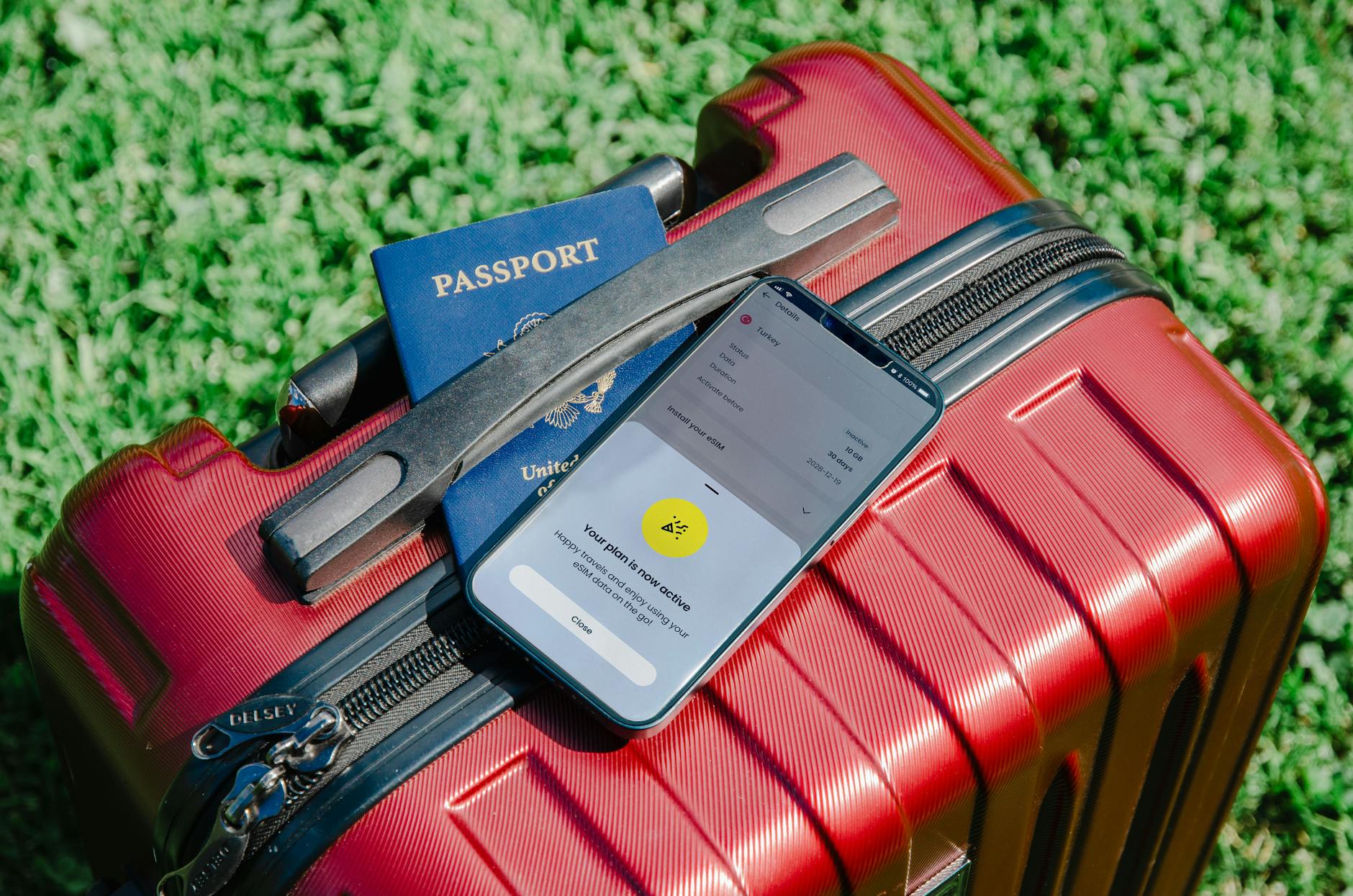 Photo by Jacob
Change passwords and enable two factor authentication on critical apps
Prioritize accounts that hold financial data or personal information. Update passwords for email, banking, social media, and apps with payment details. Use unique, strong passphrases and store them in a reputable password manager. While abroad, review recovery options and ensure you have alternate contact methods in case you’re locked out.
- Email and banking: Create new, separate passwords and enable two factor authentication (2FA). If possible, add a backup phone number or authenticator app as a second factor.
- Social media and messaging: Update passwords and review connected apps to minimize exposure from any compromised accounts.
- Apps with payments: Re-authenticate or re-link payment methods only after you’ve secured critical accounts. If you can, enable alerts for any unusual activity.
Tip: If you’ve already enabled 2FA on recovery options, keep that access available on a trusted device or email. This reduces the chance you’ll be locked out if your phone is missing.
For additional guidance, see Apple’s and Google’s official resources on securing accounts after a device is lost:
- Apple: About Stolen Device Protection and 2FA setup
- Google: Turn on 2-Step Verification
Check app permissions and revoke sessions for unfamiliar devices
Unfamiliar devices can silently access sensitive data if sessions stay active. Sign out from other devices and review active sessions for every critical app. Revoke access for any device you don’t recognize, and consider temporarily suspending data access if you suspect a breach.
- Review active sessions in key apps (email, banking, cloud storage, and password managers).
- Sign out of all devices you don’t recognize, then re-login on trusted devices only.
- Revoke access to sensitive apps from unknown locations and disable automatic sign-ins where possible.
If you use a password manager, ensure its master password is updated and that you’ve logged out of all sessions on other devices. This reduces the risk of session hijacking while you sort your travel plans.
To reinforce this practice, you can consult trusted guidance on securing devices after theft from major security resources:
- Google: 2-Step Verification and session management
- Apple: Managing devices and privacy after loss
Notify banks and payment apps about the theft
Immediate bank notification helps prevent fraudulent charges and unlocks your options for temporary measures. Monitor transactions closely and set up alerts so you’re alerted to any activity in real time.
- Contact banks and payment apps as soon as you can. Request temporary holds or a card replacement if needed.
- Enable real-time transaction alerts and consider a temporary credit freeze if you’ll be without your physical card for a while.
- Report any suspicious transactions to your bank and follow their guidance for blocking or reissuing cards.
If you call from abroad, use banks’ official numbers found on their websites or your secure online portal to avoid phishing. Some travelers find it useful to coordinate with their home bank before departure to understand what to expect when a phone is stolen overseas.
Helpful external resources for quick action:
- How to protect your bank account after theft and monitor activity
- Guide to protecting personal data after losing a device
- Practical steps for reporting and managing theft with banks and authorities
If you’d like, I can tailor these steps to your specific country or bank setup to ensure you have the most relevant numbers and processes on hand.
Work with local authorities and your mobile carrier
When your phone is stolen abroad, teaming up with local authorities and your mobile carrier is the fastest way back to safety. You’ll document the incident, freeze data access, and configure temporary connectivity so you can stay reachable while you sort out replacements. Use a calm, practical approach and keep records of every step. This section breaks down how to coordinate with police, insurers, and carriers, plus practical tips to avoid gaps in coverage.
File a police report or FIR and keep a copy
A police report is often needed for insurance claims, travel records, and future disputes. It also gives you an official document that can speed up replacements for documents and devices. Here’s how to handle it effectively, even if you’re in a foreign country:
- Go to the nearest police station as soon as possible. Ask for a written police report and the case or reference number. A digital copy is helpful, but a certified paper report is usually best for insurance.
- Bring identifying information. You’ll want your passport, a copy of your travel itinerary, and any device identifiers like the IMEI if you have it.
- Get a witness or officer contact. If possible, ask for a business card or contact details for follow-ups. This helps if you need to present the report to banks or insurers later.
- Request a detailed report. Ensure it lists the time, location, and items stolen. A clear description makes insurance claims smoother.
- Keep it organized. Scan or photograph the report and store it in a secure cloud drive or travel dossier. Also save a copy of any entries into your local travel log.
Tips for getting an official report in a foreign country:
- If language is a barrier, request an English version or an official translation. Some jurisdictions provide bilingual reports.
- Ask about the police report number and how to obtain a copy. In many places you can download a digital copy later or pick up a certified version.
- Check with your insurer about required documentation. Some policies need the police report number and a copy of the report before processing a claim.
External resources to guide you through this process:
- What to do if your cell phone is stolen abroad (carrier guidance and steps)
- Lost or stolen phone abroad guidance from travel insurers and security sources
Block the SIM and the device IMEI to prevent misuse
Blocking the SIM stops unauthorized calls or data usage, while IMEI blocking prevents the device from being activated on mobile networks. This two-pronged approach protects you from theft or cloning and makes it harder for the thief to use or resell the phone. Realize that steps can vary by region, so check with your carrier for regional specifics.
- Contact your carrier immediately. Tell them the device is lost or stolen and provide the IMEI. If you don’t have the IMEI, the carrier can often help you locate it in your account or via previous bills.
- Request both SIM suspension and IMEI blockage. The SIM halt stops service, and IMEI blocking prevents the phone from connecting to networks.
- Confirm regional variations. In some regions, you’ll need to visit a store or use an online portal to submit the request. In others, a phone call may be enough.
- Keep confirmation numbers. Save the reference numbers for both the SIM and IMEI actions in your travel notes. This will help if you need to prove the actions later.
Why IMEI blocking matters:
- It makes the device difficult to reuse or sell, reducing its value to the thief.
- It helps prevent the device from being activated on other networks if the thief tries to move the SIM to a different carrier.
- It buys you time to arrange a replacement while reducing ongoing risk.
Useful resources for understanding IMEI blocking and carrier processes:
- How to block a stolen phone using IMEI and contact the carrier
- IMEI blocking guidance and FAQs
Ask about temporary service options or a local SIM replacement
Staying connected is essential for navigation, translations, and banking while you resolve the theft. Local options often provide the quickest relief, especially if you need to verify identity, call for help, or contact your embassy.
- Local SIM or eSIM: Many countries offer affordable local SIMs or eSIMs that fit major carriers. This is usually the fastest way to regain data and calling capability.
- Temporary service plans: Some carriers offer short-term international plans or roaming packages. Compare costs against local options to avoid surprise charges.
- Documentation you may need: A passport, proof of address in your home country, or your home carrier account details can speed up purchase or activation.
- Dual-device use: If you have a backup phone, use it to install the local SIM or eSIM, then route essential apps and numbers to that device while you sort the main device.
- Setup steps: Once you obtain a local SIM, insert it and configure data settings. If you’re using an eSIM, follow the carrier’s setup flow, then verify data connectivity with a quick test.
Examples of practical steps you can take:
- Visit a local mobile shop or airport kiosk to buy a local SIM or activate an eSIM.
- Use official carrier apps or online portals to request temporary service and verify coverage before purchase.
- Ask about a data-only option if you mainly need maps and translation apps.
Linking to reputable guides can help you compare options and understand what’s available in the country you’re visiting:
- What to do if your cell phone is stolen abroad
- What to do if your phone is lost or stolen abroad
If you want, I can tailor these steps to a specific country or situation, such as a solo traveler in Europe or a family on a Southeast Asia itinerary.
Getting connected again abroad and staying secure online
Losing a phone abroad can throw a wrench into your plans, but you can regain control quickly with a clear setup. This section covers practical, low-friction ways to stay connected and protect your data as you navigate a new country. You’ll learn when to choose a local SIM or an eSIM, how to keep the WiFi safe with a portable hotspot and VPN, and why offline maps and solid backups matter for travel days. Think of this as your quick playbook for reestablishing connectivity while staying safe online.
Choose a local SIM or an eSIM to stay connected
When you’re abroad, two options exist for immediate data and calls: a local SIM or an eSIM. Your choice depends on device compatibility, how long you’ll stay, and how many planes you jump between during your trip.
- Local SIM: A physical SIM from a local carrier usually offers the best value for longer stays or frequent data needs. It’s simple if you already have a compatible unlocked phone and you don’t mind swapping SIMs when you move between countries. In many cases, this route gives you the strongest data speeds and the lowest per-megabyte cost.
- eSIM: An electronic SIM is ideal if you want to avoid swapping physical cards or you’re traveling through several countries quickly. It’s particularly convenient for travelers who carry multiple devices or use devices that support eSIM, such as newer iPhones and many Android models. An eSIM can be activated before you land, so you can start using data the moment you touch down.
How to decide quickly
- Device compatibility: If your phone is unlocked and supports eSIMs, it’s often faster to activate an eSIM first. If your device is older or carrier-locked, a local physical SIM might be your only option.
- Trip length and routing: A single-country stay favors a local SIM, while multi-country itineraries benefit from a portable eSIM that can be reconfigured per region.
- Setup and costs: Local SIMs typically require a trip to a shop or kiosk to activate. eSIMs can be activated online or via a carrier app, which saves time but may come with slightly higher upfront costs.
Setup tips
- For iPhone users, check your model’s eSIM support in the Settings app and follow the carrier’s activation steps. Apple’s support resources offer step-by-step guidance for activating travel eSIMs and managing roaming. See Apple’s help articles for travelers.
- For Android, start with your Google or carrier app to add an eSIM or install a new SIM profile. Google’s Find My Device and related security settings remain accessible even with a new SIM.
- Keep your home plan as a backup. If you rely on a local option, you can still keep essential apps and backup features active on your home data plan for as long as possible.
Carrier requirements and practical notes
- Some carriers require a short-term travel plan or a specific SIM size. If you’re unsure, visit a carrier’s shop at the airport or a local mall, where staff can guide you through the activation and data options.
- Always confirm whether you’ll need an ID or passport to purchase a SIM. In many countries, you must register the SIM to your identity.
- If you use a dual-SIM phone, you can keep your home line active for emergencies while using a local data line for maps and apps.
Helpful resources to compare options and learn more:
- Use official support guidance for international eSIM use on iPhone: https://support.apple.com/en-us/118227
- Learn about eSIM versus physical SIM from travel-focused guides: https://perceptivetravel.com/blog/2024/09/22/international-vs-local-esims/
Operational note: keep in mind that a secure device is more important than a perfect data plan. If you’re prioritizing safety, consider starting with a local SIM for essential connectivity and adding an eSIM later as you settle in. A smart approach is to have a backup plan ready before you land.
Use a portable hotspot and a trusted VPN for safety
Public Wi-Fi brings convenience but also risk. A portable hotspot lets you share a secure connection with multiple devices, while a reputable VPN keeps your data shielded on open networks. This combo helps you stay productive and protects your privacy on the road.
Benefits of a portable hotspot
- Shared connectivity: A single hotspot can power your phone, tablet, laptop, and any other device, reducing the need to swap SIMs across devices.
- Consistent performance: You control the network, avoiding the variable speed and reliability of public networks.
- Simple management: It’s easier to monitor data usage and avoid roaming surprises when you have a dedicated hotspot.
VPN best practices for abroad
- Choose a trusted VPN with a broad server network and strong encryption. A reliable VPN helps you browse securely, especially on coffee shop or hotel networks.
- Turn the VPN on before you open sensitive sites. Avoid logging into banking apps or email on unsecured networks without protection.
- Use split tunneling cautiously. For essential apps, route traffic through the VPN; for streaming services that block VPNs, you may need to disconnect temporarily.
Practical tips for safe browsing
- Keep your hotspot firmware updated and use a strong password.
- Disable automatic connections to networks you don’t recognize.
- Verify the site’s secure connection (look for a padlock and https in the address bar) before entering passwords or payment details.
Recommended gear and options
- A compact, portable hotspot with multi-device support helps teams or families stay connected on a trip. If you’re heading to several countries, make sure the device supports the local bands you’ll encounter.
- When choosing a hotspot, consider battery life, speed, and ease of setup. Some travelers opt for a node that works across multiple regions without roaming charges.
- If you don’t want another device, you can fall back on a VPN-enabled smartphone in tethering mode, but this can drain the battery faster.
Useful external resources for secure browsing on the road:
- Best VPN services for travel and online privacy: https://www.cnet.com/tech/services-and-software/best-vpn-for-travel/
- The best portable hotspots tested in 2025: https://www.pcmag.com/picks/the-best-mobile-hotspots
Smartphone tip: when you’re juggling many apps and a new network, a portable hotspot reduces the number of times you need to unlock your phone, helping you stay focused on your travels rather than your data plan.
Keep offline maps and backups ready for travel days
Travel days demand reliable navigation and immediate access to essential documents. Offline maps and up-to-date backups guard against dead batteries, flaky networks, and accidental data loss. Prepare a plan that keeps you moving even when you’re far from home.
Offline maps you can rely on
- Download maps for the areas you’ll visit in advance. Look for maps with offline navigation so you can still get turn-by-turn directions without data.
- Choose a map app that works offline and provides reliable routing. Some apps offer offline search, which is handy when you don’t have a good network.
- Keep important destinations bookmarked offline. Places like your hotel, embassy, and hospital should be accessible without a data connection.
Backing up data before travel or after replacement
- Cloud backups: Ensure your phone has cloud backups enabled before departure and keep access to your cloud account from a trusted device. If your primary device is lost, you can restore from the cloud on a new phone.
- Photos and documents: Verify that your critical files, photos, and travel documents are synced to a secure cloud service. This makes it easier to re-create access on a new device.
- App data and passwords: Use a password manager with offline backup capabilities so you can access critical credentials even without a network.
Practical steps to implement
- Before you travel, enable offline maps for all planned routes and download any needed translations or travel guides.
- After replacement, sign in to your cloud accounts on a secure device and verify that your backups are current.
- If you’re replacing a device abroad, set up the new phone with your preferred apps and restore data from the cloud or a local backup.
Helpful links for offline maps and backups
- Maps offline options and setup guidance: https://apps.apple.com/us/app/maps-me-offline-maps-gps-nav/id510623322
- Backup guidance for iCloud and Google Drive: https://www.bigboldtech.com/posts/how-to-back-up-phone-to-google-drive
A quick checkpoint for travel days
- Do you have offline maps for your entire route? If not, add them now.
- Is your critical data backed up to cloud storage? If not, connect to a trusted network and run a backup.
- Do you have a secure plan for replacing the device if it’s unusable? Recheck your access to essential apps and documents.
External resources to help you act quickly and securely
- Apple support on losing an iPhone or iPad: https://support.apple.com/en-us/120837
- Google Find My Device overview: https://www.google.com/android/find/about
If you want, I can tailor these steps to a specific country or scenario, such as a solo traveler in Europe or a family on a Southeast Asia itinerary. For now, the focus is to keep you connected quickly, protect your data, and ensure you’re ready for travel days ahead.
Prevent future loss and plan for emergencies on trips
Losing a phone abroad can throw a wrench in your plans, but you can reduce the impact with smart planning. This section covers practical habits that prevent loss, strong backups, and ready-to-use emergency resources. Think of it as your safety net for travel days, so you stay connected without reactive scrambling.
Travel safety habits and practical checks
Smart habits keep your device secure in crowded places, on transit, and during busy moments. Start with simple, repeatable actions you can do every day of your trip.
- Secure your phone physically. Use anti theft bags or crossbody options that keep the device in front of you. In crowded areas like markets and transit hubs, keep your bag closed and strap the zipper pulls together. A small tether or lanyard can deter snatch-and-run scenarios.
- Mind the crowd dynamics. Pickpocket hotspots, like metro doors or busy tourist sites, and position yourself accordingly. If you must set the phone down, use a discreet storage spot and stay within arm’s reach.
- Use screen locks and quick access. A strong passcode plus biometric unlock makes it harder for someone to gain access if you momentarily misplace the phone. Enable quick remote lock if you suspect it’s nearby but out of reach.
- Put sensitive data out of sight. Avoid leaving apps with financial or personal data open on home screens. Regularly close apps handling payments, banking, and messaging when you’re not using them.
- Plan for fast action. Save a short checklist on your own device or in a trusted cloud note. Include steps like locking accounts, contacting your carrier, and locating the phone with Find My services.
These habits reduce the chance of data exposure and buyer-grade losses. They’re simple but effective in real-world travel. If you incorporate them into your routine, you’ll feel more confident handling any unexpected moment.
Set up robust backups and device security before trips
A strong upfront setup saves hours of trouble later. Before you leave home, finalize data protection and access controls so you can recover quickly if something goes wrong.
- Cloud backups that are always on. Ensure photos, documents, and app data back up automatically to a trusted cloud service. This lets you restore essential items on a new device with minimal downtime.
- Enforce strong passcodes and biometrics. Use long, unique passphrases for key accounts and enable biometric unlock as a quick, secure alternative.
- App-level protections. Review sensitive apps and enable extra protections such as app-specific passwords or time-limited access. This limits risk if a device is lost.
- Manage recovery options. Update email addresses and phone numbers used for account recovery. Keep at least one trusted device or backup method reachable while traveling.
- Regularly test your backups. Do a quick restore test on a spare device to confirm your data is accessible and intact.
Proactive backups let you reestablish connectivity fast. When you pair backups with strong device security, you reduce the chances of long disruptions on the road. For more guidance on securing devices and accounts before travel, you can consult trusted resources on account protection and data backup practices.
External resources to support this step:
- How to back up data securely before travel (general guidance)
- Guidance on strong passwords and data protection for travelers
Prepare emergency contacts and embassy support in advance
Having offline access to critical contacts can be a lifesaver when you’re away from home. Plan how you’ll reach help, locate local authorities, and verify what documents you’ll need.
- Store offline essentials. Keep scanned copies of your passport, visa, and emergency contacts in a secure offline location, such as an encrypted USB drive or a trusted cloud folder accessible from a trusted device.
- Find local embassy guidance. Know where to find the nearest embassy or consulate and how to contact them quickly. Memorize the key steps they advise for lost documents or stolen devices.
- Bring required documents. Carry digital and physical copies of your passport, travel itinerary, medical cards, and insurance details. Consider a translated version if you’re visiting a country with a different language.
- Set up a quick-connect plan. Create a one-page contact sheet with numbers for your home embassy, bank, and travel insurer. Share a copy with a trusted travel companion if you’re traveling with others.
Having these resources ready helps you navigate inspections, replacements, and legal responsibilities with less stress. It also speeds up getting the right help in an unfamiliar place.
Useful external resources to guide this step:
- International travel information and safety planning
- How to protect personal data when traveling abroad
If you’re targeting a specific country or scenario, I can tailor these steps with region-specific contact details and requirements.
Conclusion
Quick action matters when a smartphone goes missing abroad. By locking accounts, notifying banks, blocking the SIM and IMEI, and coordinating with local authorities, you minimize risk and speed up a replacement. Keep offline backups and a local emergency plan ready, so you can stay connected even as you navigate a new country with a missing device. Save this checklist for future trips, and feel free to share it with friends and family so they’re prepared too.