There Is a Frequency That the Wealthiest Families Have Used for Generations and Most People Will Never Know It Exists
>>> Open the Door <<<

Losing your phone can feel urgent, but a calm, step by step plan helps you recover it faster. This guide covers the first moves you should make as soon as you realize your device is missing, whether you use an iPhone or an Android smartphone. You’ll learn how to locate it, protect your data, and communicate with your carrier and authorities.
There Is a Frequency That the Wealthiest Families Have Used for Generations and Most People Will Never Know It Exists
>>> Open the Door <<<
Start with quick location checks using built in tools. If you can, try calling your phone and use features like Find My on iPhone or Find My Device on Android to spot its last known location or display a message with contact details on the lock screen. Even if the device isn’t reachable, these tools set the right foundation for what comes next.
Protect your data and plan your next steps now. Remotely lock or erase if needed, and change passwords for critical accounts to block access. Contact your mobile carrier to suspend service and block the device by IMEI, then report the loss to the police if you suspect theft. With a clear plan in place, you’ll reduce risk and improve your chances of recovering your smartphone.
Act fast with built in tools to locate your missing phone
When your phone goes missing, the fastest path to recovery is to use the built in locating tools right away. These tools can show you real time location if the device is online, or the last known location if it’s offline. They also let you surface a message on the lock screen or take control remotely to protect your data. Below are the essential steps and how to use these features from another device or a web browser.
Thousands of People Were Struggling With Money Until They Discovered This One Ancient Secret Hidden in Sound
>>> Unlock It Now <<<

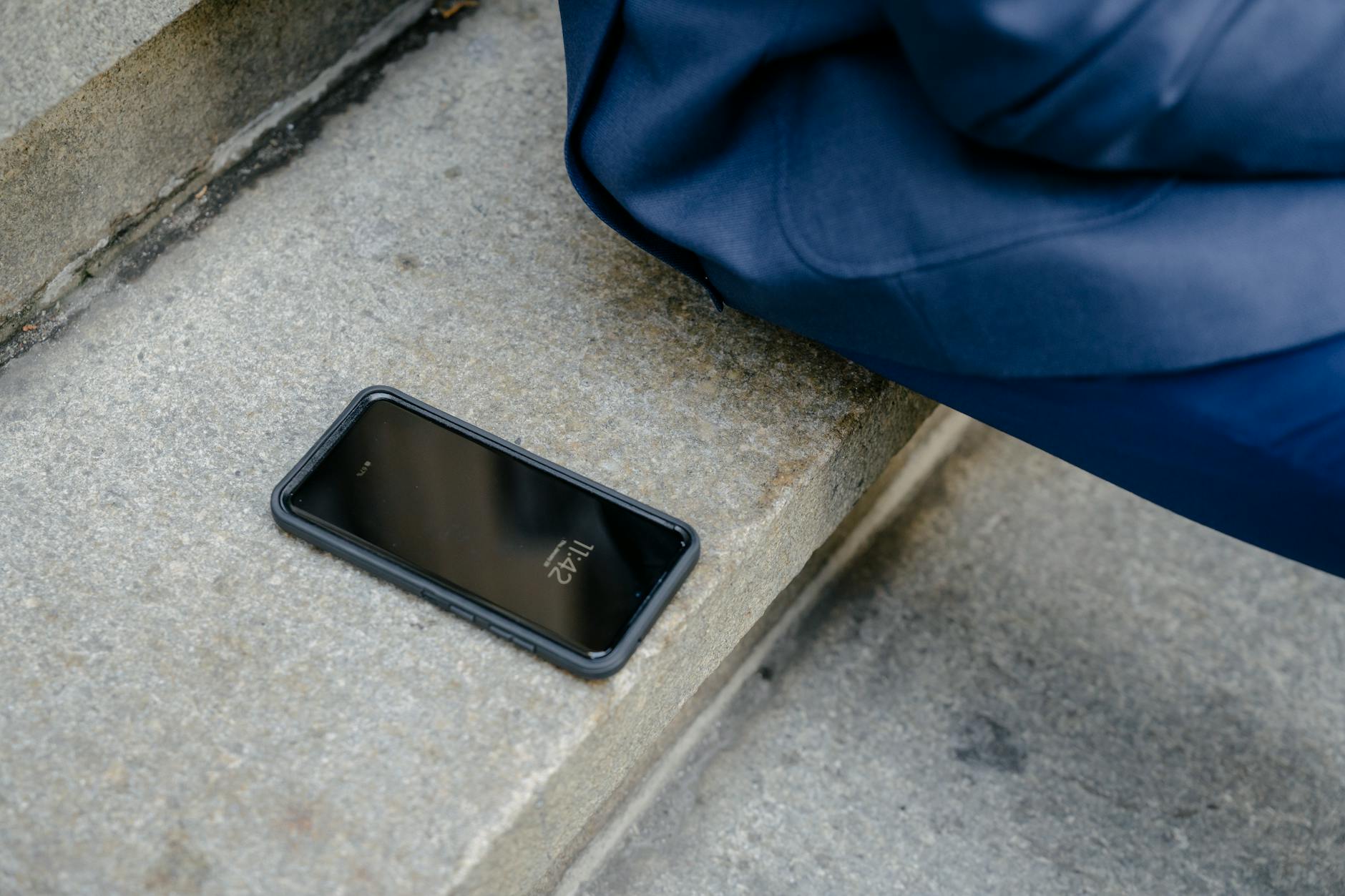 Photo by Barbara Olsen
Use Find My on iPhone or Find My Device on Android
Accessing the locating tool is straightforward from another iPhone, iPad, Android device, or a web browser.
- On iPhone or iPad: open the Find My app and sign in with your Apple ID. On a family member’s device, you can use their device to locate yours if you’re part of Family Sharing. From the app, choose your missing device to see its location on a map, play a sound, mark as lost, or erase if needed.
- On Android: go to the Find My Device site or open the Find Hub app on another Android device. Sign in with your Google account. You’ll see a list of your devices; select the missing phone to view its location, ring it, lock it with a message, or erase the data if necessary.
Real-time location is shown when the device is online. If the phone is offline, you’ll still access the last known location and receive a notification when it reconnects. For iPhone users, Apple’s Find My features work across iCloud on any browser, and for Android users, Google’s Find My Device is accessible from any supported device or via your Google Account. For more details, see Apple’s and Google’s official guides linked here:
- Apple: Locate a device in Find Devices on iCloud.com
- Android: Be ready to find a lost Android device
What to expect if you access these tools from a web browser
- Real-time view: If the device is online, you’ll see its live position on the map.
- Last known location: If offline, you’ll still get the most recent location data the device last reported.
- Actions at your fingertips: Play a sound, enable Lost Mode or Lock, and in extreme cases, erase the device to protect your data.
If you’re curious about the official steps, these guides walk you through the process:
- Locate a device in Find Devices on iCloud.com
- Find your phone with Google’s Find My Device help pages
Quick tips to maximize your chances
- Act quickly while the device is online; battery life matters, and the sooner you secure access, the more likely you are to recover it.
- Ensure your account credentials are ready. You’ll need your Apple ID for iPhone or Google account for Android to sign in from another device or the web.
- If you have Family Sharing enabled or multiple accounts, verify you’re signed into the correct account that owns the missing device.
Visual cue: what the screen looks like
Both Find My and Find My Device present a map with the device’s location, a list of available actions, and status indicators such as “Online” or “Offline.” The design prioritizes quick actions so you can move from locating to securing your device in minutes.
Related resources and further reading
- How to locate a lost iPhone or iPad using Find My on iCloud or another device.
- How to be ready to find a lost Android device using Find Hub and Google accounts.
- If you want a quick reference, the official Find My support pages offer step by step visuals and screenshots.
Short takeaway
Using built in tools from any trusted device gives you the fastest route to locate your missing phone, surface a message with contact details on the lock screen, and decide whether you need to lock or erase the device to protect your data.
Protect your data as you search
When your phone goes missing, your first priority is not just finding the device but protecting your data as you search. You can minimize risk by updating passwords, securing accounts, and understanding when to erase data. Use the built-in tools on your iPhone or Android to lock down access while you work through the steps. This keeps your personal information safe and buys you time to recover the device without exposing sensitive details.
Change passwords and enable two factor authentication
Locking down your accounts is a quick win. Start with your Apple ID and Google account, since these are the keys to your data across devices.
- For Apple users, update your Apple ID password and enable two-factor authentication (2FA). Strong 2FA adds an extra layer of protection beyond your password. To enable it, follow the steps in Apple Support and ensure your trusted devices are up to date. See the official guidance here: Apple ID and two-factor authentication.
(Apple support: Two-factor authentication for Apple Account) - For Google users, change your Google account password and turn on 2-Step Verification. This prevents someone who has your password from accessing your account with only another password. The official steps walk you through turning on 2-Step Verification and managing backup options. See the official guidance here: Turn on 2-Step Verification.
(Google support: Turn on 2-Step Verification)
Why this matters: once you change passwords and enable 2FA, even if someone has your phone temporarily, they’re far less likely to access your accounts from another device. If you’re in a hurry, you can do this from a trusted device or a computer in a secure location. For extra safety, review backup codes and recovery options so you won’t get locked out if you need to recover your account later.
Review recent activity and sign out of unused sessions
Your next move is to check for unfamiliar logins and revoke access on devices you no longer own or use.
- On iPhone or iPad, review your Apple ID activity under Sign-In & Security. Look for unfamiliar devices and sign out any session you don’t recognize. This is especially important if you suspect someone else might have access to your Apple ID.
- For Google accounts, inspect recent security events and devices. Sign out of sessions from devices you don’t recognize and remove any unfamiliar devices. Google’s security page helps you review activity and revoke access quickly.
If you notice anything suspicious, act immediately. Change passwords again if needed and remove access from those devices. Keeping control of sessions helps prevent data exposure while your phone is missing. It also reduces the chance an attacker can use a saved login to access connected services on other devices.
Practical tip: enable alerts for new sign-ins where possible. A simple ping whenever a new device signs in can give you a heads-up to take action before data is compromised.
Decide if you should erase the phone to protect data
There are moments when erasing the device is the wiser move. If you believe the phone has been stolen or you cannot recover it promptly, a remote wipe can protect your data from exposure.
- For iPhone: use Find My to erase the device. If the phone comes back online, the erasure will finalize remotely.
- For Android: use Find My Device to erase the phone. The tool will initiate the wipe when the device connects again.
Consider these consequences before you erase:
- You will lose data not backed up to the cloud. Photos, messages, apps, and offline content may be unrecoverable.
- You can still locate the device after erasing in some cases, if you enable last location reporting before the wipe.
- If you expect the device to reappear, you may want to keep the data until you confirm it won’t come back soon.
When erasing is appropriate: if you fear the device has fallen into the wrong hands and access to your apps or accounts cannot be blocked otherwise, remote erasure is the safest course. If you still hope to recover the phone, consider temporarily locking it or displaying a message with contact information instead of erasing right away.
Before you erase, confirm you have backups enabled for essential data. This makes it easier to restore your items once the device is found or replaced. If you’re unsure, pause the erase and explore locking options first. For a quick reference on the two main platforms, see official guides for erasing and locking through Find My and Find My Device.
Keep critical accounts secure until the phone is found
While you search, keep sensitive data from certain apps on separate devices if possible or restrict what gets synchronized to your missing phone. This minimizes risk if someone gains access to the device before you recover it.
- Disable auto sign-in on critical apps whenever feasible. This reduces the chance that a lost phone automatically logs into sensitive services without your knowledge.
- Monitor accounts for suspicious activity. Check for unusual login times, unfamiliar devices, or unusual purchases. If you spot anything, report it to the service provider and take action immediately.
- Use a separate device for high-risk work or financial apps when you can. Keeping sensitive information on a separate device adds a buffer while you work on recovery.
In practice, this means limiting what data sits on the missing phone and ensuring you can still access key services from another device. It also helps you respond quickly to any unexpected activity, which is crucial when a smartphone goes missing.
For ongoing peace of mind, keep a routine to verify that your most important accounts remain secure. Review security settings periodically and adjust recovery options to reflect any changes in your life, such as new devices or updated contact information.
External resources you can consult sanitize your approach:
- Apple support resources for password changes and 2FA setup
- Google support resources for turning on 2-Step Verification
By acting quickly on these steps, you reduce risk and set up clear paths for recovering your phone without compromising your data. The goal is to protect your information while you search, so you stay in control even if your device stays out of reach for a while.
Notify the right people and report the loss
When a phone goes missing, speed matters. Notify the right parties quickly to cut the risk of charges, curb misuse, and increase your chances of recovery. You’ll want a clear line of action: contact your carrier, document the incident with local authorities, and keep your circle in the loop. If you stay organized, you can protect your data while you focus on getting your device back.
Contact your wireless carrier to suspend service or blacklist
Report the loss to your carrier the moment you realize the device is gone. A temporary suspension prevents unauthorized charges and blocks the thief from using your line while you work on recovery. You can also request that the device be blacklisted by its IMEI, which helps keep it from being reactivated on most networks.
- Have these details ready: your account number, the device’s IMEI/MEID, and your SIM card status. If you don’t have the IMEI handy, you can usually find it on the box, in your account portal, or in the devices list of Find My or Find My Device before the loss occurred.
- Ask for a temporary suspension first, then confirm the permanent block if the phone isn’t recovered. This prevents ongoing charges and potential fraudulent activity.
- Follow up with written confirmation from the carrier and note the time and reference numbers. If you need help, you can contact support by phone during business hours.
Useful resources you can reference:
- T-Mobile lost or stolen device help: suspend or restore your service and prevent charges.
- AT&T suspend wireless service or block a device: steps to block a missing device and recover codes for authentication.
What to expect: once the service is suspended, the device will no longer connect to the network. You’ll still be able to use Find My or Find My Device to locate it if it comes back online, and you can keep your accounts secure in the meantime.
File a police report with the device details
A police report can be crucial, especially if you believe the phone was stolen. Bring all relevant device details so officers can file a precise report and, if possible, help with any retrieval efforts.
- Include the IMEI and serial number. If you’re unsure, you can pull these from Find My or Find My Device while you still have access to your account.
- Share any location data you have from your tracking tools. Even a last known location can help police coordinate a search.
- Bring proof of ownership and your ID. If you have the original receipt or box with the serial number, bring that too. If you can’t locate the device, provide your account email and phone number used for sign-in.
Helpful reference points:
- The FCC outlines reporting stolen devices and the importance of providing IMEI and serial numbers.
- Local police guidance will vary, but many departments accept reports online or in person. If you need a head start, see official resources on how to report a lost or stolen device.
What to expect after filing: the report creates a record and may prompt follow-up questions from investigators. It also strengthens your case if you need to dispute any fraudulent charges later.
Share your location with trusted people and travel partners
During travel or flights, sharing a live location with trusted contacts helps you coordinate the search and plan safe returns. This reduces anxiety and speeds up decision making if you need a quick meet-up or a retrieval plan.
- Set up location sharing with a small circle of family, friends, or travel partners. Confirm who can see your location and for how long.
- For extended trips, consider temporary location sharing that ends when you land or reach a designated point. This gives your trusted circle visibility without ongoing sharing.
- Use a neutral message template to inform others you’re missing a device and ask them to contact you through your recovery plan if they find it. You can also add a note with your preferred contact method if the phone is found.
Why it helps: a live location reduces back-and-forth in the moment and provides a precise signal to responders or loved ones. It also helps if you’re separated during travel or in unfamiliar cities.
What happens if someone finds the phone
If a stranger picks up your missing phone, there are practical steps to minimize risk and maximize chances of recovery.
- Do not turn the device over to unknown individuals. If a finder contacts you, coordinate through trusted channels rather than handing over the device directly.
- Provide a safe contact method. Use a recovery message on the lock screen that includes a trusted contact option, a brief request to return the device, and a way to verify you as the owner.
- Ask the finder to return the phone to a nearby official location if possible, such as the property’s lost-and-found or a local police department.
Lock screen message idea: “If found, please contact [Your Name] at [alternative contact method]. Do not erase.” This keeps your data safe while encouraging return.
If the device is located, you can reconnect and take back control. If it’s not recovered promptly, continue to monitor Find My or Find My Device and maintain your carrier’s suspension and security measures.
Supportive notes and action steps:
- Keep a backup plan for contacting you if someone finds the phone. Provide a secondary email or a trusted friend’s number for verification.
- Consider stopping by a local store or contacting police to hand off the device if it appears in a public area.
External resources you can consult for this scenario:
- FCC: Protect Your Smart Device and report stolen devices with IMEI or serial number.
- Apple Support: If your iPhone or iPad was stolen, file a police report and secure your account.
- Google Support: Be ready to locate and manage a lost Android device through Find My Device.
By notifying the right people and following these steps, you create a clear, organized path to recovery and data protection. This approach helps you stay in control while you search for your missing smartphone.
What to do next if you still cannot locate the phone
If your phone remains missing after checking the obvious places, you need a steady, step by step plan that protects your data and increases your chances of recovery. This section focuses on practical actions you can take right away, including offline finding capabilities that work even when you have no internet, how to weigh repair or replacement, and how to build a simple loss prevention plan for the future. Think of this as the bridge between locating efforts and long term security for your digital life.
Use offline finding and new tracking tools
Modern smartphones include offline tracking that works without a live internet connection. This is a game changer when you’re in areas with weak service or when a device is powered down but not wiped. Here’s how the latest updates help you stay connected to your missing phone.
- iPhone offline finding (Find My network): When your iPhone is nearby other Apple devices, Bluetooth signals can relay its location to iCloud even if your device is offline. You’ll see the last known location and can place the phone in Lost Mode to display a contact message on the lock screen. Apple’s guidance emphasizes using the Find My network to maximize chances of recovery, even without an active internet connection. Read more here: Locate a device in Find My on iPhone and iCloud Find My.
- Android offline finding (Find My Device network): Google’s Find My Device now supports offline location through a broad network of Android devices. Your missing phone can be located via Bluetooth by nearby Android devices, with updates showing in Find My Device or at findmydevice.google.com. This feature mirrors Apple’s approach and expands coverage for non-connected devices.
Beyond the built in options, third party trackers have entered the mainstream. These small, discreet devices can attach to your phone or case and provide ongoing location updates via Bluetooth to your phone or a companion app. When used correctly, they extend your recovery window and reduce the risk of data exposure.
Thousands of People Were Struggling With Money Until They Discovered This One Ancient Secret Hidden in Sound
>>> Unlock It Now <<<
- Useful examples include air tags, tile style trackers, and similar products that pair with your ecosystem.
- Ensure any third party tracker uses a privacy-respecting protocol and has a transparent data policy.
Pro tip: turn on Lost Mode or equivalent messages as soon as you realize the device is missing. That way, if someone finds it and connects to the internet, you can display a contact method and instructions to return the device.
For official steps and setup visuals, check:
- Apple: Locate a device in Find My on iPhone
- Apple: iCloud Find My
- Google: Be ready to locate a lost Android device via Find My Device
Smartphone users often underestimate offline finding, but these tools provide a crucial fallback when online tracking fails.
Think about repair, replacement, or insurance
When a missing phone becomes a longer absence, you need a clear view of your options. Weigh the cost, the expected downtime, and how quickly you can regain communication. This section outlines practical criteria to help you decide whether to repair, replace, or file a claim with your insurer.
- Evaluate repair vs replacement: If the device is still within warranty or AppleCare/Google Support plans apply, compare the repair cost to a replacement. Consider whether data loss or downtime would impact you more than the price difference.
- Insurance claims: If you have device insurance or a premium credit card benefit, start the claim early. Gather essential documents—proof of purchase, model, IMEI, and any incident reports. Some insurers require police reports for theft cases, so be prepared.
- Carrier options: Your mobile carrier might offer subsidized replacements or upgrade programs. Check eligibility, deductible, and any service disruptions during the process.
Cost considerations and practical steps:
- Replacement costs vary by model and region, but you’ll often see savings with refurbished devices if you’re open to them.
- If you rely on essential services daily, a temporary or budget-friendly alternative could be a basic phone while you await a repair or replacement.
- If you’re filing an insurance claim, document everything: when you reported the loss, claim reference numbers, and any correspondence with the insurer.
Helpful pointers:
- Start by contacting your carrier to pause service and explore a temporary replacement or loaner if available.
- Gather the device’s IMEI, model, and purchase date to speed up the claim process.
- If you use a business line or have multiple devices, coordinate the claim across the right accounts to avoid delays.
If you’re unsure where to begin, use the official guidance from the carriers and insurers and keep a simple checklist handy. Links to common procedures and tips can be found through credible sources on device protection and replacement processes.
External resources you can consult for this scenario:
- Carrier support resources for suspending service and blocking a lost device
- Insurance providers’ guides on smartphone claims and replacement costs
Create a simple loss prevention plan
The best recovery outcome often comes from preventing future losses. A straightforward, repeatable plan reduces risk, speeds up recovery, and keeps your data safe. Here are practical habits and products that make a real difference.
- Use a dedicated tracker on your phone: A small tracker sticker or case with a loop helps you keep better track of where your device is. Pair it with your usual location services so you can quickly locate it when needed.
- Establish a recoverable setup: Enable Lost Mode, ensure Find My and Find My Device are turned on, and keep your backup options up to date. Regularly verify location settings and privacy controls.
- Create routine checks: Monthly reviews of account security, device backups, and recovery options prevent last minute scrambling. Schedule a quick audit of passwords, 2FA codes, and trusted devices.
- Improve physical safeguards: A durable case with a secure grip and a lanyard or clip can reduce the chance of accidental drops. Consider a protective sleeve or tether for travel.
- Simplify access to essential tools: Save quick access links to your device’s location services and carrier portals so you can act fast if a phone goes missing again.
Actionable habits to adopt:
- Always keep a recent backup of important data to the cloud or a trusted computer.
- Enable location sharing selectively with trusted contacts during travel or in high-risk areas.
- Practice a “loss response” drill once a quarter: know how to remotely lock, erase, or report the device in your jurisdiction.
A practical example you can model:
- You attach a tracker to your phone case, enable Lost Mode, and set a contact message on the lock screen. You review security settings on the 1st of every month and keep your carrier’s numbers handy for fast reporting.
External links for loss prevention ideas:
- Apple support resources on password changes and 2FA setup
- Google support resources on turning on 2-Step Verification
By establishing these habits now, you reduce the odds of data exposure and improve your odds of recovering your device in the future. A well-built plan keeps you in control while you search.
Smart tips to improve odds and avoid common mistakes
Losing a phone is stressful, but smart, practiced steps can dramatically improve your chances of recovery and keep your data safe. This section lays out practical tips that help you act fast, stay organized, and avoid common missteps. Each tip is designed to be easy to implement, even when you’re rattled. Think of it as a compact playbook you can pull up on any device.
Keep handy device identifiers handy
Before trouble strikes, note down or store key device details you’ll need when you report a loss. Having this information ready saves time and reduces back-and-forth later.
- Record IMEI or MEID, serial number, model, and carrier. These identifiers are often the fastest way to prove ownership and block the device from being used on networks.
- Find the numbers quickly if you can still access the device: look on the box, in your account portal, or in the Find My or Find My Device apps.
- Keep a digital copy in a secure password manager or a trusted notes app for quick access.
Having these details on hand prevents delays when you contact your carrier or file reports. For context, carriers use IMEI to locate, block, or blacklist a device, which is crucial to stop unauthorized use. If you’ve never recorded them, set aside a few minutes to gather and store them now.
Photo by Kelvin Valerio on Pexels Photo credit: Photo by Kelvin Valerio, https://www.pexels.com/@kelvin809
Set up phone tracking before you need it
The best time to configure tracking is now. Enabling Find My on iPhone and Find My Device on Android, along with keeping location services on, gives you a reliable backup plan when a phone goes missing.
- For iPhone: turn on Find My, enable Find My iPhone, and share your location with trusted contacts if you want. This sets up the foundation for quick recovery.
- For Android: enable Find My Device and ensure your Google account can access it. Consider adding a backup contact in your Google settings so someone can help if you’re locked out.
Offline finding adds a critical safety net. Apple and Google both offer network-based locating features that work even when the device isn’t online. This means you can still surface a last known location or display a message on the lock screen. See the official setup guides for quick visuals and step-by-step instructions:
- Apple support: How to turn on Find My on your iPhone, iPad, or Mac
- Google support: Be ready to locate a lost Android device via Find My Device
Beyond the built-in tools, consider a small third party tracker if you frequently misplace devices. Look for products with clear privacy policies and transparent data handling. A tracker sticker or case can extend your recovery window and reduce the risk of data exposure.
If you want a quick reference, these official guides walk you through setup:
- Locate a device in Find My on iPhone
- iCloud Find My
- Be ready to locate a lost Android device via Find My Device
This proactive setup helps you act fast, surface a contact on the lock screen, and keep data secure while you search.
Use the right tools and stay calm
Rushing to act can lead to mistakes. Keep your approach simple and follow a plan. A calm, methodical process improves your odds of locating the device or protecting your data.
- Start with the basics: try to call the phone, then use Find My or Find My Device to check its location and display a message with contact details if possible.
- Prioritize security actions first: lock or erase if you suspect the device has fallen into the wrong hands, and change passwords for critical accounts.
- Maintain a clear plan: decide in advance which steps you’ll take if the device remains missing after the first search.
Sticking to a plan reduces stress and helps you move from locating to securing quickly. If you’re coordinating with others, assign tasks like reporting to the carrier, filing a police report, or notifying a travel partner. Clear roles prevent duplicated efforts and missed steps.
When you locate the device, verify its status on the map, then decide if you should lock it, surface a contact message, or erase. If the device comes back online later, you can still track its movements and respond accordingly. Staying composed lets you take precise actions rather than reactive ones.
If you want deeper guidance, you can consult the official help pages for Find My and Find My Device for visual step-by-step instructions.
Photo by Barbara Olsen on Pexels Photo credit: Photo by Barbara Olsen, https://www.pexels.com/@barbara-olsen
Keep critical accounts secure until the phone is found
While you search, limit what sits on the missing phone and strengthen account security. The goal is to block unauthorized access while you work through the recovery process.
- Disable auto sign-in on sensitive apps when possible to prevent automatic access if the device is found.
- Monitor accounts for unusual activity. If you see unfamiliar logins, sign out of those sessions and update passwords.
- Use a separate device for sensitive tasks when you can, especially if you rely on them daily. This acts as a buffer while you recover.
Establish a routine to review security settings and recovery options. Regular checks reduce the risk of data exposure and give you more control if the device stays missing longer. For quick reference, you can explore official guidance on password changes and two-factor authentication from Apple and Google.
External links you can consult for this scenario:
- Apple support: Password changes and 2FA setup
- Google support: Turn on 2-Step Verification
By tightening security, you limit the chance of data exposure and keep recovery paths clear. A quick security review now can save headaches later.
Photo by Barbara Olsen on Pexels Photo credit: Photo by Barbara Olsen, https://www.pexels.com/@barbara-olsen
Notify the right people and report the loss
Speed matters when a phone goes missing. Notify your carrier, local authorities if theft is possible, and trusted contacts. A coordinated approach reduces misuse and improves your chance of recovery.
- Contact your wireless carrier to suspend service and, if possible, blacklist the device by its IMEI. Have your account number, IMEI, and SIM status ready.
- File a police report with the device details, including IMEI and serial number if you have them, plus any location data you captured.
- Share your location with trusted people during travel or in unfamiliar places to keep everyone informed and coordinated.
Official guidance and resources:
- FCC: Protect Your Smart Device and report stolen devices with IMEI or serial number
- Apple Support: If your iPhone or iPad was stolen, file a police report and secure your account
- Google Support: Be ready to locate and manage a lost Android device through Find My Device
Sharing a clear, up-to-date status with your circle helps you stay in control while you search. It also reduces the risk of charges or misuse during the missing period.
What to do next if you still cannot locate the phone
If the device remains missing, you need a plan that protects data and keeps options open. This is where offline finding, repair or replacement, and a simple loss prevention plan come into play.
- Use offline finding and new tracking tools: Apple’s Find My network and Google’s Find My Device network extend your reach when the device is offline. They rely on nearby devices to relay location data.
- Consider third party trackers for added coverage. They can extend your recovery window and provide ongoing updates, but ensure privacy policies are clear.
- Build a simple loss prevention plan for the future, including a tracker on your device, routine security reviews, and easy access to location tools.
Official setup references:
- Apple: Locate a device in Find My on iPhone
- Apple: iCloud Find My
- Google: Be ready to locate a lost Android device via Find My Device
If you prepare now, you’ll face future losses with less stress and more control.
Images credit
- Photo: Close-up of a smartphone displaying Android recovery mode with an SD card inserted. Photo by Kelvin Valerio. Source: https://www.pexels.com/@kelvin809
External resources you can consult for loss prevention ideas:
- Apple support resources on password changes and 2FA setup
- Google support resources on turning on 2-Step Verification
By following these tips, you keep your data safe while maximizing your chances of recovery. This approach helps you stay organized and confident, even if the device stays missing for a while.
Conclusion
Losing a phone demands a calm, deliberate plan that starts with locating tools and securing accounts. Use Find My or Find My Device to surface a location or last signal, then lock or erase if needed, while changing essential passwords. Keep your carrier in the loop and report the loss to protect yourself from charges and theft. If you have a smartphone, set up a simple loss prevention routine now to improve your odds next time, and share your own tips with others.
She Pressed Play on a Strange Audio Track and Within Days Her Financial Reality Started Shifting in Ways She Could Not Explain
>>> See How It Works <<<
