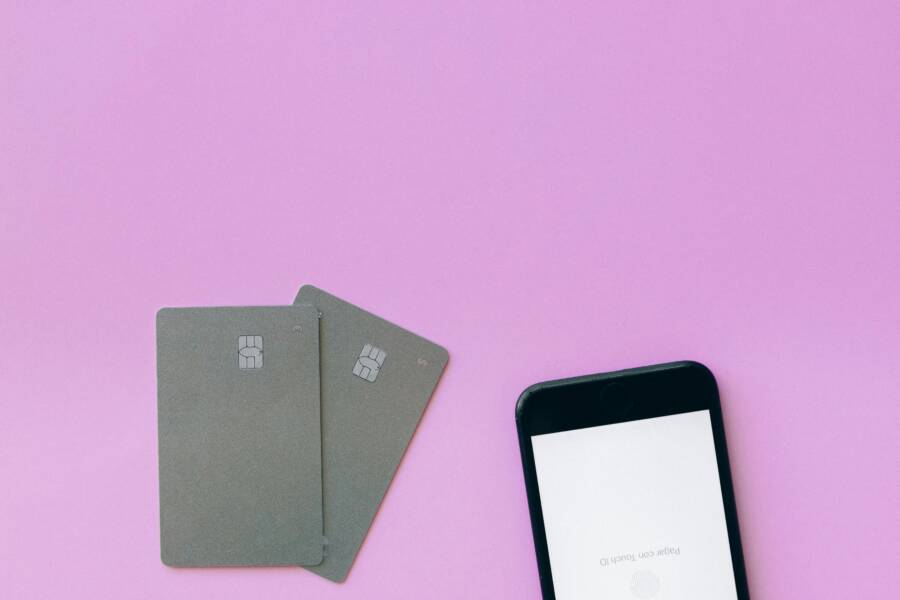
You can digitize your physical loyalty cards and membership IDs using specialized apps on your smartphone. These tools store all your barcodes and membership details in one location, which removes the need to carry a bulky wallet filled with plastic.
Using your smartphone for this task provides three clear benefits. First, it eliminates clutter by removing the need for physical cards. Second, you complete your checkout process faster because you do not have to dig through your bag. Third, you will never forget a card again since your phone is always with you.
Moving your cards to a mobile format takes only a few minutes. Continue reading to learn how to pick the right app and add your cards today.
Why You Should Stop Carrying Plastic Loyalty Cards
Physical loyalty cards occupy valuable space in your pockets or purse. Many people carry thick wallets stuffed with dozens of plastic rectangles that they rarely use. These items add unnecessary bulk and weight to your daily carry. Shifting your membership data to your smartphone provides a clean, modern solution to this common problem. By consolidating your information, you remove physical clutter and keep your essentials in one accessible location.
Reduce Daily Clutter and Stay Organized
Carrying a stack of plastic cards often leads to a disorganized wallet. You likely struggle to find the specific card you need while standing at a register. Digital storage eliminates this frustration by organizing all your accounts within a single app. Your pockets feel lighter immediately once you clear out those unused cards.
You also stop worrying about leaving a specific discount card at home. Since your smartphone stays with you during most outings, your membership IDs remain available at all times. This habit prevents the annoyance of missing out on loyalty points just because you forgot to grab a physical card. Keeping your digital wallet clean takes only a few seconds, as you can delete expired memberships or add new ones without finding extra storage space.
Improve Your Shopping Speed at the Checkout Counter
Searching through a card holder at the checkout counter creates awkward delays for you and other shoppers. You might fumble with your bag or struggle to locate the correct barcode while the line grows behind you. Using a digital version on your phone transforms this interaction. You simply open the app, display the barcode on your screen, and let the clerk scan it.
This process works faster because the screen brightness and high resolution make barcodes easy for scanners to read. You avoid the physical wear and tear that often makes older plastic cards difficult for machines to detect. When you rely on your phone, you move through the payment process with confidence. Busy retailers value this efficiency, and you save precious time during your daily errands. Accessing your information instantly keeps the checkout flow moving, which makes the entire shopping experience much better for everyone involved.
Best Ways to Digitize Your Loyalty and Membership Cards
You have two primary options for moving your physical cards onto your smartphone. You can use the built-in system tools provided by your mobile operating system, or you can download dedicated third-party software. Each approach offers specific benefits depending on how many cards you manage and how you prefer to organize your daily life.
Using Built-in Wallet Apps for Seamless Integration
Most smartphones today include a native digital wallet application. Apple Wallet on iOS and Google Wallet on Android are the most prominent examples. These apps provide deep system integration, which means your loyalty cards often appear on your lock screen when you arrive at a specific store location.
Because these tools are already part of your phone software, they typically load faster than external applications. You can access them quickly by double-clicking a side button or using a shortcut from your home screen. This speed matters when you stand at a busy checkout counter with people waiting behind you.
These native wallets also offer high security standards since they use your phone’s biometric locks, such as facial recognition or fingerprints, to keep information private. They frequently back up your data to your cloud account, so you keep your information if you switch to a new phone. While not every retailer provides a direct “Add to Wallet” button on their website, many major stores offer this feature. You look for the specific icon on their app or email communications to import your membership directly.
Third-Party Loyalty Card Management Apps
Some retailers do not support native wallet integration, or you might find the native interface too limited for managing dozens of cards. Third-party applications like Stocard solve this problem by acting as a universal container for your membership data. These apps excel at storing cards that lack a formal digital pass format.
You use these apps to scan the barcode or QR code on your physical card using your smartphone camera. The app then saves an image of the code that you can pull up at any time. Because these apps focus solely on membership management, they often include better search features and categorization tools than basic system wallets.
Most of these tools offer account syncing, which is useful if you use multiple devices. You log in once, and all your cards appear on your tablet or secondary phone. If you manage a large collection of gym memberships, library cards, and niche store rewards, these specialized apps keep your data organized without cluttering your main mobile wallet. They also provide a simple way to share membership information with family members who might use the same account.
Step by Step Guide to Setting Up Your Digital Wallet
Adding your membership cards to your smartphone requires only a few minutes. You should collect your physical cards and find a well-lit area before you begin. Most apps follow a consistent layout, making the process intuitive once you understand the basic requirements of your camera and software.
How to Scan Your Physical Cards Efficiently
Your smartphone camera works best when it has a clear view of the barcode. Natural light provides the most consistent results, so try standing near a window during the day. Avoid overhead lights that create bright white spots on your plastic cards, as these reflections hide parts of the barcode from the app. If you notice a glare on the card surface, tilt your phone slightly to a different angle to keep the light away from the lens.
Hold your phone steady once the barcode is in the center of the frame. Many apps automatically focus and capture the image within a few seconds. If the app struggles to lock onto the code, tap your screen directly on the barcode to force the camera to adjust its focus. You should also ensure the card sits on a flat, neutral surface that contrasts with the colors of the card. A dark table works well for most white or light-colored loyalty cards.
- Keep your lens clean to avoid blurry captures.
- Maintain a distance of four to six inches from the card.
- Place the card on a flat surface to prevent bending or distortion.
Troubleshooting When Your Card Fails to Scan
Even with perfect lighting, some physical cards present challenges. Older cards often show significant wear, including deep scratches or faded ink on the barcode. If the app cannot recognize the code, you should look for a string of numbers printed near the barcode. Most apps allow you to enter these digits manually if the optical scan fails.
Magnetic strips that are worn out rarely prevent a successful scan because most digital apps rely on the visual barcode rather than the magnetic data. If the barcode is damaged beyond repair, check the official website of the retailer. They often provide a digital version of your account number that you can copy and paste into your app. If you still encounter issues, contact the customer service department for the membership program. They can frequently look up your account using your phone number or email address and provide a valid digital code for your smartphone.
Common Questions About Digital Membership Security
Many users worry about the safety of storing sensitive loyalty information on their smartphones. You might wonder if a lost device or a public Wi-Fi network puts your personal data at risk. Modern mobile security handles these concerns through advanced encryption and hardware-level isolation. Your membership details stay protected when you follow standard security best practices on your device.
Is My Membership Data Stored Securely on My Phone?
Native wallet apps use high-end encryption to guard your data. Your information stays inside a secure element on your hardware, which acts like a physical vault. Even if someone gains access to your home screen, your membership IDs often remain locked behind a biometric barrier. You must provide a fingerprint or facial scan to display the full details or barcodes of your private cards.
Third-party apps handle security differently. Most reputable developers use industry-standard encryption for data stored on their servers. You should check the privacy policy of any app before you upload your information. Look for tools that allow you to set an additional app-level passcode for extra protection. This extra step ensures that your data stays private even if you hand your unlocked phone to someone else.
How Does Losing My Phone Affect My Loyalty Accounts?
Losing your device feels stressful, but it rarely leads to identity theft regarding your loyalty programs. Because your memberships are just digital references, your bank accounts or personal identity remain separate from your store cards. You can log into your account from a new smartphone or computer to disable the digital cards on the missing device.
Most services provide a remote wipe or sign-out feature. You should keep a list of the apps you use so you know exactly which accounts to secure if your device goes missing. If you rely on native wallets, the data stays linked to your cloud account. You gain access to your cards again immediately after you sign into your new hardware.
Should I Worry About Public Wi-Fi When Accessing My Cards?
Public networks often present security risks for tasks like online banking, but loyalty apps behave differently. Most membership apps cache your barcode information locally on your device. You do not need an active internet connection to pull up a membership card at a checkout counter. This offline capability removes the need to use public networks while you scan your cards.
If your app requires a sync to fetch updated point balances, use your cellular data instead of open Wi-Fi hotspots. You avoid potential intercept attacks by keeping your connection private. Most scanners only read the visual code on your screen, which makes the act of showing your card very safe. You simply display an image, and no sensitive personal information gets transmitted across the airwaves during the transaction.
Best Practices for Protecting Digital Memberships
You can maintain high security by staying alert about your digital habits. Use these simple steps to keep your account information safe on your smartphone:
- Enable a strong screen lock to prevent unauthorized access to your apps.
- Use a unique password for any third-party management account.
- Turn off auto-login features for apps that store sensitive personal data.
- Update your software regularly to receive the latest security patches.
- Review the list of connected apps in your phone settings every few months.
Following these habits keeps your loyalty data safe while you enjoy the convenience of a lighter wallet. You stay in control of your personal information when you treat digital memberships with the same care you apply to your physical cards.
Final Thoughts on Carrying Loyalty Data
Transitioning your membership cards to your smartphone changes how you interact with retailers. You no longer need to carry a heavy wallet or worry about leaving a plastic card at home. By selecting the right app and organizing your codes, you save time during every store visit.
Evaluate Your Needs Periodically
You should review your digital collection every few months to maintain order. Delete expired memberships or accounts from stores you no longer visit. This simple habit keeps your primary list short and helps you find active cards faster at the register. A clean digital space improves your experience just like a tidy desk helps with your work.
Stay Prepared for Minor Tech Failures
Technology occasionally hits snags, such as a dead battery or a poor signal in a basement store. Keep a backup plan for your most used accounts, such as saving a screenshot of your main barcode in your phone photos. This image remains accessible even if your app fails to load. Keeping a physical backup of one or two essential membership IDs in your car or bag provides peace of mind.
Choose Quality Over Quantity
Many developers offer wallet applications, but you only need one or two tools to manage your data. Choose an app that feels intuitive and supports the specific retailers you visit often. Some people prefer native wallet tools for speed, while others enjoy the categorization features of third-party options. Once you settle on a setup that works for your daily routine, you will find that managing memberships takes almost no effort.
You now possess the ability to turn your smartphone into a versatile tool for every transaction. Start by clearing out your plastic cards this week and notice how much lighter your daily carry feels.
Conclusion
Moving your loyalty cards to your smartphone removes unnecessary bulk from your pockets while keeping your accounts ready for every checkout. This simple change saves you time during your errands and prevents the frustration of missing out on rewards due to a forgotten card.
The process takes only a few minutes to set up and provides immediate benefits for your daily organization. Choose a reliable wallet app today and begin scanning your cards to replace those heavy stacks of plastic.