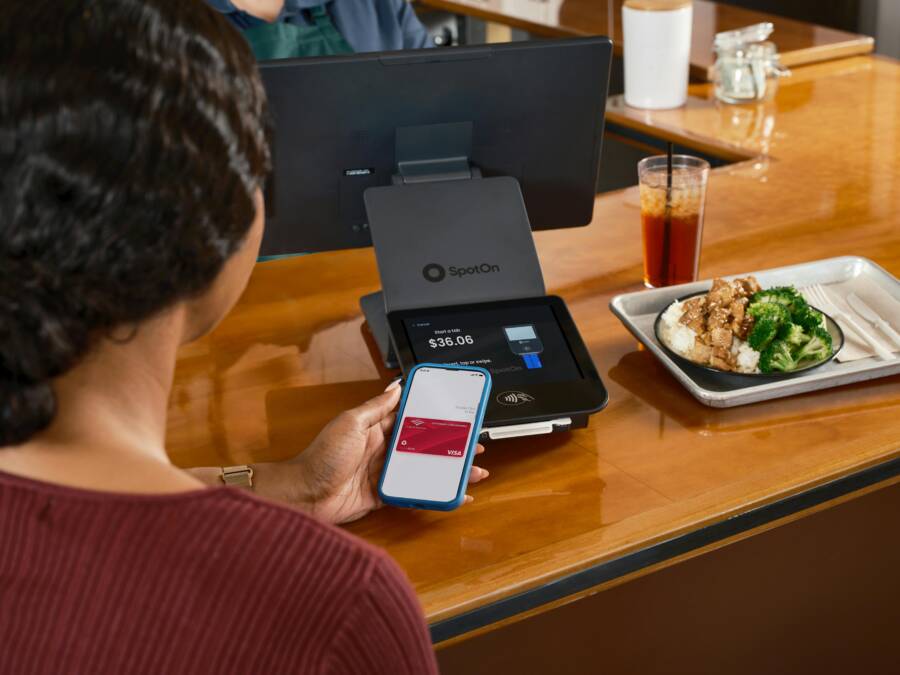
You use a smartphone to pay by tapping a reader or scanning a code because it is fast and simple. However, these methods rely on wireless signals that bad actors can potentially exploit if you aren’t careful. You remain safe when you verify the legitimacy of the payment terminal and keep your device software updated.
Financial data stays secure only if you understand how these systems communicate and where risks hide. Careless habits expose your accounts, but minor changes to your routine block most threats. Awareness of your surroundings protects your money during every transaction.
Understanding How QR and Tap to Pay Actually Work
Modern payment methods rely on wireless signals to move financial data from your device to a store terminal. You use your smartphone to initiate these transfers without direct contact. Each method utilizes specific hardware or software protocols to finish the transaction. Understanding these mechanics helps you identify potential risks and keep your payment information private.
The Basics of Tap to Pay via NFC
Near Field Communication, or NFC, is the technology behind your phone’s ability to pay at a register. It is a short-range wireless protocol that functions within a distance of about four centimeters. Because the range is so small, your device must be very close to the terminal. This physical requirement creates a natural security layer because it limits the chance of unauthorized interception from a distance.
When you bring your phone near a contactless reader, the device and the terminal establish a secure, encrypted connection. Your phone sends a token instead of your actual credit card number to the merchant. This token is a temporary, one-time code that the bank system validates. Even if a malicious actor captured the signal, they would only receive useless, expired data. The transaction process is complete within a few seconds, which makes it efficient for daily shopping.
How QR Code Payments Process Data
QR codes function as visual containers that store information for your smartphone to read. When a merchant displays a QR code, the image holds a URL or a specific string of data that directs your app to a payment gateway. Scanning the code serves as the trigger that opens the payment flow on your screen. You then confirm the amount and verify the recipient before the money leaves your account.
Because these codes are just images, they offer high flexibility for small businesses and peer-to-peer transfers. However, you must verify the source of the code before scanning. A malicious actor can place a fake QR code over a legitimate one to redirect your payment to their own account. Always check that the store branding matches the payment app details before you authorize any transfer. If the code looks altered or taped over, avoid scanning it and choose an alternative payment method instead.
Common Mistakes That Put Your Money at Risk
Many smartphone users accidentally create security gaps by following habits that seem normal but actually invite trouble. Financial security relies on how you handle your device during daily activities. By avoiding a few specific behaviors, you protect your bank accounts from unauthorized access.
Ignoring Public Wi-Fi Dangers
Open public networks at coffee shops, airports, or hotels lack the encryption necessary to keep your data private. When you connect to these networks, you share a digital space with everyone else on that same Wi-Fi. A malicious actor on the same network can intercept the traffic coming from your smartphone. This includes the sensitive information sent when you log into a banking portal or a payment app.
Always rely on your cellular data connection for financial tasks. Mobile networks use robust encryption protocols that offer much higher security than open Wi-Fi hotspots. If you must use public internet for general browsing, avoid opening any apps that hold your credit card details or bank login credentials. Taking this simple step prevents bad actors from seeing your traffic while you shop or manage your money.
Scanning Untrusted or Random QR Codes
The practice of scanning random QR codes without verification is known as quishing. Attackers print fake QR codes and place them over legitimate ones at parking meters, menus, or checkout counters. When you scan a deceptive code, it redirects your browser to a malicious website. This site may prompt you to enter your payment details or download malware onto your phone.
Only scan codes when you are confident about their source. Legitimate businesses print their codes on official signs or direct you to them through trusted channels. If a code appears taped over, damaged, or stuck onto a surface in an odd way, do not interact with it. Your smartphone is a target for these phishing attempts, so verify the destination URL before you tap on any link that appears after a scan.
Leaving Your Phone Unlocked in Crowded Places
Your smartphone is a digital vault that holds access to your money. If you leave your device unlocked in a busy store or a public area, a stranger can easily access your payment apps. They can complete transactions in seconds while you are distracted. Physical security remains the most effective way to prevent unauthorized access to your mobile wallet.
Configure your device to lock the screen automatically after a short period of inactivity. Use strong biometric protection, such as a fingerprint scan or facial recognition, to ensure only you can unlock the phone. When you are in a crowded place, keep your device in your pocket or a secure bag rather than leaving it sitting on a table. Protecting the physical entry point stops thieves from getting to your sensitive financial apps in the first place.
Essential Safety Habits for Every Transaction
Protecting your finances starts with physical awareness and basic digital hygiene. You hold the power to stop unauthorized access by simply observing your surroundings and managing how your smartphone interacts with payment hardware. Following these three habits creates a solid line of defense against modern financial theft.
Checking Payment Terminals for Tampering
Before you tap your device, take a brief moment to look at the card reader. Criminals occasionally attach overlay devices, known as skimmers, to legitimate terminals to capture card information. A safe terminal looks clean, uniform, and professional. The card slot or tap zone should not have loose parts, bulky plastic covers, or misaligned seams.
If the card reader feels wobbly or shows signs of glue residue around the edges, do not use it. Check if the keypad looks thicker than usual or if the card entry slot seems difficult to access. If something looks out of place, use a different terminal or pay with another method. Legitimate payment hardware stays securely fixed to the counter and shows no signs of forced tampering. Trust your instincts, because a quick visual inspection is often enough to identify a device that does not belong.
Keeping Your Payment Apps Updated
Your smartphone relies on software to manage encrypted payment tokens. Developers frequently release updates to fix security flaws that bad actors discover. Running an outdated version of your payment app leaves your digital wallet open to known exploits. These patches are necessary to maintain the integrity of your encrypted transactions.
Check your app store settings to see if your phone performs updates automatically. If not, set aside a few minutes each month to manually verify your app versions. Keeping your operating system current is also a major security win. Modern updates include system-wide protections that improve how your device handles sensitive data. An updated smartphone is a much harder target for any potential digital threat.
Using Strong Biometric Protections
Your biometrics serve as the final gatekeeper for your money. Relying only on a simple numeric passcode for your smartphone is risky because someone could watch you type it in a crowded area. Enable fingerprint scanning or facial recognition for every transaction you initiate. These unique physical markers are almost impossible for a stranger to replicate.
When you configure your device, ensure that the settings require biometric authentication for every single payment. This means the phone verifies your identity right before the transaction sends. If you ever lose your phone, your payment apps remain locked even if the device itself is powered on. Using biometrics turns your smartphone into a personal vault that only opens for you, providing a level of security that passwords alone cannot match.
How to Respond If You Think You Have Been Scammed
If you suspect your financial data is compromised, quick action prevents further losses. You must stop the flow of unauthorized transactions by removing the criminal’s access to your accounts. Staying calm allows you to execute these steps correctly and secure your smartphone.
Immediate Steps for Canceling Cards
Your first priority is to contact your bank to deactivate any cards linked to your digital wallet. Banking apps often provide the fastest path to locking an account.
- Open your banking app and locate the card management section.
- Select the option to lock or freeze your card immediately. This stops all new purchases while you talk to support.
- Call the customer service number on the back of your physical card or from the official bank website. Do not use phone numbers found in random emails or texts.
- Inform the representative about the suspicious activity. They will cancel the old card and issue a new one with a different number.
- Remove the compromised card from your digital wallet settings on your smartphone to prevent any recurring charges or persistent token access.
Modern banking apps frequently allow you to disable specific payment features, such as contactless transactions or online purchases, with one tap. Use these tools if you are unsure which cards are affected but want to limit your exposure while investigating.
Reporting Fraud to the Right Authorities
Creating a paper trail is essential for resolving identity theft and recovering stolen funds. Official reports provide the evidence you need to prove fraud to your bank and credit bureaus.
Start by filing a report with the Federal Trade Commission through their official portal. This agency tracks trends and helps coordinate investigations into financial crimes. You should also notify your local police department to obtain an official incident report. Banks often request a copy of this document to finalize their own fraud investigation.
Contact the three major credit bureaus—Equifax, Experian, and TransUnion—to place a fraud alert on your credit files. This step makes it harder for criminals to open new accounts in your name. Keep a record of every call, including the name of the representative, the date, and any reference numbers provided. These notes turn your chaotic experience into a documented case, making it easier for financial institutions to reverse unauthorized charges on your smartphone accounts.
Conclusion
Your smartphone provides a secure way to manage transactions when you follow basic safety habits. Checking payment terminals for tampering, using biometrics, and avoiding untrusted QR codes significantly lowers your risk of fraud. These small, deliberate actions turn your device into a private vault that keeps your finances under your control.
Technology remains safe when you apply common sense during your daily errands. By staying aware of your surroundings and keeping your software updated, you protect your bank accounts from unauthorized access. Enjoy the convenience of mobile payments with the confidence that you hold the power to keep your data safe.