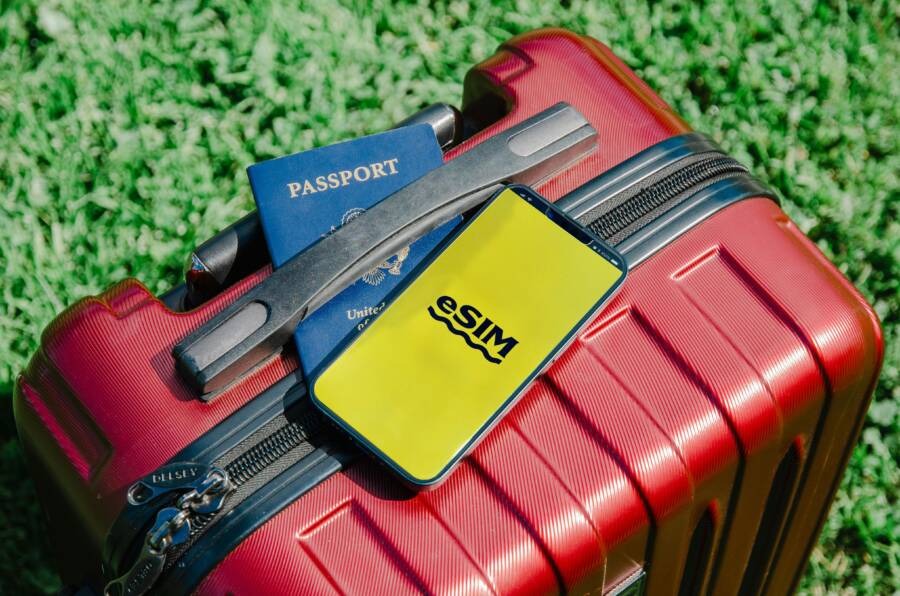
Organizing your travel apps and digital documents into one folder on your smartphone is the fastest way to reduce stress at the airport or hotel. You no longer need to scroll through endless home screens while the check-in line waits behind you.
The goal is to create a clean, high-utility digital space that holds everything you need for your trip. By grouping tickets, maps, and translation tools together, you gain instant access to critical information.
Follow these steps to set up your own customized travel hub today.
Why You Need a Dedicated Travel Folder on Your Smartphone
Organizing your travel essentials into a single, dedicated folder on your smartphone changes how you manage your trip. Most travelers keep flight confirmations, hotel bookings, and digital transit passes scattered across different apps or buried in their email inbox. By grouping these items, you turn your device into a centralized command center for your journey.
Cutting Down on Travel Stress
Knowing exactly where your information resides provides immediate psychological relief. When you arrive at a busy terminal, you don’t need to hunt for a boarding pass or scramble to find your hotel address. You simply tap one folder and see everything you need at a glance.
This predictability reduces the mental load of managing a trip. You spend less time worrying about missing a flight and more time navigating your destination. Having your documents in a fixed location also builds confidence because you know exactly how to access your data if your internet connection fails. You can even save copies of key documents for offline use within this folder, which prevents panic during unexpected service gaps.
Boosting Speed at Checkpoints
Speed is essential when moving through busy transport hubs or hotel lobbies. Security agents and check-in staff expect you to have your materials ready upon arrival. A dedicated smartphone folder allows you to pull up your documents in seconds.
You avoid the frustration of swiping through random screenshots or searching your recent downloads while the line builds behind you. When your airline app, map service, and digital wallet sit side by side, your workflow becomes logical and efficient.
Follow these habits to stay prepared:
- Place your primary airline app next to your mobile boarding pass.
- Keep your accommodation reservation near your ride-sharing or transit app.
- Group your offline maps and translation tools in the same view.
This layout minimizes delays at security checkpoints and reception desks. You get through the line faster and start your experience sooner. Keeping your digital tools tidy ensures that you remain in control of your schedule throughout the trip.
Step by Step Guide to Organizing Your Travel Apps
Creating a dedicated travel folder on your smartphone changes how you manage your journey. You save time by gathering scattered tools into one screen. This layout prevents unnecessary searching while you stand in line or navigate a new city. Follow these steps to build your custom travel interface.
Building the Folder Interface
Creating a folder is a quick process on both iOS and Android devices. You only need a few seconds to group your apps.
- Find an app you want in your travel folder, such as an airline tool.
- Press and hold your finger on the icon until it begins to wiggle or a menu appears.
- Drag that app icon directly over another app you want in the folder, such as a hotel booking tool.
- Release the icon to create a folder that contains both apps.
- Tap the new folder to open it and rename it, perhaps calling it Travel or Trip Prep, so you identify it instantly.
- Continue dragging other apps into this folder to populate your new hub.
Once your folder exists, you can move it to your primary home screen. This placement ensures you never hunt for your flight or hotel details when you reach the terminal. If you use a specific smartphone model, check your settings to see if you can customize the folder background or add a widget that shows live flight updates directly on your screen.
Essential Apps to Include
A useful travel folder requires a mix of primary and backup tools. Think about the common tasks you perform during a trip, such as booking flights or finding your way through a train station.
You should consider including the following categories in your folder:
- Airline and transport apps that hold your boarding passes and flight status updates.
- Hotel or rental platforms that house your reservation confirmations and check-in times.
- Ride-sharing and taxi services for convenient local transport upon your arrival.
- Offline maps that keep you on track even when your data connection is weak.
- Language translators that provide instant help during communication gaps.
- Digital wallet apps that store your credit cards, loyalty memberships, and transit tickets in one location.
Grouping these items helps you move through your day with more focus. You avoid the clutter of non-essential apps that often distract you at the wrong time. Review your selection before every departure to ensure you have the latest versions of each app installed. This habit keeps your smartphone ready for any change in your travel plans.
Managing Your Important Digital Documents
Organizing your smartphone for travel requires more than just gathering apps into a folder. You must also ensure your critical documents remain accessible in various conditions. Proper management of these files prevents headaches when you reach a checkpoint or lose your signal. By converting documents into quick-access formats and securing them for offline use, you maintain total control over your itinerary.
Converting Files to Quick Access Formats
You can significantly speed up your time at security or boarding gates by formatting your documents for instant viewing. Airlines often provide boarding passes that integrate directly with your smartphone wallet app, such as Apple Wallet or Google Wallet. Once you add these passes, they usually remain accessible from your lock screen, which eliminates the need to open specific apps or search for email attachments.
If a vendor does not support a dedicated wallet app, take a high-quality photo or screenshot of the document. Crop the image to show only the essential details like the QR code, name, and gate number. Save these images inside your travel folder so they appear immediately when you open it. Keeping these photos in a separate album also helps you find them faster when you have limited time.
- Check your airline email for an “Add to Wallet” button.
- If no button exists, take a clear screenshot of the boarding pass.
- Move that screenshot into your main travel folder or a dedicated “Travel Documents” album.
- Test the visibility of the QR code under bright and dim lighting conditions.
This simple preparation ensures that your most vital information sits at the front of your device. You spend less time fumbling with complex files and more time moving toward your gate.
Keeping Documents Secure and Offline
Reliable access depends on your ability to reach files without an active internet connection. Public Wi-Fi networks in airports or train stations are often slow, congested, or restricted. Downloading your documents while you are at home or connected to stable Wi-Fi prevents these connection issues from ruining your travel plans.
Most modern smartphone operating systems allow you to save documents for offline use. If you use a cloud storage service, find the option to “make available offline” for your travel folder. This action forces your phone to cache the files locally on your internal storage. Test this by turning on airplane mode and checking if you can still open your hotel reservations and transportation vouchers.
Storing these files offline provides a safety net when you travel abroad or visit remote areas. You no longer need to hunt for a signal just to verify an address or a booking code. Prioritizing local copies gives you peace of mind during every stage of your trip.
Pro Tips for Keeping Your Travel Folder Current
Your smartphone relies on efficient organization to function well during a trip. Maintaining your travel folder helps you avoid technical glitches and ensures quick access to critical files. Follow these maintenance tips to keep your device ready for your next departure.
Cleaning Up Post Trip
Once you return home, your travel folder contains outdated boarding passes, temporary QR codes, and expired hotel confirmations. Removing these items saves valuable storage space on your smartphone. Digital clutter often slows down device performance, especially if you have limited local memory.
You should delete screenshots or PDF copies of your past itinerary as soon as the trip ends. Apps that you only downloaded for a specific city or airline often run background processes that consume battery life. Uninstall these apps if you do not plan to use them for several months. A clean folder prevents you from opening the wrong document during your next journey. This simple habit keeps your device responsive and organized for future needs.
Checking App Updates Before Departure
Travel apps require frequent updates to remain functional with current airport security or booking systems. Outdated software may crash, refuse to load your ticket, or fail to sync your location during a flight. Always check your app store for updates while you are at home or connected to a reliable Wi-Fi network.
Do not wait until you reach the airport to perform these updates. Public Wi-Fi at terminals is often unreliable or too congested to download large packages. You might also find yourself unable to log in to your airline account if the app requires a security patch.
- Connect your smartphone to a stable home Wi-Fi signal.
- Open your app store and navigate to the update section.
- Select update all for your travel-related tools.
- Launch each app briefly to ensure it recognizes your credentials.
- Verify that your boarding pass or booking codes appear correctly in the interface.
Updating before you leave home prevents a stressful moment at the boarding gate. You gain confidence knowing that your digital tools are fully operational and ready to perform.
Conclusion
A well-organized smartphone serves as the ultimate travel companion when your tools reside in one place. You stop searching for misplaced documents and start enjoying your destination as soon as you arrive.
Consolidate your apps, secure your files for offline use, and perform regular maintenance to keep your device ready for any trip. Your future self will appreciate the preparation when you breeze through check-in lines with everything you need at your fingertips.