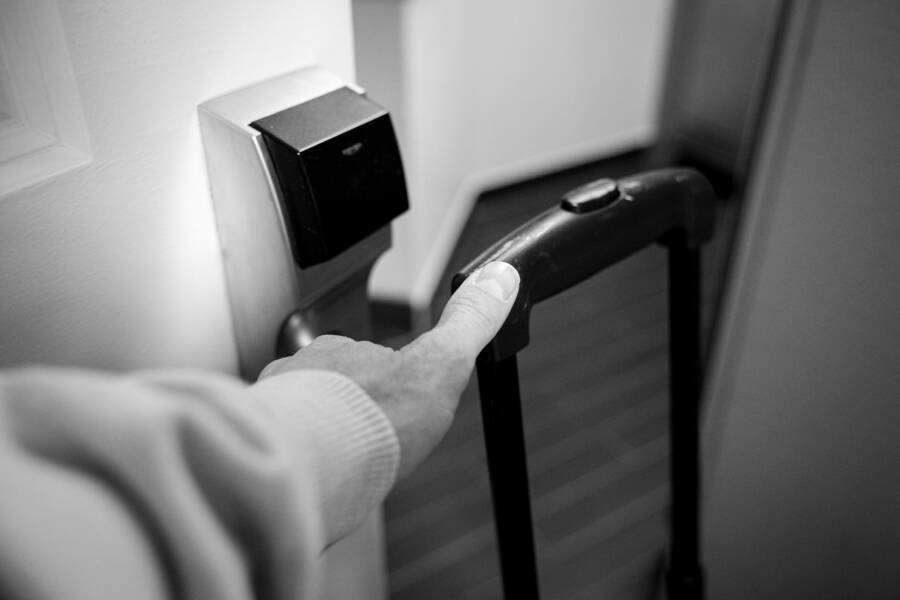
Using your smartphone as a hotel room key is simple. You download the official hotel app, log in to your reservation, and follow the prompts to activate your digital credential. Once set up, you just hold your device near the door lock to enter your room.
Digital keys provide high convenience because you avoid front desk queues and keep track of fewer physical items. However, relying on a mobile device introduces unique risks, such as battery failure or potential unauthorized access to your account. Balancing this speed with basic security practices keeps your personal information and your room access protected.
Travelers increasingly choose digital keys to save time during busy arrival windows. Hotels now implement these systems to manage high traffic and provide a modern experience for guests. You can easily adopt this technology by following a few clear safety steps.
How to Set Up Your Digital Key
To start, confirm that your hotel supports mobile entry through their official application. Not every property offers this feature, so check your booking confirmation or the hotel website before you arrive. Download the specific app well before your trip to ensure your account connects properly.
Open the app once you reach the property or receive a notification that your room is ready. You often need to verify your identity by uploading a government ID or signing into your loyalty program account. The system then pushes a secure, encrypted signal to your device that communicates with the door hardware.
Security Practices for Mobile Access
Your smartphone holds sensitive data, so you should treat your digital key with the same care as a physical wallet. Enable biometric locks like FaceID or fingerprint scanning on your device to stop others from accessing your apps. You should also turn off automatic Wi-Fi connections to avoid connecting to unverified public networks while you manage your room access.
If you lose your device, notify the front desk immediately so they can deactivate the digital credentials. They can issue a new physical key card or reset your mobile access once you prove your identity. Keeping your operating system updated is another vital step to prevent hackers from finding holes in your security.
Comparing Physical Cards and Digital Keys
Digital keys excel at efficiency, while physical cards offer reliability when technology fails. Many guests prefer a hybrid approach where they keep a physical card as a backup.
Answers to Common Questions
Can I use my key if my phone battery dies? Most systems allow you to access the room for a limited time after a shutdown, but you should not rely on this. It is safer to carry a backup card if you have a long travel day ahead.
What if the door lock does not recognize my device? Hold the phone steady against the reader for a few seconds. If it still fails, ensure your Bluetooth or NFC settings remain active. Sometimes, restarting the app solves minor connection issues.
Protecting Your Travel Experience
Using a mobile device for room entry helps you move through a hotel with ease. You manage your stay by integrating security with modern convenience. Always prioritize your device security settings and keep a backup plan for when technology hits a snag. Following these steps ensures your digital key remains a helpful tool rather than a liability.
Getting Started with Hotel Key Apps
Setting up your digital key before you leave home saves time and prevents technical frustration upon arrival. A successful experience depends on your preparation and the state of your mobile device. By organizing your accounts and settings early, you ensure the transition from travel to rest is smooth.
Preparing Your Smartphone Before Arrival
Your smartphone must be ready to communicate with secure door locks before you reach the hotel lobby. Download the official property app well ahead of your trip. Most hotel chains require a specific app to manage room access, so confirm which one your hotel uses before you pack.
Log into your loyalty account or reservation portal inside the app. This step authenticates your identity and links your booking to the digital key feature. If you wait until you arrive, poor cellular service or account verification delays might force you to visit the front desk anyway.
Check your device settings for these two core functions:
- Bluetooth: This connects your device to the door reader. Keep it toggled on whenever you approach your room.
- NFC: Near Field Communication allows your phone to act like a physical card. Ensure your phone supports this, as it is the primary way the lock reads your credentials.
Keep your operating system updated. Older software often blocks modern security protocols used by hotel locks. If your app requests updates, install them before your travel day begins.
The Step by Step Activation Process
Once you receive notice that your room is ready, the activation sequence follows a set path. You will receive an app notification or an email indicating your room is prepared for digital entry. Follow these steps to complete the process:
- Identity verification: The app may ask you to upload a photo of your government ID or confirm your booking details. This extra security step protects your room from unauthorized access.
- Key download: After the app confirms your identity, it will prompt you to download the digital key. Some systems move this key directly into your device wallet app, while others keep it locked inside the hotel app.
- Signal testing: Walk to your door and hold the back of your phone near the lock sensor. Your phone should vibrate or light up to show the handshake between your smartphone and the hardware is complete.
If the app fails to download the key, verify your internet connection. A weak signal often stops the encrypted packet from reaching your device. Should the process stall, try logging out of the app and signing back in to refresh your reservation status. You can now enter your room without waiting in line.
Essential Safety Tips for Digital Key Users
Using a smartphone as your hotel key offers speed, but it requires a disciplined approach to security. Your device acts as a gateway to your personal room, making it a target for opportunistic theft or unauthorized digital access. By applying a few standard defensive habits, you keep your travel experience secure and minimize your exposure to risks.
Protecting Your Device Access
Your first line of defense is the lock screen on your smartphone. If a thief gains physical access to an unlocked phone, they possess your digital key and your personal identity. Always keep biometric security active, such as fingerprint scanning or facial recognition, to prevent unauthorized eyes from opening your apps.
Set your device to auto-lock after a short period of inactivity. This creates a barrier if you leave your phone on a nightstand or table. You should also utilize a robust PIN for your screen lock rather than simple patterns.
Activate tracking tools like Find My for iOS or Find My Device for Android before you leave for your trip. These services allow you to locate a misplaced phone or remotely wipe its data if it disappears. Most hotel apps let you disable digital keys through your account dashboard or by calling the front desk. If your phone goes missing, contact the hotel staff immediately to invalidate your active credentials so no one can access your room.
Managing App Permissions Carefully
Hotel apps require specific permissions to function correctly, yet you must limit their reach. Bluetooth and location access are common requirements for digital keys to work properly. These features allow the lock to detect your presence when you stand directly in front of the door.
Only grant these permissions while you stay at the hotel. Review your privacy settings once you check out and revoke access to your location for the hotel application. Frequent tracking drains your battery life and keeps your data linked to the provider longer than necessary.
Consider these steps to manage your data:
- Check the app settings menu to see which permissions remain active.
- Toggle off Bluetooth for the app once you return home.
- Delete the hotel application entirely after your trip ends to remove all stored credentials.
Many modern smartphones allow you to set temporary permissions for specific apps. If your device supports this, enable location services only while the app is in use. This limits the ability of the software to monitor your movements when you are not actively trying to enter your room. Keep your app usage focused on the check-in and entry process to maintain better control over your digital footprint.
What Happens If Your Phone Battery Dies
A dead battery is a common concern for any guest using a smartphone as a room key. While the loss of power is inconvenient, it does not always mean you are locked out of your hotel room. Modern mobile credential systems often include safety protocols that address power failures.
Using Power Reserve Modes
Many smartphone models include a specialized power reserve feature that protects critical functions when the battery hits a critical level. This background system keeps low-energy services like digital keys active for a few hours after the device shuts down due to power exhaustion. You generally do not need to perform any manual setup to trigger this. The hardware reserves a small amount of electricity specifically for near-field communication, or NFC, transactions.
This functionality relies on the internal settings of your specific device. On most modern phones, the system maintains enough charge to complete a tap-to-unlock gesture even if the screen remains dark. You simply hold your device near the door lock just as you would when the battery is fully charged. This mechanism is reliable for short-term situations, such as returning from dinner or a walk. However, if your phone stays dead for an extended period, the power reserve will eventually deplete. You should charge your smartphone as soon as possible to ensure you maintain consistent access to your room.
Knowing When to Ask for a Physical Key
While mobile technology is convenient, relying on it exclusively carries risks that a physical key card avoids. A physical card requires no power, has no software to update, and functions independently of your cellular signal. You should consider carrying a backup key card if you anticipate a long day of travel, heavy phone use, or remote excursions where charging options are unavailable.
A physical key is also the better choice when you share a room with family members or friends. If you leave the property for a few hours with your smartphone, anyone left behind in the room cannot enter or exit easily if you are the only one with access. Providing a physical card to other guests creates a level of independence that a single digital key cannot match. The front desk staff can issue extra keys for your party at any time during your stay. Requesting a plastic backup when you first check in provides peace of mind and prevents the stress of being caught outside your room with a powerless device.
Comparing Digital Keys and Physical Cards
Choosing between a digital key and a physical card often comes down to your personal travel style. Digital keys allow you to bypass the front desk entirely, saving precious time after a long day of travel. Physical cards provide a simple, hardware-based alternative that remains reliable regardless of software glitches or battery levels.
Benefits of Digital Access
A digital key stores your room credentials directly on your smartphone. This eliminates the need to carry an extra plastic card or visit the lobby upon arrival. Many hotels link the digital key to your loyalty profile, allowing you to walk straight to your room after the app confirms your room status.
Another advantage is the reduced waste of plastic materials. Hotels favor these systems because they lower operational costs and keep guests within the property ecosystem. You gain a convenient tool that fits into your existing mobile workflow, provided your device remains charged and functional.
Reliability of Physical Cards
Physical cards function without any reliance on cellular data, Bluetooth connectivity, or your phone battery. They are standard tools that work at every hotel, whereas mobile technology occasionally varies by property or specific lock model. If you encounter a software error or an expired session in your app, a physical card works as an immediate backup.
Many travelers keep both options active during their stay for maximum flexibility. You can use your phone for quick trips to the gym or lobby, while keeping a plastic card in your wallet for late-night returns when your battery might be low. This hybrid approach removes the stress of relying on one method during an unpredictable trip.
Comparative Summary of Access Methods
Understanding the differences between these two access methods helps you decide which suits your needs. The table below highlights how they compare across key categories.
Most travelers find that digital keys offer superior speed, while physical cards provide better consistency. If you prefer to minimize what you carry, your smartphone is the primary choice. If you prefer to minimize technical variables, the standard physical card is the better option.
Answers to Your Most Common Questions
Guests often ask if they can keep their room access if their device battery runs low. Most modern hotel systems allow for limited room entry for several hours after a battery dies. However, you should not rely on this feature alone. It is smarter to carry a physical key card if you plan on being away from the hotel for long periods.
Another frequent concern involves the door lock failing to detect your smartphone signal. You should hold your phone steady against the reader for a few seconds to initiate the connection. If the lock does not respond, ensure your Bluetooth or NFC settings are active. Restarting the hotel app often resolves minor communication errors between your device and the door hardware.
Some guests wonder if their personal data remains safe during the check-in process. Hotel applications use encrypted signals to communicate with door hardware, which protects your room credentials from interception. You add another layer of security by using biometric locks, like facial recognition or fingerprint scanning, on your phone. This prevents unauthorized access even if someone else gets hold of your device.
You might also ask if other people can share access to your room via their own phones. Most hotel apps restrict digital keys to the primary guest on the reservation. If you need multiple people to access the room, you should request physical key cards from the front desk staff. This provides a simple way for everyone to enter and exit without coordinating through a single account.
Finally, remember these three quick tips to manage your access:
- Check that your phone has enough charge before leaving the room for the day.
- Keep your hotel app updated to the latest version to ensure compatibility with door locks.
- Contact the front desk immediately if you lose your phone so they can deactivate your digital key.
These practices keep your stay convenient and secure. Following these steps helps you enjoy the benefits of a digital key while minimizing the risk of lockout or data exposure.
Conclusion
Using your phone as a room key is convenient, but awareness is what keeps it safe. The best setup is simple: use the official hotel app, protect your device, and keep a backup plan in place.
That approach fits the way hotel apps are changing travel. More properties are moving toward mobile entry, and the experience will likely keep improving as locks, apps, and guest profiles work together more smoothly. Still, the basics matter most, because a smart setup is only as safe as the person using it.
If you remember one thing, make it this, treat your smartphone like a key card, a wallet, and a privacy tool at the same time. That habit keeps digital check-in useful, reliable, and far less stressful.