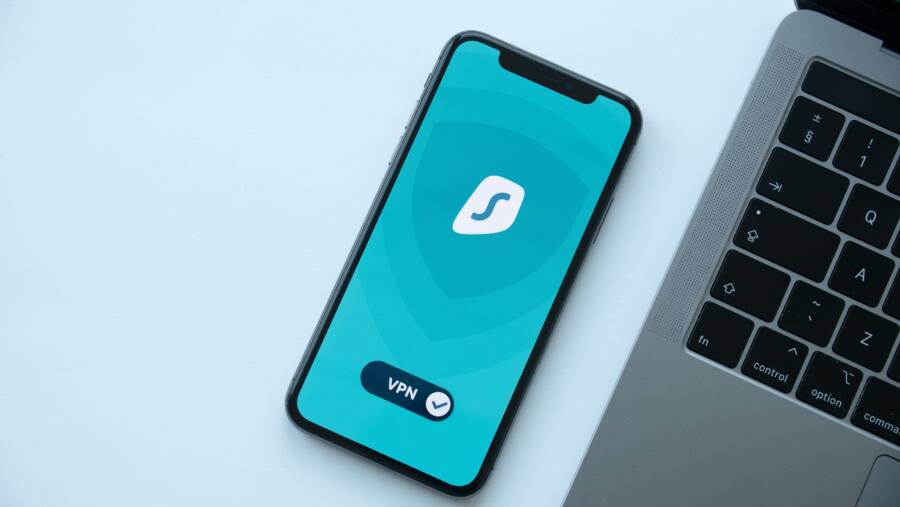
Your smartphone constantly gathers data about your location, browsing habits, and personal contacts. You can reclaim your privacy and stop unwanted tracking by running a manual checkup in under 20 minutes.
This process is not a one-time setup because apps frequently update their permissions. You must treat security as an active routine to keep your information safe from leaks.
Follow the steps below to lock down your settings and regain control of your personal data today.
Quick Wins for Managing App Permissions
Your smartphone is a portal for personal data, but many apps collect more information than they actually need. You regain control by auditing permissions at the system level. These quick adjustments reduce your digital footprint and prevent unauthorized background tracking. Start with these targeted changes to harden your security immediately.
How to Review Location and Sensor Access
Location tracking is a primary method apps use to build profiles on your daily habits. Both Apple and Google provide granular controls to limit when they access your movements.
On an iPhone, open your Settings menu and scroll down to Privacy & Security. Tap Location Services to see a list of every app with permission to track you. Choose an app to see your options. The “While Using” setting is your best choice because it stops the app from tracking you when it remains closed. Avoid “Always” unless the app requires it for basic functions, such as navigation tools. You can also toggle off “Precise Location” to give apps a rough estimate instead of your exact street address.
Android users follow a similar path. Open Settings, tap Location, and then select App Permissions. You see a list categorized by apps that have constant access, restricted access, or no access at all. Select an app to change its status. If you select “Ask every time,” the app must request your approval whenever it tries to pull your location data. This prevents silent background access. You should also check the Sensor permission settings in your privacy dashboard to ensure apps cannot read data from your accelerometer or gyroscope without a clear purpose.
Removing Unused Apps to Reduce Data Sharing
Digital clutter is a significant security risk that many people ignore. Every app you installed at some point still sits on your device, potentially collecting telemetry data in the background. Even if you never open these applications, they may still communicate with servers to transmit your usage habits or diagnostic logs.
An app that collects dust is an app that has access to your data without providing any current value. Frequent background activity on these forgotten tools consumes battery life and bandwidth while increasing your privacy exposure. Delete any app that you have not opened in the last thirty days. If you find yourself missing an app later, you can always download it again from the official store.
Check your smartphone storage settings to see which apps consume the most space and how long it has been since you last used them. This view often reveals forgotten software that you no longer need. Uninstalling these items lowers the amount of data sharing occurring behind the scenes and simplifies your overall device security management. Fewer active apps mean fewer entry points for potential data leaks.
Deep Dive into System-Level Tracking Settings
System settings act as the master switch for your privacy. While app-specific permissions handle individual access, your smartphone operating system manages broad telemetry and advertising identifiers that follow you across platforms. Adjusting these settings prevents your device from acting as a constant beacon for advertisers and manufacturers. You can stop the flow of behavioral data by taking these steps.
Disabling Personalized Ad Tracking
Advertisers use a unique ID assigned to your smartphone to track your browsing habits, app usage, and preferences. This identifier acts like a digital fingerprint, allowing companies to build a comprehensive profile of your interests over time. Resetting or disabling this ID stops your device from feeding that profile.
Follow these steps on your iPhone to limit ad targeting:
- Open the Settings app and select Privacy & Security.
- Scroll to the bottom and tap Apple Advertising.
- Toggle off Personalized Ads to stop the system from using your data to tailor promotions.
Android users can manage their advertising ID through these steps:
- Open the Settings app and navigate to Google.
- Select Ads to view your advertising ID settings.
- Tap Delete advertising ID to remove the link between your device and your profile.
- You can also select Reset advertising ID if you want to keep the feature but clear your previous data history.
Changing these settings does not stop you from seeing advertisements. Instead, it prevents those ads from being based on your specific online behavior. Your ads become generic rather than tailored to your private history.
Limiting Diagnostic Data Sent to Manufacturers
Smartphone manufacturers collect diagnostic and usage data to monitor how your device performs. This information includes battery health, app crash logs, and hardware responsiveness. While this data helps companies fix bugs, it also provides a granular look at how and when you interact with your device. Sharing this information creates a detailed record of your daily activity patterns.
You can stop this telemetry to keep your usage logs private:
- On an iPhone, navigate to Settings, tap Privacy & Security, and select Analytics & Improvements. Turn off Share iPhone Analytics to stop sending performance data to Apple.
- On Android devices, open Settings and tap Location or Privacy. Look for Usage & Diagnostics or Usage & Diagnostics Data. Turn the toggle to off to stop sending technical reports to Google or your phone manufacturer.
Disabling these settings prevents your device from periodically uploading logs about your habits. It saves a small amount of battery life and network data as a secondary benefit. Your smartphone still functions correctly without sending these logs, as the data is optional for the user. Checking these menus once per year keeps your privacy settings current as system updates sometimes reset these preferences.
Securing Your Accounts and Authentication
Your account security rests on the strength of your authentication methods. Most people rely on simple, predictable passwords that hackers guess with ease. Stronger protection requires moving away from memorized text strings toward hardware-linked identity verification. By updating how you log into your accounts, you reduce the risk of unauthorized access significantly.
The Power of Passkeys and Password Managers
Passwords are often the weakest point in your security setup. Many users reuse the same code for multiple sites, so a single leak elsewhere exposes your accounts. Password managers fix this by generating and storing unique, complex strings for every service you use. You only need to remember one master password, or you can rely on your smartphone to unlock the vault using your face or fingerprint.
Passkeys go a step further by replacing traditional text passwords with cryptographic keys. These keys live on your device and communicate directly with the website or app during login. Because the server never stores a static password, there is nothing for a hacker to steal during a data breach.
Switching to these modern methods offers several practical advantages for your daily habits:
- You eliminate the need to create and recall dozens of unique, complex passwords.
- The system links your login directly to your physical smartphone, which acts as a second factor of authentication.
- Most services automatically sync these credentials across your devices, so you stay signed in wherever you go.
- If you lose your smartphone, you can often recover your accounts through trusted cloud backups or secondary recovery keys.
Many platforms now prompt you to create a passkey during your initial sign-up process. When a service offers this option, choose it over a standard password. This small change makes your account far more resistant to phishing attacks, as the passkey only works on the legitimate website. Integrating these tools into your routine protects your identity without adding extra friction to your login experience.
Advanced Privacy Habits for Daily Use
Privacy on your smartphone requires constant attention rather than a one-time adjustment. Your habits dictate how much information you leak throughout the day. By shifting how you interact with web content and public networks, you minimize the profile trackers build about you. Consistent small changes turn your device into a private tool rather than a data source for advertisers.
Smart Browsing and Network Hygiene
Web trackers follow you across the internet to collect your interests and purchase history. They use small files, known as cookies, to identify you as you jump from site to site. Many modern browsers allow you to block these trackers automatically. You should check your browser settings to enable anti-tracking features or use a dedicated private browser that stops third-party scripts by default.
Your connection quality also matters for your security. Public Wi-Fi networks in coffee shops or airports often lack basic encryption. Anyone on the same network can intercept your traffic if you do not protect your connection. A Virtual Private Network, or VPN, solves this by wrapping your data in a secure tunnel. This makes your activity unreadable to local snoopers, even if they monitor the network.
Consider these habits to improve your daily digital safety:
- Use a browser that blocks cross-site trackers by default, such as Brave, Firefox, or Safari with Intelligent Tracking Prevention.
- Avoid public Wi-Fi whenever possible, opting for your cellular data plan instead.
- Activate a reputable VPN service when you must use public or untrusted networks.
- Clear your browser cache and cookies periodically to wipe persistent trackers from your device.
An encrypted connection acts as a secure envelope for your data. When you send sensitive information over an unencrypted network, it travels like a postcard that anyone can read. A VPN or standard HTTPS traffic ensures your information arrives at its destination safely. You retain more control over your information when you prioritize these tools in your daily routine. Keeping these defenses active reduces your exposure to unwanted data harvesting while you browse on the go.
Conclusion
You now have a clear path to control the data your smartphone collects. By auditing app permissions, removing unused software, and adjusting system-level tracking, you significantly reduce your personal exposure. Owning your data is a basic digital right that requires active management.
Schedule a full privacy review once every three months to keep your settings secure. This routine prevents apps from gathering unnecessary information over time. Consistent checkups ensure your device remains a private tool rather than a source for unwanted data tracking.