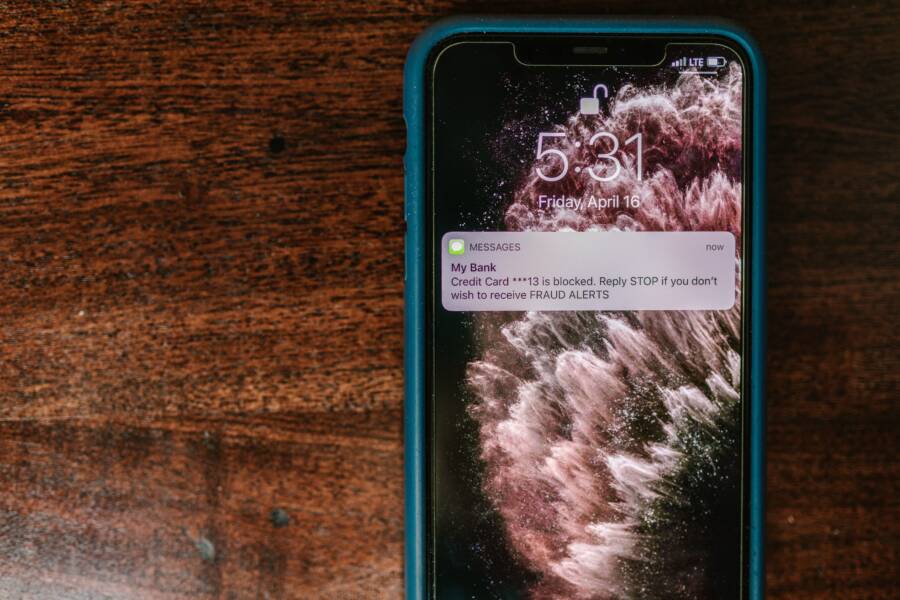
Keeping your smart home secure from your smartphone requires a combination of strong authentication, regular software updates, and network segmentation. While these devices offer unmatched convenience, they often act as entry points for hackers when you leave them unprotected. Your phone is the central hub for your entire system, so keeping it locked down is the most effective way to protect your connected property.
Many users assume their devices are safe right out of the box. Unfortunately, default settings are rarely sufficient for home privacy. By taking control of these settings on your smartphone, you reduce the risk of unauthorized access significantly. This guide walks you through the essential steps to harden your network and keep your private data away from prying eyes.
Securing Your Smartphone as the Master Controller
Your smartphone is the primary command center for your entire smart home. Because it holds the keys to your cameras, smart locks, and heating systems, it requires the highest level of protection. A compromised phone grants an intruder total access to your private living space. By tightening your device security, you create a robust perimeter that keeps unauthorized users away from your home controls.
Using Biometrics and Strong Lock Screen Security
Many users rely on simple four-digit PINs because they seem convenient. However, these codes are easy to guess or observe when you unlock your phone in public. A dedicated intruder can bypass a weak PIN quickly, putting your smart home at immediate risk. Modern smartphones offer advanced hardware-based security that is much harder to break than a simple sequence of numbers.
Fingerprint scanners and facial recognition tools provide superior security because they link your device access to your unique physical traits. These biometric systems are difficult for attackers to replicate or spoof compared to a numeric code.
- Use a complex alphanumeric passcode if your phone does not support biometrics.
- Enable automatic lock times so your screen shuts down after 30 seconds of inactivity.
- Disable lock screen notifications that display sensitive smart home alerts or codes.
- Use a reputable password manager if you find complex passcodes difficult to remember.
Biometrics act as a physical barrier that only you can bypass. When you pair these methods with a strong secondary passcode, you create two layers of defense. This combination ensures that your smartphone remains a secure controller for your lights, locks, and security sensors.
Managing App Permissions for Smart Home Hubs
Smart home apps often request extensive permissions to function correctly. While some access is necessary, many apps collect data you do not need to share. You should audit these settings regularly to limit how much information apps can harvest from your phone.
Start by checking which applications have access to your location, microphone, and camera. Navigate to your system privacy settings to view a list of apps and their current permissions. If an app for a smart light bulb requests access to your microphone, you should revoke that permission immediately.
- Open your phone settings menu.
- Select the Privacy or Security section.
- Tap on Permission Manager to see a full list of categories.
- Review access for Camera, Microphone, and Location specifically.
- Toggle off access for any app that does not require those sensors to function.
Granting access only when necessary minimizes the amount of data stored on external servers. This practice also prevents apps from gathering background data about your habits or daily routine. If you find an app that requires excessive permissions to operate, consider replacing it with a more privacy-focused alternative. Controlling these digital gates ensures that your smartphone maintains its role as a secure and private master controller for your home.
Setting Up a Bulletproof Home Network
A secure network is the foundation of your smart home. If your router is open to attack, every device connected to it becomes a potential vulnerability. By hardening your network, you prevent intruders from accessing your private cameras, locks, and personal data. You can manage these settings directly from your smartphone to maintain a robust perimeter around your living space.
Creating a Separate Guest Network for IoT Devices
Most smart home devices lack the sophisticated security software found on your personal computers. A smart light bulb or a budget thermostat often has minimal protection against cyber threats. If an attacker breaches one of these simple devices, they might gain entry to your entire home network. Once inside, they could potentially target your phone or laptop to steal sensitive information.
You should place these low-security devices on a separate guest network. A guest network acts as a digital fence, keeping your IoT hardware apart from your primary data traffic. Your main smartphone, tablet, and computer stay on the private network where your most important documents and accounts live. This isolation ensures that a compromised smart plug cannot provide a bridge to your financial accounts or private photos.
Check your router settings through its dedicated app on your smartphone to enable this feature. Look for a menu labeled Guest Network or Wi-Fi Settings. Enable the guest band, assign it a unique password, and move all your smart home devices to this new connection. This simple step creates a significant barrier against unauthorized access.
Updating Firmware to Close Digital Gaps
Manufacturers frequently release firmware updates to patch security holes discovered in their hardware. When you ignore these updates, your router remains susceptible to known exploits that hackers use to gain control. Many modern routers allow you to check for and install these critical updates using a mobile application on your smartphone.
You should establish a routine to verify your router status at least once a month. Open your router management app and navigate to the System or Maintenance tab. Most apps provide a clear indicator if your device is running the latest software version. If an update is available, follow the prompts to install it immediately.
Restarting your hardware after an update is often necessary to apply the security changes. Automating this process is a wise choice if your router app supports scheduled updates. While some older models require you to log in through a web browser, many current devices allow you to trigger these updates with a single tap on your screen. Keeping your firmware current is a fundamental step in defending your smart home from external threats.
Routine Maintenance for Your Smart Devices
Keeping your home technology secure requires more than a one-time setup. Just as you maintain your car or clean your home, your smart devices need regular attention to remain safe. You can manage most of this routine maintenance directly from your smartphone, which keeps your defenses sharp against evolving security threats.
Why You Should Delete Unused Smart Accounts
Every account you create for a smart device acts as a potential entry point for unauthorized access. When you retire an old device or switch to a new brand, you often leave the associated account active in the background. These legacy accounts remain connected to your home hub, creating unnecessary vulnerabilities that hackers can exploit.
If you no longer use a service, the manufacturer might stop issuing security patches for that specific software. This leaves the account susceptible to data breaches, which could leak your credentials. If you reuse the same password for that old account as you do for your active smart home apps, an attacker could potentially gain access to your current, active systems.
Audit your accounts at least twice a year to clear out the digital clutter. If you see an app or service on your smartphone that you have not touched in months, remove it. Follow these steps to prune your digital footprint:
- Identify every account linked to your home hub through your primary controller app.
- Sign in to the web portals of these services to find the account deletion or deactivation option.
- Remove the app from your smartphone after you close the account.
- Update any associated permissions in your phone settings to ensure no residual data links remain.
Enabling Two-Factor Authentication Everywhere
Two-factor authentication, or 2FA, is the most effective way to protect your smart home accounts from intrusion. It adds a second layer of defense beyond just your password, requiring a code from your smartphone before anyone can sign in. Even if a hacker steals your password, they cannot access your account without that physical second factor.
Most smart home platforms support 2FA through text messages, email codes, or dedicated authenticator apps. Many experts recommend using an authenticator app instead of text messages because it is resistant to phone number hijacking. Once you enable this setting, your smartphone becomes the final gatekeeper for your home security systems.
Turning on 2FA takes only a few minutes, but it provides peace of mind that simple passwords cannot match. Check the security settings of every app on your smartphone to ensure this feature is active.
- Use a dedicated authenticator app like Google Authenticator or Authy for better security than SMS.
- Back up your recovery codes in a secure, offline location if the platform provides them.
- Check the login history in your account settings periodically to spot any unrecognized access attempts.
Prioritizing 2FA turns your smartphone into a robust security tool. By taking the time to enable this on every account, you effectively close the door on most automated hacking attempts. Your connected home stays private, and your personal data remains under your control.
Recognizing Signs of a Compromised Smart Home
Your smart home setup often works so quietly that you might overlook minor behavioral changes. When devices act in ways you don’t expect, they often signal a security breach. You should monitor your equipment for unusual patterns that suggest an unauthorized person has gained entry. Common warning signs include lights turning on randomly, cameras shifting position when nobody is home, or smart locks engaging without a command from your smartphone.
Performance drops are another red flag. If your internet connection suddenly slows down or your smart hub feels unresponsive, it could be processing malicious traffic. Attackers often use compromised smart home networks to launch wider cyberattacks, which consumes your bandwidth. Watching these shifts in performance helps you identify potential trouble before it escalates into a major security incident.
What to Do If Your Devices Act Strange
If you suspect an intruder has accessed your system, you must act fast to regain control. First, isolate the affected hardware immediately. Disconnect the suspicious device from your Wi-Fi network by pulling its plug or disabling its connection through your router app. This prevents the intruder from sending more commands or stealing further data.
Once you disconnect the device, change the account passwords for your central smart home hub. Use a unique, complex password that you have not used on any other site. If you use the same credentials across multiple services, the hacker might have access to your email or financial accounts too. You should enable two-factor authentication on every remaining account to add another layer of protection.
Follow these steps to clean up a compromised setup:
- Factory reset the misbehaving device to wipe any malicious firmware or settings installed by the attacker.
- Update the device software to the latest version as soon as it reconnects to the network.
- Review your router logs in the smartphone app to see if other devices show signs of unauthorized activity.
- Scan your smartphone for unfamiliar apps that might be linked to your smart home system.
Security is not a one-time setup, so stay alert for recurring issues. If a specific device continues to act strange after a reset, it may have a permanent vulnerability that makes it unsafe to use. Replacing such hardware is often the safest move to maintain the integrity of your home network. By staying active in your monitoring, you keep your private life protected from external interference.
Conclusion
Securing your home is a continuous process rather than a one-time setup. New threats appear frequently, and your devices require ongoing attention to stay safe. You should make these security checks a monthly habit to ensure your smartphone remains a reliable command center.
Set a calendar reminder on your device to audit app permissions and check for firmware updates. This simple routine keeps your network defenses current and helps you spot anomalies before they escalate. Consistent oversight is the best way to maintain a private and protected environment for your connected technology.