Choose a portable power station by matching two separate numbers to your actual use: watt-hours (Wh) for how long it can supply energy, and watts (W) for how much power it can deliver at once. Then check whether its solar input accepts the panels you plan to use. A large capacity cannot make an undersized inverter run a demanding appliance, and a panel’s advertised wattage does not guarantee that much charging power in the field.
Start with the devices you need to keep running
Write down each device, its input watts, and the hours you expect to use it. For devices labeled in amps and volts, watts are volts multiplied by amps; an appliance label or manual may also list its wattage directly. The U.S. Department of Energy’s energy education material describes watt-hours as power multiplied by time. For a first-pass estimate, multiply watts by hours, then add the devices’ estimates. This is a planning calculation, not a promise of runtime: inverter losses, battery reserve, variable appliance draw, and the station’s own operating needs reduce usable energy.
For example, a 40 W router used for 8 hours represents 320 Wh before those losses. Add a 60 W lamp for 5 hours (300 Wh) and the simple total is 620 Wh. That points toward a station with more than 620 Wh of rated capacity if both loads must run for that schedule. Leave room for uncertainty, especially if the load has a motor or compressor, or if the station will also power devices you have not listed.
Read Wh and W as different limits
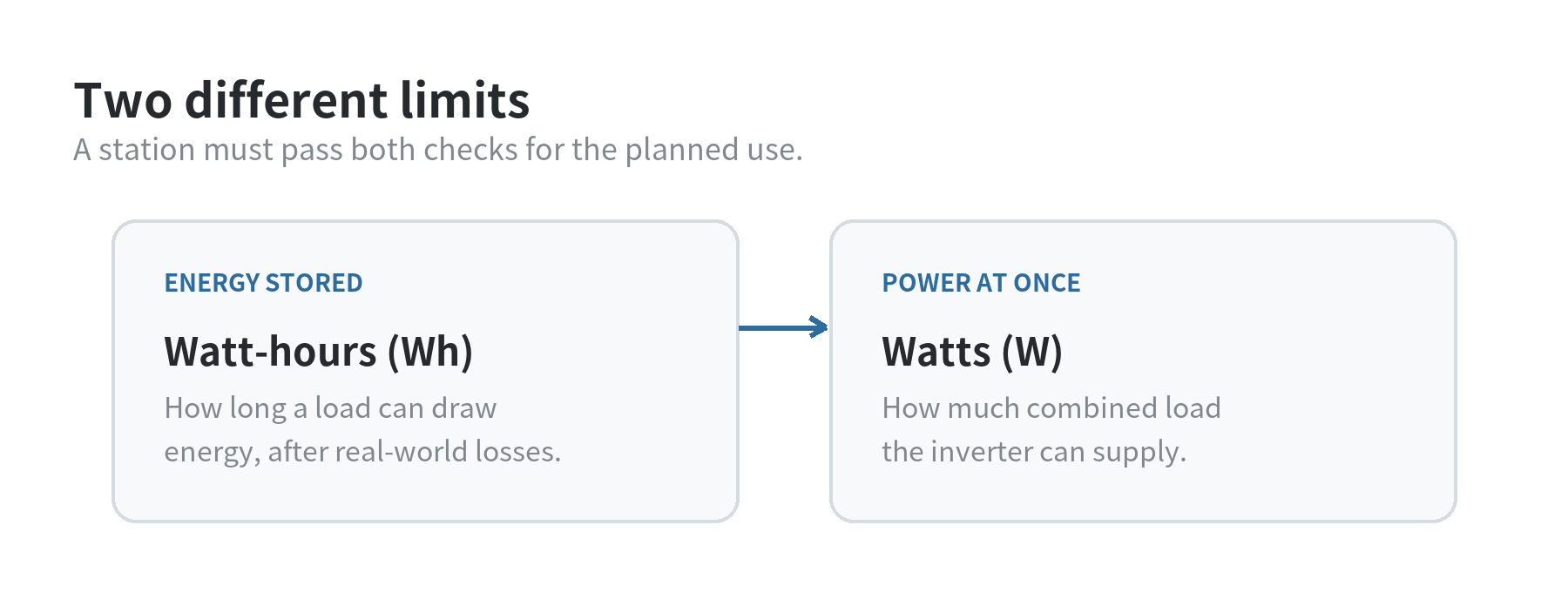
Watt-hours describe an amount of energy. A 1,000 Wh battery could theoretically supply 100 W for 10 hours before conversion losses and other limits are considered. Watts describe the rate of power delivery. A station rated for 1,500 W of continuous AC output can support a group of devices only while their combined running draw stays within that rating.
Check both the rating for continuous output and any surge rating. Some equipment briefly draws more power as it starts. A refrigerator, pump, or power tool may therefore need more starting capacity than its running label suggests. The surge figure is a short-duration ceiling, not a second continuous rating. Match the appliance’s startup requirement to the manufacturer’s stated surge capability, and do not assume a feature name such as “boost” changes the standard AC rating.
Product specifications show why the labels matter. Jackery lists its Explorer 1000 v2 at 1,070 Wh, 1,500 W rated AC output, and 3,000 W surge peak. Those figures describe different jobs: stored energy, ordinary output, and brief startup headroom. They do not tell you how long a particular appliance will run without knowing that appliance’s real draw and the station’s conversion losses.
Check the outlet and the total load
Look beyond the headline wattage. Confirm that the station provides the outlet type each device uses, and note the output limit for each port as well as the overall AC limit. A USB-C laptop, a 12 V cooler, and a household AC appliance may rely on different outputs. The combined total matters when several ports are active at once; an individual port rating does not necessarily add on top of the unit’s total limit.
Use the appliance label or manual rather than a guessed “typical” wattage. If the label gives a range, use the higher end for planning. For a motor-driven device, find the starting or locked-rotor requirement in its documentation where available. If that figure is missing, contact the appliance maker or choose a setup with enough headroom based on verified specifications. Do not plan to run a space heater, kettle, or other high-draw device for long periods from a small battery without calculating the energy demand first.
Solar charging depends on the station’s input window
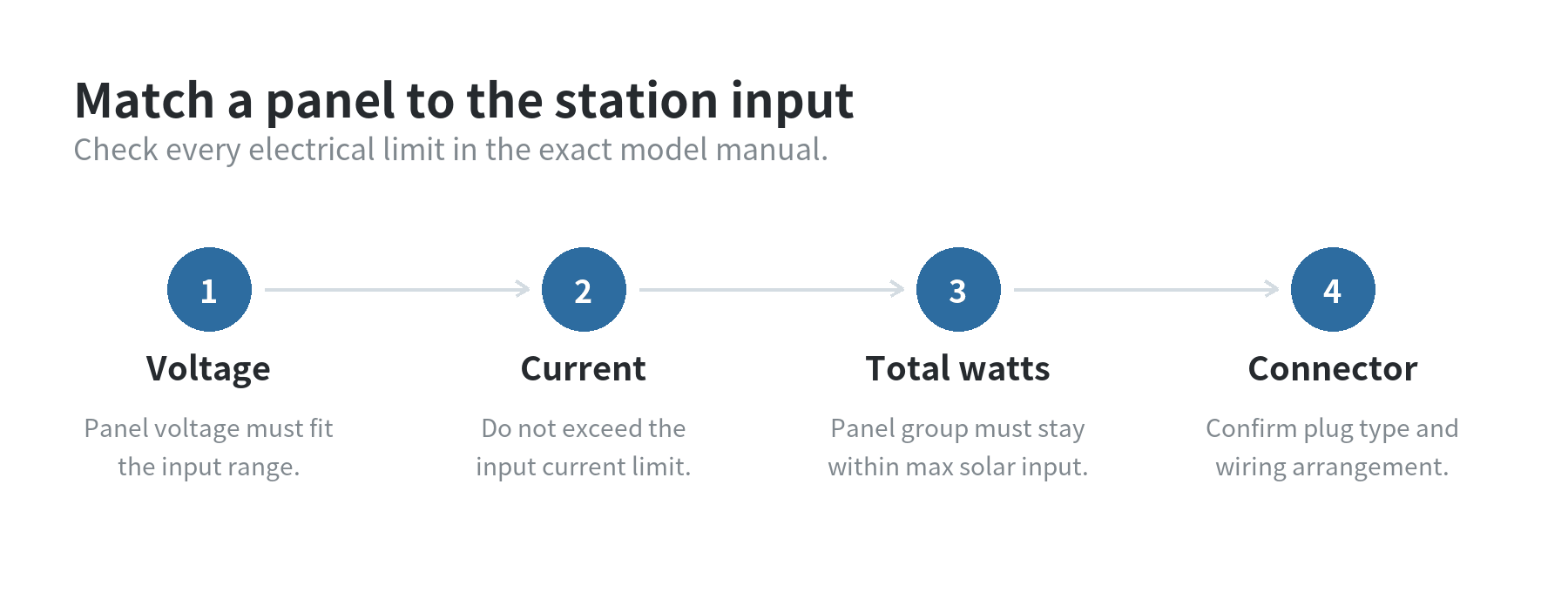
Before pairing panels, compare three things in the station manual: maximum solar input watts, permitted input-voltage range, and maximum input current. The panel or panel group must fit all applicable limits. A panel’s open-circuit voltage can be higher than its operating voltage, and series-connected panels add voltage. Parallel connections add current. Follow the manufacturer’s connection diagrams and do not exceed its limits.
A solar panel’s rated watts describe output under specified test conditions. Real output changes with sunlight, panel angle, temperature, and shade. The U.S. Department of Energy explains that photovoltaic output depends on conditions such as sunlight and shading. In a series connection, panel voltages add; in a parallel connection, currents add. Treat a panel rating as a comparison point, not a guaranteed charging rate or a clock for predicting a full charge.
As one example of why the input specification matters, Jackery’s Explorer 1000 v2 product page lists a maximum solar input of 400 W for the 16–60 V range. Its support page also says that when both input ports are used, the connected panels need to match in wattage; it does not support combining different wattages in that arrangement. Check the exact model’s current manual before choosing panels, because connection rules vary by station.
Use a short compatibility check before choosing
Keep a note with the appliance list and compare candidate specifications side by side. The first pass is simple: estimated Wh for the planned hours, highest simultaneous running watts, and any verified starting surge. The second pass is about connections: outlet type, port limits, solar input range, and included or separately required cables. A neat-looking wattage headline cannot answer all of those questions.
- For phone, laptop, and lighting use: prioritize the energy estimate for the number of hours you need, then confirm the USB and AC ports match your devices.
- For a refrigerator or pump: verify both running draw and startup needs, and compare them with continuous and surge output ratings.
- For solar recharging: check the station’s voltage and current limits, panel wiring rules, connector, and expected sunlight where the panel will sit.
Capacity expansion, pass-through operation, and UPS behavior are model-specific features. If one matters to your setup, confirm it in the manual for the exact model and check what happens when output and charging run at the same time. Also review operating-temperature limits and storage guidance if the unit will live in a garage, vehicle, or outdoor shelter.
A useful shortlist has three answers beside each candidate: how much energy it stores, what it can run at once, and how its solar input must be wired. Those answers let you compare specifications against your own devices without treating capacity, inverter output, and panel wattage as interchangeable numbers.
FAQ
Does a higher Wh number mean a station can run any appliance?
No. Wh indicates stored energy, while the AC output rating limits the power delivered at one time. Check both, along with any starting surge.
Can I connect any solar panel with the right plug?
No. The voltage, current, wattage, and connection arrangement must also stay within the station’s stated input limits. Confirm the panel and station manuals agree.
Will a panel rated at 200 W charge at 200 W?
That rating is measured under specified test conditions. Sunlight, shade, angle, and temperature affect actual output, so charging power can vary.
Should I size the station exactly to my calculated Wh total?
Use the total as a baseline, then allow headroom for conversion losses, changing device draw, and reserve capacity. A calculated total alone does not determine runtime.