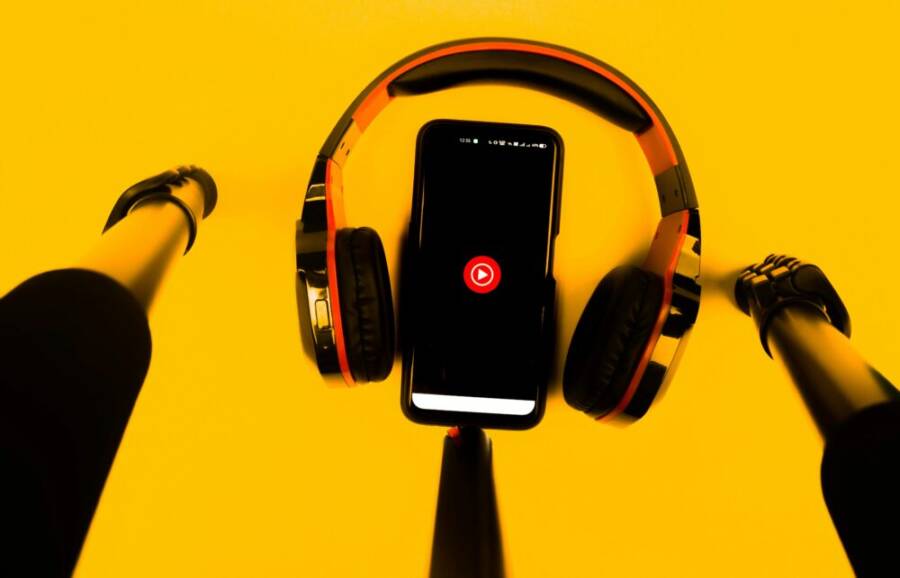
Picture this: Alex rushes through his morning commute, traffic crawling along. He pulls out his phone, hits record, and drops a fresh podcast episode on leadership tips. No studio, no fancy mic. Just his voice cutting through the noise, captivating listeners worldwide.
That’s the power of turning your phone into a mobile podcast studio. You skip the high costs of equipment. It’s portable, so you record anywhere: park bench, car, or kitchen table. Best part? You start right now, no delays.
Podcasting grabs attention. Brands seek voices like yours for ads and collabs. Yet many think it needs big bucks or pro skills. Wrong. With basic tools, anyone crafts pro-sounding episodes that shine.
This guide walks you through it all. Grab the right gear like a cheap lav mic or pop filter. Pick top apps for easy recording. Nail the setup for clear audio. Master recording tricks to sound sharp. Finish with simple editing to polish your show.
Your smartphone packs enough punch for crystal-clear sound. Ditch excuses. Follow these steps, and your first episode goes live this week. Listeners will tune in, hooked from the start. Ready to launch? Let’s build your studio.
Pick the Right Gear to Boost Audio Quality
Your phone’s built-in mic handles casual voice memos fine. It struggles with podcasts, though. It grabs room echo and clothing rustle. External gear fixes that fast. You clip on a lavalier mic or add a stand. Sound jumps to pro levels. These picks cost little and pack small. They plug straight into your smartphone’s audio jack. Let’s break down the must-haves.
External Microphones That Deliver Clear Sound
Skip the phone mic’s muddled tone. Lavalier mics clip to your shirt. They stay close to your mouth. This setup cuts handling noise from movement. Plug-and-play design means no apps or batteries needed for most models. They use your smartphone’s 3.5mm TRRS jack. Lightning or USB-C phones need a simple adapter.
Here are four solid picks that work great with phones:
- Boya BY-M1: This $15 lavalier shines for beginners. The omnidirectional capsule grabs voice from all sides. It reduces fabric rubs and wind gusts. Check this detailed Boya BY-M1 review for real-world tests. Pros for solo recording: cheap, light, clips secure. Cons: picks up more room noise than directional mics. For interviews, it shines since guests speak naturally.
- Rode SmartLav+: At around $80, it delivers crisp audio with low self-noise. The Kevlar cable resists tangles. It cuts breath pops better than budget options. Pros for interviews: dual-mic potential with a splitter. Cons for solo: overkill if you stay basic.
- Shure MVL: This $70 omnidirectional lav fits most smartphones. It handles loud voices without distortion. Pros for solo: rugged build for daily use. Cons for interviews: shorter cable limits guest reach.
- Audio-Technica ATR3350: A $40 staple with a long 6-meter cord. It includes a windscreen for outdoors. Pros for both: versatile tie clip or pin. Cons: bulkier than clip-ons.
Attach any lav mic in four steps:
- Check your phone’s jack or grab an adapter.
- Plug the 3.5mm TRRS end into the phone.
- Clip the mic to your collar, 6-8 inches from your mouth.
- Test levels in your app; speak normal and adjust gain.
Solo podcasters love lavs for hands-free ease. Interviewers pick them to mic multiple people. All beat phone mics on clarity.
Stands and Accessories for Steady Recording
Shaky hands ruin takes. A wobble adds thumps. Flexible stands keep mics steady. They bend around poles or tables. Selfie sticks double as booms for overhead angles.
Top stand suggestions:
- Joby GorillaPod: Wraps legs on anything. Holds lav mics or small condensers. Packs to fist size.
- UBeesize Tripod Selfie Stick: Extends to 51 inches. Mic mount screws on top. Bluetooth remote starts stops recording.
Add these cheap extras:
- Pop filters: Foam screens block “p” and “b” blasts. Clip one for $10; it saves edits.
- Windscreens: Fuzzy covers tame outdoor breezes. Essential for park sessions.
Pack light for travel. Toss a GorillaPod, lav mic, and windscreen in a $15 pouch. Total weight under 8 ounces.
Quick setup words:
- Screw mic into GorillaPod head.
- Bend legs to table edge or lapel.
- Snap on pop filter.
- Plug in, hit record. Done in 30 seconds.
These tools steady your setup. You focus on content, not fiddling.
Monitoring Headphones to Catch Mistakes Live
You can’t fix what you don’t hear. Monitoring lets you listen while recording. Catch echo, hums, or mouth clicks right away. Closed-back earbuds block outside bleed. No audio leaks into the mic.
Why it matters: Phone speakers feed back noise. Headphones keep things clean. Adjust on the spot. Save hours in edits.
Budget picks under $20:
- Sony MDR-EX15AP: Closed design seals sound. Inline mic for phone calls. Bass stays punchy for voice checks.
- JBL Tune 110: Tight fit, zero bleed. Durable cord survives bags.
- Panasonic ErgoFit RPA-HF101: Basic but effective. Isolates fully.
Apple EarPods work okay too, but true closed-backs like Sony beat them. Plug into the headphone jack or splitter. Monitor volume low to avoid distortion. Test a line: “This is my podcast.” Hear issues? Reposition the mic.
With headphones, your episodes sound tight from take one. No post regrets.
Find Free Apps for Recording and Editing Anywhere
Your smartphone handles recording and editing with the right apps. These free tools turn any spot into a studio. You record crisp audio on the go. Then polish it fast before upload. Pick ones that match your phone’s OS for smooth work.
Top Recording Apps for Crisp Voice Capture
Start with apps that grab clean voice. They cut noise and add tracks. All offer free versions with solid features. No watermarks or limits kill your flow.
Spotify for Podcasters (once called Anchor) tops the list. Download it free on iOS or Android. Record solo or with remote guests. Tap the mic icon, adjust levels, and hit record. It adds effects like reverb or clips mid-take. Noise gate cleans background hums. Export straight to hosting, or save as MP3. Guests join via link; you sync tracks later. Perfect for your first smartphone episode.
GarageBand suits iOS users. Apple bundles it free on every iPhone. Open a new project, arm a track, and speak. Multi-track lets you layer voice over music. Use the noise gate plugin to drop room echo. Visual meters show peaks; keep them green. Swipe to trim ends. Export stems for edits elsewhere. Think of it as a portable desk with presets for podcasts.
Dolby On works cross-platform. Grab it free from app stores. AI boosts voice and kills wind or traffic. Tap “Record,” pick enhancement mode, and go. Levels auto-adjust as you speak. Multi-take saves best parts. Share direct to cloud. Test it outdoors; your smartphone sounds pro.
These apps shine because they stay simple. Pick one, test a 30-second clip, and build from there.
Editing Apps to Polish Your Episodes Fast
Raw audio needs tweaks. Free editing apps handle cuts and levels quick. You fix flubs without a computer.
Ferrite Recording Studio rules iOS edits. Free base packs punch. Import your clip, drag to timeline. Slice mistakes with razor tool. Tap clips to tweak volume or EQ. Fade ends smooth. Add intro music from free packs inside; it clears rights for public use. Export MP3 at 128kbps for hosting sites like Buzzsprout. Pro upgrade unlocks more, but free covers basics.
Riverside offers remote-friendly edits. Free tier records high-quality tracks separate for each speaker. Edit in-app: cut silences, balance volumes. Drag-drop music beds from stock library, all royalty-free. Preview changes live. Export zipped files ready for upload. Your smartphone app syncs with web for full control.
Quick export steps for any app:
- Trim dead air first.
- Normalize levels so voice peaks even.
- Add 10-second intro fade.
- Save as MP3, 44.1kHz, under 100MB.
Legal music tip: Stick to app libraries or sites like Free Music Archive. You avoid claims. These tools cut edit time to minutes. Your episodes sound tight and ready to launch.
Set Up Your Phone for Podcast-Ready Performance
Your phone holds all the power you need for podcasting, but default settings can trip you up. Notifications buzz in, battery drains fast, or apps hog resources. Fix that first. Prep your smartphone in minutes for reliable, long recordings that capture every word clean. Plug it in if you can; long sessions eat power quick.

Photo by Sanket Mishra
Optimize Settings for Long Sessions
Distractions kill flow. One ping, and your take restarts. Silence them all. Battery life matters too; low power mode cuts mic quality and processing speed. Your smartphone thrives when you clear the path.
Start with these key tweaks. They take under two minutes and make a big difference.
- Turn on Do Not Disturb: Swipe down your control center. Tap the moon icon. This blocks calls, texts, and alerts. Set it to allow repeats only from favorites if needed. No interruptions mid-sentence. As this guide notes, it keeps focus sharp.
- Switch off low power mode: Find it in settings under battery. Disable it. This mode dims screens and slows apps, which muddies audio processing. Keep brightness low manually instead.
- Grant full mic access: Go to settings, privacy, microphone. Toggle on for your recording app like Spotify for Podcasters or GarageBand. Test it; speak and watch levels move.
- Close background apps: Double-tap home or swipe up from bottom. Swipe away everything but your podcast app. Free RAM means smoother playback and less glitchy recordings. Check storage too; delete junk files if space runs low.
Bonus tip: Airplane mode works if no remote guests join. It saves battery extra while keeping Wi-Fi on for apps. Your smartphone now runs lean. Sessions stretch to hours without hiccups.
Run a Quick Test Before You Hit Record
Ever hit record, pour your heart out, then hear echo or distortion on playback? Tests catch that early. Spend 60 seconds now; save hours later. Headphones help here; they reveal flaws speakers miss.
Follow this simple process every time.
Record a 20-30 second sample. Speak at normal pace and volume. Cover your topics: intro, main point, outro. Include breaths and pauses like real talk.
Next, check levels right away. Play it back in your app. Meters should peak yellow, never red. Too low? Move mic closer. Too hot? Back off or lower gain. Aim for -6dB to -12dB headroom.
Listen close with headphones. Hunt these common glitches:
- Echo or reverb: Phone mics grab room bounce. Fix by closing doors, adding pillows, or using a closet. Lav mics help too.
- Background hum: Fan or AC noise creeps in. Pause, kill it, retry.
- Clipping or pops: Breath blasts distort. Angle mic down; add a pop filter.
- Weak signal: Static means bad connection. Unplug, reseat your lav mic or adapter.
If issues pop, adjust and retest. Clean audio builds from here. Tools like Riverside’s phone recording steps back this up; they stress quick checks for pro results. Once solid, roll tape. Confidence soars when you know it sounds right.
Master Recording Techniques for Pro Results
Turning your phone into a professional sounding podcast studio starts with smart preparation and precise technique. In this section, you’ll learn how to prepare your content and space, capture clean audio, and troubleshoot glitches on the fly so every episode sounds crisp and engaging. Think of it as a compact masterclass in mobile recording that fits in your pocket.
Prepare Your Content and Space Smartly
Great sound begins before you press record. Plan your episodes with a clear outline, then create a quiet, controlled space to match. A simple blanket or heavy tapestry can transform a room into a makeshift sound booth. Place soft materials on walls, floors, and nearby surfaces to dampen reflections. If you don’t have a dedicated room, a closet with clothes can serve as a surprisingly effective temporary studio.
Phone placement matters just as much as what you say. Keep the microphone close to your mouth, about 6 to 8 inches away, to reduce room noise while preserving natural voice warmth. If you’re recording with a guest, position the phone between you rather than at the edge of the room to minimize room reverberation and keep levels consistent.
Before you start, run a quick content check. Outline the segment, jot down timing cues, and note where you’ll introduce ads or transitions. This helps you stay on track and reduces the need for long takes, which can be tiring to edit later.
For extra soundproofing on the fly, consider a few practical tricks:
- Use a soft blanket or pillow behind the mic to absorb stray reflections.
- Sit on a carpeted floor or add a rug under the setup to cut footstep noise.
- If you’re outdoors or near traffic, a portable go-to solution is a windscreen and a pop filter to tame pops and gusts.
If you want a deeper dive into acoustic treatment for podcasters, check out expert guidance on practical room sound treatment. It covers blankets, curtains, and panels that make a real difference without breaking the bank. For a broader look at building a portable studio, you’ll also find actionable tips in a full setup guide.
Tip: For first episodes, keep the setup consistent. A predictable space reduces variance across takes and helps you produce more quickly over time. When you’re ready to expand, you can upgrade one element at a time—start with a better mic, then add a small desk, then refine treatment.
External resource: Acoustic treatment ideas and real-world setups can guide you as you improvise with what you have. Acoustic treatment and soundproofing overview
Capture Audio Without Hiss or Distortion
Consistent levels and a steady hand are the backbone of clean audio. Speak with clarity, keep mouth-to-mic distance steady, and monitor levels as you record. A multi-take approach works wonders when you’re aiming for a tight final cut. Record a few short takes, then splice the best portions together. This reduces the sting of flubs and gives you flexible options for pacing.
How to keep the signal strong without distortion:
- Sit or stand with good posture. A firm stance helps control breath and volume.
- Speak slightly louder than you would in casual conversation, but avoid shouting.
- Use a pop filter to minimize plosives like “p” and “b,” which can spike your volume.
A close-end mic technique helps you minimize noise. With a lavalier or small USB microphone, you can keep the mic near your mouth while staying hands-free. If you’re using a lavalier, clip it about 6 inches from your mouth and test gain before you start. A quick test recording with your normal speaking pace reveals whether you’re peaking too soon.
Multi-take editing is practical for content that benefits from a natural rhythm. Record a few variants of your intro or a key point, then pick the strongest version. This approach reduces fatigue and keeps the delivery tight across the episode.
If you want reliable guidance on how to structure and capture with mobile gear, a recent in-depth guide covers app-based workflows and how to maintain clean voice across multiple takes. Their practical tips align well with a mobile studio mindset.
For more on practical workflows and reliable app choices, see a full guide that walks through building a mobile studio with minimal gear.
External resource: A practical guide to building a mobile studio and capturing clean audio on the go. Full guide on easily building a podcast studio at home
Fix Glitches During Mobile Sessions
Mobile recording throws up a mix of challenges. Wind, traffic, and crowded spaces can sneak into your audio if you don’t have a plan. The key is to anticipate the common problems and apply quick, simple fixes right away.
Wind noise is the most common culprit outdoors. If you can, shelter the mic from direct wind with a windscreen or by placing the setup in a sheltered spot. A compact wind muff works well for phone mics and lavs alike. If wind bleeds in, shorten the distance between mic and mouth and pause briefly during gusts to avoid harsh pops on the record.
Traffic and distant hums show up as a constant low-end hiss. A simple noise gate or high-pass filter can clip low-frequency rumble without dulling your voice. If your tool supports it, enable a mild noise gate and adjust the threshold so it only opens when you speak.
Timing can also save you from glitches. If you know your environment is noisy at certain times, schedule your sessions for quieter windows. This is especially helpful in busy urban areas or when interviews involve multiple people in a noisy place.
When glitches pop up, keep a calm workflow. Pause recording, adjust mic position, or move to a better spot, then resume. A few seconds of silence can save hours of post-production by preventing a noisy take from making it to your final cut.
If you need more structured guidance on dealing with mobile recording glitches, there are step-by-step approaches that align with phone-based workflows. They help you quickly identify and fix the issue without derailing your entire recording session.
External resource: A comprehensive article on quick steps for phone recording and reducing common issues. Riverside’s phone recording steps
Note: If you want to explore more on treating outdoor spaces and choosing the right gear to minimize wind and traffic noise, the following resource provides relevant insights. Acoustic treatment and soundproofing for podcasters
Edit, Export, and Share Your Podcast Episodes
After you’ve captured clean audio on the go, the next steps are to refine it, export a polished file, and get your message in front of listeners. This section covers fast, practical editing moves that make your episode sound professional, plus smart ways to add music and publish it so the world can hear it. You’ll keep things simple, but you’ll end up with a show that feels consistent and ready for distribution.
Quick Edits to Make It Sound Professional
Even with a tight mobile setup, a few targeted edits can elevate the entire episode. The goal is to remove distractions, balance levels, and add a clean finish that motivates listeners to subscribe.
- Cut filler and stumbles: Find moments where you say “um” or stumble. A quick cut keeps the pace tight and the listener engaged.
- Normalize volume: Aim for a consistent loudness across segments. This helps prevent sudden jumps in volume when you switch topics or guests.
- Fade ins and outs: A gentle fade at the start and end of your track prevents abrupt starts and ends. It also gives you a more polished listening experience.
A practical workflow is to export a rough cut, then listen on headphones and fine tune during a second pass. If you record multi-speaker segments, balance levels so each voice sits clearly in the mix. For solo shows, a light touch of compression can smooth dynamics without sounding artificial.
If you want to keep edits efficient, use a simple naming convention for versions. For example, “Episode-02_Rough” followed by “Episode-02_Finished.” This helps you track changes and quickly revert if needed.
To help you quickly assess edits, compare a 20 to 30 second sample before and after edits. You’ll hear crisper delivery, clearer pacing, and a more consistent tone. For offline reads, consider keeping a small checklist handy: remove ums, normalize, fade, and export.
For listeners, consistent energy matters more than flashy effects. A clean, well-paced edit makes your host voice feel confident and trustworthy. If you’re unsure about skipping a section, test 30 seconds of silence after a cut to ensure there’s no awkward jump in flow.
Recommended free resources for editing on the go include widely used tools and libraries that help you stay within budget while delivering a pro sound. For example, free music libraries can provide safe, royalty-free backdrops to complement your voice without legal headaches. Check out options like the free music libraries at Buzzsprout and Free Music Archive for practical choices you can use right away. See more at Buzzsprout’s guide to free music for podcasts and Free Music Archive for royalty-free tracks.
- Quick tip: When you’re short on time, a single pass that trims padding and tightens the intro and outro often yields the most noticeable improvement.
External resources:
- Free music for podcasts: Buzzsprout guide on places to get free music
- https://www.buzzsprout.com/blog/free-music-for-podcasts
- Royalty-free music options you can trust
- https://freemusicarchive.org/
Add Music and Publish to the World
Music can set the tone and help your show feel finished. The right track at the right moment can underscore transitions or highlight a key point without overpowering your voice. The publishing step turns your hard work into something your audience can actually listen to on major platforms.
- Free libraries to explore: There are many reputable sources for royalty-free music. Look for tracks labeled for podcasts or with permissive licenses that allow use in episodic content. Examples include the Free Music Archive and other public-domain or rights-cleared libraries. This makes your editing easier and keeps production costs low.
- Upload to Spotify, Apple Podcasts, and more: Major platforms gladly host your episodes when you follow their submission guidelines. Build a clean, descriptive metadata package so listeners discover you more easily.
- SEO oriented titles and descriptions: Think of your episode title as a short elevator pitch. Include your main keyword naturally, alongside a concise summary. Your description should cover what listeners will learn, any guests, and key timestamps to improve search discoverability.
If you’re curious about practical music sources, you can explore curated lists and reviews that highlight reliable, free options. For example, resources detailing free music libraries and how to use them in podcasts are valuable references when you’re starting out. You can read up on how to find free music for podcasts and why it matters for licensing and distribution.
- Free music resources you can trust:
- Buzzsprout’s guide on free music for podcasts
- https://www.buzzsprout.com/blog/free-music-for-podcasts
- Free Music Archive
- https://freemusicarchive.org/
- Buzzsprout’s guide on free music for podcasts
Publishing tip: If you publish directly from your recording app, verify that the export format matches your hosting service requirements. Most services prefer MP3 with a bitrate of 128 kbps or higher, mono or stereo depending on your plan, and a reasonable file size. If you embed music, keep the track length modest to avoid overwhelming your voice.
SEO and discoverability: Your show’s visibility improves when you pair a strong title with a keyword-rich description. Include the episode number, guest name if applicable, and a crisp takeaway. For example:
- Title: How to Create Pro Mobile Audio Today
- Description: Learn quick editing tricks, how to add royalty-free music, and steps to publish your first smartphone podcast to major platforms.
Distribution steps often follow a simple path:
- Export your final episode as an MP3 with proper metadata.
- Upload to your hosting provider and add show notes.
- Submit to Apple Podcasts, Spotify, Google Podcasts, and other directories.
- Share social posts and embed your episode on your site for maximum reach.
In addition to marketplaces, consider hosting pages on your own site that include show notes, time stamps, and a link to your audio file. This improves SEO and helps readers skim to the parts they care about.
If you want a practical walkthrough for setting up a mobile workflow that feeds into your publishing process, Riverside’s mobile workflow guide offers actionable steps for recording, editing, and publishing on the go. You can explore their tips here:
- https://riverside.com/blog/how-to-record-a-podcast-on-your-phone
For broader guidance on building a portable studio and exporting finished files, you might also find value in a complete setup guide:
- https://riverside.com/blog/podcast-studio-setup
When you’re ready to pull the trigger, keep your process repeatable. A predictable routine reduces production time and makes your show more reliable for listeners.
Practical music and publishing notes:
- If you want to keep costs down and stay within legal usage rights, start with free libraries that clearly mark podcast-friendly licensing. The right music can elevate moments without complicating rights management.
- Always confirm licensing terms before using a track in a published episode. If you’re unsure, use music from public domain sources or music labeled for reuse in podcasts.
External resources:
- Acoustic treatment and soundproofing overview to keep your music and voice clean
- https://www.soundproofcow.com/soundproof-room-for-podcasts/
- A complete guide to building a portable studio for mobile recording
- https://riverside.com/blog/podcast-studio-setup
Conclusion
Turning your phone into a mobile podcast studio is about simplicity, consistency, and smart peeks at the basics. You’ve seen how a small kit, solid app choices, and careful recording steps deliver clean audio, quick edits, and faster publishing. Start with your first episode this week and share your progress so we can cheer you on and offer tweaks. The more you practice, the more confident your voice will sound, and your audience will grow with every drop of value. Stay curious, stay consistent, and let your best ideas lead the way.