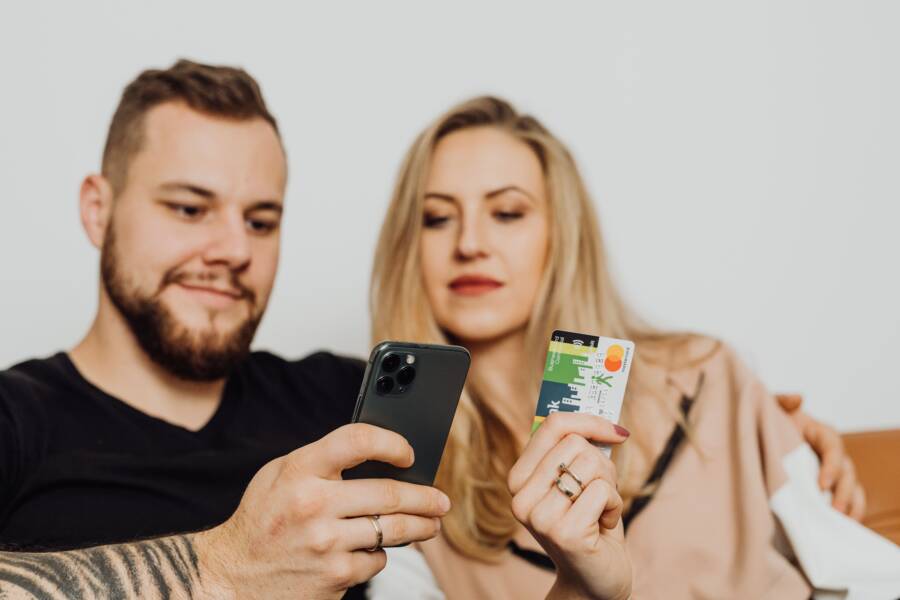
You don’t need a bulky wallet filled with plastic cards and paper coupons to save money. The most efficient way to manage these items is by using digital wallet apps and dedicated organizer tools on your smartphone.
Transitioning to a mobile system clears your clutter and ensures you never miss a discount at the checkout counter. Follow this guide to consolidate your rewards and coupons into one accessible spot.
Why Your Physical Wallet Is Holding You Back
A traditional wallet creates unnecessary friction in your daily routine. While it once served as a standard storage method, it now limits your speed and efficiency at the checkout counter. Carrying excessive items forces you to waste time searching through slots and pockets, often while other shoppers wait behind you. You can gain more flexibility and organization by transitioning these physical items to your smartphone.
The Hidden Cost of Paper Coupons
Paper coupons often become a source of frustration rather than savings. Many people keep these slips in a drawer or a wallet until they reach their expiration dates, yet the paper nature of these discounts makes them easy to forget. Manual tracking requires constant attention, and most individuals simply lack the time to audit their stash before every shopping trip.
When you fail to use a coupon because it was buried or forgotten, you effectively lose the money you intended to save. This creates a cycle where you collect potential discounts that eventually become trash. By moving your coupons into a dedicated app, you receive timely alerts before your offers expire. You no longer need to remember dates or dig through old receipts because the software manages the timeline for you.
The Problem with Bulky Loyalty Cards
Carrying dozens of plastic loyalty cards makes your wallet uncomfortably thick and heavy. Each store often requires its own card, which quickly leads to a cluttered mess that is difficult to manage. You might find yourself frantically flipping through a plastic organizer while the cashier waits, which is a stressful experience for everyone involved.
Using your smartphone to store these memberships is a cleaner and faster alternative. Most modern retailers now allow you to scan a barcode or QR code directly from your screen at the register. This change eliminates the physical weight in your pocket and keeps your account information synced in one place. You can access your membership status with a few taps, ensuring you receive your points every time you pay.
How to Use Digital Wallets for Your Rewards
Storing loyalty cards and coupons on your smartphone turns a messy wallet into an efficient tool. Digital wallets keep your information ready for every transaction. You can stop carrying heavy plastic cards and losing paper slips by shifting these items to a mobile format. This process saves space in your bag and ensures you always earn your points at the register.
Setting Up Your Digital Card Collection
You can move your plastic cards to your phone using two primary methods. Many stores offer official apps that store your account details, while third-party scanner apps let you consolidate multiple cards into one place. Both options provide fast access when you reach the checkout counter.
- Download the store-specific app if you frequent a retailer often. These apps often sync your account automatically once you log in with your email or phone number.
- Use a general wallet app like Apple Wallet or Google Wallet for cards that do not have their own dedicated software.
- Open the app and select the option to add a loyalty card or pass.
- Point your camera at the card barcode or type the membership number manually if the scanner struggles.
- Save the card to your digital wallet for instant retrieval.
Once you add your cards, you can open the app and show the screen to the cashier. The scanner reads the barcode directly from your phone. This creates a quick experience that removes the need for physical card handling.
Syncing Coupons and Offers
Manual clipping is unnecessary when you link your retailer accounts to your smartphone. Most grocery stores and large retailers now offer digital coupon programs that sync directly to your profile. Once you activate these offers, they stay attached to your account number.
You can connect these accounts by logging into the store app and visiting the rewards or coupons section. After you click to save or clip an offer, the system tracks it automatically. When you scan your loyalty card or enter your phone number at the register, the system applies all saved discounts to your purchase.
This approach removes the risk of forgetting paper slips at home. Your smartphone manages the active status of your coupons, which prevents you from missing savings. Most apps also provide notifications about new offers based on your shopping habits. You only need to verify that your account links correctly to ensure every discount processes at the point of sale.
Choosing the Right Organization Strategy
Selecting an organization strategy depends on how many loyalty programs you actively use and how often you shop. You need a system that minimizes friction at the register while keeping your digital wallet light. Whether you rely on store-specific tools or centralized managers, the goal remains the same: immediate access to every discount.
The All-in-One Organizer Apps
Dedicated third-party apps simplify your experience by consolidating dozens of loyalty programs into one interface. These apps function as a master container for your memberships, using your smartphone camera to scan and store barcodes. You no longer need to navigate through ten different store apps just to find a single rewards card.
Top-tier organizers offer features that help you manage your savings more effectively. Most include expiration alerts for digital coupons, which prevents you from losing money on unused offers. You can also use category tagging to sort cards by retailer type, such as grocery, clothing, or electronics.
These apps generally include these benefits:
- Automatic cloud syncing across multiple devices.
- Secure storage for high-value membership numbers.
- Quick-access widgets for your home screen.
If you frequent many different retailers, a single consolidated app reduces the time you spend searching through your device. You can open the software, select the correct brand, and show the barcode immediately. This consistency makes your shopping trip faster and prevents long lines at the checkout.
Managing Your Smartphone Storage Space
An effective organization strategy requires mindful storage management so your smartphone stays fast and responsive. You should group related applications into folders to keep your home screen clean. For example, create a specific folder for shopping and rewards apps. This allows you to find your tools quickly when you arrive at the store.
Notification management also plays a part in keeping your device clutter-free. Retailers often send push alerts for sales or limited-time offers. You should check your notification settings for each app to avoid getting overwhelmed by constant pings. Allow alerts only for programs you use weekly, and disable them for stores you rarely visit.
Consider these tips for maintaining an organized device:
- Delete apps for stores you no longer visit to reclaim storage space.
- Update your apps regularly to keep barcode scanning features accurate.
- Remove redundant apps if your digital wallet handles those loyalty cards already.
A clean device helps you locate the right coupon or card without frustration. When you take a few minutes to prune unused programs and organize your folders, you create a more efficient shopping system. This proactive approach ensures you always have your best deals ready for immediate use.
Best Practices for Maintaining a Clutter-Free Life
A clutter-free life relies on consistent habits that prevent digital and physical piles from accumulating. When you manage your loyalty cards and coupons on a smartphone, you create a baseline for organized shopping. You must treat your digital storage with the same attention you give to your physical home. Without regular maintenance, digital tools become just as messy as a stuffed wallet.
Establishing Weekly Maintenance Routines
Routine upkeep prevents your device from becoming a digital junkyard. Set aside five minutes every week to review the apps on your phone. This brief window allows you to delete outdated coupons that already expired or apps for stores you rarely visit.
Regularly auditing your digital space keeps your interface quick and responsive. Follow this cycle to maintain order:
- Identify apps that have not seen use in over a month.
- Check for pending updates in your app store to ensure features like barcode scanning function correctly.
- Archive or delete expired digital coupons that occupy storage space.
- Verify that your primary loyalty cards remain accessible on your home screen or within your preferred digital wallet.
Categorizing Your Digital Assets
Organization works best when items exist in predictable locations. Do not leave your shopping apps scattered across your home screen. Grouping your tools by category simplifies your experience during high-traffic checkout moments.
Use folders to separate your loyalty apps from social media or communication tools. You might create a folder named “Shopping” and place your grocery store apps, pharmacy rewards, and coupon managers inside. This structure minimizes search time when you reach the register. If you find yourself scrolling through multiple pages to find a barcode, reorganize your folders so the most frequently used apps sit on your main screen.
Minimizing Notification Overload
Retailers often send excessive push notifications to grab your attention. While some alerts provide helpful savings, others distract you and add to your daily digital fatigue. You gain better control over your time by tailoring these alerts.
Go into your settings and disable notifications for stores you visit only once or twice a year. Keep alerts enabled only for your primary grocery store or pharmacies where you actively track rewards. This simple change reduces interruptions and helps you focus on the information that actually saves you money. By being selective, you transform your smartphone into a useful tool rather than a source of constant noise.
Common Questions Regarding Digital Organization
How often should I update my apps?
Check for updates at least once a month. Developers frequently improve the stability of barcode scanners and fix bugs that cause crashes during the checkout process.Is it safe to store all my membership numbers in one app?
Most reputable wallet apps use encryption to protect your data. Avoid using apps that appear suspicious or lack positive reviews. Stick to well-known providers like Apple Wallet, Google Wallet, or official store applications.What happens if I lose my phone?
Most digital wallet data syncs to your cloud account. If you lose your phone, you can sign into your account on a new device to recover your saved loyalty cards and coupons. Always ensure your cloud backups are active in your settings.
Common Questions About Digital Organization
Moving your loyalty cards and coupons onto a smartphone requires a shift in how you handle daily shopping tasks. Many people have questions about privacy, compatibility, and device security when they start this process. Addressing these concerns helps you feel confident as you retire your physical wallet.
How do I handle shops without apps?
Some local retailers do not offer a dedicated mobile app for their loyalty program. You can still store these memberships on your smartphone by using a general wallet application. These apps allow you to create a custom pass for any card with a barcode or QR code.
- Open your digital wallet app and select the add item function.
- Choose the option for a loyalty or rewards card.
- Scan the barcode on your physical card using your camera.
- If the scanner fails, type the number found on the back of your card manually.
- Save the card to your digital wallet for quick access at the register.
Are digital coupon apps secure?
Most reputable applications use encryption to protect your personal information during storage. These tools typically keep your membership data on your local device or sync it through a secure cloud account. You minimize risks by sticking to well-known providers like Apple Wallet or Google Wallet. Avoid downloading unknown third-party scanners that request excessive permissions for your contacts or location data.
What happens if I lose my smartphone?
You do not lose your data if your device goes missing because most digital wallets sync to your primary account. You can log into your account on a new device to recover every card and coupon you previously stored. You should verify that your cloud backups are active in your settings today. This small step protects your rewards and savings, so you remain ready for any future shopping trip.
Will my phone battery affect my checkout?
A low battery can occasionally prevent you from accessing your digital cards at the register. You can avoid this by taking a screenshot of your most frequently used barcodes. These images save to your photo library and remain accessible even if your internet connection fails or your device runs out of power. Keep these screenshots in a dedicated album to find them without any delay.
Conclusion
Centralizing your rewards and coupons on a smartphone replaces physical clutter with immediate access. This shift turns a disorganized pile of plastic and paper into a fast, digital system. You save time at the checkout counter and ensure you never miss out on earned discounts or points.
Select one digital wallet or organizer app that fits your shopping habits today. Clear out your old physical cards and set up your accounts to start enjoying a lighter, more efficient shopping experience.