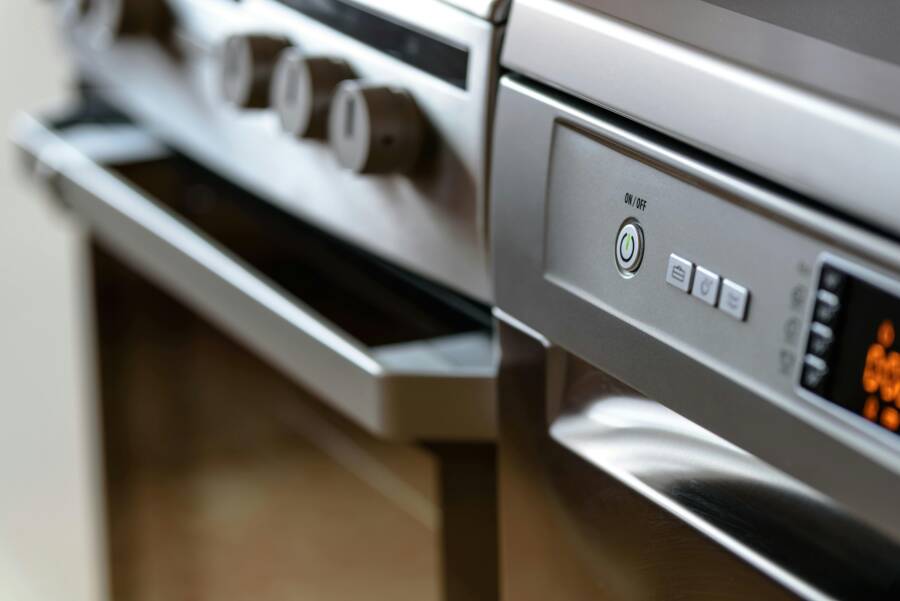
Picture this: You order a shiny new oven from Home Depot, dreaming of perfect roasts and family dinners. The delivery truck pulls up, and excitement builds. Then you spot it, a deep dent on the door that wasn’t there in the photos. Your stomach drops. Home Depot appliance damage happens more often than you think, but don’t panic. Most cases resolve fast with the right steps.
This guide walks you through everything. First, check your warranty and document the problem. Next, contact support the smart way. Then, understand your repair, return, or refund options under the Home Depot return policy. Finally, handle any pushback and prevent future headaches. You’ll save time, stress, and maybe money too. Let’s get your appliance fixed or replaced.
Step 1: Check Warranty and Document the Damage Right Away
Act fast when you notice Home Depot appliance issues. Time limits apply to claims, often 48 hours for delivery damage or 90 days for returns. Start by locating warranty details and gathering proof. This sets a solid foundation for support teams.
Strong records make all the difference. Home Depot and manufacturers need clear evidence to approve fixes. Skip this, and your case weakens.
Find Your Warranty Info Fast
Grab your receipt first; it lists the purchase date and basic coverage. Check email confirmations if you bought online.
Log into your Home Depot account at homedepot.com with your order number. Product registration details often appear there, including manufacturer links.
Look at the box label or user manual for serial numbers and warranty cards. Delivery damage falls under separate carrier policies, so note that too. Call the manufacturer directly if needed; provide the model and serial for quick info. These steps take minutes but pay off big.
Capture Proof with Photos and Notes
Snap clear photos in bright light. Show the damage from multiple angles, including close-ups. Include the full appliance and any packaging marks.
Record a short video if the issue involves function, like a fridge that won’t cool. Demonstrate safely without forcing anything.
Jot down key facts: purchase date, delivery date, install date, exact problem, and serial number. Create a digital folder with all files timestamped. Print copies too. This proof turns “he said, she said” into facts reps can’t ignore.
Step 2: Reach Home Depot Support Quickly and Clearly
With proof ready, contact Home Depot right away. Stay calm and polite; reps respond better to clear facts. Have your order number, photos, and notes handy.
Multiple channels exist, so pick what suits you. Phone works for urgency, while online tools shine for tracking.
Expect some wait times, especially evenings or weekends. Weekday mornings often mean shorter holds.
Phone or In-Store Help: What to Expect
Dial 1-800-466-3337 for customer service. It’s open daily, but aim for 8 a.m. to noon weekdays.
Use this simple script: “Hi, I bought a [appliance] on [date] with order number [number]. It arrived damaged with a dent on the door. Here’s what I see.” Email photos if asked.
State your ask upfront: repair, return, or exchange. Reps may escalate to appliance specialists.
In-store, head to the appliance desk with ID, receipt, and proof. Managers handle bigger claims. Stores verify stock for swaps on site. Both methods often resolve in one call or visit.
Online Chat and Account Tools
Visit homedepot.com and log in. Go to “My Account” then “Orders” to track delivery and start a claim.
Click the chat icon for live help. Describe the Home Depot appliance repair need, attach photos, and reference your order. Agents respond in minutes.
For delivery issues, use the “Track Order” tool to file a carrier claim. Screenshot every response and exchange. Save chat transcripts in your folder.
These digital paths let you follow up anytime without redialing.
Step 3: Know Your Repair, Return, and Refund Choices
Options depend on timing and coverage. Delivery damage within 48 hours? Expect a quick swap or repair. Uninstalled appliances qualify for returns up to 90 days in most cases.
Installed units lean toward Home Depot appliance repair or protection plan claims. Manufacturer warranties handle defects post-purchase.
Pick the best path by matching your situation. Here’s a quick comparison:
| Option | Time Limit | Pros | Cons |
|---|---|---|---|
| Delivery Swap/Repair | 48 hours | Fast, no cost | Must report immediately |
| Standard Return | 90 days (uninstalled) | Full refund | Installed units ineligible |
| Protection Plan Claim | Varies by plan | Covers labor/parts | Deductible may apply |
| Manufacturer Warranty | 1 year typical | Free parts | Shipping tech yourself |
Weigh these against your needs. Swaps suit minor cosmetic issues; repairs fix mechanical faults.
Use Protection Plans or Manufacturer Fixes
Home Depot protection plans extend beyond standard warranties. They cover breakdowns, parts, and labor. File claims by phone or online with your plan number.
Expect a tech visit within days. Plans shine for big appliances like washers or dryers.
For manufacturer fixes, call the brand using the serial number from your manual. They often send parts or dispatch a tech at no charge during the first year. Track progress via their portals.
Combine plans with warranties for full coverage.
Step 4: Handle Denials and Avoid Future Hassles
Claims get denied sometimes, often due to missing proof or timing. Don’t give up. Politely ask for a supervisor; they review cases fresh.
Email the executive team at [email protected] with your full story and attachments. Copy the Better Business Bureau at bbb.org for leverage.
One reader shared success: After a denied fridge claim, they emailed execs and got a full replacement in a week.
Prevent issues next time. Inspect appliances on delivery; refuse damaged ones. Buy protection plans for pricey buys. Test everything within days of install.
Register products online right away. These habits cut problems in half.
Conclusion
You’ve got the tools now. Recap the key steps:
- Check warranty and document damage with photos and notes.
- Contact support via phone, store, or online.
- Choose repair, return, or refund based on your policy.
- Handle denials and prevent future issues.
Follow these within time limits, and most Home Depot appliance damage sorts out smoothly. No more dented oven nightmares.
Bookmark this guide for next time. Share your story in the comments: Did these steps work for you? Your tips help others too. Act today, and get back to enjoying your home hassle-free.
(Word count: 1492)