Budget an FSA from expenses you can reasonably identify, then convert that annual election into a paycheck amount. Do not start with the maximum just because it is available: your employer’s plan rules, eligible expenses, pay timing, and year-end terms determine how useful the election will be.
Start with expenses you can document
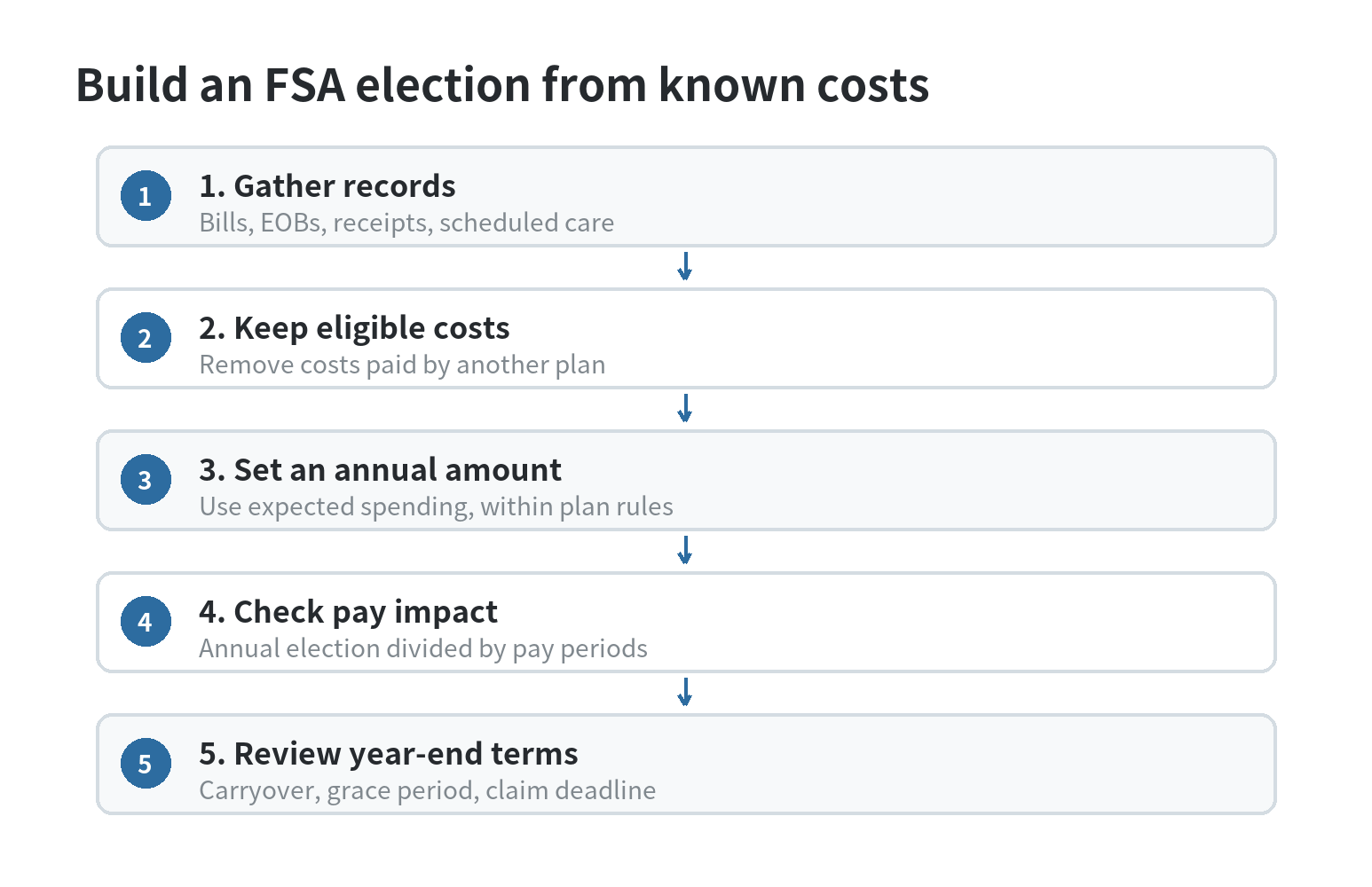
Look at your health plan’s explanation of benefits, provider statements, receipts, and last year’s claims. Separate costs you paid yourself from amounts your insurer or another plan paid. The IRS says a health FSA can reimburse qualified medical expenses specified by the plan; expenses covered under another health plan cannot also be reimbursed through the FSA.
Make a list by expected timing: recurring prescriptions or supplies, scheduled dental or vision expenses, office visit copays, and deductible amounts you can reasonably anticipate. Check each category against the employer’s eligible-expense list. Do not count a possible future service simply because it would be convenient to pay for with the account.
If costs changed during the year, use current plan documents and recent statements rather than carrying forward an old total without review. Keep uncertain items in a separate note until the plan administrator confirms eligibility. This gives you a defensible starting amount without treating a rough guess as guaranteed spending.
For each item, write down the expected date, the amount you expect to owe after insurance, and what record supports it. This makes it easier to distinguish a bill you can plan for from an estimate that may shift. Leave a blank for costs you cannot confirm instead of filling the gap with a made-up average.
Set a number that fits both the plan and your cash flow
For plan years beginning in 2026, the IRS sets the health FSA salary-reduction limit at $3,400. The IRS’s Revenue Procedure 2025-32 and OPM’s FSAFEDS 2026 limit notice state the same amount; checked September 30, 2026. Your employer may set a lower election limit, so use the number in your enrollment materials if it is lower.
Estimate the costs you expect to pay out of pocket, then compare that sum with the plan’s limit. Your election should reflect your budget, not an assumption that every listed expense will occur. Leave room in regular checking for bills you will pay before an FSA reimbursement arrives, because a reimbursement arrangement does not erase the original cash-flow timing.
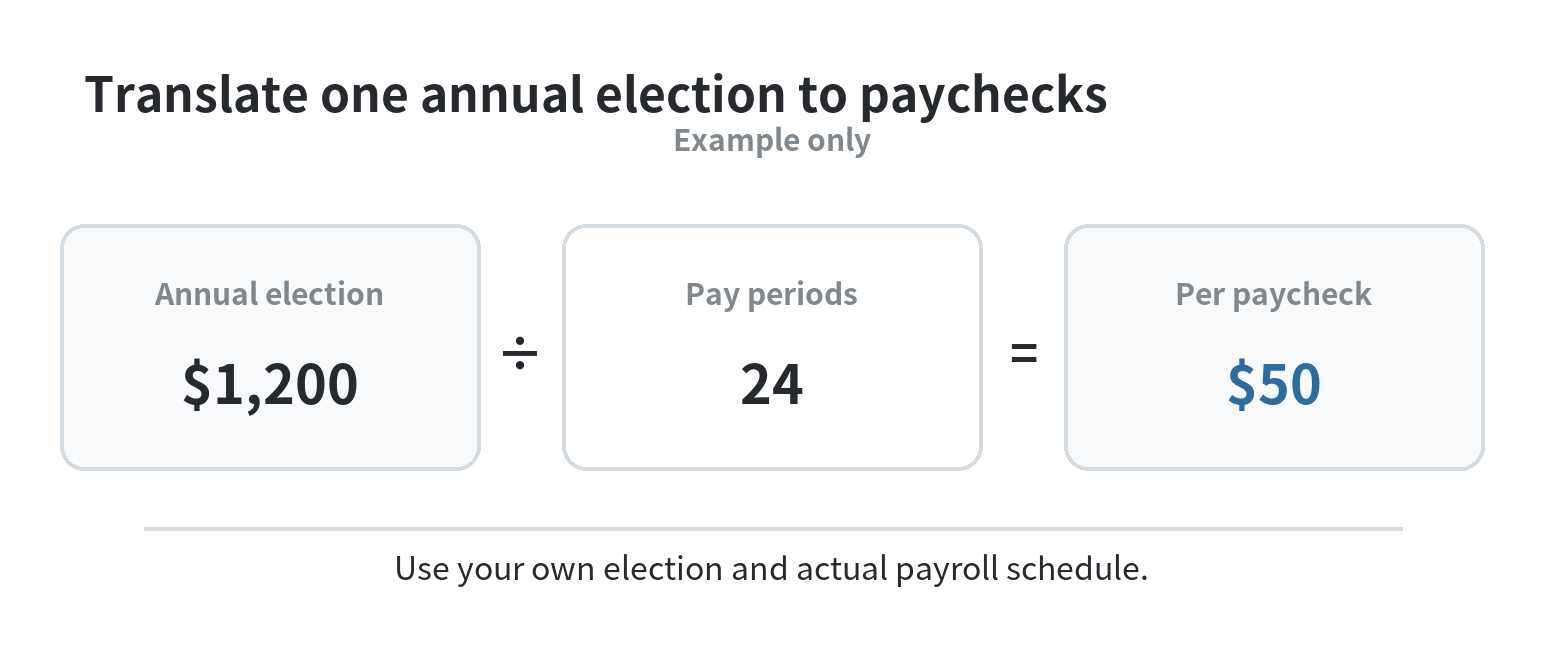
For a made-up example, say your records point to about $1,200 in eligible costs for the plan year. If payroll takes deductions over 24 pay periods, $1,200 divided by 24 is $50 from each paycheck. Use your employer’s actual payroll calendar; monthly, semimonthly, and biweekly schedules do not have the same number of deductions.
Make the deduction visible in your monthly budget
Record the FSA payroll deduction as a separate line in your budget and check a recent pay stub to see how your take-home amount changes. Do not count the same medical bill both as an FSA-funded expense and as money still available for another category. When you pay a provider, log the full bill and then record the reimbursement when it arrives.
Build the surrounding budget around the dates money leaves your account. If a provider requires payment before you submit a claim, keep enough cash available for that gap. If you pay a bill by card, do not treat an approved reimbursement as spending money until the card balance is covered.
For a wider month-by-month system, see how to organize a monthly budget. Keep ordinary cash savings separate from the FSA: the FSA is tied to eligible expenses and the employer’s plan year, while general savings can cover costs that do not qualify.
One useful ledger has three columns: the provider charge, the amount insurance left for you, and the amount reimbursed from the FSA. Add a fourth note for the date money cleared your checking account. The record shows whether the bill is still waiting for reimbursement or is fully settled, and keeps an unpaid card charge from disappearing from the monthly plan.
Check the year-end rule before enrollment
Health FSAs generally follow a use-it-or-lose-it rule, according to IRS Publication 969. An employer plan may offer a grace period or a carryover. IRS rules allow a grace period of up to 2½ months after the plan year; a plan with a carryover cannot also provide a grace period for the health FSA. Your employer does not have to offer either feature.
For a plan that permits carryover, the maximum for a 2026 plan year is $680 under Revenue Procedure 2025-32; the employer may choose a lower amount. The IRS and OPM’s FSAFEDS notice confirm that ceiling, checked September 30, 2026. Read the enrollment guide to learn which option your plan uses, what balance can move forward, and when claims must be submitted.
Do not build your election around a carryover unless the employer confirms the plan includes one. An employer can offer no extension, a grace period, or a carryover within the federal rules. Put the deadline and any required claim documents on your calendar, then check the balance as the plan year closes.
Separate the date an expense must be incurred from the plan’s paperwork deadline. Ask the administrator which plan-year expenses qualify, what the grace-period dates are if offered, and whether unused dollars can carry forward. Put the answers beside the election amount; that small note is more useful than assuming every plan has the same calendar.
Keep records ready for reimbursement
Save itemized receipts, provider statements, and explanations of benefits in one folder. The IRS says a health FSA generally needs a written statement from an independent third party showing that an expense was incurred and its amount; you also need to confirm it was not paid or reimbursed elsewhere. Follow the administrator’s submission instructions and keep the approval with the receipt.
When a claim is pending, leave the corresponding amount visible in your budget rather than assuming it has cleared. If a claim is denied, compare the explanation with the plan’s eligible-expense rules and ask the administrator what document or plan term applies. This keeps your ledger aligned with money actually reimbursed.
If an FSA election competes with other short-term needs, fund rent, utilities, groceries, minimum debt payments, and a usable cash reserve in the budget first. A separate emergency-fund plan can help keep unexpected bills from being mistaken for predictable FSA expenses.
File documents while the transaction is still easy to identify. Match a receipt to its insurer statement, note what remains due, and save the plan’s reimbursement confirmation when it arrives. If a provider corrects a statement or the insurer reprocesses a claim, update the ledger so the amount you request does not exceed the eligible out-of-pocket cost.
FAQ
Can a health FSA pay my health insurance premium?
No. IRS Publication 969 excludes health insurance premiums from health FSA reimbursement. Check the plan’s eligible-expense terms for any other expense you are unsure about.
Can I use a health FSA for my spouse or child?
The IRS lists expenses for you, your spouse, eligible dependents, and your child under age 27 among potentially qualifying expenses. The employer plan’s terms still determine which expenses it will reimburse.
Can I change my election after choosing it?
Only when a change is allowed under applicable law and the cafeteria plan. IRS Publication 969 says elections can be changed or revoked only if specifically allowed, so check the plan administrator’s rules before relying on a midyear adjustment.
Last updated: 2026-09