Give rideshare trips their own monthly line in your budget, then set that amount from your own ride receipts and calendar. Uber and Lyft rider help pages say prices depend on trip details and can change when a route, stop, or destination changes (checked September 30, 2026). A flat national “average” will not tell you what your rides cost. Start with what you actually paid, then reserve extra room only for trips you already expect.
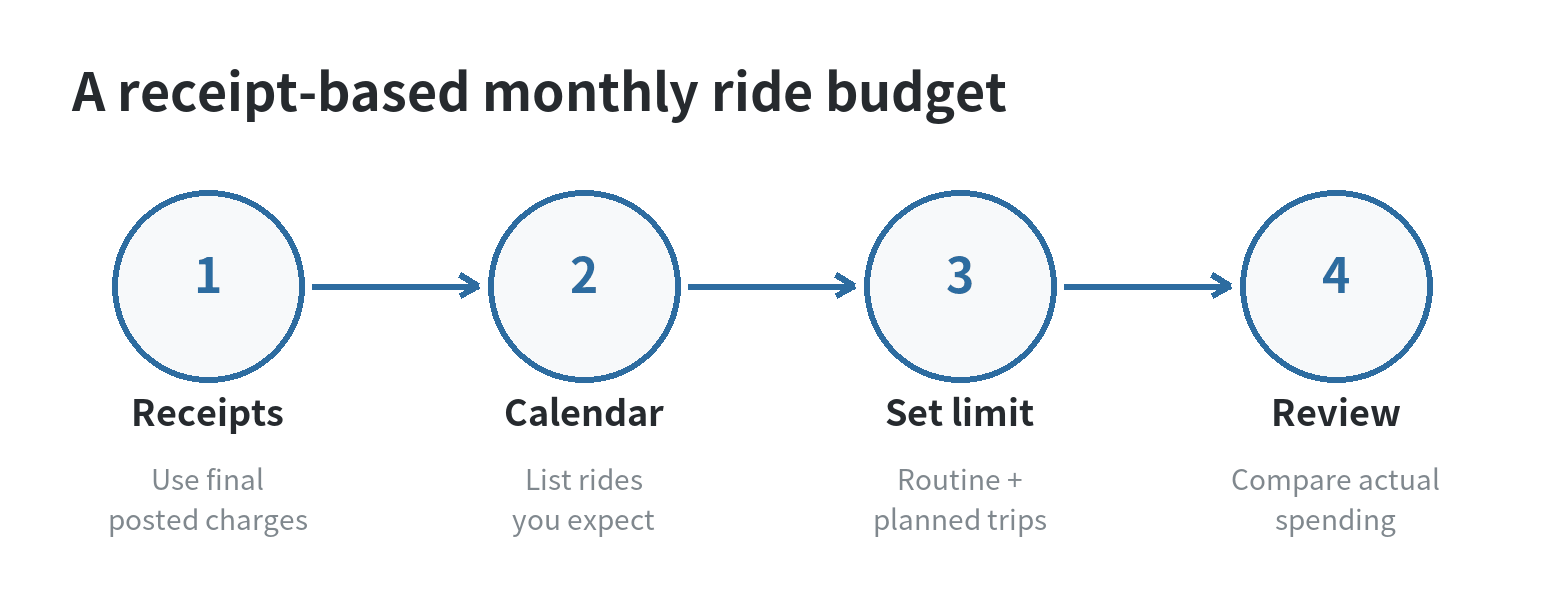
The Consumer Financial Protection Bureau recommends building a working budget from income, spending, and bill timing. Its budgeting guidance also says to review receipts or account activity and update the plan when spending changes (checked September 30, 2026). Apply that same method to Uber and Lyft: track completed rides, plan known trips, and review the line when the month closes.
Build the monthly number from your own rides
Open recent ride receipts and list the final amount charged for each trip, including any tip or other item shown in the receipt. Use the final charge rather than a quoted estimate. Keep Uber and Lyft in one “rideshare” category if you only need a household total, or split them if you want to see which service you use for different trips.
Choose a lookback period that captures the way you travel. If your schedule repeats week to week, a recent month may show the pattern. If you take occasional airport, appointment, or event trips, look farther back and note those separately. The CFPB’s spending guidance advises checking more than one month for less frequent costs, so a quiet month does not erase a ride you expect to take soon (checked September 30, 2026).
Then make a simple estimate: total the rides you expect to take in a normal month, and add the planned cost of known one-off trips. If you do not know a trip’s price yet, leave it as an unpriced item on your list and check the estimate close to the travel date. Do not turn a guess into a fixed fare.
Separate repeat rides from occasional trips
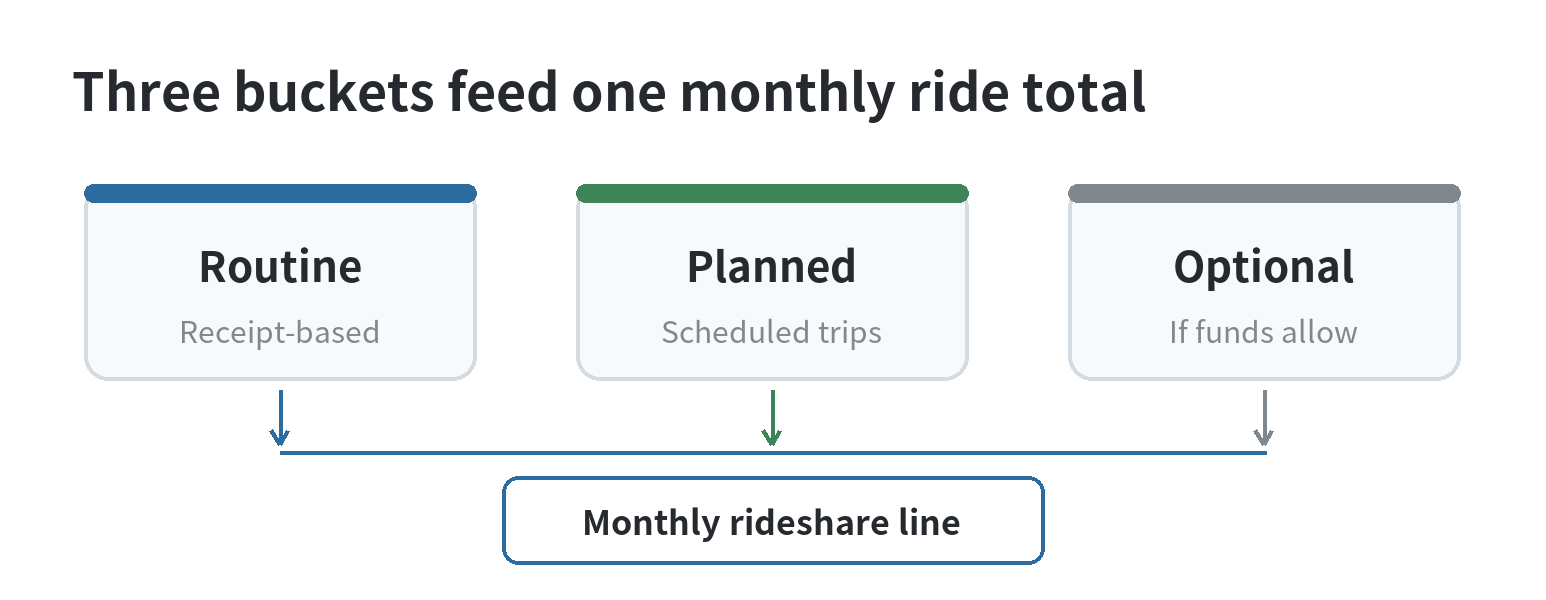
A rideshare budget is easier to adjust when the reason for each ride is visible. Mark trips as recurring, planned one-time, or optional. Recurring rides may include a weekly class or a regular connection to transit. One-time rides can include a scheduled airport trip. Optional rides are the ones you could skip or replace if the month is tight.
For example, suppose a made-up budget has six expected routine rides at $18 each, plus two planned trips estimated at $32 each. That example totals $172: $108 for routine rides and $64 for the planned trips. Replace each amount with your receipt total or current trip estimate.
Keep the categories separate in your notes even if the budget app only has one rideshare line. If the planned trips move to another month, move that amount with them instead of treating it as extra room for spontaneous rides. A calendar note beside the dollar amount can prevent an airport trip from disappearing into an ordinary weekly estimate.
| Ride type | What to record | Budget treatment |
|---|---|---|
| Recurring | Completed receipts and expected dates | Use as the baseline |
| Planned one-time | Destination, date, current estimate | Add as a separate trip |
| Optional | Ride and a possible alternative | Fund only after priorities |
Handle changing fares without blowing up the plan
Before a nonurgent trip, check the displayed trip estimate and decide whether it fits the remaining rideshare amount. If the amount is higher than you planned, you can compare another departure time, a different pickup point, transit, or postponing the trip. This is a choice for that trip; it does not require rewriting your whole budget around one expensive quote.
Set a small buffer only if your budget has room for it. A buffer is money you deliberately leave inside the rideshare line for fare changes, not a promise that every ride will stay below a certain price. If there is no room, use the quoted amount as a decision point and choose among the available options before requesting the ride.
When a ride includes a tip, toll, cancellation charge, or adjustment, record the final posted charge when it appears. Lyft Help describes a transaction marked “pending” as a temporary authorization, not a charge (checked September 30, 2026), so wait for the settled ride amount before recording it. If you share rides with someone, decide whether the budget tracks the full fare or only your portion, then apply that rule consistently.
Review subscriptions separately from ride fares
A ride-pass or membership charge belongs in subscriptions, while each trip belongs in transportation. Combining them can hide the full monthly cost. Uber’s official Uber One page and renewable membership terms describe an automatically renewing subscription and say the applicable rate and billing interval are shown with the offer. Lyft Help says Lyft Pink renews on the selected monthly or annual plan until canceled. Both were checked September 30, 2026; terms, benefits, and prices can change.
For your budget, use the charge visible in your own account or statement rather than copying an old price from an article. Add the renewal month to your calendar and review whether the charge still belongs in your plan. If you are comparing a pass with paying per ride, include the membership charge and the rides you actually expect to take; a listed perk is not the same as money already saved.
What to do when the month runs over
Compare your planned total with settled ride charges near the end of the month. Identify the reason for the gap: extra trips, a missed planned ride, a changed fare, or a membership renewal. Change the category for next month only after you know which of those caused it. The CFPB’s monthly budget worksheet uses the same basic arithmetic: income minus spending leaves the amount available for other goals or spending.
If rideshare spending is crowding out rent, food, utilities, or another bill, set the next month’s ride limit after those commitments. Move optional rides out of the plan first, then price any required trip before its date. When rides are tied to work shifts or care responsibilities, note the dates and the reason so you can distinguish necessary travel from discretionary trips.
If you prefer a phone-based system, see our smartphone budgeting system and budget tracker guide for ways to keep expense categories together. For this category, the useful record is simple: date, service, reason, final amount, and whether the ride was planned.
FAQ
Should I put Uber and Lyft in one budget category?
Yes, if you only need a combined monthly limit. Split them into separate subcategories when you want to compare your own use of each service.
How should I budget for an airport ride with an unknown fare?
List the trip and date first, then check the current estimate closer to departure. Keep it separate from routine rides until you have a usable estimate.
Do I count a ride membership as a transportation expense?
You can, but keep the recurring membership charge distinct from trip fares. That makes the complete monthly rideshare cost visible.
What if I use a rideshare for work and personal trips?
Track the purpose beside each receipt and apply the split that fits your household budget. Keep any work reimbursement separate from the ride charge until it is received.
Last updated: 2026-09