There Is a Frequency That the Wealthiest Families Have Used for Generations and Most People Will Never Know It Exists
>>> Open the Door <<<

Are you getting the most out of Instagram Stories with your current phone settings? The right setup makes your stories look clearer, feel more polished, and engage more viewers. Small tweaks to camera, lighting, sound, and stabilization can make a real difference on both iPhone and Android smartphones.
This guide breaks down practical steps you can use right away. You’ll learn simple camera basics, how to optimize lighting, how to improve audio, and quick editing tips that fit the Stories format. It’s written for everyday smartphones, with tips you can apply whether you’re shooting on an iPhone or an Android phone.
You’ll also find easy knobs to tweak that can boost clarity and engagement without draining battery or data. These tweaks are portable across devices, so you can follow along no matter which smartphone you own. By the end, you’ll know exactly which settings to adjust to tell your story more effectively.
Calibrate the camera for sharp and natural looking Stories
Getting sharp, natural looking Instagram Stories starts with how you capture the moment. The right combination of resolution, frame rate, focus, and color handling sets the stage for clean, engaging clips. This section breaks down practical, easy-to-apply steps you can use right away to improve consistency and quality across your Stories. You’ll learn when to pick certain settings, how to lock in variables for a uniform look, and simple framing habits that keep your content strong from shot to shot.
Thousands of People Were Struggling With Money Until They Discovered This One Ancient Secret Hidden in Sound
>>> Unlock It Now <<<

Choose the right resolution and frame rate
- Default to 1080p at 30 frames per second (fps). This combination provides crisp detail with efficient file sizes and smooth motion for most Stories.
- Use 60 fps when there is noticeable motion. If you’re moving quickly or your subject is active, 60 fps helps keep motion smooth and reduces blur.
- Consider 24 fps for a cinematic feel. This lower frame rate adds a film-like vibe that some brands or personal styles favor for storytelling.
- Turn to 720p on older devices or when you need to save battery and storage. While not as sharp, it can reduce processing load without collapsing the main message.
- Be mindful of Instagram’s limitations. The platform compresses video, so start with good lighting and clean input to minimize compression artifacts. You can verify recommended specs from official resources and reputable guides.
- Check battery impact. Higher frame rates and resolutions drain the battery faster, especially when you’re filming for long stories. If you’re about to shoot a multi-part story, test a short clip first to gauge battery use.
- Practical tip: If you’re unsure, start with 1080p30 as a reliable baseline. Switch to 60 fps only when the movement justifies the extra fluidity, and drop to 720p if you notice rapid battery drain or device warmth.
- Quick reference links: learn about official technical specs for Stories and best practices, and see how frame rate choices map to different shooting scenarios, like action or dialogue.
Lock focus and exposure for consistency
- Tap and hold to lock focus and exposure. This prevents the camera from hunting for the right focus or changing brightness as your scene shifts.
- When to adjust exposure. If the scene becomes too bright or too dark, briefly lift finger to adjust exposure and then re-lock to keep the setting steady.
- Reuse settings across clips. After you lock focus and exposure, keep those settings as you film multiple clips. This preserves a uniform look across your Story sequence.
- Tip for tricky lighting. If you’re moving between light sources, consider a quick re-lock after the transition to maintain consistency without sacrificing detail.
- Practical approach: practice locking before you start talking or moving. Once you’re locked, you can shoot with confidence and swap to the next clip without rebalancing exposure or focus.
White balance and color profiles
- Auto white balance (AWB) is your friend, but be aware of strong color casts. If the lighting is unusual (blue shade from shade trees or orange from indoor bulbs), AWB may drift.
- Use native camera controls for skin tones. Most phones provide a simple white balance adjustment or a presets option. A small tweak can keep skin tones natural and pleasant.
- Avoid heavy color casts. If the scene looks off, manually adjust WB to a neutral or warmer tone, depending on your brand style.
- After recording color tweaks. If you see a minor cast in your clips, quick adjustments during editing can help, but aim to get the best possible balance while shooting.
- Quick workflow tip: shoot in a neutral lighting environment when possible, then fine tune color in post if needed.
Limit zoom and framing tips
- Digital zoom hurts quality. It magnifies noise and reduces detail, so avoid zooming in after the fact.
- Move closer or use a wider lens. If you must adjust framing, physically reposition yourself or switch to a wider lens to keep image sharp.
- Plan framing to minimize zoom during motion. Think ahead about where the action will be and place important content toward the center to avoid last minute zooms.
- Keep content inside the vertical frame. Visuals like text, faces, and key actions should reside within the central vertical area to avoid cropping on Instagram.
- Quick framing exercise: before you start, picture a 9:16 rectangle and stage your shot so the main subject sits comfortably with space around for movement. This makes transitions smoother and keeps critical details visible.
外部參考與資源
- 了解「技術規格與最佳實踐」的官方說明,幫助你把視頻尺寸與幀率對上平台標準,避免過度壓縮帶來的畫質下降。這些資源同時也提到固定幀率與音訊編碼的要點。你可以在這裡查看官方說明與實用指引。
- 對照實務經驗,看看 Instagram Stories 的常見尺寸與幀率建議。多數專家建議使用 1080×1920 的畫面與 23–60 fps 的範圍,視內容需求而定。若需要更長的拍攝時間或設備負荷較大,暫選 720p 以保持流暢與穩定。
參考連結
- https://www.facebook.com/business/help/292794301336717
- https://blog.hootsuite.com/instagram-video-sizes/
以上策略能讓你在不同場景下快速決定合適的解析度與幀率,同時保持影片的質感與可用性。接著,讓我們把焦點鎖定在保持整體風格一致性的技巧上,讓每一段故事都像是同一個視覺編輯的延伸。
Lighting and composition that pop on mobile screens
Great lighting and smart framing can make a big difference for Instagram Stories. On small screens, every pixel matters, and clear, well composed visuals capture attention faster. This section covers practical, fast-acting principles you can apply immediately to highlight your subject and keep viewers engaged. You’ll learn how to use natural daylight, balance indoor lighting, and frame vertically so your story looks polished from first frame to last.
Natural light first
Natural light is your easiest shortcut to flattering skin tones and crisp detail. Start by positioning your subject so daylight hits from the side or three-quarters in front. This creates gentle shadows that add dimension without washing out key features. If you’re near a window, place the person a few steps back from the glass to avoid harsh, direct glare that can create hotspots on the skin.
If the sun is strong, soften the light with a reflector. A white or silver surface can bounce light back toward the subject, filling in shadows and evening out brightness. You don’t need a professional setup; even a clean sheet of white cardboard or a disposable reflector from a craft store can do the trick. For moving subjects, angle the reflector slightly to chase light as they move, keeping the face evenly lit.
In places with mixed lighting, watch for color cast. Outdoor shade can skew cool, while indoor bulbs can push warm tones. A quick white balance check helps keep skin tones natural. If you’re shooting with a smartphone, enable the exposure lock while you frame, then adjust as needed without letting shadows creep in during the take. If you can, shoot during the late afternoon or early morning when daylight is softer and more forgiving.
Practical tips you can use right away:
- Sit or stand near a window and orient the subject to receive soft, directional light.
- Use a reflector or DIY stand-in to balance shadows on faces.
- Avoid shooting with the sun directly behind the subject to prevent silhouette effects.
- Check your color balance on a quick test clip and adjust before the main take.
Helpful resources for lighting with smartphones emphasize natural light as the baseline and give practical tweaks you can apply without specialized gear. For more ideas on natural light setups, see resources that cover common daylight patterns and simple reflectors you can use in everyday shooting.
If you want a deeper dive into light shaping and practical setups, these guides can be a solid reference:
- Understanding how to align light direction with your subject for a pleasing look
- Real-world tips on keeping color accurate when shooting outdoors
Additionally, exploring examples from creators who regularly shoot in natural light can provide concrete layouts you can imitate for your next Stories sequence. For further context on how light direction affects mood, you can check curated guides that translate studio concepts into mobile-friendly workflows.
External references:
- https://www.instagram.com/p/DP6stXhEbY1/?hl=en
- https://jasminestar.com/best-lighting-tips-for-social-media-photos-videos/
- https://blog.hootsuite.com/instagram-video-sizes/
Controlled indoor lighting
Indoors, you control the mood with color temperature and lamp placement. Start with a simple three-lallback: one key light, a fill light, and a small backlight to separate the subject from the background. If you lack dedicated lights, steady lamps with consistent color temperature work just fine.
Quick fixes to improve indoor lighting:
- Balance lamps so they don’t clash. If one light reads warm, keep others similar to avoid mixed color temperatures.
- Use warm tones for a cozy vibe and cool tones for a clean, modern feel. A simple cue is to aim for about 2700K to 3200K for warmth and 5000K to 6500K for a cooler look.
- Avoid harsh overhead lighting. Try lamps placed at eye level or slightly above, angled down toward the face for flattering shadows.
- If you’re filming with a smartphone, set a consistent white balance and lock exposure to prevent shifting during motion.
A basic, reliable setup you can replicate tonight:
- Key light: a lamp placed at a 45-degree angle to the subject
- Fill light: a secondary lamp on the opposite side at lower intensity
- Background light: a small light behind or to the side to separate subject from backdrop
Color temperature cue to keep on hand:
- Warm mood: 2700K–3200K
- Neutral day look: 3500K–4500K
- Cool modern vibe: 5000K–6500K
If you don’t have multiple lamps, you can still achieve balanced lighting with one adjustable lamp. Position it to the side, bounce light off a wall, and adjust the distance to control brightness. When you pair consistent lighting with a steady white balance, your vertical stories read as cohesive, not patchwork.
Tips from established guides highlight how important it is to avoid mixed temperatures, which can cause skin tones to shift across clips. A small investment in a pocket-sized LED panel or a couple of inexpensive lamps can pay off in a big way for Stories that feel intentional and well lit.
External references and practical ideas:
- Practical lighting setups you can implement with common household lamps
- Quick color temperature guidelines for different storytelling moods
For more context on how color temperature shapes perception in mobile video, see these reputable sources:
- https://blog.hootsuite.com/instagram-video-sizes/
- https://www.1hourphoto.com/quick-tips/using-natural-light-for-smartphone-photos/
Frame for vertical video
Vertical framing matters because IG Stories crop automatically and many viewers scroll quickly. Keeping key elements within the vertical 9:16 frame ensures nothing important gets chopped off when Instagram crops the edges.
A few practical framing rules to apply now:
- Follow the rule of thirds loosely. Place your subject near one of the vertical lines but avoid placing faces dead center. This creates a dynamic composition that still reads clearly on small screens.
- Keep the most important actions and text toward the center of the frame. That helps prevent essential details from being cropped out on different devices.
- Center key elements when you expect motion. If someone is speaking directly to the camera, a centered composition reduces the risk of critical moments getting cut off during quick edits.
- Leave space for movement. If your subject will gesture or shift, provide room around them so those actions stay visible as the shot changes.
A quick framing exercise you can do before shooting:
- Visualize a 9:16 rectangle inside your scene. Position the subject so they’re framed with space around for movement and a readable space for any on-screen text.
Tips to tighten up your shot before you press record:
- Lock the focus and exposure, then frame with the subject in mind for the entire clip.
- Use a mid-shot or tight close-up to emphasize facial expressions or product details. Wide frames can work too, but be mindful of how text overlays will sit across the vertical space.
- Keep text and graphics inside the central vertical safe zone to avoid accidental cropping.
If you’re unsure about how your framing will look after cropping, do a quick test upload of a short clip. Check how it appears in the IG viewer and adjust before you shoot a longer sequence. This small step saves re-shoots and keeps your storytelling tight.
Recommended quick reads on vertical composition and practical framing align with mobile storytelling principles and offer actionable tips you can apply right away. For more on how to frame subjects for small screens, see resources that break down rule of thirds and safe zones for vertical video.
External references:
- https://www.instagram.com/p/DP6stXhEbY1/?hl=en
- https://jasminestar.com/best-lighting-tips-for-social-media-photos-videos/
- https://tyalexander.co/blog/best-ways-use-natural-lighting-selfies
In the next sections, you’ll find practical templates to keep your Stories consistent. The goal is to make every frame feel like it came from the same visual editing mindset, even when you’re capturing on the go with just a smartphone.
Sound and stability for engaging Stories
Clear sound and steady footage are the backbone of compelling Instagram Stories. When your voice comes through cleanly and the video stays put, viewers stay focused on your message. This section delivers practical tips you can apply right away, from mic placement to budget-friendly mics, so your Stories feel professional even on a budget.
Capture clear voice and reduce noise
Your voice should take center stage, with minimal background distraction. Start with a few simple, repeatable steps you can rely on in any setting.
- Mic placement matters. Position the mic close to your mouth but off to the side to avoid plosive sounds (the loud pops from “p” and “b”). A distance of about 6–10 inches usually works well for most smartphone setups.
- Protect against wind. When you’re outdoors, use a small windscreen or a furry windjammer over your mic. Even a good pair of socks or a soft cloth can dampen gusts that blur dialogue.
- Test audio levels before recording. Do a quick test clip, speak at your normal cadence, and review for clipping or distance issues. If your voice sounds distant, bump the input level slightly; if it sounds distorted, back off a notch.
- Choose a quiet space. Close doors, switch off fans, and reduce ambient noise. If you can’t avoid it, use a simple noise gate or post-process in editing to quiet background hums.
- Keep consistent levels across clips. When you move between scenes, try to keep your distance and speaking volume steady so the audience doesn’t need to adjust.
Practical boost: carry a tiny lavalier or clip-on microphone for on-the-go shoots. Budget options connect easily to both Android and iPhone devices with the right adapters, delivering a noticeable jump in clarity over built-in mics. For quick guidance, you can check practical smartphone audio setups like those found in guides such as “How to capture great audio with a smartphone or tablet.” You’ll find practical, budget-friendly advice that you can apply tonight.
If you want hands-on inspiration, explore examples of influencer audio setups that show how a compact mic can transform a simple Story into a clean, engaging message. These resources offer real-world ideas you can adapt to your style.
External references and practical ideas:
- How to capture great audio with a smartphone or tablet
- Mastering Instagram Voiceovers: a step-by-step guide to engaging reels and stories
- The Secret to Influencer Microphone Style: a practical approach to mic handling
For quick testing, try this routine: record a 5-second spoken line in a quiet room, then listen with headphones. If you hear hiss or room noise, adjust the mic position or add a windscreen as needed. This tiny step saves you from re-shoots and keeps your story moving.
Stability on the go
Movement adds energy to stories, but shaky footage quickly distracts viewers. A few lightweight, portable solutions help you stay steady without weighing you down.
- Lightweight tripod or grip. A small tripod or handheld phone grip makes a world of difference. Look for a compact tripod with a phone mount you can carry in a pocket or bag.
- Steady handholding technique. If you’re filming without a tripod, keep elbows tucked, wrists relaxed, and your body forming a stable base. Short, controlled movements beat long, shaky pans.
- Use digital stabilization when available. Many phones include built-in stabilization that smooths minor shakes. Enable it in the camera settings if you’re moving while recording.
- Set expectations for motion. Plan your shot to minimize long pans. Move in short, deliberate steps, and keep your subject centered to avoid cropping when you post.
- Mind the grip and weight. If your phone plus accessory gets heavy, switch to a two-handed grip and forearm brace to reduce fatigue over longer takes.
If you’re targeting very dynamic scenes, consider a compact gimbal. It’s a small investment for dramatically smoother motion. For busy days, a simple support like a mini tripod with a tilt head can handle most walking-and-talking formats.
There Is a Frequency That the Wealthiest Families Have Used for Generations and Most People Will Never Know It Exists
>>> Open the Door <<<
To see how stabilization options can impact mobile video, check out guides that compare device video stabilization features and practical tips for on-the-go shoots. These resources offer quick benchmarks you can reference when choosing gear.
External references:
- The impact of stabilization on mobile video quality
- Quick-start guide to mobile gimbals and stabilizers
When to use external microphones
External mics can dramatically improve voice clarity, especially in noisier environments. Here’s how to decide and how to set them up without hassle.
- Budget-friendly options. Start with a small lapel mic wired to your phone or a compact USB-C/Lightning microphone. These kits often include adapters and wind protection.
- How to connect on Android. Many lavalier mics use a TRS or TRRS plug. If your Android phone lacks a 3.5mm jack, use a USB-C adapter or a dedicated USB-C microphone. Test levels in the same way you would with your built-in mic.
- How to connect on iPhone. Lightning-enabled mics or USB-C mics with a compatible adapter work well. Some mics connect directly to the Lightning port; others use a dongle for USB-C accessories.
- Windshields and basic setup. Always pair with a windscreen or wind muff for outdoor shoots. Clip the mic near the chin area, run the cord discreetly, and perform a quick test clip to confirm level and clarity.
- Situations to deploy. If you’re in a noisy cafe, a park with traffic, or a busy street, an external mic can cut background hiss and boost vocal presence. In a quiet room, your built-in mic may suffice, but a lapel mic still offers consistent pickup and reduces room echo.
External mics let you raise the production value of your Stories without overcomplicating your setup. If you want a practical starting point, search for budget-friendly lapel mics and simple USB mics for iPhone and Android. You’ll find options that are easy to carry and quick to pair with your phone.
Quick reading on external microphone basics and setup:
- A practical guide to capturing clear audio on a smartphone
- Quick tips for connecting mics to Android and iPhone devices
Remember, great audio is a combination of the right mic, proper placement, and disciplined testing. A small investment in a portable mic kit can pay off in higher engagement and fewer resets. For more inspiration on practical audio setups, you can visit the external resources linked above.
Editing, saving, and posting for best reach
Editing, saving, and posting Stories with purpose can boost reach, engagement, and retention. This section lays out practical, repeatable steps for clean edits, smart saving settings, and timing that helps your content perform. You’ll learn quick editing moves, how to preserve quality when sharing across apps, and the best posting rhythms to meet your audience where they are.
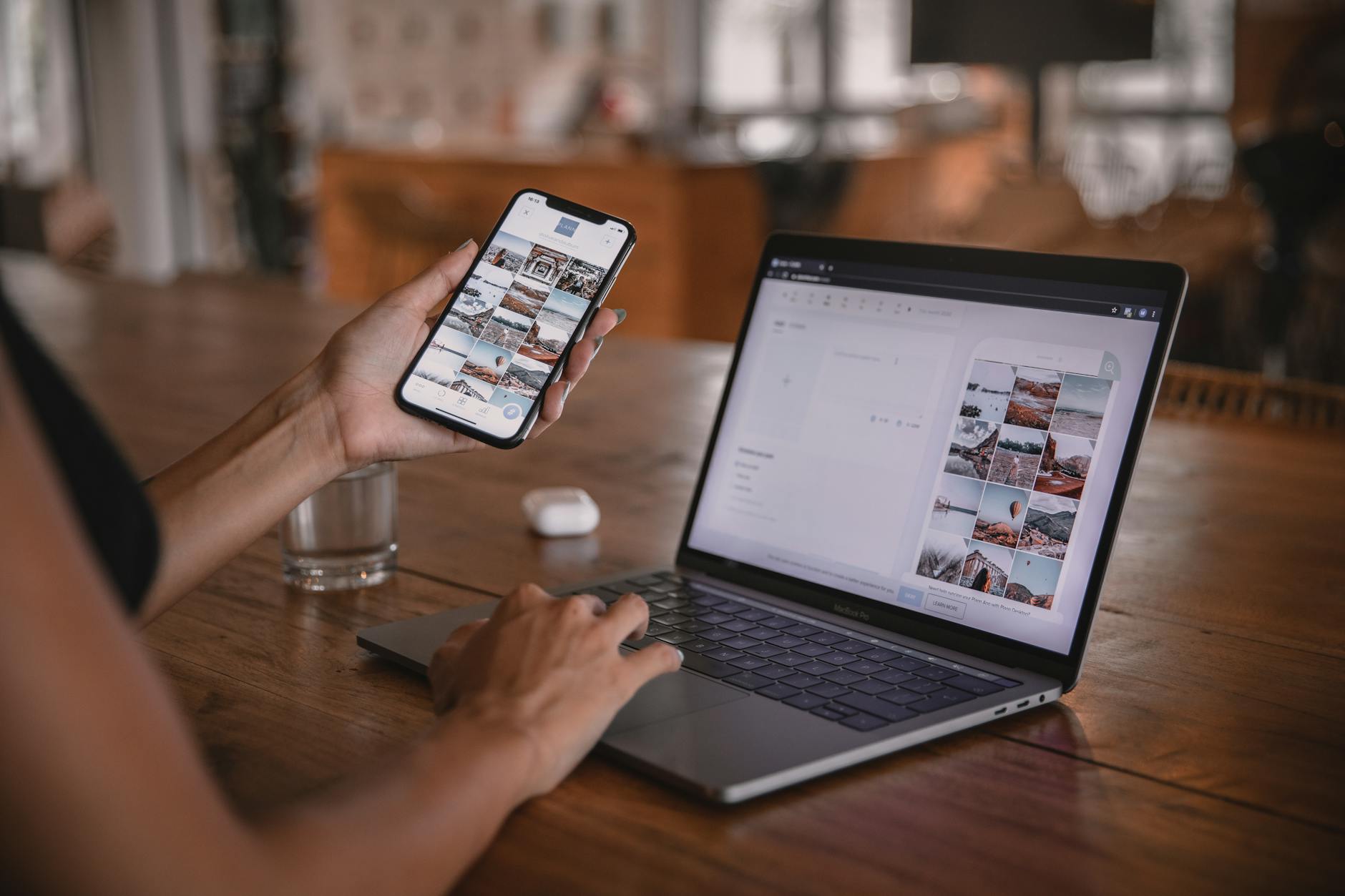
Photo by Plann
Simple edits that improve a Story
Small edits can dramatically sharpen a Story without turning it into a big production. Use these quick, repeatable steps to polish preliminary clips.
- Cuts and tempo: Remove long pauses and dead air. Cut to where action starts and keep transitions tight so the viewer stays engaged.
- Cropping for vertical focus: If a shot feels busy, crop to center the subject. Avoid cropping important details out of frame after Instagram formats it 9:16.
- Speed adjustments: Use slightly faster playback for montages or tutorials to boost energy. Slow down key moments to emphasize detail or emotion.
- Light color tweaks: A subtle tweak to exposure, shadows, and highlights can reveal more detail. Aim for natural skin tones and avoid crushing shadows.
- Consistency across clips: Batch your edits so each Story segment shares a similar pace and look. This creates a cohesive narrative, even when shots come from different angles.
Practical example: you’re sharing a mini-tutorial. Cut out filler, keep steps to 1–2 seconds each, brighten shadows slightly, and color-match white balance across clips. The result feels polished and easy to follow.
External resources for quick editing ideas:
- How to edit videos for Instagram: step by step guide
- How to use Instagram Edits for beginners
To keep your workflow smooth, aim for a clean, minimal edit first. You can always add polish later if needed.
Export and save options
Choosing the right export settings protects quality when you share across apps or devices. Keep file size manageable without sacrificing essential detail.
- Resolution and aspect: Export at 1080×1920 for Stories to preserve the vertical format. This aligns with Instagram’s preferred dimensions and reduces unexpected cropping.
- File size and codecs: Prefer H.264 MP4 files with a reasonable bitrate. This delivers good quality with broad compatibility and smooth playback.
- Formats for cross‑app sharing: Save a high‑quality version for archives and a lighter version for quick posting through other apps. If you plan to reuse clips, keep an editable project file as well.
- Platform quirks: Instagram compresses video, so start with strong input. Shoot in good light and avoid heavy filters that may accentuate compression artifacts.
- Batch saving tips: After editing, export a master file, then create smaller copies tailored for each platform or app you plan to share to. It saves time later.
In practice, you’ll often save two versions: a primary 1080×1920 MP4 at 30fps for Instagram Stories, and a secondary version at a smaller size (e.g., 720p) if you’re applying the same clip to other apps with tighter limits. If you’re sharing a longer sequence to multiple platforms, consider a version with 23–25fps for a more cinematic feel while staying within bandwidth limits.
External references and practical reads:
- How to edit videos for Instagram: step-by-step guide
- How to capture great audio for social videos and optimize export settings
If you need to share clips with partners or clients, keep a separate export sheet with file names, resolution, frame rate, and intended platform. A clear naming convention speeds up collaboration and keeps your archive tidy.
Publish with attention to timing
Posting times can influence how many people see your Story in the first hours. Aligning with audience activity and using a light touch with hashtags and location stickers helps maximize reach without feeling spammy.
- Best times to post: Analyze when your audience is most active on Instagram. Common windows include early morning, lunch hours, and early evening. Your specific audience may skew younger or older, so check insights for your account.
- Frequency and pacing: Don’t flood stories in a short window. A steady rhythm—say 3–5 Stories spread across the day or over a few days—keeps followers engaged without overwhelming them.
- Hashtags and location stickers: Use one or two relevant hashtags and a location sticker inside a Story when it adds value. Keep it natural and avoid hashtag stuffing, which can feel inauthentic.
- Contextual posting: Time your Story to complement new posts or ongoing campaigns. A Story that reinforces a recent post can boost overall engagement and cross‑traffic to your profile.
- Cross‑platform sharing: If you publish similar content across channels, tailor the caption and stickers to fit each platform. A Story on Instagram can reference your latest post with a swipe-up or link sticker if available.
Best practice example: you launch a product teaser in the morning, follow with behind‑the‑scenes in the afternoon, and wrap with a Q&A Story in the evening. Use one location sticker for discoverability and limit additional hashtags to one to two that tie into the campaign.
External links for posting times and strategy:
- How to time your Instagram posts for maximum engagement
- Design hacks for elevating Instagram Stories with simple layouts
To refine timing, monitor your insights over a few weeks and adjust. The right cadence can vary by audience, content type, and even time of year.
Images can further illustrate your approach. If you include an image here, choose one that shows a creator planning a Story sequence on a phone, with clear UI cues like stickers and text overlays.
Additional notes on timing
- Align Stories with ongoing events or seasonal themes to increase relevance.
- Experiment with micro-stories during off-peak hours to see if niche segments respond more strongly.
- Keep a content calendar to plan Story topics around launches, promotions, and audience questions.
External resources for timing strategies:
- Instagram video sizes and formats
- Best practices for Instagram Stories design and posting
In the next sections, you’ll find practical guidelines to maintain quality and consistency as your Stories scale. The goal is to make your posting feel intentional and efficient, so every frame supports your broader storytelling.
Images and credits
- Photo by Plann on Pexels: “Woman edits social media content on phone and laptop at a cafe in Bali.” Credit: Photo by Plann, https://www.pexels.com/@plann-2999237
If you’d like more refreshers on how to balance aesthetics with performance, the linked guides offer quick, actionable tips you can apply tonight.
Fast setup checklist for any phone
Getting Instagram Stories off to a strong start is less about perfect gear and more about a reliable, repeatable setup. This two-part section gives you a fast, actionable checklist you can run before every shoot. It fits any phone, any environment, and any storytelling style. The goal is to reduce guesswork so you can focus on your message, your subject, and the moment.
Pre shoot quick checks
Before you press record, run through these quick checks. They take just a minute but pay off with cleaner video, steadier audio, and fewer mid-shoot surprises.
- Battery and storage: Make sure you have at least 30–40% battery for a short session and ample free space for 1080p or 4K clips. If you’re recording multiple stories in a row, consider a portable power bank. A quick capacity check prevents mid-shoot power drops or unexpected stops.
- Orientation and framing: Turn on vertical 9:16 framing in the camera app and line up your subject with space to move. Don’t center everything perfectly at the first frame; give yourself a little breathing room for text overlays and later edits.
- Lighting readiness: Check that your light is flattering and consistent. If you’re indoors, position yourself near a window or use a small lamp to avoid harsh shadows. Outdoors, watch for harsh sun and use shade or a reflector to soften it.
- Microphone readiness: If you’re relying on the phone mic, do a quick test clip to verify clear voice capture and low background noise. If you have a spare mic, confirm it’s connected and working before you start.
- Clean lens and device health: Wipe the camera lens to remove fingerprints and ensure smooth autofocus. A quick swab across the screen can prevent finger smudges from affecting exposure in bright light.
- Settings baseline: Start with a reliable baseline—1080p at 30fps on most phones—with the option to switch to 60fps if motion justifies it. Lock focus and exposure to prevent shifts during movement.
- Accessories check: If you use a tripod, phone clamp, or external mic, confirm they’re secure and properly connected. A loose grip or loose cable can ruin an otherwise good shoot.
- Quick environment scan: Glance for potential distractions in the frame. A cluttered background or moving objects can pull attention away from your message. If needed, reframe or tidy the scene.
These checks are designed to be fast but thorough. They keep your Story consistent across clips, reduce re-shoots, and help you stay in flow. For reference, many creators build a compact pre-shoot ritual around these ideas, then adapt based on location and the content type. If you want more gear ideas that won’t slow you down, see quick read guides on essential on-the-go tools and budget mics that fit in a small bag. For practical gear pointers, you can explore resources like Vlogger Gear guides that highlight compact, portable items you can grab in a pinch. External links you may find helpful include a practical setup checklist from reputable sources and gear roundups that map to real-world shooting scenarios.
Thousands of People Were Struggling With Money Until They Discovered This One Ancient Secret Hidden in Sound
>>> Unlock It Now <<<
- Useful read: lightweight lighting and sound tips to level up mobile storytelling.
- External resources: practical gear guides for fast, on-the-go setups.
To keep this checklist practical, you can print a one-page version or save it as a note on your phone. When you’re in a hurry, run through the bullet points in order and you’ll be ready to shoot within minutes. For a quick visual reference, many creators rely on short pre-shoot routines that you can adapt to your style and environment. A few creators even share templates you can copy to stay consistent across every Story you publish.
External references and practical reads:
- https://www.instagram.com/p/DP6stXhEbY1/?hl=en
- https://jasminestar.com/best-lighting-tips-for-social-media-photos-videos/
- https://blog.hootsuite.com/instagram-video-sizes/
In practice, this pre shoot routine translates into fewer interruptions and a more predictable edit. When you know your phone is ready to roll, you can spend more time on your message and less time fiddling with settings.
Three minute warmup test run
A three minute warmup clip confirms framing, sound, and exposure before you commit to the main shot. It’s a small investment of time that saves you big headaches later. Plan for a quick, repeatable test sequence you can run at the start of any shoot.
- Set a simple scene: A quick talk to camera or a short action sequence helps you evaluate how your setup handles talking heads, movement, or product demos. Keep the test short and focused on one or two key elements.
- Frame and compose once: Lock focus, exposure, and white balance during the warmup. Confirm that your subject remains in a safe vertical zone, with enough space for overlays and captions.
- Check sound at multiple spots: Do a 5–10 second line at your intended speaking volume. Move slightly to test how the mic picks up voice from different angles. Note whether you hear pops, wind, or room noise.
- Assess exposure and color: Look for skin tones that feel natural and not overly warm or cool. If outdoor lighting changes, consider a quick re-lock after transitions.
- Tweak on the fly: If you notice issues during the warmup, adjust the microphone position, exposure, or white balance, then re-record a brief second pass to confirm the fix.
- Temperature and battery check: If you’re testing with 60fps or higher resolution, monitor device heat and battery drain during the warmup. If temperatures rise, scale back to 30fps or 1080p and test again.
A practical approach is to treat the warmup as a tiny rehearsal. You’re validating that your framing feels right, your voice travels clearly, and your colors stay true before you shoot the full segment. If you’re working with a partner or guest, run the same warmup on their side to align timing and energy.
External references for quick testing and setup:
- How to capture great audio with a smartphone or tablet
- Mastering Instagram Voiceovers: a step-by-step guide to engaging reels and stories
If you want a concrete example, here’s a simple three minute warmup you can repeat:
- Minute 0–1: Stand in your final position, deliver a 20 second intro, and check your framing. Adjust any misalignments.
- Minute 1–2: Perform a 20 second demo of whatever you’re showing, scanning for movement and focus. Confirm your subject remains clear as you move slightly.
- Minute 2–3: Deliver a 20 second close run through, testing a caption overlay in post and confirming that the color balance holds steady as you test the white balance under your lighting.
Following this quick routine helps you lock in consistency and reduces the need for reshoots. If you’re new to mobile video, this is a simple habit to adopt that pays off in cleaner, more confident storytelling. For more practical testing ideas, you can explore guides that compare stabilization settings and best practices for on the go shoots. External references include guides on smartphone audio and stabilization, which provide additional context for optimizing your warmup.
Conclusion
The key to compelling Instagram Stories is a clean, repeatable setup across your smartphone. Start with solid foundations like 1080p30 for most clips, lock focus and exposure, and use natural light to keep skin tones true. Minimize digital zoom, boost audio with a budget mic when possible, and keep vertical framing consistent for a cohesive look. A little editing polish and smart posting timing seal the deal, making your stories feel deliberate rather than ad hoc.
Give these settings a try on your next smartphone shoot. Track what works for your audience and adjust as needed. Share your results in the comments and subscribe for more practical tips that keep your Stories clear and engaging.
Thousands of People Were Struggling With Money Until They Discovered This One Ancient Secret Hidden in Sound
>>> Unlock It Now <<<