
Music can feel closer to the artist when your phone nails every detail from Spotify streams to hi res audio. This guide helps you pick the best phone for Spotify and music lovers by weighing audio quality, battery life, storage, and the features that matter most in daily listening.
If you listen all day, you need a phone that stays loud and clear without draining fast. We break down practical picks across budgets and listening styles, so you know which model to trust for crisp vocals, deep bass, and reliable offline playback.
Expect clear guidance on wired and wireless listening, helpful codecs, and app features that keep Spotify front and center. Whether you crave studio grade sound or long lasting battery for long playlists, there is a fit for you.
Engineered for music lovers: key features that matter in a phone
Choosing a phone for music means more than specs on a box. It means audio experiences that feel natural, steady battery life for long playlists, and software that makes listening effortless every day. In this section, you’ll find practical criteria that separate the good from the great when it comes to listening on the go.
Audio hardware and speakers that deliver clear, rich sound
- Stereo speakers make a noticeable difference. When you’re watching a video in a noisy room or following a live stream, two speakers positioned for left and right channels create a wider soundstage. The result is clarity in vocals and more punch in the bass without distortion at higher volumes.
- Balanced sound matters more than you might think. A phone that keeps bass tight without muddy mids makes a big difference for genres like indie rock, EDM, and hip hop. Look for phones that avoid overpowering treble while preserving depth in the lower end.
- Headphone jack advantages still exist. If you still reach for wired headphones, a dedicated 3.5mm jack can be a real timesaver. It eliminates the need for adapters, preserves the full fidelity of your wired setup, and makes quick listening sessions in transit almost effortless.
Image suggestion: a clean compare-and-contrast of a phone with and without stereo speakers in everyday settings (watching a video, listening to music in a cafe).
Photo by Ron Lach
High quality codecs and hi res audio support
- Hi res formats can elevate listening when you have high-quality headphones or a capable Bluetooth setup. Formats like FLAC and ALAC preserve more of the original recording than standard lossy files, so you hear more detail in cymbals, strings, and subtle studio tweaks.
- Bluetooth codecs matter for wireless listening. Modern codes such as LDAC, AAC, and aptX provide different balances of fidelity and latency. A phone that supports a higher bitrate codec will typically deliver more accurate sound, especially at higher volume levels.
- Spotify and hi res compatibility is real but nuanced. While Spotify streams at up to 320 kbps on Premium, using hi res formats or higher-quality Bluetooth codecs can still enhance the perceived fidelity when you play local hi res files or use apps that support lossless playback.
If you want to dive deeper into codecs, check out expert explanations on how LDAC and aptX compare, and how they translate to real-world listening on a smartphone:
- What are the best Bluetooth codecs? aptX, AAC, LDAC and more explained. https://www.whathifi.com/advice/what-are-the-best-bluetooth-codecs-aptx-aac-ldac-and-more-explained
Battery life and storage for music libraries
- Real-world streaming performance matters. A phone with long continuous music playback can outlast a day of regular listening, even with high brightness and frequent notifications. Look for phones that promise 8–12 hours of continuous audio or better in mixed usage tests.
- Offline storage is key for large libraries. If you collect full albums, lossless files, or curated playlists, you’ll want ample internal storage plus the option to expand via microSD on some models. Offline downloads save data and prevent interruptions when networks are flaky.
- Streaming vs offline tradeoffs. If you primarily stream, a strong battery helps you avoid hunting for an outlet during a long commute. If you like offline listening, generous storage lets you carry entire albums and playlists without constantly juggling downloads.
Tips to maximize listening time:
- Enable adaptive battery optimization and dim the display when not in use.
- Use offline modes for music apps when you know you’ll be away from Wi-Fi.
- Save critical tracks to offline storage during downtime so you don’t miss them later.
Software and app integration that makes streaming easy
- Lock screen controls save time. When a song changes or a playlist ends, you want to control playback without unlocking your phone. Strong lock screen controls keep your listening seamless.
- Widgets can speed up access. Widgets for music apps let you skip tracks, adjust volume, or switch playlists from the home screen, all without opening the app.
- Quick settings are a big plus. Quick toggles for Bluetooth, offline mode, and equalizer settings help you tailor playback in seconds.
- App performance matters. Spotify functions smoothly across major smartphone interfaces, but the experience improves when the OS optimizes background playback and notification handling. A well-integrated system reduces a common pain point: apps pausing or dropping playback during routine tasks.
Sample workflow you can rely on:
- Start a playlist from the lock screen and control playback with a quick gesture.
- Use a home screen widget to jump between albums without opening the app.
- Switch to offline mode for a long flight and let Spotify cache your playlists in advance.
External resources for codecs and wireless listening:
- LDAC vs aptX vs LHDC: The Best Bluetooth Codec in 2025? https://www.baseus.com/blogs/content/ldac-vs-aptx-vs-lhdc-the-best-bluetooth-codec-in-2025?srsltid=AfmBOoqYZPsL4iO0MfsQMGyDsG1r5dthNY5MpdO2uOYFpD7vJjZFjY97
Images can help readers visualize how good audio can feel in real life.
Photo by Ron Lach
Images are a powerful way to break up text and illustrate how these features show up in real life. The right photo can convey the everyday joy of a phone that makes music easy to enjoy during a commute or a workout. For this section, the focus is on practical, everyday listening experiences, so visuals that highlight both hardware and software usability will land best. If a photo feels off-topic, skip it to keep the reader engaged.
Top phones for music lovers
If music is your main reason to reach for a phone, you want devices that deliver clear vocals, strong bass, and dependable playback all day long. Below, you’ll find five standout options that balance audio quality with practical listening features. Each section highlights what matters most to music lovers, from wired listening to wireless codecs and storage for your growing library.
Sony Xperia 1 VII — best for wired listening and pure audio quality
The Xperia 1 VII stands out for audiophiles who still value a true wired listening experience. It includes a 3.5 mm headphone jack, which means you can plug in your favorite wired cans without adapters and preserve the full fidelity of your setup. Hi-res audio support further enhances detail, making cymbals shimmer and vocals stay crisp even at higher volumes.
Built-in speakers are strong and clear, delivering a convincing stereo image that holds up for movie nights or quick demonstrations of new tracks. The overall emphasis on audio quality means you’ll notice a tighter bass and cleaner mids across genres, from acoustic sets to EDM. If you value a plug-and-play wired path to perfect sound, this model remains a compelling pick.
Images:
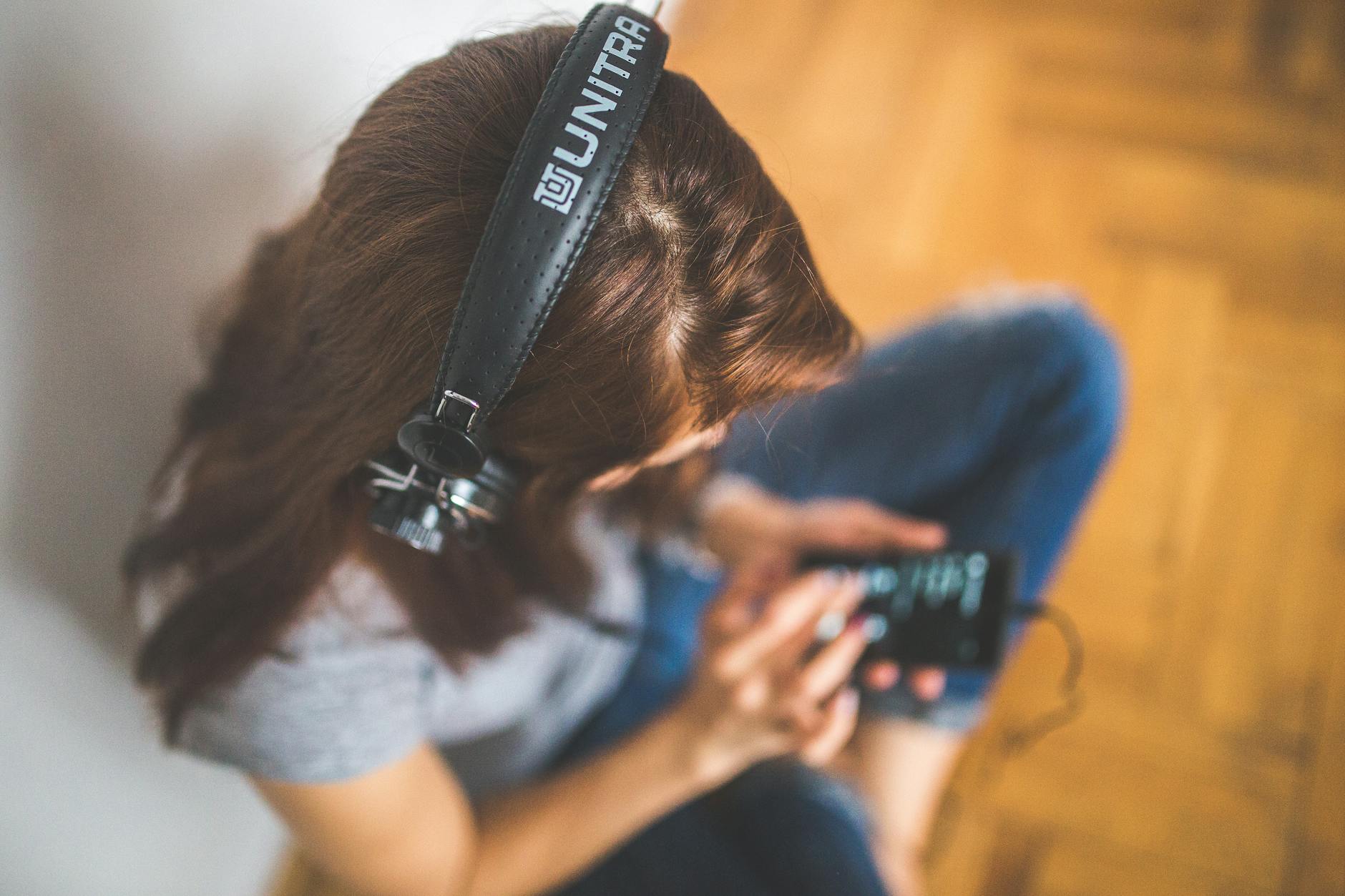
Photo by Karola G
External resources for deeper context on the Xperia’s audio chops:
- Sony Xperia 1 VII review highlights wired audio strengths and hi-res capabilities.
Samsung Galaxy S25 Ultra — loud, balanced sound with lots of storage
The Galaxy S25 Ultra excels in wireless listening with its robust speaker system and strong Bluetooth codec support. Its speakers deliver punchy, balanced sound that stays clear at higher volumes, making it a solid choice for shared listening in a room or on a commute. It also offers generous storage options, so you can keep large music libraries and high-quality offline downloads without constantly juggling space.
A notable caveat is the absence of a headphone jack. If you mostly listen over Bluetooth, you’ll still get top-tier sound through LDAC and other high-quality codecs, ensuring your wireless playlists feel right at home. For power users who like to carry big offline collections and rely on streaming, the S25 Ultra offers a compelling blend of loudness, fidelity, and capacity.
External resources for audio and codecs on the Galaxy line:
- Samsung Galaxy S25 Ultra audio review and codec coverage
Apple iPhone 17 Pro Max — great all around with Spatial Audio
The iPhone 17 Pro Max offers a well-balanced, natural sound profile that often feels closest to a real studio mix. Spatial Audio adds a sense of space and directionality that makes music feel more immersive, particularly with compatible content and AirPods Pro or other supported headphones. When using Apple Music or Spotify, the integration is seamless, with smooth transitions and responsive playback across devices in the ecosystem.
One clear downside for some is the lack of a headphone jack. If you rely on wired headphones, you’ll need adapters or wireless solutions. For many listeners who prioritize a clean, broad soundstage and effortless software integration, the Pro Max remains a standout option.
External resources for spatial audio and iPhone music features:
- Apple Spatial Audio on iPhone review
Google Pixel 10 Pro XL — clean sound and strong software support
The Pixel 10 Pro XL emphasizes a clean, uncolored sound that sits well across genres. This model pairs well with a wide range of Bluetooth codecs and offers solid software support for music apps, making it easy to manage playlists, podcasts, and streaming services without hiccups.
Value remains a strong point here. You won’t find a splashy feature set, but you get dependable sound with straightforward music experiences. Podcasts and streaming are especially smooth thanks to the Pixel’s strong integration with Android music tools and background playback optimizations that keep your tunes flowing.
External resources on Pixel audio and Android music features:
- Pixel 10 Pro XL review and audio performance
Nothing Phone (5/6) — stylish option with strong wireless audio
Nothing’s phone lineup brings a bold design paired with capable wireless audio performance. The Phone (5/6) delivers modern aesthetics and reliable Bluetooth listening, making it a great choice for those who value style as part of their listening experience. While it may not reach flagship-level speaker performance, the wireless sound is competitive and very good for daily listening, casual gaming, and streaming.
If you love a phone that stands out in your hands and on your nightstand, the Nothing phone offers both vibe and solid audio capabilities at a strong value.
External resources on Nothing’s wireless audio approach:
- Nothing Phone audio impressions and wireless performance
Images and additional visuals are a strong way to illustrate how these features feel in real life. For example, a shot showing someone enjoying music on a commute with a stylish phone can help readers imagine daily listening scenarios.
Photo credits and image sources:
- Photo by Karola G
Note: The links above point to authoritative sources discussing each model’s audio features and codecs. They provide deeper context if you want to verify codec support, speaker tuning, and battery life in real-world use.
Choosing the right phone for your listening style
When you pick a phone for music, you’re choosing how you hear your favorite tracks every day. The right device makes Spotify and other apps feel effortless, with long battery life, reliable offline playback, and smooth controls. In this section, you’ll find practical guidance on whether wired or wireless listening fits your life, how much storage you need for offline music, how codecs and hi‑res vibes affect sound, and what to expect from iOS and Android ecosystems. Think of this as your concise checklist to a music‑friendly phone that stays in tune with your listening habits.
 Photo by Andrea Piacquadio
Deciding between wired headphones vs wireless earbuds
Tradeoffs happen in plain terms. Wired headphones deliver consistent, uncompressed sound if you value fidelity and you already own a good pair. They require no charging, and you never worry about latency while watching videos or playing games. The downside is mobility and the tangle of cables, especially on the go or during workouts.
Wireless earbuds offer freedom and convenience. You can move without being tethered to your device, and many models provide excellent sound from compact buds. The catch is potential latency, variable fit, and the need to recharge. Sound quality often hinges on the codec and the buds themselves. If you crave low‑latency listening for gaming or timely podcast sync, wireless can shine when you pick models with solid codecs.
When does a headphone jack matter? If you listen mostly at home or in a fixed setting, wired cans can maximize fidelity and battery life since you aren’t depending on Bluetooth. If you commute, work out, or share a space with others, wireless is typically the easier, more practical choice.
Key takeaways
- If you have a high‑end wired setup, a 3.5 mm jack on the phone keeps the full fidelity intact.
- For daily commuting or workouts, wireless with a good codec (like LDAC or AAC) is often the most convenient option.
- If battery life is a priority, wired listening means no extra power drain from Bluetooth.
External resources for wired vs wireless decisions:
- Wireless vs. Wired Headphones: Which is Better? https://www.cnet.com/tech/mobile/wireless-vs-wired-headphones-which-is-better/
Storage needs and offline music
Offline music space is critical when you want consistent listening without network gaps. Plan for the amount of content you want available offline, including playlists, podcasts, and even app data for faster playback.
Rough offline storage estimates
- Light collectors (a few playlists, a handful of podcasts): 2–4 GB
- Moderate libraries (hundreds of tracks, multiple playlists, a podcast library): 8–20 GB
- Heavy libraries (tens of thousands of tracks, lossless files, large podcasts): 64–256 GB or more
If you store large lossless files or a big personal library locally, consider a phone with expandable storage via microSD on select models, or opt for higher base storage from the start. For most listeners, 128 GB to 256 GB offers a comfortable balance between music, apps, and photos. Always factor in app caches and system data, which can eat space faster than you expect.
Spotify offline guidance
- Spotify recommends having a bit of free space available and using offline mode to download playlists and podcasts when you know you’ll lack a reliable connection. Plan for at least 1 GB free memory as a practical baseline.
- Regularly clear cache if you run low on space, and manage downloaded content to keep the library tidy and responsive.
Practical tips to maximize storage and offline reliability
- Build offline packs for long trips or flights when you know you’ll have limited connectivity.
- Use selective downloads to keep playlists lean and fast to access.
- Regularly review what you’ve saved offline and remove rarely used items.
External resources for offline storage guidance:
- Spotify storage information: https://support.spotify.com/us/article/storage-information/
- Listen offline: https://support.spotify.com/us/article/listen-offline/
Codecs, hi res and Spotify quality levels
Understanding codecs helps you get the most from wireless listening and hi‑res options. A codec determines how audio is compressed for Bluetooth and can influence perceived fidelity, latency, and battery life.
How Spotify quality levels interact with device capabilities
- Spotify Premium streams up to 320 kbps, which is high quality for most listening scenarios. If your device supports higher‑quality Bluetooth codecs and you pair with capable headphones, you can experience crisper highs, smoother mids, and tighter bass in many situations.
- Hi‑res formats matter when you have lossless files or a DAC and compatible headphones. On portable devices, hi‑res playback is often limited by Bluetooth bandwidth; local playback of hi‑res files through a wired connection or a high‑quality Bluetooth link can deliver the best results.
- Bluetooth codecs and real‑world listening: Different codecs balance fidelity and latency. LDAC, AAC, and aptX offer varying performance depending on the hardware and environment. A higher bitrate codec tends to preserve more detail at higher volumes, especially with well‑tuned drivers.
Practical approach for most readers
- If you mostly stream on the go, focus on a phone that supports strong Bluetooth codecs and has good app integration.
- If you frequently listen to local hi‑res files, ensure your phone supports lossless playback or has a clean wired path to your DAC.
- For Spotify users, enable the highest streaming quality available in the app settings when you have stable bandwidth, and switch to offline playlists for travel.
External resources for codecs and wireless listening:
- What are the best Bluetooth codecs? aptX, AAC, LDAC and more explained: https://www.whathifi.com/advice/what-are-the-best-bluetooth-codecs-aptx-aac-ldac-and-more-explained
Battery life and storage for music libraries
Long battery life is the difference between a day full of music and a mid‑afternoon recharge. Look for real‑world tests that show continuous playback, not just claimed numbers. For most listeners, 8–12 hours of continuous audio is a practical goal in mixed usage.
Tips to maximize listening time
- Enable adaptive battery optimization and dim the display when not in use.
- Use offline mode during long trips to conserve data and battery.
- Preload critical playlists during downtime so you have a reliable offline buffer.
Storage and battery considerations in daily use
- Larger storage helps when you keep offline libraries or high‑quality downloads. If you frequently switch devices or share music with friends, a phone with strong cloud or cross‑device sync is beneficial.
- Battery health matters. A device with more efficient hardware and a battery that maintains capacity over time will keep your playlists flowing longer.
External resources for offline storage guidance:
- Spotify storage information: https://support.spotify.com/us/article/storage-information/
- Listen offline: https://support.spotify.com/us/article/listen-offline/
Software and app integration that makes streaming easy
The best listening experience blends hardware with software that anticipates your daily routines. Ease of use, quick access, and reliable playback are non‑negotiables.
Lock screen controls and quick actions
- Lock screen controls let you manage playback without unlocking your phone. This makes it easy to skip tracks, pause, or switch playlists during a workout or commute.
- Widgets on the home screen speed up access to your music. Quick controls for volume and playback keep your listening smooth.
Notifications and background playback
- Play back should stay active in the background without interruptions. Apps that pause for notifications or require frequent reauthorization break immersion.
- Consistent background playback reduces friction when you switch tasks, such as replying to a text or taking a call.
Cross‑platform ecosystem considerations
- iOS and Android offer different control experiences. On iPhone, the integration with Apple Music and Spotify tends to be very smooth, with consistent haptics and transitions. Android devices often provide deeper customization options and broader widget support.
- Widgets and quick settings can streamline your routine. A single glance at your home screen or quick toggles for Bluetooth and offline mode saves time during a busy day.
Sample workflow you can rely on
- Start a playlist from the lock screen and control playback with a quick gesture.
- Use a home screen widget to jump between albums without opening the app.
- Switch to offline mode for a long flight and let Spotify cache your playlists in advance.
External resources for codec and wireless listening guidance
- LDAC vs aptX vs LHDC: The Best Bluetooth Codec in 2025? https://www.baseus.com/blogs/content/ldac-vs-aptx-vs-lhdc-the-best-bluetooth-codec-in-2025?srsltid=AfmBOoqYZPsL4iO0MfsQMGyDsG1r5dthNY5MpdO2uOYFpD7vJjZFjY97
Images can help readers visualize how these features show up in real life Photo by Karola G Photo credits and image sources: https://www.pexels.com/@karola-g2
—
This section keeps the focus on practical choices for listening style, hardware and software synergy, and real‑world usage. It aligns with the rest of the article by contributing clear criteria to help readers pick the best phone for Spotify and music lovers.
Practical tips to get the most from Spotify on your phone
Whether you’re commuting, working out, or winding down after a long day, your phone should be a reliable music companion. These practical tips help you squeeze the best sound, longest battery life, and smooth offline playback from Spotify. Follow a simple setup that matches how you listen—wired or wireless, on the go or at home.
Turn on high quality streaming and downloads
To enjoy richer sound, set Spotify to the highest streaming quality you can handle without constant buffering. Start in the app settings and adjust the two main quality controls:
- Streaming quality: Choose Lossless on WiFi when you have a steady connection. On cellular, pick High if you need to save data, or Lossless if your data plan allows it and your headphones can reveal the extra detail.
- Downloads and offline storage: Download playlists and albums for offline listening. This keeps your favorite tunes ready even when you’re offline or has a flaky connection.
Tips to maximize reliable offline playback
- pre-download essential playlists when you have WiFi
- keep a buffer of locally stored tracks in case a network drop happens mid commute
- periodically update downloads after new releases to maintain a full library
If you want deeper context on codecs and streaming modes, check out the official guidance on audio quality and offline options from Spotify Support. For a broader comparison of Bluetooth codecs that can influence how your offline files feel when wired or wireless, this explainer is helpful.
- Audio quality overview: https://support.spotify.com/us/article/audio-quality/
- Storage information for managing offline downloads: https://support.spotify.com/us/article/storage-information/
Use offline mode and smart caching
Offline mode is your safety net for travel, flights, or areas with poor networks. It lets you play your saved tracks without a data connection.
What to do
- Download playlists or albums while on WiFi
- Enable Offline Mode in Settings > Playback to force playback of downloaded content only
- Manage cache to keep the app responsive and preserve space
Smart caching means Spotify stores recently played tracks and commonly accessed playlists locally. This reduces data use and speeds up playback, especially when you’re bouncing between apps or walking through a crowded area.
Storage hygiene tips
- Regularly clear cached data if you’re running tight on space
- Download important content in advance rather than relying on streaming in crowds
- Use selective downloads to keep your library lean and fast
For official guidance on how Spotify handles offline music, data usage and caching, see the support resources on data usage and offline listening. These help ensure you’re not surprised by data drains or unexpected resets.
- Internet and data usage: https://support.spotify.com/us/article/internet-and-data-usage/
- Listen offline: https://support.spotify.com/us/article/listen-offline/
Optimize battery life during music playback
Long listening sessions demand smart power management. Implement a few straightforward habits to stretch every charge.
- Screen brightness: Lower it or enable adaptive brightness. A bright screen drains power quickly during long playlists.
- Background activity: Allow Spotify to run in the background but limit other apps that keep WiFi, Bluetooth, or location active in the background.
- Battery saver modes: Use your phone’s power saving mode during long trips. This reduces background activity while keeping playback smooth.
- Offline playback when possible: Download your essential tracks and listen offline to avoid constant streaming power draw.
Practical workflow for long trips
- Start a playlist before you leave home, then switch to Offline Mode to conserve energy
- Use a widget to control playback without waking the screen
- If you’re using spatial audio or Lossless, reserve these features for shorter sessions on battery saver mode when needed
If you’re curious about real-world battery behavior with Spotify, you’ll find several user reports and expert analyses that compare streaming versus offline playback on different devices. Official support articles also offer tips on battery savings and app behavior.
- Battery drain discussions: community threads and reviews
- Battery optimization tips: support articles on data saver and canvas features
Harness EQ and spatial audio options
A quick EQ tweak can lift vocals, bass, or presence without distorting the mix. Spotify’s built-in EQ and the newer spatial audio features add a sense of space and air to many tracks.
Getting started with EQ
- Open Settings > Playback > Equalizer
- Try presets like Bass Boost or Treble Boost, then fine-tune if you want a custom fit
- On Android, your custom EQ is saved as a preset; on iOS you may need to reapply settings after updates
Using spatial audio
- Spatial Audio adds directionality and a sense of depth, especially with compatible headphones
- Enable it in Settings > Playback if your hardware supports it
Tips for when to use spatial audio
- Try it with immersive tracks or live recordings for a theater-like feel
- Pair with headphones that support spatial processing to hear the best effect
- If you notice latency or reduced battery life, switch off spatial audio and see if playback stabilizes
Considerations for devices and ecosystems
- iOS users often experience very smooth integration with spatial audio and compatible headphones
- Android users get a broader range of EQ and spatial options, but check device-specific settings for best results
To explore more about how EQ and spatial audio affect listening, refer to guides and reviews that compare these features across devices and formats.
- Spatial audio overview and setup advice
- EQ settings and presets guidance
By fine tuning these audio controls, you can tailor Spotify to your ears and environment. The goal is clear, balanced sound that feels natural without fatigue after long listening sessions.
Putting it all together for a great listening day
- Start with a solid streaming and offline plan
- Manage storage so you always have space for new favorites
- Optimize battery life for long trips and daily use
- Use EQ and spatial audio to taste, not as a default
External resources for deeper context
- High quality audio and lossless guidance: https://support.spotify.com/us/article/lossless-audio-quality/
- Storage management and cache control: https://support.spotify.com/us/article/storage-information/
This practical approach keeps Spotify playing how you want, with the sound you want, and the stamina to last through your day. It aligns with a music lover’s needs, from wire to wireless, from cabin quiet to crowded streets, ensuring you stay in the moment with your favorite tracks.
Final recommendations by use case
Choosing the right phone for music hinges on how you listen most days. Do you crave pristine wired audio, or is wireless convenience your default? Are you building a large offline library, or do you prefer streaming on the fly? The following recommendations distill real world needs into clear choices you can trust. Each pick is grounded in practical listening realities, with practical notes on codecs, battery life, and everyday usability.
Best overall for most listeners
If you want a single phone that nails daily music needs without forcing you into trade-offs, this pick delivers across the board. You’ll get reliable battery life for long playlists, strong loudness without harshness at high volumes, and software that makes Spotify and other music services feel second nature.
- Why it fits everyday listening: A well-balanced driver array creates a natural sound stage where vocals stay clear and bass remains controlled at typical listening levels. The phone also handles your streaming and offline downloads with ease, so you’re not juggling space or throttled apps during a commute.
- Real world benefits: Consistent app performance means fewer stutters and quicker access to your latest playlist. Lock screen and home screen controls streamline playback when you’re on the move, so you can skip tracks or adjust volume without hunting for the app.
- Practical note on storage: The model offers generous internal storage with a straightforward path to offline music. If you’re building a library of high‑bitrate downloads, you’ll appreciate how quickly you can preload playlists and podcasts for offline listening.
Why this matters for your day to day: a versatile phone keeps your listening fluid. You don’t want to think about hardware while you’re walking, studying, or driving. The best all‑round choice aligns robust audio quality with dependable software, so Spotify and local files sound consistently good from morning until night.
External context you can explore:
- The best smartphones for music and movies and how top models compare for audio quality and battery life: https://www.whathifi.com/best-buys/best-smartphones
Best option for wired audiophiles
For listeners who still value a true wired listening path, this pick places a premium on a 3.5 mm jack, top‑tier audio processing, and the ability to preserve the most nuance in a dense studio mix. If your daily routine includes high‑fidelity wired headphones or you simply want the least possible latency and distortion when listening on cables, this is the model to choose.
- Why wired matters: A dedicated headphone jack means you can connect high‑end wired gear without adapters, latency is minimized, and the full fidelity of your DAC and headphones is preserved. Hi‑res audio support adds an extra layer of detail, especially with cymbals, strings, and intimate vocal takes.
- Audio quality focus: Look for phones that maintain a tight, controlled low end and clear mids, even at higher volumes. The overall balance should favor transparency over hype, so you hear the artist’s intent rather than a colored tone.
- Real world use: In everyday life you’ll notice the difference when you plug in your most revealing headphones during a flight, a studio session, or a late‑night listening session at home. The comfort of not needing any adapters reduces friction and keeps your listening routine intact.
For the wired crowd, the headphone jack remains a meaningful differentiator on select models. If you want to compare current options with a jack, see reviews and roundups that highlight wired performance in 2025.
External reading on wired versus wireless and high‑quality wired options:
- The best phones with a headphone jack in 2025: https://www.pcmag.com/picks/the-best-phones-with-a-headphone-jack
- Best Android phones with a headphone jack in 2025: https://www.androidcentral.com/best-android-phone-headphone-jack
Note: If you’re curious about a phone’s wired audio path and the overall sound character, you’ll find wired listening discussions helpful when pairing with your favorite cans.
Best value pick
Smart budgeting doesn’t mean you have to give up sound quality. This model balances a friendly price with strong audio performance, reliable Spotify and music app support, and solid battery life. It’s the sensible choice if you want a music‑forward phone without the flagship price tag.
- Value without compromise: You still get clear vocals, a balanced bass, and a playback experience that feels responsive in everyday use. The software remains straightforward for music apps, so playlists and podcasts load quickly and stay in sync as you switch tasks.
- Storage and offline capability: A practical amount of internal storage leaves room for offline downloads without constantly juggling space. If you want to carry a sizable local catalog, this pick supports easy expansion on compatible variants.
- Spotify and app integration: The model keeps a smooth flow for music streaming, downloads, and offline playback. Widgets and lock screen controls are well implemented, saving time during busy days.
In short, this is the smart compromise for readers who want dependable audio performance, solid battery life, and practical features at a friendlier price. It’s a strong reminder that excellent music experiences aren’t reserved for the most expensive devices.
External resources to help refine your choice:
- The best phones for music and audio quality in 2025: https://www.whatHiFi.com/advice/best-smartphones
- The best phones for battery life and overall performance in 2025: https://www.tomsguide.com/us/smartphones-best-battery-life,review-2857.html
Additional notes on practical usage and integration
- When you are evaluating value, consider how long the device will stay in your hands. A lower upfront price can turn into higher long‑term costs if battery health degrades and you need to replace more often.
- If you often listen at home, a model with good on‑board DAC support and clean software transitions will feel more premium than its sticker price suggests.
- For Spotify users, ensure the phone supports high‑quality streaming options and offers stable offline download management, so you can preload your favorite playlists for commutes or travel.
External links in context
- Spotify storage guidance and offline listening tips: https://support.spotify.com/us/article/storage-information/
- How to optimize streaming quality and offline use in Spotify: https://support.spotify.com/us/article/audio-quality/
Wrapping up this use‑case overview These three picks cover the core ways readers listen to music on a phone. The best overall serves a broad audience with dependable performance. The wired audiophile option protects fidelity for those who still prefer cables. And the value pick proves you don’t need to break the bank to enjoy crisp vocals, tight bass, and reliable playback. If you want to dig deeper into how these phones perform in real life, keep an eye on reviews from trusted outlets and compare their audio tests against your own listening setup. For more context on authoritative recommendations, you can consult sources that regularly test and compare audio performance across models.
Conclusion
For music lovers, the best smartphone choice comes down to listening habits. If wired fidelity and minimal latency matter most, a model with a true headphone jack and strong DAC options stands out. If you prioritize effortless wireless listening, big battery life, and broad codec support, a device optimized for Bluetooth playback keeps your playlists flowing.
Keep in mind your offline library, storage needs, and ecosystem preferences. A phone with ample internal storage and easy offline downloads pays off on long trips, while a sleek, well integrated smartphone makes Spotify and other apps feel natural every day. Share your favorite music phone in the comments and tell us how you listen, so we can fine tune recommendations for you.