Picking the right phone for pet content creators can feel like chasing a moving target, especially when you’re filming dogs on the go. You need solid camera quality, reliable stabilization, long battery life, and clear audio to capture every wag and bark. A handheld vlog should feel smooth and natural, not shaky or rushed.
This guide breaks down what to look for in top smartphones and why those features matter for dog videos. You’ll see practical tips you can apply right away, from choosing a camera setup that stays steady to picking audio tools that keep your voice and your pup’s sounds clear.
By the end, you’ll know how to pick a phone that fits your filming style and budget. We’ll point out simple, actionable steps so you can start creating better pet content today and keep your smartphone working as hard as your dog runs.
Key features that matter for dog videos
When you are filming dogs, especially on the move, your phone needs to deliver smooth footage, sharp focus, and reliable power. The right combination of camera quality, stabilization, low light performance, battery life, and audio can make the difference between a cute clip and a share-worthy video. Below you’ll find practical guidance on what to look for, plus concrete tips you can apply right away when you’re capturing a playful pup in the yard or indoors.
Camera quality and stabilization for active dogs
A fast, trustworthy autofocus system is essential when your star is a bouncing ball of energy. Look for phones that can lock onto a dog’s eyes and track movement without hunting for focus. In practice, that means:
- Fast autofocus that keeps up with sudden turns and quick dashes.
- Smooth video with minimal rolling shutter and consistent exposure as the dog moves through shade and bright spots.
- Reliable stabilization that reduces shake during handheld walks or on a moving jog. A gimbal system or optical/electronic stabilization helps keep footage steady even when you’re chasing a dog around the yard.
- High frame rates for action. Shooting at 60 fps or higher lets you slow down clips without losing clarity.
- Accurate color so the fur tones and greens in your yard look natural rather than washed out.
Practical example: you’re following a playful dog through a sunlit yard, then a shady patch. The phone should stay locked on the dog, keep the frame steady as you sprint a few steps to keep up, and preserve natural colors from bright sunlight to cool shadows. If you’re considering gear that complements your phone, a lightweight gimbal can enhance steadiness without adding a lot of bulk. For readers exploring stabilization options, you can check out reviews focused on phone gimbals and their ability to track pets effectively. For example, see discussions on the best Android and iPhone gimbals and how they perform in action video contexts, including models that automatically track subjects. https://www.nytimes.com/wirecutter/reviews/best-android-and-iphone-gimbal/ and https://www.digitalcameraworld.com/buying-guides/best-smartphone-gimbals-for-iphones
If you plan to shoot footage outdoors where footing can be uneven, consider stabilization that adapts to movement. Some phones offer built-in stabilization that works in tandem with a gimbal or a steadyhand grip, while others pair with third-party stabilizers for smoother pans and follow shots. The key is to test autofocus speeds, stabilization strength, and color accuracy in real-world dog runs, not just lab tests. For additional context on stabilizers that integrate well with smartphones, see articles highlighting popular options and real-world use cases. https://www.insta360.com/blog/tips/best-pet-action-camera-insta360.html
Low light and indoor performance
Dog videos often happen indoors or at dawn and dusk when lighting is softer and more challenging. A phone that handles dim light well keeps your footage usable without excessive noise or grain. Here’s what to assess:
- Sensor performance at higher ISOs without introducing heavy noise. A larger sensor and smarter image processing help maintain detail in low light.
- Noise control through hardware and software combines to keep fur details and eye reflections clear.
- Exposure stability as the dog moves through shadows. The camera should adjust smoothly to changes in light as the dog toggles between lit rooms and dim corners.
In practice, you’ll want a phone that preserves color and detail when the dog moves from a bright living room into a dim hallway. What matters most is consistent exposure and clean low-light noise suppression so you can keep filming without constant re-metering or blown-out highlights. For readers researching low-light capabilities, the following resources provide broad insights into modern phone sensors and performance in indoor settings: https://amateurphotographer.com/buying-advice/best-smartphones-for-low-light/ and https://www.techradar.com/news/best-cameraphone
It’s worth noting that some phones perform better with artificial lighting, such as a small LED panel you can mount on a tripod or stand. In most cases, a little extra light makes a big difference with minimal setup. If you’re curious about current leaders in indoor performance, consider checking recent camera phone roundups that compare night modes and indoor video quality. https://www.techradar.com/news/best-cameraphone
Battery life for long shoots
Long shoots demand steady power. Battery life is a practical constraint that can determine whether you finish a scene or have to cut early for a recharge. Here’s what to consider:
- Battery capacity and how it translates to real-world runtime. A larger capacity generally means more minutes of continuous recording, especially if you’re capturing at higher resolutions or frame rates.
- Charging speed and whether you can top up quickly between takes. Fast charging or USB-C Power Delivery can help you get back to filming sooner.
- Tips to extend filming time include lowering display brightness, using airplane mode when you’re not needing wireless features, and recording at a balanced resolution and frame rate that still looks great but saves power.
- Quick swaps or external power sources can keep you rolling during long shoots. A portable power bank or a battery grip designed for phones can add valuable minutes without interrupting your session.
For practical planning, map out your shoot segments and estimate total time. If you expect several hours of filming or multiple dogs, plan for backup power. External power solutions can be a real time-saver on location. If you want to explore stabilization and power together, some guides discuss how top stabilizers pair with phones for extended sessions, including options that are easy to carry on location. https://www.nytimes.com/wirecutter/reviews/best-android-and-iphone-gimbal/ and https://www.amazon.com/HZFAIGLL-Upgraded-Electronic-Stabilization-Recorder/dp/B0F2G5J37B
Audio capture for pet videos
Clear audio is essential to capture dog sounds, your narration, and the ambient environment without overwhelming noise. Focus on both the microphone quality and practical recording setup:
- Built-in mics are convenient but often pick up room echo and background noise. They are fine for casual clips, but you’ll benefit from a dedicated mic when you want crisp dialogue and clearer dog sounds.
- External mics give you more control over directionality and reduce wind or mic handling noise. A compact lavalier mic for your voice and a small shotgun mic or a compact wireless system for the dog sounds can dramatically improve balance.
- Noise management strategies include staying close to the dog, using a windscreen outdoors, and filming in spaces with reasonable acoustics. Post-processing can further reduce hiss or background hum, but a clean recording at the source saves time later.
When choosing audio gear, pick setups that stay compact and easy to carry during dog walks or indoor sessions. A simple plan is to use a lav mic for your narration and a compact, lightweight external mic for capturing dog vocalizations or panting. If you want an overview of pet-friendly audio options and practical tips, see reliable testing and review guides that discuss mic configurations for mobile videography. https://www.nytimes.com/wirecutter/reviews/best-android-and-iphone-gimbal/ and https://www.insta360.com/blog/tips/best-pet-action-camera-insta360.html
This section gives you a practical lens on the features that truly matter for dog videos. The goal is to help you quickly assess a potential phone’s strengths and how they translate into real-world shooting scenarios. By prioritizing autofocus, stabilization, low-light handling, battery endurance, and audio quality, you’ll be better prepared to capture those wag-filled moments with confidence. For readers exploring more about stabilization options and lighting, the linked guides provide deeper dives and current best practices. https://www.digitalcameraworld.com/buying-guides/best-smartphone-gimbals-for-iphones and https://amateurphotographer.com/buying-advice/best-smartphones-for-low-light/ and https://www.techradar.com/news/best-cameraphone
If you’re ready, the next section will translate these principles into a practical buying checklist you can use before you press record.
Practical shooting tips using a smartphone
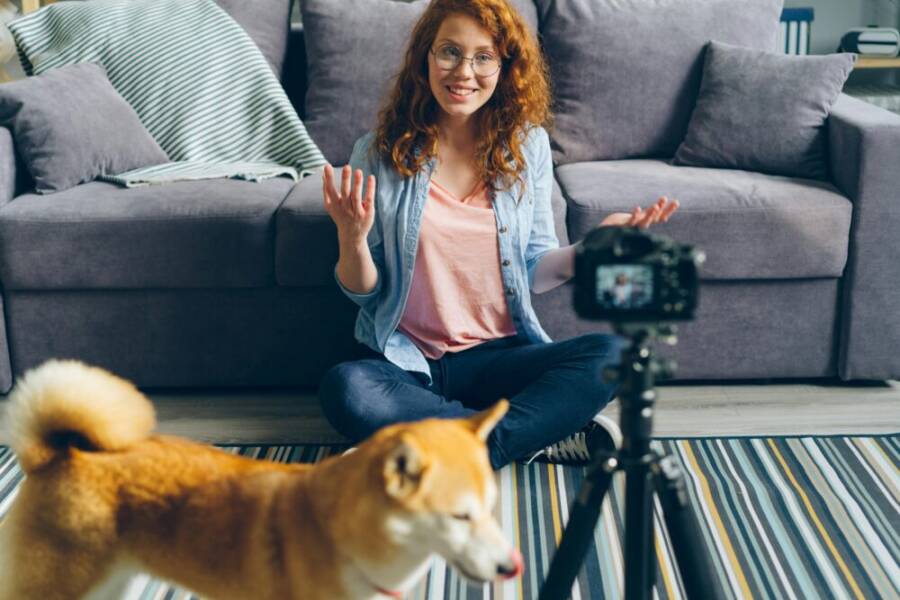
When you’re filming dog content, the goal is clean, engaging footage that feels effortless. The right approach is simple planning, steady technique, and a quick edit workflow that gets you to posting fast. Use these tips as a practical framework you can apply on your next dog video shoot. Each subsection below covers a key area, with concrete steps you can follow immediately.
 Photo by Vitaly Gariev
Plan shots and use the right settings
Before you press record, map out a few shot ideas. Short, repeatable sequences work well for dog videos because you can stitch them into a polished reel later. Then lock in the essential camera settings to keep things consistent.
- Resolution and frame rate: For most pet clips, shoot at 1080p with 60 fps. If you plan to slow things down in post, 4K at 30 fps is fine if your phone handles it without overheating.
- Stabilization mode: Enable optical or electronic stabilization if your phone offers it. If you’re moving a lot, consider a lightweight gimbal or a small handheld rig that keeps hands steady.
- Focus and exposure: Use continuous autofocus and a fixed exposure if possible. Dogs move fast, so you want the camera to stay locked on the subject without hunting for focus.
- Audio alignment: If you’re narrating while filming, keep your mic close and plan for a quick audio check between takes.
For readers who want a quick benchmark, review roundups and buying guides for phone gimbals can help you pick a model that tracks pets smoothly and records without drift. Check out in-depth coverage on gimbals for Android and iPhone to understand what works best in action contexts, including models with automatic subject tracking. https://www.nytimes.com/wirecutter/reviews/best-android-and-iphone-gimbal/ https://www.digitalcameraworld.com/buying-guides/best-smartphone-gimbals-for-iphones
If you’re shooting outdoors or on uneven ground, test how stabilization behaves as you move. Built-in stabilization can pair with a small stabilizer for smoother pans and follow shots. Try a quick test run in a familiar space to judge autofocus speed, stabilization strength, and color accuracy in real time. For more on stabilizers that pair well with smartphones, see guidance from widely read tech sources and real-world usage notes. https://www.insta360.com/blog/tips/best-pet-action-camera-insta360.html
Stabilization tricks and accessories
Steady footage is the backbone of pet videos. The right gear helps you keep up with a dog that never sits still. Start with affordable, reliable options and add a few tricks as you grow more confident.
- Budget stabilizers: Look for foldable handheld rigs or grip stabilizers that fit a phone. These are light, portable, and can dramatically reduce shakes on longer shoots.
- Tripods and including mounts: A compact tripod with a phone clamp provides solid framing when the dog stays in one place or you want a controlled shot from eye level.
- Handheld rigs: Basic rigs with a comfortable handle give you more control during dynamic runs and quick pulls back into the frame.
- Quick tips for steady footage: Keep elbows tucked, move with short steps, and glide with the dog rather than dragging the camera. If the pup lingers, switch to a calm, fixed shot for contrast.
Affordable options often pair well with both iPhone and Android devices and can be found across major retailers. For readers exploring current picks and price ranges, see shopping guides that compare popular stabilizers and gimbals for phones. https://www.amazon.com/Best-Sellers-Cell-Phone-Handheld-Gimbals-Stabilizers/zgbs/wireless/21209109011 https://www.nytimes.com/wirecutter/reviews/best-android-and-iphone-gimbal/ https://www.digitalcameraworld.com/buying-guides/best-smartphone-gimbals-for-iphones
If you want to go deeper into stability, consider a gimbal that supports subject tracking. It can do the heavy lifting when a dog bolts across the yard, keeping the subject centered while you breathe and follow. For more on the best options for this use case, view updated guides comparing gimbals that emphasize auto-tracking and ease of use. https://www.techradar.com/news/best-smartphone-gimbals
Editing on your phone
Editing on a phone should feel fast and frictionless. The right apps and features let you trim, color grade, add captions, and output ready-to-post formats in minutes. Here’s a practical, beginner-friendly workflow you can adopt today.
- App pick list: Start with intuitive editors that handle trimming, transitions, and captions. Some apps also offer AI tools to speed up color and sound adjustments.
- Trimming: Cut to the good moments. Short clips with strong actions keep viewers engaged.
- Color tweaks: A light color lift can brighten fur and eyes without washing out details. Aim for natural tones that reflect real life.
- Captions and text: Add concise captions to reinforce narration or highlight dog actions. Use legible fonts and keep on-screen text brief.
- Ready-to-post formats: Use square or vertical formats for social media feeds, or landscape for longer videos. Many editors export directly to platforms with optimal aspect ratios.
If you’re exploring beginner-friendly mobile editors, consider viewing roundups and hands-on guides that compare ease of use, AI features, and speed. These guides highlight popular choices for pet videos and show how AI can trim clips, enhance color, and generate captions automatically. https://www.pcmag.com/picks/tiktok-beyond-the-best-mobile-video-editing-apps https://medium.com/@techokplease/top-10-ai-powered-video-editors https://www.techradar.com/best/best-video-editing-apps
A practical tip: batch the process. Film a batch of short clips, then edit in a single sitting. Keep your project organized with clear labeling for each take. If you want templates and quick-start prompts, some apps offer ready-to-use layouts perfect for pet clips.
For readers who want more depth on AI-assisted editing, look into tools that help with color matching, noise reduction, and auto-captioning. These features can speed up your workflow while maintaining a natural, human touch. https://www.pcmag.com/picks/tiktok-beyond-the-best-mobile-video-editing-apps https://www.techradar.com/best/best-video-editing-apps
Images and quick examples can illustrate how a solid smartphone setup translates to real footage. A simple sequence might be: lax afternoon play in the yard, a quick fetch in sunlight, and a close-up sit with captioning. This approach keeps the viewer engaged and gives you a clean, repeatable process.
As you practice, you’ll build a library of clips that you can reuse in future videos. A steady plan and an easy edit flow save time and elevate the final product.
This section provides a practical lens on the skills and gear that truly matter for dog videos. By planning shots, stabilizing effectively, and editing with user-friendly apps, you’ll produce smoother, more professional results. If you’re hungry for more about stabilization and editing, the linked guides offer deeper dives and current best practices. https://www.digitalcameraworld.com/buying-guides/best-smartphone-gimbals-for-iphones https://amateurphotographer.com/buying-advice/best-smartphones-for-low-light/ https://www.techradar.com/news/best-cameraphone
If you’re ready, the next section will guide you through a practical buying checklist you can use before you press record.
How to choose the right phone for your pet content routine
Picking the right phone for pet content work means balancing gear you already own with features that speed up editing and ensure consistent results. This section helps you evaluate your options, then map those choices to your real world shooting routines. We’ll cover ecosystem fit, durability and updates, shooting environments, and a practical two week test plan. Along the way, you’ll see concrete steps you can take today to feel confident in your next purchase.
Budget and ecosystem fit
Choosing between Android and iPhone starts with what you already own and where you store and edit files. If you live in a shared ecosystem with other devices, the best choice often comes down to how seamlessly the phone works with your existing gear, apps, and cloud services.
- Existing gear: If you already own a tablet, laptop, or a smart speaker that plays nicely with iOS devices, you may benefit from Apple’s continuity features like seamless file transfers and quick switching between devices. If you’ve built a workflow around Google services, Android tends to offer tighter integration with Google Drive, Photos, and Assistant features.
- Apps and workflows: Some video editors, color grading tools, and audio apps perform slightly differently on each platform. iOS usually delivers a polished, consistent app experience for mobile editing, while Android often provides more hardware variety and customization options.
- Cloud services: If you rely on iCloud for backup and photo storage, sticking with iPhone can simplify syncing across devices. If you prefer Google One, Dropbox, or other cross platform services, Android can keep things straightforward as you work across devices.
- Practical takeaway: Map your current apps and cloud storage to a potential device. If most of your tools live on iOS, an iPhone can reduce friction. If you lean into Android-specific apps or you value hardware variety and more aggressive customization, Android makes a strong case.
To help with the decision, consider reputable comparisons that weigh ecosystem strengths and app availability. For example, assessments of OS ecosystems highlight how iOS shines with seamless device-to-device interaction, while Android offers broad hardware options and flexibility. Android vs. iOS: Which Mobile OS Is Actually the Better Pick? and discussions about app ecosystems provide additional context. Best Apps for Content Creators also offer practical perspectives on tool selection across platforms.
- Quick tip: List your top five apps you use daily, then check platform availability and any known performance notes. If your must-haves are stable video editors and fast color tools, both platforms support strong options; your decision may hinge on ecosystem comfort and cloud habits.
Longevity and updates
A phone for pet video work should stay capable for years. Look at software update cadence, camera improvements, and how long the device will handle the latest apps and editing tasks without slowing down.
- Software updates: iPhones typically receive longer, regular OS updates compared to many Android devices. That matters for security and access to the newest camera APIs and editing features.
- Camera improvements: A newer model often brings improved autofocus, better low light performance, and smarter stabilization. Even within the same brand, newer generations usually deliver noticeable gains in tracking moving subjects like dogs.
- Device longevity: Consider the balance of price to lifespan. A model with a robust update plan can save money in the long run by avoiding an early upgrade just to keep up with software demands.
- Practical takeaway: If you prioritize long-term support and consistent camera gains, an iPhone often provides a smoother upgrade path. If you want the widest range of hardware choices and
Conclusion
For pet content creators, the best smartphones combine fast autofocus, strong stabilization, solid battery life, and clear audio. Look for models that track a dog’s eyes, stay steady during quick movements, perform well in low light, and offer easy access to reliable external mics or adapters. In practice, test a few options with a quick on-hand shoot to see which fits your routine and budget best, then lock in a setup that keeps your furry star in sharp focus. If you’ve found a setup that works, share your dog video gear and your favorite smartphone tips with the community.