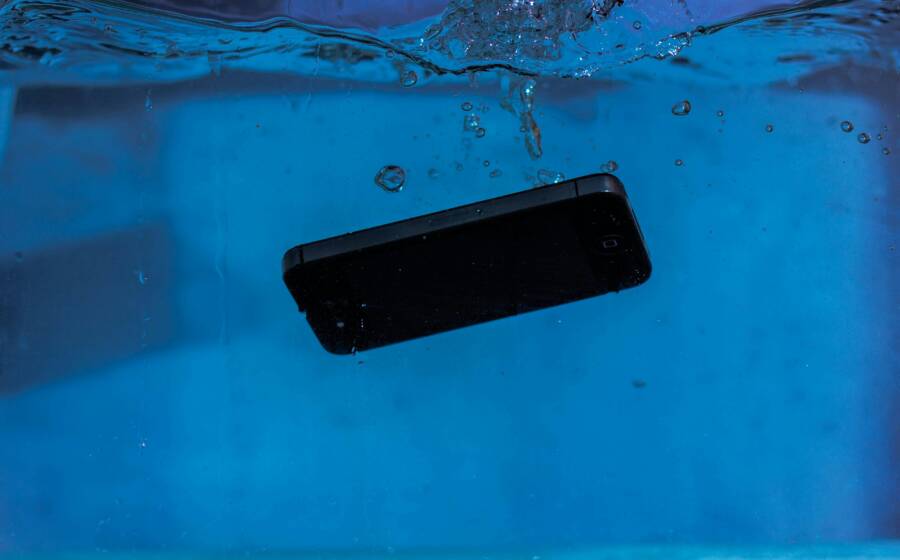
Ever had a忙 day slip away when a phone takes a dive into water, whether at the pool, in the sink, or rain catching you off guard? Quick action matters because water damage can hit fast and quietly. This guide walks you through simple, proven steps that many people use to save a device when accidents happen.
In this post you’ll learn a straightforward process: get it out of the water, power it off, dry it thoroughly, and test it later. You don’t need fancy tools or magic fixes; just smart, calm steps that protect your data and your budget. We’ll explain why each move matters and how to tailor the approach to your specific model and situation.
If you’re wondering what to do first, the answer is simple: act fast but stay safe. The goal is to stop moisture from seeping deeper and to begin removing water as soon as possible. This isn’t about speculation but about practical actions that have helped many smartphone users recover from rain, splashes, or accidental dips.
We’ll cover quick checks you can do after the phone dries, what signs point to serious damage, and when to seek professional help. By following these steps, you’ll boost the odds of a full recovery and minimize downtime. The approach is grounded in common fixes that save devices when time is of the essence, and it respects your data and your wallet.
First Steps Right After Your Phone Hits the Water
Accidents happen in a blink. The moment your phone slips into water, your first moves can save data and avoid costly repairs. The goal is to minimize moisture inside the device and start the drying process quickly. Below are the essential steps you should take right away, with practical tips for different water types and common phone configurations.
Grab Your Phone Out of the Water Immediately
When you pull your phone from the liquid, shake off excess water gently rather than rubbing it into the surface. A light shake helps expel droplets from ports and seams without pushing moisture deeper inside. Time matters because the longer moisture sits, the greater the chance it will seep into sensitive components.
- For fresh water, act fast but stay calm. In most cases, removing the phone promptly cuts down on water exposure.
- For pool water or spa water, the presence of chlorine and minerals can aggravate corrosion. Quick action remains critical, and you should expect a longer drying period.
- Saltwater is the toughest enemy. Salt crystals can cling to internal parts and create corrosion even after the device dries. Rinse is not advised, but rapid removal and thorough drying become even more important.
If the phone was in a case, remove the case carefully to inspect for trapped moisture. Check the speaker grills, microphone openings, and charging ports for visible water or condensation. For a smartphone with a removable battery or SIM card, take those parts out as soon as you can.
For reliable guidance on quick steps and what to avoid, see resources that detail the emergency actions after a phone falls in water. For example, a practical step-by-step guide emphasizes the importance of acting fast and avoiding common mistakes that worsen damage. You can read a comprehensive walkthrough here: https://prophonerepairs.com/phone-dropped-water-7-steps-save-device/
Power Off the Phone Without Delay
Powering down is a crucial safeguard. If the screen still responds, perform a normal shutdown by holding the power button and selecting shut down. If the touchscreen is unresponsive, press and hold the power button until the device powers off. Do not try to turn it on to test if it still works.
The reason is simple: water can create short circuits the moment power is applied. A quick power-off reduces the risk of a short that could permanently damage the motherboard or other circuits. Even a brief attempt to power on after a dunk can worsen corrosion or cause sparking in extreme cases.
If power is not immediately accessible, use the physical button that does the job. Some devices offer a quick hold to force shut down when the screen won’t respond. After the device is off, wait a moment before proceeding with drying steps to minimize further current flow and heat generation inside.
For more detailed guidance and checks, consult a step-by-step rescue guide that covers what to do and what not to do after water exposure. This resource explains the immediate shutdown, how to check for post-dunk indicators, and when to seek professional help: https://ifixandrepair.com/blogs/news/what-to-do-if-your-phone-falls-in-water-a-step-by-step-rescue-guide
Remove Case, SIM Card, and Battery If Possible
If your phone has detachable parts, this is the time to remove them. Take off the case to inspect for trapped moisture and to give a clear path for air to reach the device. Next, remove the SIM card and any memory card. If your phone has a removable battery, gently take it out. Wipe these parts dry separately with a lint-free cloth.
However, many modern smartphones no longer feature removable batteries. If yours doesn’t, focus on taking out the SIM card and any microSD card if present. Dry these components on their own, away from the phone, to reduce the chance of redepositing moisture when you reassemble.
After removing components, wipe the exterior with a soft, lint-free cloth. Avoid pressing water deeper into ports. For devices with open ports, you can use a can of compressed air to gently clear away moisture from the speaker grills and charging port, but do not blow hard into the openings.
If you want to see how experts handle this phase, check out a practical guide that outlines the safe removal sequence and the best drying practices for common phones: https://abqphonerepair.com/info/dropped-your-phone-in-water-8-things-you-should-do-after-you-save-your-phone-from-drowning/
Additional tips to improve outcomes
- Do not use rice. It often fails to absorb moisture quickly and can leave dust or starch inside your ports.
- Avoid heat sources like hair dryers or ovens. High heat can warp components and push moisture further into the device.
- Keep the phone in a dry, ventilated area after you remove the parts. Proper air circulation helps evaporation without introducing contaminants.
If you’re curious about a structured seven-step method that many technicians recommend, you’ll find a concise version here: https://pandasecurity.com/en/mediacenter/how-to-fix-a-water-damaged-phone
By following these first steps, you set the stage for effective drying and reduce the risk of long-term damage. The next moves focus on drying the interior, validating functionality, and deciding whether to seek professional help.
Safe Ways to Dry Your Wet Phone
Dropping your phone in water is scary, but quick, calm action can save more than just your device. This section focuses on practical, proven methods to dry your wet phone safely. You’ll learn how to minimize moisture, what to do first, and how to choose among the best drying options without risking further damage. Think of it as a simple, repeatable routine you can trust when the moment happens.
Wipe Down the Outside Thoroughly
Start with the outside of your phone to remove visible water and prevent it from wicking into ports. Use a soft cloth or a lint-free paper towel and pat the surface gently. Avoid rubbing or applying heat, which can push moisture deeper or warp components. Focus on the screen edges, cameras, and any openings like charging ports and speaker grilles.
- Pat dry ports and openings rather than rubbing.
- Remove any case and wipe it separately to reveal trapped moisture.
- If you see visible water in crevices, a gentle tap or light dab can help release droplets.
If you want a quick reference on why this step matters, many guides emphasize that fast, gentle drying reduces the chance of corrosion and short circuits. For a practical overview, you can read more here: https://prophonerepairs.com/phone-dropped-water-7-steps-save-device/
Use Silica Gel Packets for Best Results
Silica gel is a smarter desiccant than air alone. Packets absorb moisture efficiently and help keep damp pockets from redepositing moisture when you remove the phone later. Here’s how to use them effectively.
- Find silica gel packets: many products come with silica gel in shoeboxes, electronics packaging, or small mailer packets. If you don’t have any handy, you can pick them up at most electronics or shoe stores.
- How to use: bury the phone in a sealed bag or container with the packets for 24 to 48 hours. The sealed environment traps moisture and drags it out of the device.
- Why it works: silica gel has a high affinity for water molecules. It creates a dry microclimate around the phone, pulling moisture away from internal components more reliably than air exposure alone.
If you’d like to see a concise guide from professionals who highlight this method and explain why rice isn’t ideal, check out this article: https://www.telstra.com.au/exchange/how-to-save-a-wet-phone
Air Dry in a Cool, Dry Spot
After you’ve removed moisture from the exterior, give the interior time to dry in a controlled environment. Air drying in a cool, dry spot is simple and effective when done correctly.
- Position the phone screen down on a clean towel to encourage drainage from the display side.
- Place in a well-ventilated area away from direct sunlight or heat sources.
- Leave it undisturbed for 24 hours, and up to 72 hours if you suspect deeper moisture. Check that vents and openings remain unobstructed so air can circulate.
During this phase, avoid charging or turning the device on. Even a small amount of residual moisture can cause a short when power is applied. If you’re curious about alternatives and expert-tested methods, you can explore a structured, step-by-step rescue guide here: https://ifixandrepair.com/blogs/news/what-to-do-if-your-phone-falls-in-water-a-step-by-step-rescue-guide
Tips to maximize success
- Do not use rice or other kitchen grains. They’re slow and can leave dust or debris in openings.
- Keep the device in a cool place with steady airflow; a fan can help but avoid direct air aimed at the ports for extended periods.
- If you have a silicone or plastic case, you can leave it on to protect the phone while it dries, but be sure to remove moisture from the case itself afterward.
As you wait, you can monitor for signs of life. A phone that turns on after drying may show delayed boot times, but any lingering issues should be handled with care. If you want a quick read on the best drying practices and why certain methods fail, you’ll find a helpful comparison here: https://gobuckup.com/the-rice-trick-doesnt-work-well-try-this-instead-for-wet-phones
Closing thought for this section: patience matters. Rushing the drying process can trap moisture inside and cause lasting harm. A methodical approach gives you the best chance to recover data and restore full function. The next steps cover post-drying checks and when to seek professional help.
Common Mistakes That Make Water Damage Worse
When a phone slips into water, a calm, informed approach saves data and extends the device’s life. A few simple missteps can undo careful drying work or push moisture deeper into the hardware. Here’s what to avoid and why, followed by practical tweaks that keep your smartphone safe while you recover from the mishap.
Skip the Rice Bowl Trick
Rice has become a go-to image for drying out devices, but it often does more harm than good. The grain is slow to absorb moisture, and dust or starch can get pushed into ports when you shake or move the phone. In long dry times, rice can leave residue that interferes with connectors, speakers, and microphones. It also gives a false sense of progress, delaying proper drying methods that actually work.
What to do instead is quick exterior drying, then targeted desiccation with proven methods. Silica gel, for example, pulls moisture more efficiently and reduces dust intrusion. If you don’t have silica in the house, focus on natural air drying in a cool, ventilated space and avoid any heat sources that could trap moisture inside. For a clear, professional rundown on why the rice method falls short and what to try, see expert guidance linked here: https://techxplore.com/news/2024-02-tech-dont-rice-device-dry.html
Remember, the goal is to remove water without introducing new contaminants. Your smartphone will thank you with a smoother boot and fewer corrosion risks if you skip the bowl and follow proven drying steps.
Never Use Heat Sources Like Hair Dryers or Ovens
Heat can do more harm than good after water exposure. A hair dryer or oven can push moisture deeper into the device, warp delicate plastics, and even cause components to fail. High temperatures may turn a wet scenario into a soaked circuit board, increasing the chance of a battery short or fire risk.
Instead, rely on natural air flow and cool environments. If you need to shorten the drying time, a well-ventilated room with a gentle airflow works best. Avoid placing the phone near direct sun or a heater, which can create hotspots that lead to warping and internal damage. For a concise explanation of why heat is risky and what safer methods look like, check a trusted rescue guide and its clear cautions: https://wired.com/story/how-to-rescue-a-wet-phone
A practical takeaway: if you’re tempted to “dry it fast,” resist the impulse. Patience reduces the chance of a lasting failure and helps protect the lithium battery from hazardous conditions.
Do Not Charge or Turn On Too Soon
Powering up a water-damaged phone is a fast track to bigger problems. Even a momentary attempt to power on can trigger a short, a blown fuse, or corrosion that spreads across the motherboard. Wet power leads to shorts, and once corrosion starts, you can lose data and functionality in key areas like the display, camera, or charging port.
Give the device ample time to dry before testing any features. If you must inspect, do so with the power off and only after you have completed exterior drying. In many cases, professionals recommend a full dry period longer than 24 hours to ensure internal moisture has enough time to evaporate.
For a detailed look at why turning the device on too soon is risky and how to approach post-dry testing safely, explore expert guidance that covers the do’s and don’ts after water exposure: https://ifixandrepair.com/blogs/news/what-to-do-if-your-phone-falls-in-water-a-step-by-step-rescue-guide
Key reminders to keep in mind:
- Do not press buttons repeatedly in an attempt to test the device while it’s still wet.
- If the phone appears to respond sluggishly after drying, avoid repeated power-ons. Seek professional evaluation rather than risking further damage.
By avoiding these three common mistakes, you improve your chances of a successful recovery. The section that follows focuses on practical drying techniques that actually work, plus when to call in a pro if signs of trouble persist. For a quick read on effective drying practices and why certain methods fail, you can also reference this guidance: https://www.teccentricity.com/content/how-to-dry-a-water-damaged-phone
If you’re curious about how to judge whether water damage is manageable at home or requires professional help, the next steps provide clear signals and a practical decision framework.
Test Your Phone and Know When to Get Help
After you’ve dried and tested the basics, it’s time to methodically confirm that your phone is still usable and safe to operate. This section walks you through practical tests, how to interpret the results, and when it’s wise to seek professional help. Think of it as a quick triage to protect your data and avoid unnecessary repairs.
Power On and Run Basic Tests
Once your device has had ample time to dry, power it on in a controlled manner. If the screen responds, log in and run a few quick checks to gauge overall health. Start with these tasks:
- Screen: Look for consistency in brightness, color, and touch response. Note any dead spots, lag, or phantom touches.
- Buttons and switches: Test the power button, volume controls, and any physical home or assistant buttons. Ensure they register presses reliably.
- Ports: Inspect the charging port and headphone or USB-C jack for dust or corrosion. A stubborn port can mimic charging or audio problems.
- Cameras and microphone: Take a few photos and record a short video. Listen for muffled or distorted audio, and watch for autofocus glitches.
- Calls and network: Make a couple of test calls or send a message to verify both audio and network connectivity.
If you notice glitches or unusual behavior, document what you see. A quick video or a short list of symptoms can help a technician diagnose later. If the device manages to boot, but you see slow boot times or odd error messages, treat it as a red flag. In many cases these signs point to moisture lingering inside or unseen shorting paths. For further guidance on what to expect after water exposure and how to verify device health, a practical rescue guide can be helpful: https://ifixandrepair.com/blogs/news/what-to-do-if-your-phone-falls-in-water-a-step-by-step-rescue-guide
Maintaining realistic expectations is essential. A smartphone can recover from brief exposure, but some issues may persist even after drying. If the device remains unresponsive, displays odd colors, or powers off unexpectedly, plan a diagnostic with a professional or an authorized service center. You want to protect data first and avoid compounding internal damage.
Clean Ports and Handle Lingering Issues
Corrosion and residue in ports are common after water exposure. Cleaning them safely can restore charging and data transfer functionality if done correctly. Here’s how to approach this step without risking more harm:
- Use isopropyl alcohol on a lint-free swab to gently clean the charging port, headphone jack, and any exposed connectors. Alcohol evaporates quickly and helps dissolve mineral deposits without leaving moisture behind.
- For stubborn grime or minor corrosion, repeat the gentle cleaning in short passes. Avoid aggressive scrubbing, which can wear contacts or push contaminants deeper.
- After cleaning, let the ports air dry for a bit. Then re-test charging and data connections with a known-good cable.
- If you’re dealing with a removable SIM card or memory card, wipe them separately and reinsert only after the device has dried. This minimizes the chance of redeposited moisture when you power up again.
- Backup data if the phone boots and you can access it. A refreshed backup protects your information in case you need a repair or replacement later.
If you’re unsure about the risk of corrosion or the best cleaning approach for your model, consult trusted guides that walk through safe port cleaning. For example, reputable resources discuss using alcohol safely and when to seek professional help if corrosion is extensive: https://bynesty.com/clean-iphone-charging-port-with-alcohol/ and https://www.ecoflow.com/us/blog/clean-iphone-charging-port
Beyond cleaning, many users find it helpful to run a quick diagnostic scan or a built-in hardware test. This can reveal issues with the display, speaker system, microphone, or sensors. If the test highlights a component that isn’t functioning, plan your next steps with a repair professional. To understand what a warranty might cover and how to approach a repair, you can review guidance on warranty terms and coverage: https://www.att.com/support/article/wireless/KM1000680/
Signs You Need Professional Repair or Replacement
After you’ve tried the basics, certain signals clearly indicate it’s time to seek professional help or consider a replacement. Recognizing these signs early can save money and prevent data loss.
- Water in the speaker or microphone: If you hear distorted sound or muffled audio that won’t clear after drying, moisture may have reached the internal speaker assembly or microphone ports.
- No power after days: A device that won’t power on despite multiple charging attempts and drying periods is a strong indicator of deeper damage. A professional diagnosis can confirm whether the issue is a short, a swollen battery, or a failed motherboard component.
- Swelling battery: A bulging or uneven device surface is a red flag. A swollen battery can vent or catch fire and requires immediate professional handling.
- Persistent charging problems: If the device still fails to charge or only works with a specific cable or adapter, there may be hidden corrosion on the charging port or a damaged battery.
- Weird boot behavior: Repeated boot loops, unexpected restarts, or random freezes after a fall or water exposure suggest internal damage that needs testing with specialized equipment.
- Warranty status and service options: Check whether liquid damage affects coverage. Some manufacturers and carriers outline what is and isn’t covered, and they may offer replacement options or service programs. See a quick overview of typical warranty considerations here: https://www.att.com/support/article/wireless/KM1000680/
If you’re unsure about the severity, a professional can perform a safe diagnostic without risking data loss. A reputable repair shop or an authorized service provider can tell you whether your device is worth repairing or if replacing it makes more sense. For people who want quick guidance on when to seek professional help after water exposure, a detailed rescue guide is available: https://ifixandrepair.com/blogs/news/what-to-do-if-your-phone-falls-in-water-a-step-by-step-rescue-guide
Tips to approach repair decisions
- Prioritize data safety: If data is not backed up, discuss data recovery options with the shop before any repair work.
- Compare costs: Factor in the device value, repair complexity, and potential battery replacement.
- Verify parts and service quality: Ask about OEM parts and warranty on repairs to avoid repeat issues.
- Consider alternatives: If the device is old or heavily damaged, upgrading to a newer model could offer better long-term value.
With these cues, you can decide whether to pursue professional repair or opt for replacement. The next section rounds out the process with a practical approach to post-repair checks and setting up backup plans to prevent future surprises. For more on post-repair steps and data safety, you might find this guide helpful: https://www.sciencealert.com/rice-wont-help-repair-your-water-damaged-phone-here-s-what-to-do
This section equips you with clear telltales and practical actions. Use them to protect your data and make smart, cost-conscious decisions. The following section will help you build a quick action plan you can rely on if another mishap happens.
Tips to Protect Your Phone from Water in the Future
Water incidents are stressful but preventable with the right setup and habits. This section shares practical advice you can apply right away to reduce the risk of water damage. You’ll learn how to choose smarter protection and build daily routines that keep your device safe when you’re near water, in the rain, or outdoors. Think of it as a quick, reliable playbook you can pull out anytime you expect moisture to be a factor.
 Credit: Photo by Sergey Meshkov
Get a Waterproof Case or Rating Check
Choosing the right defense starts with understanding how water resistance is measured and what it actually protects. Most phones sport an IP rating that combines protection against solids (like dust) and liquids (water). For everyday use near splashes, rain, or the occasional dip, a high IP rating provides meaningful safeguards. But keep in mind that ratings are tested under controlled lab conditions and don’t guarantee protection in every scenario, especially after drops, cracks, or heat exposure.
- Understand the two-digit system: the first digit indicates solid object protection, the second digit targets liquids. A higher second digit means better water protection, up to IP68 in many modern phones.
- Real-world limits: IP ratings assume intact seals and no damage to the device. If the screen is cracked or the port covers are compromised, water can still enter.
- Practical picks: look for cases that specifically advertise waterproofing or water resistance alongside your phone’s form factor. A well-made case doesn’t just block moisture; it protects against drops and dust too. Avoid cases that block essential ports or add bulk without genuine protective benefits.
- Consider a pouch or dry bag as a backup: in activities like kayaking or beach days, a waterproof pouch can keep your phone accessible yet protected from splashes and submersion.
If you want a deeper understanding of IP ratings and how they translate to everyday use, see reputable explanations like these guides that break down what IP68 really means and how to compare devices. For a concise overview of IP ratings, you can start here: https://www.ecoflow.com/za/blog/what-is-an-ip-rating/
For guidance on practical case suggestions that won’t push your device to the background, you can explore popular roundups that test real-world protection. See reviews here: https://www.consumerreports.org/electronics-computers/cell-phones/best-waterproof-phone-cases-and-pouches-a1202666146/
If you prefer learning through dedicated gear suggestions, a roundup of waterproof pouches and cases can help you pick a reliable companion for outdoor trips: https://www.cntraveler.com/story/best-waterproof-phone-pouches
Key takeaway: protect the device with a case validated for water resistance, but treat the rating as a baseline. Always inspect seals after drops and before you trust the device in wet environments.
To keep your protection truly effective, pair a sturdy case with smart usage habits. You’ll find more on how to maximize the practical benefits of protection in the next subsection.
Daily Habits to Avoid Drops
Protection starts with behavior. A well-chosen case lowers risk, but daily routines do the heavy lifting. Small changes can dramatically reduce the chance of a wet mishap while keeping your phone within reach when you need it.
- Grips matter: choose a phone with a grippier back or add a textured skin. A secure grip makes it less likely to slip from your hand during a sudden movement, especially in wet weather.
- Use pouches and extras: when near water, slip the phone into a waterproof pouch or zippered pocket. Even simple storage near pools or boats can prevent accidental splashes from turning into a drop.
- No pockets near water when active: avoid putting the phone in pants pockets when you’re around water. Water near the waist level or a sudden bending motion can push moisture into ports or sensors.
- Mind the environment: in rainy or windy conditions, keep the device in a secure, close-to-body location. If you’re hiking, use a chest bag or a dedicated phone holster instead of loose pockets.
- Regular checks: at the end of the day, inspect the device and case for any condensation around openings. Early detection helps you act fast if moisture begins to seep in.
- Cable discipline: when charging outdoors or near water, use a dry surface and keep cables away from wet surfaces. A quick tug can yank the plug and expose the port to moisture.
In practice, these habits create a simple, repeatable routine. You don’t need fancy gadgets to stay safe; you just need to stay mindful of where your phone is and how you handle it in wet settings. If you’re curious about ready-made protective gear that fits a busy lifestyle, consider cases and pouches that are designed for on-the-go use and water-prone environments. For product roundups and practical picks, these sources offer solid guidance: https://bestreviews.guide/waterproof-phone-case
To expand your options, you can also explore universal waterproof pouches that fit most smartphones and are handy when you need a quick shield on the water. For a broad look at top picks, see: https://paddlingmag.com/gear/accessories/bags-boxes-cases-packs/waterproof-phone-pouches/
Finally, if you want a quick, practical checklist you can print or save on your phone, use this quick reference:
- Keep a dedicated spot for your phone when water activities begin.
- Check the case seal and port covers daily during trips.
- Dry your hands before touching the device to minimize transferable moisture.
- Store near you, not inside bags that are stored far away from the action.
By integrating these habits, you reduce the chance of moisture entering your device and keep your phone ready for action, even after a splash or a light rain. The next section covers practical steps you can take now to stay prepared for future water scenarios and to act fast when needed.
For a quick professional perspective on proper protection and after-action steps, you can read more here: https://www.consumerreports.org/electronics-computers/cell-phones/best-waterproof-phone-cases-and-pouches-a1202666146/
Conclusion
Dropping your phone in water can feel like a disaster, but quick, calm action usually saves more than it costs. By following the proven steps in this guide, you improve your odds of a full recovery and protect your data. Stay deliberate, stay patient, and focus on drying from the outside to the inside with minimal fuss.
Recap of key steps
- Remove the phone from water immediately and inspect for trapped moisture.
- Power off promptly and avoid testing features until it is fully dry.
- Remove removable parts when possible and wipe them dry.
- Dry the exterior, then use safe desiccants or natural air with good ventilation.
- Don’t use heat or rush the process; give the device ample time to dry.
- Test basic functions only after a thorough exterior and port check.
- Seek professional help if you notice lasting issues or if the device won’t power on.
Smartphone safety comes from preparation as much as recovery. Invest in a reliable case and appropriate protection so a slip or splash doesn’t derail your day. Share your story or any questions in the comments below and I’ll help you troubleshoot. If you want to learn more, I’ll follow up with practical checklists you can print and keep handy for future mishaps.