GPS drift can turn a smooth ride into a scavenger hunt. When your phone GPS sticks to a phantom trail, distance metrics mislead you and navigation becomes frustrating. This guide gives you clear steps to diagnose and fix drift on the fly, with practical checks you can apply before, during, and after rides. It’s written for riders who want reliable tracking without fiddling with settings every few kilometers.
Imagine you’re following a popular loop and your route jumps from the river trail to a random suburb block. That mismatch isn’t just annoying; it can affect ride data, safety alerts, and your overall confidence in the app you rely on. By understanding why drift happens and how to address it, you’ll get back to trusting your GPS quickly.
What causes GPS drift on a bike ride
GPS drift is not a single issue. It’s the result of several factors that combine to misplace your location on the map. Here are the main culprits:
- Sky visibility and obstructions. Buildings, trees, or tunnels block satellite signals, causing the phone to guess your position rather than pinpoint it.
- Satellite geometry. The way satellites line up in the sky affects accuracy. Poor geometry means your device has to average more uncertain signals.
- Sensor fusion limits. Modern phones blend GPS data with GLONASS, Galileo, and other systems, plus barometer, compass, and accelerometer readings. If any input is off, the final position can drift.
- Power and heat. A dying battery or a warm phone can throttle sensors, reducing GPS responsiveness and accuracy.
- Software and settings. Outdated maps, background GPS throttling, or low precision modes can degrade precision.
- Local interference. Dense urban canyons, reflective surfaces, or jamming-like activity from devices can confuse signals.
- Case and mounting. A bulky case or poor handlebar mount can shield or shift the antenna, producing errors.
When drift shows up during a ride, you’ll notice the route line jumping, points snapping to nearby roads, or a lag between where you are and where the map says you are. The good news is most drift can be prevented or corrected with a few targeted actions.
A practical image helps illustrate how a phone captures signals on the go.
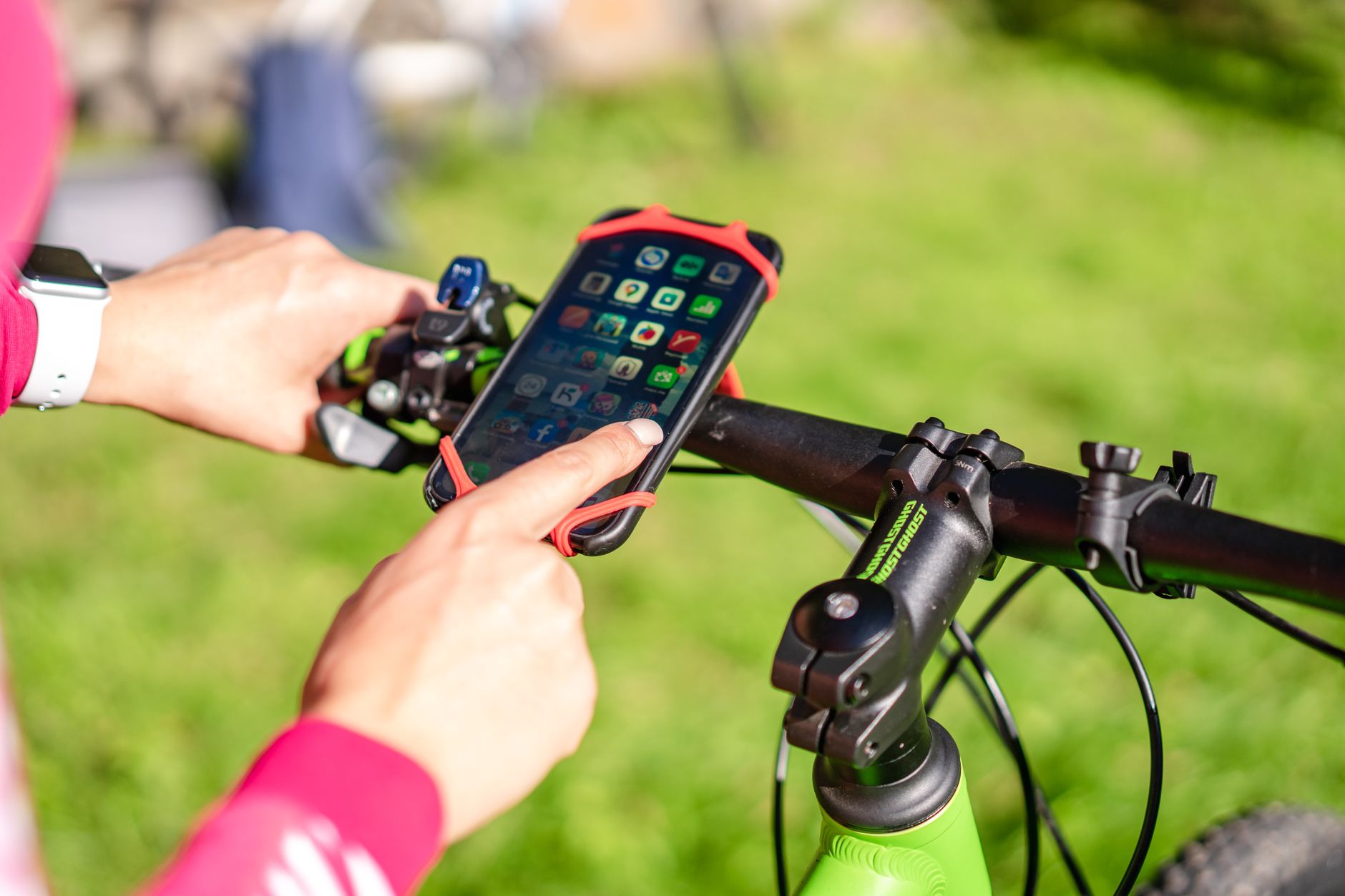
Photo by Atlantic Ambience
Quick checks before you ride
Preparing your gear and settings can cut drift dramatically. Do these checks as part of your pre-ride routine.
- Update software and map data. Install the latest OS updates and app versions. New GPS fixes and optimizations ship with these updates.
- Verify location mode. For cycling, choose a high accuracy setting that uses GPS, WiFi, mobile data, and sensors. If you’re conserving power, you can switch to a balanced mode later.
- Calibrate the compass. A quick compass refresh helps the map orient correctly. Spin the phone slowly in a circle a few times, then return to a normal hold.
- Check the mount and case. Ensure the phone is securely mounted with the screen facing forward and the antenna clear of metal or thick protective cases.
- Charge the battery. A full battery keeps the GPS working consistently. If you’re running low, bring a power bank.
- Clear app background activity. Close apps that might steal GPS time or drain sensors in the background.
If you ride in areas with trees, buildings, or tunnels, these checks still help. They reduce the odds of drift by ensuring the phone starts with the best possible data.
Troubleshooting on the trail
Drift can appear mid ride, but you can act quickly to regain accuracy. Use these steps as a quick toolbox for on the road.
- Pause and reassess. Stop long enough to watch the map update. A moment of patience often reveals a temporary signal recovery.
- Check multiple apps. Open a second navigation app or the native map to compare how each one tracks your position. If one shows a better fix, you can switch for the moment.
- Recenter location data. Turn off location services for a few seconds and then turn them back on. If you’re comfortable, switch between high accuracy and power saving modes to see what improves the fix.
- Refresh GPS data. If available, initiate a GPS data refresh in the app or turn airplane mode on for a few seconds then off to reset radio hardware.
- Use a quick calibration. Recalibrate sensors by performing a short walking loop to help the phone re-lock onto satellites and re-align the compass.
- Favor open sky when possible. If you’re in a narrow street canyon, seek a short detour to an open area where satellites are easier to lock onto.
- Switch to offline maps for a moment. If your live track is unreliable, offline maps provide a stable reference you can trust until signal improves.
- Check for battery saver constraints. Some phones throttle GPS when power saving is on. If you suspect this, disable power saving long enough to test GPS accuracy.
On the trail, you don’t need a complex setup. A few deliberate actions can restore accurate positioning quickly and keep your ride data trustworthy.
Enhancing GPS accuracy through better setup
A solid foundation improves GPS performance for every ride. Consider these adjustments that pay off over time.
- Enable multi-constellation positioning. Most modern phones support GPS plus other satellite systems like GLONASS and Galileo. When enabled, the phone has more satellites to pick from, improving accuracy.
- Keep sensors in sync. Make sure the phone’s sensors are not blocked by metal or thick cases. A clear path from the sky to the antenna matters.
- Use a high-quality mount. A stable, vibration-free mount reduces movement that can confuse GPS smoothing and map alignment.
- Minimize metal in the pocket. If you carry the phone in a bag or pocket, shield the antenna as much as possible. Heat and body position can affect signals.
- Manage battery and heat. Overheating or draining the battery can degrade GPS responsiveness. If the device feels hot, pause and cool it down.
- Update map layers and regions. If you ride in new areas, ensure your maps include local paths or trail data. Better data means better route following.
These practices are straightforward but powerful. Consistency matters more than perfection on every ride.
Tools and apps to diagnose GPS drift
Knowing when drift is a hardware issue versus a software issue helps you decide what to fix first. Several tools can help you diagnose GPS problems without a degree in geodesy.
- Built-in location settings. Both Android and iOS offer diagnostic menus that reveal satellite strength, signal quality, and which constellations your phone uses. Look for a quick read of satellites and accuracy.
- GPS status and toolbox style apps. These apps display real-time GPS data, including signal strength and number of satellites. They’re handy for spotting weak signals before you head out.
- Compass and altimeter checks. A reliable compass along with a stable altitude reading can indicate sensor fusion accuracy. If these sensors disagree, drift is likely a data fusion issue.
- Test routes. Run a short, known route and compare the recorded path to the actual route. Repeating the test in different environments helps isolate the cause.
- Offline map sanity check. When you confirm live tracking, try an offline map to verify you’re following a credible route. If the offline track looks solid but live tracking is off, a live signal issue is likely at play.
These tools are part of a practical maintenance routine. They help you spot patterns, such as drift in urban canyons or along canyons with tall buildings, and guide the fixes that actually matter.
A practical tip: smartphone habits that reduce drift
Small changes in how you ride and how you use your phone can cut drift substantially. Consider these habits.
- Keep the phone cool. Heat reduces sensor performance. Park in shade on long climbs if you’re not actively using the device to navigate.
- Use a dedicated GPS app during rides. While most nav apps work fine, some are optimized for cycling data and update frequency. A single trusted app reduces cross-app drift.
- Plan routes with wide signals in mind. When possible, choose routes that stay in open spaces or on wider streets where satellites have a clearer view.
- Start rides with a quick stability check. Before you roll, open the map and watch the position settle. If it jitters visibly, you may want to adjust settings before you start pedaling.
- Keep firmware current. Regular updates fix GPS driver issues that otherwise linger in the background.
A few small adjustments can yield big gains over a season of rides.
Case in point: a real world approach
On a cooler weekend ride, the trail network near a river showed drift in the second half of the loop. The rider followed these steps: updated the bike app, recalibrated the compass, and swapped from a case that masked part of the antenna to a lighter shell. They rode a few kilometers on a straight stretch with open sky, and the GPS fixed in again. Later, they revisited the same section and noted the track followed the river path much more closely. The lesson was simple: a small, targeted reset and a better mounting setup can restore accuracy when signals are tested by structures and weather.
Conclusion
GPS drift can happen to any rider, but it doesn’t have to ruin a ride. By understanding the reasons behind drift and applying practical checks, you can keep your phone’s location data trustworthy. Start with quick pre ride checks, carry a small toolbox of on the trail steps, and invest in a solid mount and up to date software. Embrace sensor fusion and multi constellation positioning. With the right setup, your GPS will reflect the path you actually ride, not the fantasy line of a stubborn signal.
If you’re curious about your own drift patterns, keep a simple log. Note weather, route type, and your device settings each time. Over time you’ll spot what tweaks actually move the needle for your rides. And as you gain confidence, you’ll spend less time second guessing the map and more time enjoying the ride.
Want to dive deeper? Try a structured routine for your next ride: verify the mount, toggle accuracy modes, recalibrate the compass, and compare two navigation apps on a familiar loop. The repeatable steps turn GPS drift from a mystery into a manageable partner on every journey.
Photo by Atlantic Ambience