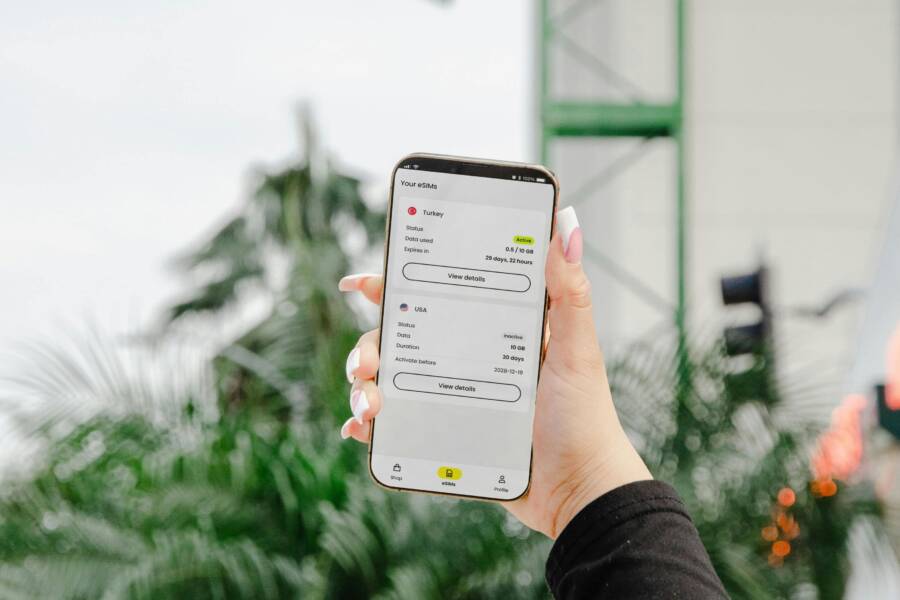
Using a notes app on your smartphone is more efficient than carrying a paper planner because it keeps your itinerary, confirmation links, and lists in one searchable place. Digital organization saves time before your departure and reduces stress while you travel.
You can update your plans instantly when schedules change or new ideas arise. This simple habit keeps your travel documents secure and accessible during every step of your trip.
Continue reading to learn how to organize your next adventure using the tools already on your device.
Building Your Master Travel Itinerary in a Digital Note
Your smartphone contains the ideal tool for travel planning. By consolidating your details into a single note, you eliminate the need to switch between multiple apps or dig through paper folders. This central hub keeps your schedule and essential information within reach at all times. You can modify your plans on the move and view updates instantly.
Organizing Daily Schedules with Simple Checklists
Interactive checkboxes turn a flat, static itinerary into a functional roadmap for your day. You can list your planned activities and sights in chronological order, ticking them off as you complete them. This visual progress provides a sense of accomplishment during long days of exploration. It also helps you stay on track if your schedule becomes crowded.
When you use a checklist in your smartphone, you avoid the anxiety of missing a reservation or a tour time. You can prioritize your tasks by moving the most important items to the top of your note. This simple structure helps you visualize your day without cluttering your mind with too many details. If you change your mind about an activity, you can quickly reorder your list to reflect your new preference.
Linking Important Documents and Confirmations
Retrieving travel documents often creates stress at busy check-in counters or transit gates. You can avoid this frustration by pasting direct URLs or attaching PDF screenshots of your confirmations into your note. This puts your flight status, hotel address, and tour vouchers in the same location as your daily schedule. You will no longer waste time searching through your email inbox or cloud storage folders while in a rush.
Many modern apps allow you to attach documents directly into a note. If you prefer using a web-based format, you can simply paste the link to your confirmation page. Having these items accessible offline is helpful when you lose your cellular connection. Taking a few moments to organize these links before your departure ensures a smoother transition through airports and hotel lobbies. You can focus on your journey rather than searching for digital paperwork.
Creating Essential Packing Lists and Travel Inventories
Organizing your gear before a trip prevents the stress of arriving without a vital item. By using a notes app on your smartphone, you keep a running inventory of everything you need for various climates and durations. This habit reduces last-minute panic and keeps your luggage weight predictable.
Categorizing Items for Faster Packing
Group your belongings by category to speed up your packing process. A well-structured list allows you to scan sections quickly so you do not miss small essentials like charging cables or global adapters. You can create a template note on your smartphone that serves as a permanent reference for all future trips.
Divide your list into these common categories:
- Clothing and footwear: Include items based on the weather forecast and planned activities.
- Electronics: List your smartphone, power banks, camera gear, and all necessary cords.
- Toiletries: Note your daily hygiene products, prescription medications, and travel-sized liquids.
- Documents: Keep space for your passport, boarding passes, and vaccination records.
- Miscellaneous: Add items like sunglasses, umbrellas, or reusable water bottles here.
Updating this list after each trip keeps your inventory accurate. If you realize you did not use an item during your travels, delete it from the template. This maintenance makes your future preparation faster and more efficient.
Managing Documents and Emergency Contacts
Losing a physical wallet can derail an entire trip, but digital backups provide a safety net. You should store copies of your passport, travel insurance policy, and local embassy contacts in a secure, encrypted note on your smartphone. These copies allow you to prove your identity or file reports if your original documents go missing.
Follow these steps to secure your sensitive information:
- Create a password-protected note or folder inside your notes app.
- Scan or take clear photos of your passport ID page and visa stamps.
- Save the contact information for your nearest embassy or consulate.
- Store your travel insurance policy number and the emergency assistance phone line.
Having this data accessible offline is important when you lose your cellular signal or battery power. If your smartphone is lost, you can recover these files by logging into your cloud account from a public computer. Protecting your information this way gives you peace of mind while you explore a new location.
Advanced Features to Boost Your Travel Efficiency
Your smartphone is more than a digital notebook. When you master a few advanced features, you turn your device into a complete travel management center. These tools save time and keep your group or solo itinerary organized.
Using Shared Notes for Group Travel
Planning a trip with friends or family often involves dozens of fragmented text messages or emails. You can replace this confusion by using a shared note. Most modern smartphone platforms allow you to invite others to view and edit a specific note. Everyone in your group gains access to the same information simultaneously.
This setup prevents the common issue of outdated plans. If one person updates a flight time or adds a new dinner reservation, the change appears on everyone’s screen. You no longer need to send group alerts for minor adjustments. Everyone adds their own flight details, preferred activities, or contact info in real time. This keeps the entire group on the same page without requiring constant communication. You can also assign specific tasks, such as booking a hotel or researching local museums, within the note.
Capturing Travel Memories and Expenses
Tracking your spending while traveling is difficult when you rely on mental math. Use your smartphone to document costs as you go. Create a dedicated section in your note for daily expenses, such as food, transport, or entrance fees. Typing these figures into a list prevents the shock of a high credit card bill after you return home.
Beyond tracking money, your note acts as a visual diary. Use the camera feature to insert photos directly into your text. A picture of a unique souvenir or a menu item helps you remember specific details long after your trip ends. You might add a quick note next to each photo describing your thoughts or the location. This combination of text and images creates a rich record of your experiences. It is far more convenient than sorting through hundreds of unorganized photos in your camera roll later. Reviewing these notes during your flight home helps you reflect on the highlights of your adventure.
Tips for Keeping Your Notes Secure and Synced
Data loss can ruin a vacation. You protect your travel plans by enabling cloud synchronization and setting up device-level security. Syncing ensures your notes update across your computer, tablet, and smartphone. Security measures keep your private information away from prying eyes if your hardware is stolen or misplaced.
Enabling Reliable Cloud Synchronization
Synchronization connects your notes to a cloud server so you can access them from any device. Most apps like Apple Notes, Google Keep, or Microsoft OneNote sync automatically once you sign into your account. Check your app settings to confirm that sync is active for your notes folder. If you move between cellular data and public Wi-Fi, the app updates your itinerary whenever a connection is present.
Use these settings to keep your data current:
- Turn on cellular data permissions for your notes app in your device settings.
- Verify that your cloud storage account has enough space for new photos or PDFs.
- Enable offline access if your app offers a specific mode for viewing documents without a signal.
- Sign in to the same account on every device you carry on your trip.
Adding Security Layers to Sensitive Data
Your travel notes often hold sensitive details like passport numbers or credit card information. You should add a security layer to prevent unauthorized access. Most modern operating systems allow you to lock specific notes or folders with a password, a fingerprint, or facial recognition. This prevents someone from opening your app even if they gain access to an unlocked smartphone.
Follow these habits to harden your digital security:
- Create a strong, unique password for your cloud account that you do not use on other sites.
- Activate two-factor authentication to prevent login attempts from unknown devices.
- Lock individual notes containing ID copies or financial data rather than the entire app.
- Clear your cache or log out of public computers after you view your synced notes.
Troubleshooting Sync Conflicts
Sometimes, a note might fail to update if you edit the same item on two devices simultaneously. The app usually creates a conflict copy to prevent data loss. You should review your notes after a long travel day to ensure the most recent version is the one you kept. If you notice a conflict, open both versions, copy the missing information into the primary note, and delete the extra file.
You can prevent most sync errors with these simple habits:
Frequent, brief checks keep your information consistent and safe. You avoid last-minute confusion at the airport by verifying that your latest itinerary changes are present on all devices. Relying on these security and sync habits turns your smartphone into a dependable travel partner.
Conclusion
Consolidating your travel plans into a single note keeps your trip manageable. You no longer need to jump between emails or paper printouts to find an address or confirmation number. This method creates a clear, searchable hub for your entire itinerary.
Open a new note on your smartphone today to start your first list. Add your destination, dates, and a few key confirmation links. You will find that this simple preparation makes your next journey much easier to manage.
Good planning reduces stress while you travel. Organizing your documents and lists before you leave gives you more freedom to enjoy the trip itself.