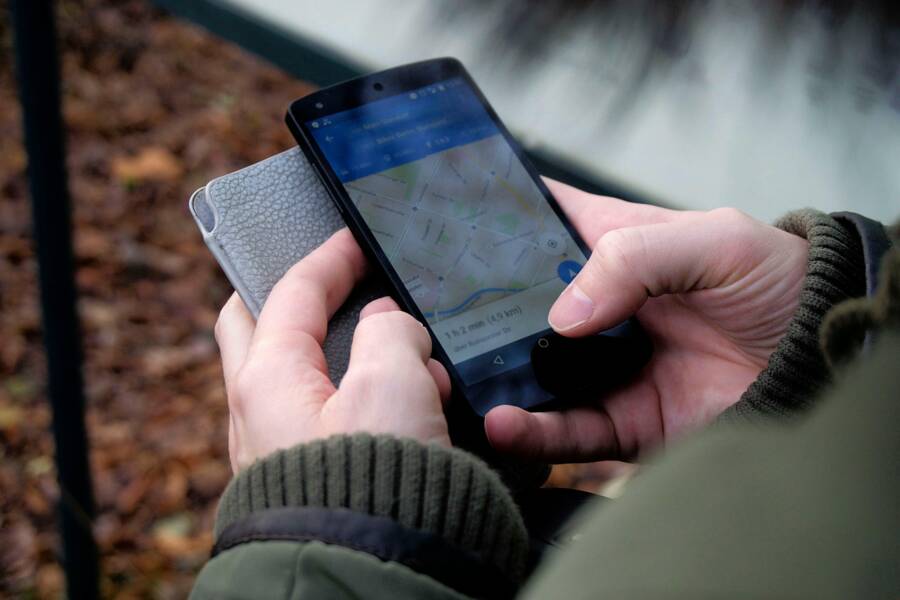
Your smartphone acts as the command center for your entire life. It holds your schedule, your communication, and now, it can anchor your physical belongings to keep you from losing them.
You stop losing items like keys and wallets by pairing small tracking tags with consistent daily habits. This combination of hardware and routine creates a reliable system that prevents items from going missing.
Read on to learn how to configure your phone and set up the habits that make lost items a thing of the past.
Why Your Smartphone Is the Best Tool for Tracking Belongings
Your smartphone is the most effective device for locating misplaced items because it serves as a central hub for various wireless signals. It processes complex location data, maintains constant connectivity, and provides an immediate interface to view your gear on a map. By keeping this device in your pocket, you possess a portable command center capable of hunting down lost keys, wallets, or bags.
Understanding the Role of Bluetooth Trackers
Bluetooth trackers function by emitting a low-energy signal that your smartphone constantly monitors. When you attach one of these small devices to an object, the phone acts as a listener. As long as you remain within a certain range, your phone maintains a constant digital handshake with the item. You can trigger an audible chime through your phone interface to locate the object when it hides under cushions or inside dark drawers.
These systems rely on two distinct methods to provide location history:
- Direct Bluetooth proximity alerts keep track of items in your immediate vicinity. The signal strength on your screen tells you how close you are to the object, often using a visual meter or a hot-and-cold indicator.
- Crowd-sourced location networks expand your reach significantly. If you lose an item in a public place, your tracker sends an encrypted signal to any nearby phone belonging to that same network. That stranger’s phone anonymously passes the location data to the cloud, which then updates the map on your smartphone.
This approach provides wide-ranging coverage without requiring a constant GPS radio inside the tag itself. The tracker relies on the smartphone hardware to do the heavy lifting.
Setting Up Your Phone for Maximum Tracking Coverage
Configuration is the secret to a reliable tracking system. You must grant the tracking application permission to access your location at all times, not just when you are actively using the app. Without this setting, the software cannot update your item positions while the phone stays in your pocket or when the screen is off.
Follow these technical steps to prepare your device:
- Enable background app refresh for all tracking applications to allow real-time communication between the tag and your phone.
- Configure smart alerts to notify you immediately if you move away from a specific item, such as a laptop bag or a set of keys.
- Review your notification settings to ensure these alerts bypass silent modes or focus filters, preventing you from missing a warning if you accidentally leave something behind.
- Verify that your Bluetooth radio remains active throughout the day, as turning it off renders these tracking systems useless.
Managing these settings turns your smartphone from a simple communication tool into a persistent security monitor. Once the initial setup is complete, the background processes function silently, updating your item locations without requiring your daily input. Regular testing of your proximity alerts ensures the system remains functional before you head out for the day.
Creating a Daily Routine to Prevent Misplacing Items
You stop losing your belongings by changing how you interact with your environment. A consistent routine reduces the mental effort required to keep track of your keys, wallet, and smartphone. When these actions become automatic, you no longer rely on memory alone to ensure you have everything before leaving the house.
The Power of Rituals and Spatial Awareness
Rituals anchor your day by assigning a specific home for every object. You minimize the chances of misplacing items by pairing the act of picking up your smartphone with a quick check for your wallet and keys. This physical ritual, often called a “pocket check,” serves as a final gatekeeper before you walk out the door.
Consistency is the most important factor in this process. Your brain handles routine tasks with less effort, allowing you to focus on more complex goals while your hands instinctively perform the check. You should perform this ritual in the same location, such as a hallway table or a dedicated bowl near the front door.
Consider these steps to build your exit ritual:
- Place your wallet, keys, and smartphone in the exact same spot every time you return home.
- Tap your pockets to verify the presence of your gear as you grab your phone.
- Observe the space visually before you exit, ensuring no items remain on surfaces where they do not belong.
This habit reduces the cognitive load of tracking multiple items. If you repeat this sequence daily, your mind creates a sensory map of where things reside. You quickly notice when an item is missing because the empty space disrupts your established visual pattern.
Digital Reminders That Keep You on Track
Your smartphone functions as more than a simple communicator. It acts as an active assistant that can remind you to retrieve items based on your current location. Built-in tools like calendars and location-based reminders prevent you from leaving belongings behind when your routine changes or when you visit unfamiliar places.
You can set up location-based alerts using the built-in reminder app on your device. For instance, you can configure a notification to trigger when you leave your workplace or a specific store. If you accidentally leave your laptop bag or a physical wallet behind, your smartphone sends a ping to your screen the moment your GPS coordinates move beyond a set radius.
Integrate these digital safeguards into your daily workflow:
- Use calendar events with location data to prompt a manual check of your bags before you depart from an appointment.
- Set up geofencing alerts for critical items if your tracker supports that feature.
- Review your phone notifications during transition periods, such as when you arrive at your car or enter a transit station.
These reminders provide a safety net for those days when your attention drifts. They keep you focused on your physical items by forcing a moment of reflection before you depart. You effectively outsource the burden of remembering to your device, allowing you to move through your day with greater confidence.
Comparing Popular Tracking Ecosystems
Choosing a tracking ecosystem depends mostly on the smartphone you already own. Apple and Google provide robust networks that turn your device into a search engine for physical objects. Both systems rely on massive networks of other users to locate your items when they fall out of Bluetooth range.
Apple Find My Versus Android Find My Device
The Apple Find My network is a mature system with a long history of reliability. It connects your iPhone to millions of other Apple devices around the world. Because these devices stay in constant communication, the network detects lost items quickly. You view the location of your keys or wallet directly inside the native app on your iPhone. This system works well because Apple prioritizes privacy by encrypting location data, so only the owner sees the item position. It is simple to set up, and the integration with Apple hardware provides a smooth experience for users who stay within the company ecosystem.
Android Find My Device is a modern solution that competes directly with the Apple network. Google designed this system to work across a wide variety of Android devices. Its strength lies in its flexibility, as it allows your smartphone to ping nearby devices from various manufacturers to pinpoint a missing bag or backpack. Recent updates allow the network to function even when a phone is offline or without power. This feature makes Android a strong contender for anyone who needs reliable tracking without being locked into one brand.
Both platforms provide excellent tools for keeping track of your gear. If you use an iPhone, the built-in system offers the most refinement and battery efficiency. If you carry an Android smartphone, the latest Google network improvements give you comparable performance and wide hardware support. Choose the ecosystem that matches your daily driver to get the best results without extra complexity.
Solutions for Common Tracking Challenges
Even with reliable hardware, you might face unexpected notifications or signal dropouts. These glitches happen when the software is too sensitive or when your phone struggles to maintain a background connection. Adjusting a few settings helps your smartphone act as a precise monitor rather than a source of constant, unnecessary noise.
How to Handle False Alarms and Connectivity Issues
False alarms often occur because the app sensitivity is set too high. When your phone interprets a momentary signal fluctuation as a lost item, it triggers a warning. Most tracker applications allow you to adjust the alert distance or the time delay before a notification appears. Increasing this time delay helps filter out brief signal drops caused by physical obstructions.
Check these adjustments to improve your experience:
- Open the settings menu within your tracking app and locate the alert threshold.
- Select a moderate or low sensitivity setting if you receive alerts while moving from room to room.
- Add specific locations like your home or office to the ignore list so the app remains quiet while you are at your desk.
- Update the firmware of your tracking tags regularly, as manufacturers release patches to improve signal stability and reduce battery drain.
Connectivity issues usually stem from aggressive power management features on your smartphone. When your device tries to save battery life, it restricts the background activity of the tracking app. This prevents the phone from scanning for your tags until you unlock the screen. You should check the battery optimization settings in your device menu to grant the app unrestricted access to your location data.
If your tags still disappear from the map, ensure that your Bluetooth settings are set to stay active during sleep mode. Restarting your phone or toggling Bluetooth off and on provides a quick fix when the connection hangs. Keep the tracker app updated to the latest version to ensure compatibility with your operating system. These simple tweaks keep your tracking system functional without requiring you to manually check your belongings throughout the day.
Conclusion
Success in keeping track of your items comes down to three factors: selecting the right trackers, configuring your software settings, and practicing a consistent exit routine. When you combine these elements, you turn your smartphone into a dependable monitor that safeguards your gear against daily distractions.
This system replaces anxiety with predictability. You no longer need to worry about where your keys or wallet reside because your habits and digital tools keep them anchored. As you integrate these practices, you gain significant peace of mind knowing your essentials are exactly where you expect them to be.