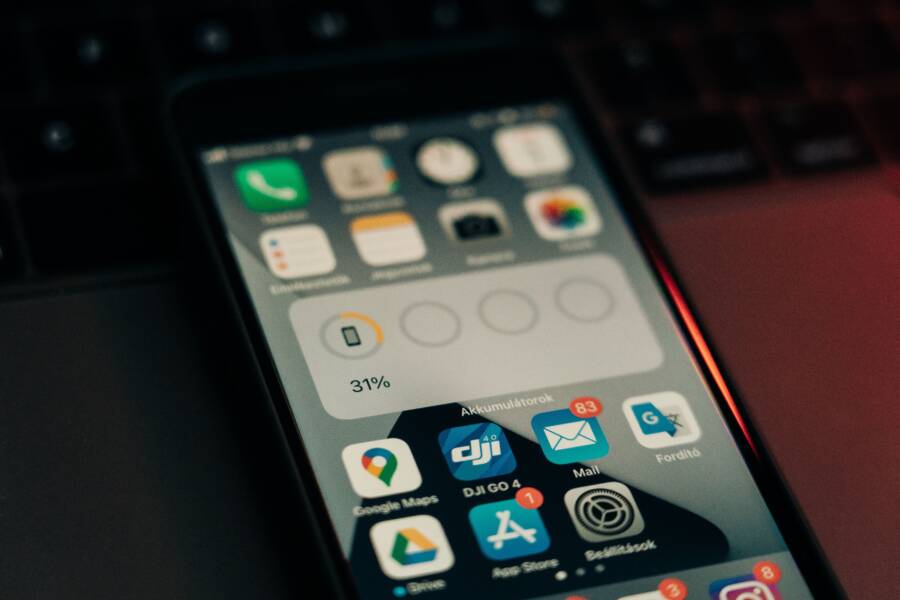
Your smartphone is likely buzzing, dinging, or lighting up every few minutes with information you don’t need. Constant interruptions spike your stress levels and fracture your attention throughout the day.
You can regain your focus and peace of mind by following a quick, systematic cleanup process. This guide helps you clear the clutter in 10 minutes or less.
Follow these steps to filter your alerts and take control of your device today.
Why Your Smartphone Needs a Notification Cleanup
Your smartphone is a powerful tool, but it often works against your productivity. Constant alerts turn a helpful device into a source of anxiety and fractured focus. When your screen lights up every few minutes, you lose the ability to commit to deep work. A quick cleanup of your settings restores your peace of mind and improves your efficiency.
The Hidden Cost of Constant Distractions
Every time your phone pings, your brain shifts its attention away from the current task. This switch costs you time and mental energy. Research shows that it takes significant effort to regain your original level of focus once you have been interrupted. If you check your alerts every few minutes, you never reach a state of deep concentration.
You might think you can multitask, but your brain is actually struggling with the rapid context switching. This habit creates a form of notification fatigue where your alertness drops because your mind is constantly braced for the next interruption. You feel busy, but the quality of your work often suffers. By silencing unnecessary alerts, you protect your attention and ensure that you remain in control of your schedule.
How Default Settings Work Against You
Most apps on your smartphone are designed to grab your attention from the moment you install them. Developers often set notifications to “on” by default to ensure you see their content immediately. These manufacturers prioritize their engagement metrics over your personal focus. Many users never look at these settings, which results in a cluttered lock screen filled with useless information.
You can easily reverse this trend by reviewing your application permissions. Most of the apps currently pinging you do not need to send real-time alerts.
- Social media: These platforms often send alerts for likes or comments that you do not need to see instantly.
- Retail apps: Sales alerts and promotional updates rarely require your immediate attention.
- Games: Many games send reminders to pull you back into the app, which often causes unnecessary distraction.
Take charge of your device by manually switching off notifications for every app that does not provide time-sensitive utility. You will find that your phone becomes a tool that serves your needs rather than a source of persistent background noise.
Step-by-Step: The 10-Minute Notification Audit
You can reclaim your time by processing your alerts in a single focused session. This audit helps you distinguish between information that helps your day and distractions that steal your focus. Grab your smartphone and open your settings menu to begin.
Categorizing Your Apps by Importance
The first step is to group your applications based on the value they provide. You want to identify which apps are worth an interruption and which ones can wait until you choose to open them.
- Essential: These apps handle emergencies or direct communication with people you care about, such as your phone, messages, and calendar. Keep these enabled because they provide necessary information for your daily life.
- Useful: This category includes weather, navigation, or productivity tools that you check periodically. You should allow these to send alerts, but consider turning off sound or vibration so they don’t break your concentration.
- Distracting: Social media, games, and news apps belong here. These often thrive on constant engagement, so you should turn off their notifications completely to protect your attention.
By placing your apps into these three buckets, you see exactly where your focus is currently leaking. Most users find that nearly half of their apps fall into the distracting group.
Silencing Non-Essential Alerts for Good
Once you have your categories, it is time to adjust your phone settings. Navigate to the notifications menu on your device to see a list of every app installed.
Work your way down the list app by app. For everything in your distracting category, flip the switch to turn off all notifications. You can still use these apps, but they will no longer command your attention with pings or red bubbles on your home screen.
For apps in your useful category, refine the alert style. Change these settings to show a badge on the icon instead of a banner or sound. This lets you check for updates on your own terms rather than reacting to an immediate alarm. If an app tries to alert you about every single like or share, go into its specific notification settings to disable those individual triggers.
Using Focus Modes for Better Control
Managing individual alerts is a great start, but phone manufacturers also provide tools to silence your device in batches. Focus modes, such as Do Not Disturb, allow you to create time blocks where only specific apps or people can reach you.
Open your settings and look for the focus or focus mode tab. You can build a profile for work that only lets through emails and messages from your primary contacts. You can create another for personal time that silences all professional alerts.
These modes are better than manual switches because they allow you to set a schedule. Your phone can enter these modes automatically when you start your day or arrive at a specific location. By using these tools, you stop managing single alerts and start managing your own availability throughout the day.
Best Practices for Sustained Notification Management
Once you finish your initial cleanup, maintenance is the key to keeping your smartphone distraction-free. Apps update, new features appear, and your usage patterns shift over time. Setting up a sustainable routine prevents your device from returning to a chaotic state. By dedicating a few minutes each week to this task, you keep your digital environment orderly and focused.
Setting Aside Time for Weekly Maintenance
A brief weekly check-in prevents notification fatigue from creeping back into your life. Spend two minutes every Friday afternoon scanning for new alerts or apps that have reset their permissions after an update. This small investment of time acts as a guardrail for your attention.
During your check-in, look for these common trouble spots:
- Check installed apps: Did you download any new tools this week? Many apps default to sending alerts, so check their notification toggles immediately upon installation.
- Monitor persistent offenders: Are any specific apps still bugging you with unhelpful pings? If they bother you more than once, strip their notification permissions entirely.
- Review update behavior: Sometimes a smartphone OS update or an app version update resets specific settings. Quickly scan your priority apps to ensure your preferred silence settings remain active.
Keeping this routine short is vital. If the task feels like a chore, you will skip it. Use a recurring calendar alert to remind yourself that two minutes of work now saves you hours of distraction later.
Teaching Your Smartphone to Respect Your Time
Instead of reacting to every ping, use notification summaries to receive updates in batches. This feature allows your smartphone to hold non-urgent alerts and deliver them only at times you choose. You might opt to see a summary at nine in the morning, one in the afternoon, and seven in the evening.
Batching alerts changes your relationship with the device. You no longer jump at every notification sound because you know when the next update will arrive. This method separates urgent communication from background updates.
- Group social updates: Direct messages remain instant, but likes and comments shift into a summary.
- Manage information feeds: News or hobby apps deliver their updates in one go, preventing constant interruptions.
- Control delivery frequency: You decide how many summaries arrive, giving you total command over your alert schedule.
The table below shows how batching compares to the standard “always on” approach.
Choosing to batch your alerts stops the cycle of constant interruption. Your smartphone serves as a resource for information when you need it, rather than a device that forces you to respond to its schedule. Relying on these summaries creates a rhythm where you remain in charge of your attention throughout the entire day.
Common Questions About Notification Settings
Many people feel anxious about changing their phone alerts because they fear losing touch with friends or work. You have complete control over your notification settings, and these tools are designed to filter noise while keeping you reachable. Your smartphone offers plenty of customization to ensure you only see what matters when you want to see it.
Will I Miss Important Messages If I Turn Off Alerts?
You don’t need to fear missing urgent updates when you disable non-essential alerts. Modern operating systems allow you to whitelist specific contacts or applications so they always break through your silent settings. By setting up these exceptions, you create a system where only your most critical people can reach you instantly.
Most users find it helpful to configure their “Emergency Bypass” or “Allow List” settings within their focus modes. If you want to ensure your family can always call you, you can add them to your priority contact list. Similarly, you can permit specific apps like your primary work email or calendar to bypass your silent status. This approach allows you to mute every other distraction without losing the ability to respond to true emergencies on your smartphone. You remain accessible to the people who matter most while the background noise of social media and marketing alerts fades away.
Are Notification Summaries Actually Helpful?
Notification summaries offer a middle ground between constant interruptions and total silence. By batching your updates, you gain the ability to process information on your own timeline instead of reacting to every ding. This shift helps you regain focus because you know that non-urgent alerts are waiting for you at a predetermined time.
The primary trade-off involves instant awareness versus sustained concentration. When you enable summaries, you accept that you will not see a random like or comment the moment it happens. However, you gain back hours of productive time that you previously lost to context switching. Many people find that after a few days, they prefer the predictability of scheduled delivery. You aren’t missing information, you are simply changing how you consume it. Using your smartphone in this way helps you stop chasing small red bubbles and start finishing your actual tasks.
Conclusion
You now have a clean system to manage your smartphone alerts. By auditing your apps, setting strict boundaries, and performing weekly maintenance, you stop digital noise from dictating your schedule.
These 10 minutes spent today lead to better daily focus and lower stress. You are now the master of your device, and it finally works for you instead of against you.