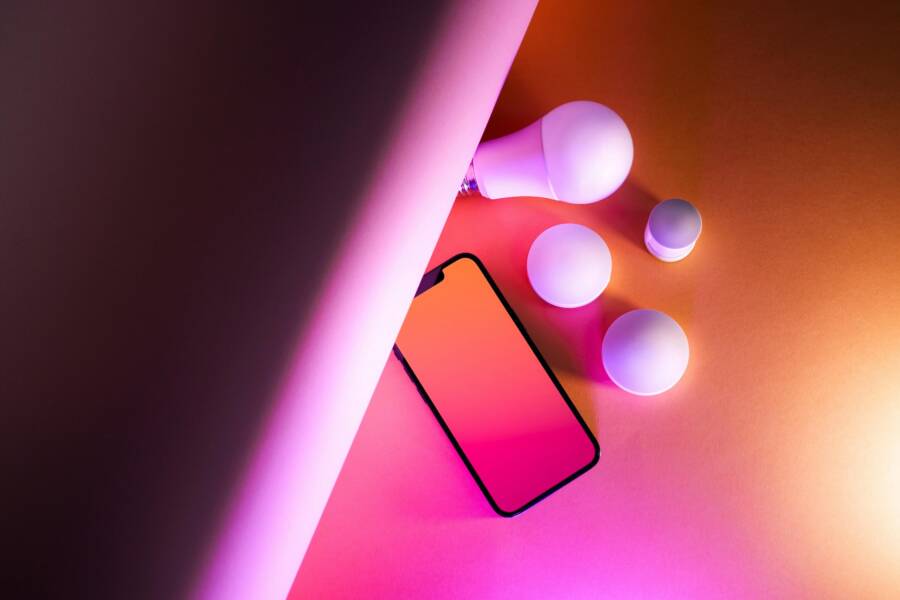
You can turn your home into a smart living space today using nothing more than your smartphone. Modern devices connect to your existing Wi-Fi network with ease, so you no longer need expensive hubs or professional installers to get started.
Building a connected home is simple and affordable when you stick to a few compatible devices. This guide provides a clear path to setting up your first kit so you can control lights, plugs, and cameras from your pocket.
Why Start Your Smart Home Journey with Your Smartphone
Your current mobile device is the most capable tool for managing your home. You already carry your smartphone everywhere, which makes it the ideal command center for your new setup. Modern smart technology connects directly to your wireless router, meaning you avoid the extra cost and setup time associated with specialized hardware hubs.
The Power of One Central App
Most smart devices today communicate directly with your home Wi-Fi network. Manufacturers design their products to pair with a dedicated mobile application, which acts as your primary control panel. You download this app from your store, create an account, and add your new light bulbs or plugs in minutes.
Because your smartphone performs the heavy lifting, you don’t need to purchase secondary bridges or complicated controllers. The app handles device discovery, firmware updates, and automation scheduling from one location. If you choose devices from the same brand, you can manage your entire lighting system or security setup through a single interface. This approach keeps your installation tidy and reduces the number of cords cluttering your shelves. You gain full control over your environment without needing advanced technical knowledge or extra networking gear.
Cost Effective Ways to Automate Your Daily Routine
Starting a smart home project often feels expensive, but starter kits provide a budget-friendly entry point. These bundles typically include two or three essential components, like a pair of smart plugs or a color-changing light bulb. You can test how these devices fit into your lifestyle before deciding to expand your collection.
Smart plugs offer an immediate way to upgrade standard appliances. You connect a coffee maker, a lamp, or a fan to the plug, then manage the power state through your smartphone. You might set a timer to turn the coffee pot on when your alarm rings each morning.
Consider these common ways to save money while building your system:
- Start with bundles that include a hub-free device to minimize your initial purchase price.
- Use smart plugs to turn existing “dumb” electronics into automated tools for your routine.
- Purchase individual units as you identify specific needs, rather than buying a large, expensive kit at once.
This method allows you to experiment with home automation without a massive upfront investment. You discover which features matter most to you, such as voice control or motion sensors, while keeping your expenses low. As your comfort level grows, you can gradually add more devices to your network. This incremental growth ensures you only pay for technology that improves your daily life.
Choosing the Right Smart Home Starter Kit for Your Needs
Picking the right starter kit determines how much you enjoy your connected home. You want a package that solves specific problems without adding unnecessary complexity to your life. The best kits provide a strong foundation that you can grow over time. Focus on brands that offer a wide variety of compatible products so you are not locked into a limited ecosystem.
Checking Compatibility Before You Buy
Your smartphone is the brain of your home network, so ensure the kit software supports your device. Most manufacturers develop dedicated apps for both iOS and Android platforms. Check the product packaging or the official website to confirm the app is available for your specific mobile version. You should also verify that the devices connect to your existing Wi-Fi frequency. Many smart gadgets only operate on 2.4GHz bands, which is the standard for most residential routers. If your home network uses a mesh system or only supports 5GHz, you might face connection issues during setup. Read the fine print carefully to see if the system requires a separate hub or if it connects directly to your wireless router. Choosing a hub-free system often keeps the installation process simple and reduces the number of cords you need to manage.
Top Three Essential Devices for Beginners
Starting with the right trio of devices makes your transition into home automation manageable and rewarding. Focus on versatility when you select your first few components for your home. These three items offer the most immediate benefits for any household:
- Smart plugs allow you to control lamps, fans, or coffee makers from your smartphone. You can set schedules for your lights or turn off electronics from anywhere to save energy.
- Smart light bulbs offer flexible control over your home lighting environment. You can dim them for a movie or set them to turn on automatically when the sun goes down.
- A camera or motion sensor provides basic security by alerting your phone to activity in your living area. You can monitor your front door or hallway while you are away from home.
These three device types provide a perfect mix of convenience and security for a new user. You learn the basics of app control and automation scheduling without feeling overwhelmed by complex technology. Once you become comfortable with these essentials, adding more advanced sensors or thermostats becomes a natural progression. You build your system piece by piece based on what actually improves your daily routine.
Step by Step Setup Guide Using Your Smartphone
Setting up your smart home is a straightforward process when you use your smartphone as the main control center. Most modern devices rely on manufacturer apps to bridge the gap between your hardware and your home network. You will follow a consistent flow of downloading software, creating a secure profile, and pairing each unit to your Wi-Fi.
Downloading the Manufacturer App
The first step in your installation process is locating the correct application for your specific brand of smart devices. Every manufacturer provides a dedicated app that acts as the software interface for your hardware. You can find these apps in the Apple App Store or the Google Play Store on your device. Search for the brand name printed on your starter kit box to ensure you grab the right one.
After the download finishes, open the app to begin the account registration. You must provide a valid email address and choose a strong, unique password to protect your home network. Many manufacturers offer two-factor authentication for added security, which sends a temporary code to your phone or email. Always choose this option if it is available to lock down your system against unauthorized access. Once you verify your account through the confirmation email, you are ready to start adding devices to your smartphone management list.
Pairing Your Devices via Bluetooth or Wi-Fi
Most smart devices enter a pairing mode as soon as you plug them in or insert their batteries. Open your manufacturer app, tap the add button, and follow the on-screen prompts to scan for your new hardware. Your smartphone will typically use Bluetooth to discover the device and then pass your Wi-Fi credentials over to complete the connection.
If your device does not appear in the list, keep these troubleshooting tips in mind to resolve the issue:
- Reset the smart device by holding the power button for ten seconds until the light indicator flashes rapidly.
- Check that your smartphone is connected to a 2.4GHz Wi-Fi network, as most smart gadgets do not support 5GHz bands.
- Move your smartphone closer to the device during the initial pairing process to ensure a strong signal.
- Disable your mobile data temporarily, as this can sometimes prevent the app from talking to the new hardware.
- Check your location permissions in your smartphone settings to ensure the app has the necessary access to find nearby equipment.
Persistence often solves connection problems on the first try. If the app still fails to find the device, reboot your router and restart your smartphone before attempting the process again. Once the device shows up in your dashboard, you can rename it, assign it to a room, and start creating automation routines to fit your schedule.
Getting the Most Out of Your Smart Home Automation
You can transform your living space into a responsive environment by using simple automation. Your smartphone acts as the engine for these tasks, running scripts that trigger devices without manual input. Automation saves time and adds convenience by putting your lights and plugs on a predictable schedule.
Setting Up Simple Schedules for Lights and Plugs
Schedules ensure your home reacts to your daily patterns. You set these routines once in your app, and your devices handle the rest. This feature is useful for waking up in the morning or keeping your house occupied while you are away on vacation.
For a morning routine, you might set your bedroom lamp to turn on gradually at 7:00 AM. If you have a smart plug connected to a coffee maker, you can schedule that to activate five minutes later. Your home greets you with light and fresh coffee before your alarm clock even rings.
Security is another benefit of consistent scheduling. You can configure your living room lights to turn on at sunset and off at 11:00 PM every evening. This mimicry makes the house look lived-in while you travel for work or leisure. Many apps even include a randomized feature, which shifts your light schedule by a few minutes each day to create a more realistic presence.
Follow these steps to create your first schedule:
- Open your device app and select the specific light or plug you want to automate.
- Tap on the automation or schedule tab within the device menu.
- Choose the days of the week you want the rule to run.
- Set the exact time for the action to start.
- Define the action, such as turning the device on or off.
- Save your settings to enable the automated task.
Adding Voice Commands and Widgets to Your Smartphone
Speed is the main advantage of modern home control. You don’t need to dig through menus or open the app every time you want to dim the lights. Widgets and voice assistants provide immediate access to your most-used devices.
Widgets place a shortcut directly on your home screen. You can add a widget that shows a simple button for your hallway lights. A single tap performs the action instantly, which saves time when you are rushing out the door. Most smartphone operating systems allow you to group these shortcuts into a single folder or a dedicated page for home management.
Voice commands offer a hands-free alternative that works well when your hands are full. You can ask your phone to turn off all the lights at once or check the status of your smart plugs. Because your phone is usually nearby, it serves as an always-ready controller.
Consider these ways to boost your control speed:
- Place widgets for your most frequent tasks on your primary home screen.
- Use voice labels for your rooms, such as “kitchen” or “porch,” to control multiple devices with one phrase.
- Create a master scene, like “Goodnight,” which turns off all connected lights and plugs with one voice command.
These shortcuts make your smart home feel like a natural extension of your daily life. You spend less time adjusting settings and more time enjoying a home that works for you.
Conclusion
Setting up a smart home starts with a simple choice of devices and your existing smartphone. By selecting hub-free gadgets that connect directly to your router, you avoid technical complexity and keep your initial investment low.
Begin with basic items like light bulbs or plugs to learn how the mobile application manages your environment. As you become comfortable with these tools, add more sensors or cameras to improve your daily routine.
Your phone provides all the control you need to enjoy a modern, automated living space. Take your time to test different settings until your home setup feels like a natural part of your day.