Phones carry germs because we handle them all day and set them down on countless surfaces. A quick clean at home can drastically cut those germs and reduce the risk of spreading them to our hands, faces, and shared items. This guide focuses on phone hygiene and safe, simple steps you can follow today.
You’ll learn why regular cleaning matters, what materials are safe to use, and a practical, step by step approach that fits into daily routines. We’ll cover when and how to wipe, how to protect ports and openings, and how often to clean for different environments. By the end you’ll have a clear process you can repeat without worry.
If you’re unsure where to start, think of safe sanitizing methods that rely on common supplies you already have at home. Turn off your device first, remove the case if possible, and use 70% isopropyl alcohol wipes or gentle soap and water for nonporous surfaces. This keeps your device in good shape while making it safer to touch and use throughout the day.
Why sanitize your phone at home
Keeping your phone clean is a simple, daily habit that pays off in better health and smoother device performance. Your phone travels with you to every room, touches countless surfaces, and meets your hands dozens of times a day. That means germs, oils, and tiny particles can accumulate on the screen and in ports. A quick home routine helps reduce the spread of germs to your face, eyes, and mouth, and it protects the device you rely on. Below are practical, user-friendly sections to guide your approach.
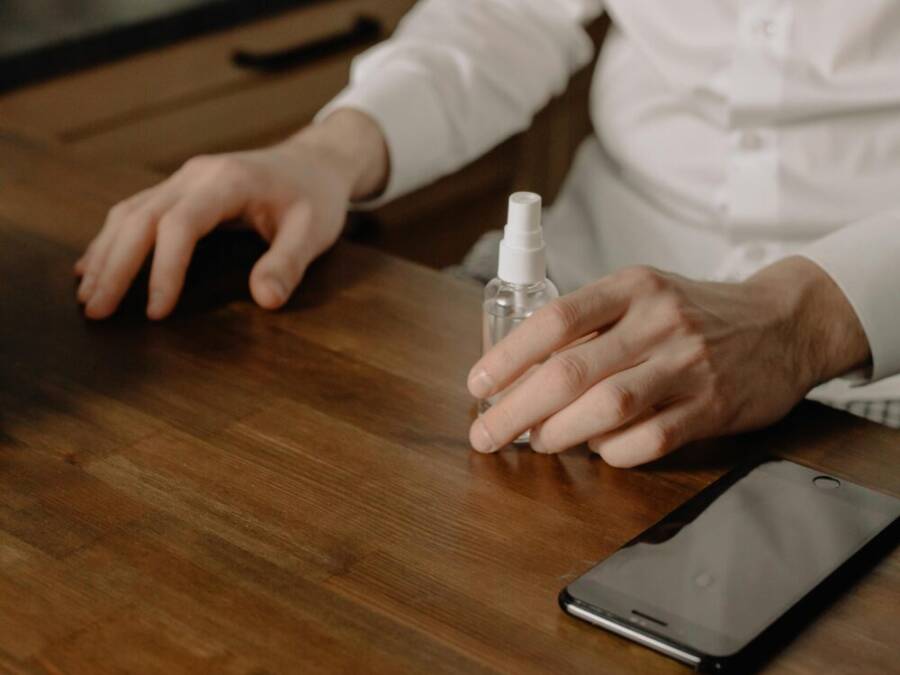
 Photo by cottonbro studio
Health and hygiene benefits
Phones touch many surfaces and many hands every day. Each surface you set your phone on, from a kitchen counter to a desk, can transfer germs onto the device. When you pick up the phone, those germs can move to your hands and then to your face or other shared items. The simple act of wiping the screen and case reduces the germs that accumulate over time, helping you lower the risk of spreading illness.
A quick, safe cleaning tip you can use today: at the end of the day, wipe the screen and back with a dry microfiber cloth to remove dust, then finish with a single pass using a disinfectant wipe approved for electronics. This two-step approach is easy to fit into routines like after returning home or before starting the next work shift.
For additional context, reputable sources note that phones often carry more bacteria than a toilet seat and that routine cleaning reduces opportunities for germs to spread in daily life. See reputable health discussions and studies for more detail on the germ presence and hygiene impact. For further reading, you can explore expert discussions on germ presence on devices linked here: Can Your Phone Make You Sick?
Protect your device and data
Moisture and harsh cleaners can damage screens, coatings, and ports. Direct liquid exposure to openings like the charging port or headphone jack can creep inside and affect performance. Harsh chemicals, ammonia, or undiluted alcohol can strip protective coatings and leave streaks or micro-scratches. The goal is to remove grime without compromising the device’s functionality or water resistance.
To keep your phone performing well, use products intended for electronics. A 70% isopropyl alcohol wipe or an electronics-safe disinfectant wipe is typically appropriate, used on the exterior surfaces only. Avoid spraying liquid directly onto the device, and never apply liquid to openings. If you need to reach tight spots, wrap the wipe around a cotton swab rather than brushing liquid into ports. Regular, cautious cleaning helps maintain touchscreen sensitivity and camera quality over time.
Staying mindful of these guidelines also supports data integrity. A clean device is less prone to stickiness that could interfere with sensors or keys, and it reduces the chance of moisture-induced issues behind ports or fasteners. For deeper reading on the bacterial landscape of mobile devices and related risks, see additional information from studies and health outlets: Study of bacterial flora associated with mobile phones
How often to clean
A practical approach pairs daily maintenance with deeper, more thorough cleans on a regular schedule. Start with a quick daily wipe to remove fingerprints and dust. Plan a more complete cleaning once a week, focusing on the screen, body, and around the camera and speakers.
In environments with higher risk or shared usage, increase the frequency. If someone nearby is sick or you’re in a crowded setting, consider an extra clean or two during the day. The goal is to keep grime from building up without overdoing it, which can wear down protective coatings over time.
If you want a general reference on cleaning frequency, experts often suggest daily quick checks for high-use situations and weekly deeper cleans for most households. For broader guidance on how often to clean phones and related hygiene practices, you can review industry-friendly summaries and health advisories: How to Clean Your Phone Screen & How Often to Clean It
If you’re ready to implement, use this simple cadence:
- Daily quick wipe: 30 seconds to remove fingerprints and dust.
- Weekly thorough clean: 2–3 minutes to wipe the entire surface and case.
- After shared use or contact with someone who is ill: perform an extra wipe and, if needed, a case wash.
By keeping a steady rhythm, you’ll maintain a cleaner phone with less risk of transferring germs to your hands or face. For additional best practices on safe cleaning methods, refer to electronics-friendly cleaning guides and health resources that discuss effective routines and products. See additional guidance here: How to Clean Your Phone and Case
Safe methods to sanitize your phone at home
Keeping your phone clean is a quick, practical way to reduce the spread of germs. The goal is to remove grime from exterior surfaces without harming the device. Below are two reliable approaches that fit common home routines. Both methods focus on safety for the phone, the user, and the environment.
70% isopropyl alcohol wipes
Using a 70% isopropyl alcohol wipe is a widely recommended method for disinfecting nonporous surfaces like a phone’s exterior. The steps below help you do it safely and effectively.
- Power off the phone and remove any case if possible. This makes it easier to reach all surfaces and reduces the chance of moisture trapping near openings.
- Wipe exterior surfaces with a damp, not dripping, wipe. Gently move the wipe across the screen bezel, back, sides, and buttons. Avoid openings such as ports, speakers, and cameras.
- Do not spray liquid directly onto the device. Do not press hard or scrub, which can irritate coatings.
- Let the surface air dry for a few minutes before turning the device back on. A dry surface helps ensure there is no residual moisture in crevices.
- If you need to reach tight spots, wrap the wipe around a cotton swab instead of applying liquid into ports. This keeps moisture away from openings.
- When in doubt, consult manufacturer guidance. Apple, for example, outlines safe exterior cleaning using approved wipes and methods: https://support.apple.com/en-us/108765
This method is commonly recommended for electronics and has a solid track record for reducing surface germs while preserving device integrity. For additional guidance on disinfecting mobile devices, you can review expert resources that describe practical, electronics-friendly approaches: https://www.chemtronics.com/how-to-safely-disinfect-your-mobile-devices?srsltid=AfmBOooFPE-sZ4J0b6p0i5V5K6KaQRW00vTe3_YiNEmZwlqqGCT9tKy2
Ethyl alcohol wipes and alternative wipes
Ethyl alcohol offers a viable alternative when 70% isopropyl is not available or when a broader wipe option is preferred. Here’s how to use ethyl alcohol safely and what to watch for in comparison to IPA.
- Concentration matters. A solution around 70% to 90% alcohol is generally effective for disinfection. Ethyl alcohol works similarly to isopropyl alcohol at these levels, but availability and packaging may differ by product.
- Compare coatings and screens. Some device coatings can react differently to ethyl alcohol than to isopropyl alcohol. Always use exterior surfaces only and avoid direct contact with ports, sensors, and screens inside any protective layers.
- Rinse or dry as needed. Do not soak. Wipe until the surface looks and feels dry, then allow a few minutes to air-dry completely before use.
- If you’re unsure about coatings, check the device maker’s cleaning guidance. You can find general discussions about ethyl versus isopropyl alcohol and disinfection effectiveness here: https://www.healthline.com/health/ethyl-alcohol-vs-isopropyl-alcohol
When choosing between ethyl and isopropyl options, the key is concentration and safe application. Ethyl alcohol at appropriate concentrations can be effective, but ensure you follow brand instructions and avoid excessive moisture near openings.
For a broader comparison of alcohol types and disinfection guidance, the How Stuff Works explainer provides clear differences and practical notes: https://science.howstuffworks.com/difference-between-ethyl-and-isopropyl-alcohol.htm
In all cases, use alcohol-based wipes on the phone’s exterior only. Do not spray cleaners directly onto the device or into ports. If you need to target stubborn smudges, use a microfiber cloth lightly dampened with the alcohol solution rather than a saturated wipe.
Key safety takeaway: always prioritize the device’s coatings and seals. Regular, careful cleaning with the right products preserves touchscreen sensitivity and camera performance while reducing germ presence. For more on safe disinfection practices, you can explore general guidelines from industry sources: https://pmc.ncbi.nlm.nih.gov/articles/PMC7204931/