Smartphones go everywhere with us, and so do the oils, dust, and germs. This guide shows safe phone cleaning methods that minimize risk to your device while restoring clarity to the screen and buttons. You’ll learn a simple routine you can repeat weekly to keep your device hygienic and purring.
The core idea is straightforward: use gentle tools, avoid direct liquids on the device, and follow a brief maintenance plan. For daily care, a dry microfiber cloth removes most fingerprints without scratching the surface. When you need a deeper clean, dampen the cloth with a small amount of water or a dilute alcohol solution and wipe gently, then let the phone air dry.
A few practical tips make a big difference. Always power down before cleaning and avoid cleaners that damage coatings. Keep liquids away from ports and speakers, and clean the case separately to reach hidden grime. By sticking with these steps, you’ll enjoy a cleaner screen, better hygiene, and a longer life for your phone.
Prepare for safe cleaning the right way
Cleaning your phone safely starts with a calm, methodical approach. By setting up the right routines and choosing the right tools, you minimize risk to the device while restoring clarity to the screen and buttons. This section lays out the essential pre-cleaning steps so you can tackle grime without worry.
Power off and disconnect
Power down the phone and unplug any cables. This reduces the risk of short circuits and moisture entering ports. Before you begin, remove the case if it is on. A completely powered device makes it easier to reach all areas and prevents accidental activations during cleaning. If you’re unsure how to power off a specific model, follow the manufacturer’s guidance or visit a support article like Samsung’s suggestion to power down and remove accessories.
Remove case and screen protector
Take off the case and screen protector if possible so you can clean around the edges and the device itself more thoroughly. Elevating the device from a dirty surface helps you avoid transferring dirt back onto the screen. After you clean the phone itself, wipe down the case and screen protector separately to maintain overall hygiene and extend their life. If you have a protective pouch or sleeve, address that as part of your routine to prevent dust from drifting back onto the phone.
Gather safe tools and supplies
Collect a soft microfiber cloth, a small amount of cleaning solution or diluted 70% isopropyl alcohol, distilled water, a soft brush or compressed air, and cotton swabs. Avoid metal tools and spraying directly on the phone. A gentle approach matters: use a barely damp cloth and never soak any part of the device. For hard-to-reach spots, a soft brush can lift grime from ports without forcing liquid inside. If you want a quick reference, see reputable guidance on keeping devices clean, including tips from major manufacturers about safe materials and techniques.
Know what to avoid before you start
Keep away from bleach, ammonia, window cleaners, and undiluted alcohol. Do not spray liquids directly onto the device and avoid excessive moisture entering openings. Strong cleaners can damage coatings and seals, and direct spraying increases the risk of moisture slipping inside. Always apply cleaning solution to the cloth, not to the device, and work in a well-ventilated area. If you encounter particularly sticky residue, a spot with a minimal amount of solution on a cloth usually does the trick without risking damage.
External resources for safe cleaning guidance:
- Keep your Galaxy phone clean with official tips on power and removal of covers: https://www.samsung.com/us/support/answer/ANS10003416/
- How to clean your phone and other devices safely, with step-by-step checks: https://www.backmarket.com/en-us/c/smartphone-guides/how-to-clean-my-phone?srsltid=AfmBOopd_VHS9v_qVmruRQnA9alNAHd4mwSHEL08PSt1GCGy6oAcvakV
- General disinfection tips for electronics from PCMag: https://www.pcmag.com/how-to/disinfect-clean-electronics-viruses-germs
- Practical consumer guide for disinfecting phones: https://oneessentialcommunity.com/how-to-clean-disinfect-phone/
- A broader guide on spring cleaning your phone and case: https://www.otterbox.com/en-us/blog/how-to-clean-your-phone-and-case.html?srsltid=AfmBOooD8A1Gs4bJczGADNxVe43btl67Y_lCArmcJU5u8RF98_leadjb
If you’re building a routine, consider bookmarking a quick checklist like this: powered off, case removed, cloth ready, and cleaning solution prepared in a spray bottle applied to cloth only. A steady, deliberate pace beats rushing and missing spots.
Clean the screen and phone body safely
Cleaning a phone is a quick ritual that keeps your device looking sharp and hygienic. The goal is
Tidy up ports, speakers, and camera without damage
A clean phone body sounds simple, but it protects performance. Dust and grime can clog speakers, block ports, or smear the camera lens. The goal here is to remove debris without forcing moisture or scratching sensitive surfaces. Use gentle tools, small motions, and a calm rhythm. If you establish a brief routine, you’ll keep audio clearer, ports open, and the camera ready for sharp photos.
Dust removal techniques
Dust tends to settle in charging ports, speaker grills, and around the camera area. Start with a soft approach: gently dislodge particles with a can of compressed air or a soft brush. Keep the device stationary and avoid poking aggressively. A short, steady puff helps lift dust rather than pressing it deeper. After brushing, you can finish with a dry microfiber cloth to wipe away loosened particles from the surface.
If you work near the speakers or ports, angle the can or brush away from openings to minimize the chance of moisture entering internal components. For stubborn dust around the camera module, use the same gentle brush to sweep the debris outward rather than digging in. Remember, the best results come from patience rather than force. For a practical reference on safe methods, many guides recommend a light touch and a dry approach as the baseline.
External resources for safe cleaning guidance can be helpful. For example, Samsung provides official tips on removing covers and powering devices down before cleaning, which can inform safer practices: https://www.samsung.com/us/support/answer/ANS10003416/ Additionally, general electronics cleaning tips from reputable outlets can offer broader context:
Clean the phone case and accessories
Keeping your phone case and its accessories clean protects both your device and your health. Cases, screen protectors, and charging accessories collect grime, oils, and germs. A regular, careful routine makes these items last longer and stay hygienic. Below you’ll find practical, non-damaging methods you can apply right away.
Cleaning cases and screen protectors
Wash silicone or plastic cases with mild soap and water. Use a soft cloth or sponge to scrub away dirt, then rinse and dry completely before reinstalling on your phone. If you notice any stubborn residue, a light, non-abrasive paste (baking soda with a touch of soap) can help lift grime without scratching the surface. After cleaning the device itself, wipe down the case and screen protector as well to maintain a cohesive clean feel. Always ensure the screen protector is intact and free of lifting edges before reattaching.
When selecting a cleaning solution, avoid harsh chemicals that can wear away coatings. A basic soap and water routine works well for most cases, while mild disinfectants can be used sparingly on the exterior. For additional tips, you can explore official guidance on safe device care from manufacturers like Samsung, which emphasizes proper power down and cover removal before cleaning. See more examples and guidance here: https://www.samsung.com/us/support/answer/ANS10003416/ and for broader disinfection tips see PCMag’s electronics guidance: https://www.pcmag.com/how-to/disinfect-clean-electronics-viruses-germs
If your case has textured surfaces or decorative elements, take a soft brush to reach the tiny nooks. Rinse thoroughly to avoid soap residue, which can attract more dirt later. Let the case dry completely before snapping it back onto the phone. A dry, fully conditioned case not only feels better but also helps protect your device in daily use.
External resources for safe cleaning guidance:
- How to clean your phone case — Silicone, Plastic, Wood, and more: https://www.microfiberwholesale.com/blogs/blog/how-to-clean-phone-cases-5-types-silicone-plastic-wood-leather-rubber
- 10 Tips for Cleaning Phone Cases: https://www.i-blason.com/blogs/news/10-tips-for-cleaning-phone-cases?srsltid=AfmBOorAGMU7smbgupVQCQkYYwws0ciYASdzxIVYnoMcdbIi4AhpvRAc
- How to clean silicone cases: https://discussions.apple.com/thread/6766962
Tip: if you want a quick routine, rinse the case under warm water, scrub gently with soap, rinse again, and dry with a lint-free cloth. This keeps edges pristine and reduces the chance of lingering grime.
When to replace screen protectors
Screen protectors protect your display from scratches and smudges, but they don’t last forever. Replace your protector if you notice scratches that interfere with clarity, peeling edges that catch dust, or fogging that dulls touch response or viewing quality. A protector with visible damage is more likely to lift or trap moisture, which can cause bubbles or reduced sensitivity.
Common signs to watch for:
- Visible cracks or deep scratches
- Peeling or lifting edges
- Cloudy or foggy areas that affect touch accuracy
If you’re unsure, compare with a fresh protector to gauge clarity and touch feel. Replacing is usually a quick, inexpensive upgrade that preserves screen clarity and the longevity of the underlying display. For a deeper dive into replacement timing, see guidance from major protector brands and user discussions about effectiveness. You can start here with a trusted source outlining when it’s time to change: https://www.zagg.com/learn/when-should-i-change-my-screen-protector-everything-you-should-know/
While opinions vary, it’s wise to replace sooner rather than later if touch or display quality suffers. A fresh protector also helps you avoid micro-scratches on the original screen, preserving resale value and aesthetics.
Optional sanitizing methods
If you want a higher level of sanitation, consider optional sanitizing methods that stay device-friendly. UV-C sanitizers offer a dry, moisture-free option, which can be convenient for quick cycles between cleanings. Use only devices approved for electronics and follow the manufacturer directions precisely. UV-C can be effective against surface germs, but it requires correct exposure times and setup to be safe for sensitive coatings and lenses.
When evaluating sanitizing options, check compatibility with your phone and case materials. Some plastics and coatings may fade or discolor after prolonged UV exposure or heat. For manufacturers’ official advice on safe sanitizing practices and device-specific guidance, consult your device’s support resources and trusted third parties. Always avoid spraying liquids directly onto the phone during any cleaning method, including UV-based methods, and keep the device powered off during treatment.
If you want more in-depth tips, you can reference safe cleaning guidance from major outlets and manufacturers. For example, official Samsung guidance on device care, as well as general electronics cleaning tips, provide a solid baseline for adding sanitizing steps to your routine: https://www.samsung.com/us/support/answer/ANS10003416/ and https://www.pcmag.com/how-to/disinfect-clean-electronics-viruses-germs
Note: while sanitizing can reduce germs, it does not replace frequent hand hygiene. Pair cleaning with regular hand washing for best results.
Create a simple maintenance plan and avoid common mistakes
A simple maintenance plan makes phone cleaning quick, consistent, and effective. The goal is to keep the screen clear, protect coatings, and extend the life of your device. With a straightforward routine, you’ll minimize grime and avoid the mistakes that lead to damage. Below are practical steps, common missteps to avoid, and expert tips you can put into practice right away.

How often to clean
A reliable cadence keeps your device looking and functioning its best. Wipe the screen daily or after heavy use to remove fingerprints, oils, and dust. For a deeper clean, schedule a weekly wipe or perform it as needed in dusty or humid environments. A simple routine is to power off, wipe with a barely damp cloth, then let air dry. This routine supports better hygiene without risking coating wear.
- Daily: dry microfiber cloth to remove smudges.
- Weekly: gentle wipe with a barely damp cloth (distilled water or a small amount of 70% isopropyl alcohol if needed).
- As needed: extra attention in dusty or humid settings, especially around ports and around the camera module.
For more formal guidance, major brands outline safe cleaning practices and the importance of drying time and avoiding direct liquid contact. Official tips from Samsung emphasize a soft cloth and careful handling, while Apple reiterates the same core principles of moisture control and safe materials. See official guidance from Samsung and Apple for reference.
- Samsung keep your Galaxy phone clean: https://www.samsung.com/us/support/answer/ANS10003416/
- Apple cleaning guidance for iPhone and accessories: https://support.apple.com/en-us/108765
Common mistakes to avoid
Even small missteps can harm coatings or push moisture into openings. The most avoidable errors include cleaning while the phone is on, using spray bottles, pouring liquid directly into openings, and using abrasive cloths. These habits can cause moisture intrusion, screen damage, or wear to the protective coatings. Stick to a simple method: apply cleaner to the cloth, not to the device, and use a soft, lint-free material.
- Never clean while the phone is on. Power down to prevent unintentional input and short circuits.
- Avoid spray bottles. Always apply liquid to the cloth, not directly to the device.
- Never pour liquids into ports, speakers, or openings. Liquids can seep inside and cause damage.
- Avoid abrasive or rough cloths. A microfiber cloth is ideal for gentle cleaning.
- Don’t use window cleaners or harsh chemicals. They can degrade coatings and add residues.
If you want deeper context from reputable sources, you can review common cleaning mistakes to avoid and how they impact screens and coatings. For general guidance on safe practices, reputable outlets offer practical reminders about moisture control and material safety.
- Common cleaning mistakes to avoid: https://nelsonmillergroup.com/5-mistakes-to-avoid-when-cleaning-a-touchscreen-device/
- Cleaning pitfalls to avoid for phones: https://medium.com/@arshad18/avoid-these-common-cleaning-mistakes-that-could-ruin-your-phones-screen-a702e32c410f
- What not to do when cleaning electronics: https://www.cnet.com/tech/mobile/sure-you-clean-your-bathroom-but-whens-the-last-time-you-cleaned-your-phone/
Expert tips and final checklist
Experts from major brands emphasize gentle handling, the right materials, and avoiding direct liquids. When in doubt, follow these practical tips: power off before cleaning, remove the case, use a lint-free microfiber cloth, and dampen the cloth slightly with distilled water or a small amount of alcohol solution if needed. Avoid compressed air and never spray directly onto the device. These guidelines align with Apple and Samsung official recommendations and general electronics hygiene practices.
- Start with the basics: a dry microfiber cloth, power off, case removed.
- Use a barely damp cloth for a deeper clean; avoid soaking or dripping liquids.
- Clean around ports and camera with a soft brush or cotton swab, not a wet wipe.
- If you use an alcohol solution, keep it very diluted and apply to the cloth, not the device.
- Finish by letting the device air dry completely before reassembling.
A simple, actionable 5-item checklist you can keep handy:
- Power off completely
- Remove the case and screen protector
- Wipe the exterior with a barely damp microfiber cloth
- Clean ports, speakers, and camera with a soft brush or cotton swab
- Let the device air dry before turning it back on
For those who want a quick, brand-informed reference, Apple and Samsung offer clear cleaning principles. Apple emphasizes moisture control and avoiding cleaning products on the device, while Samsung highlights soft cloth usage and careful handling around openings. See the official resources for detailed guidance:
- Apple cleaning guidance: https://support.apple.com/en-us/108765
- Samsung cleaning guidance: https://www.samsung.com/us/support/answer/ANS10003416/
In addition, a broader electronics cleaning overview can help you understand general safety practices. Use these as companion references to your routine:
- General electronics disinfection guidance: https://www.pcmag.com/how-to/disinfect-clean-electronics-viruses-germs
Pro tip: bookmark a quick maintenance checklist and print or pin it near your workspace. A steady, mindful routine keeps grime at bay without turning cleaning into a chore.
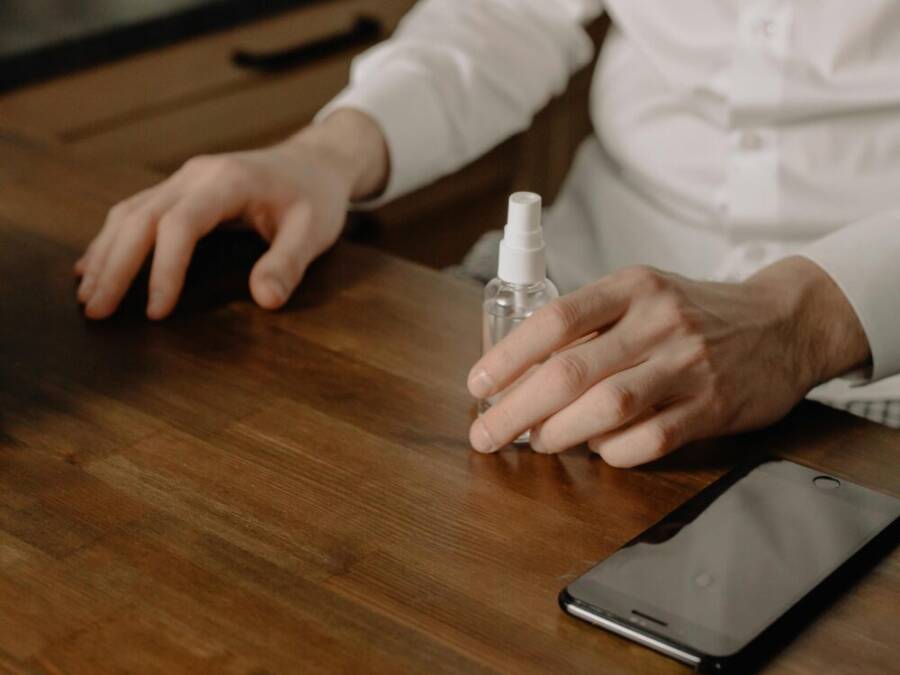
Images note: If you’d like a visual reference for the routine, a clean, simple photo of a phone being wiped on a desk can reinforce the process without introducing clutter. Photo by cottonbro studio provides a clear, relatable depiction of daily maintenance.
Additional resources for forming your routine:
- Galaxy cleaning tips and power-down reminders: https://www.samsung.com/us/support/answer/ANS10003416/
- General guidance on safe device care: https://www.pcmag.com/how-to/disinfect-clean-electronics-viruses-germs
By keeping these steps consistent, you avoid the most common mistakes and build a reliable maintenance rhythm. Your phone stays clearer, safer, and ready for daily use.
Conclusion
A simple, gentle routine is the best defense against damage when cleaning your phone. The core steps stay the same: power off, remove the case, wipe with a barely damp microfiber cloth, and dry completely. Sticking to these practices protects coatings, avoids moisture intrusion, and keeps your screen clear and hygienic.
Make regular cleaning part of a small, ready kit you keep nearby. Include a microfiber cloth, a spray bottle with distilled water or a safe alcohol mix, and a soft brush for ports. With a steady routine, your smartphone stays cleaner and works better, day after day. Bookmark this guide for quick reference and share it with friends who want a simple, effective way to care for their devices.