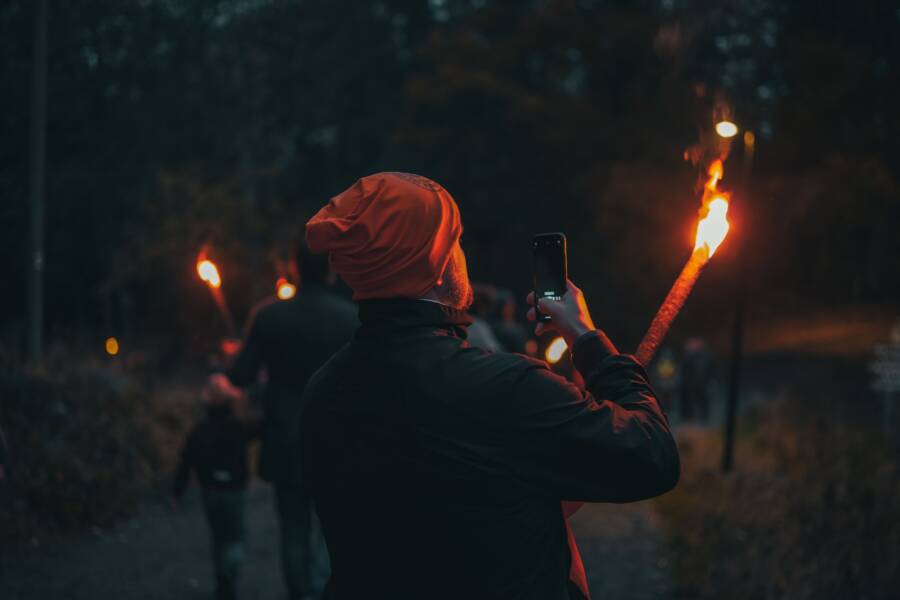
Blurry, dark night photos happen because your phone struggles to gather enough light in dim conditions. Many people assume the flash is the only answer, but disabling it often leads to cleaner, more natural images. You can capture crisp shots by adjusting manual settings or changing how you hold your device.
Any modern smartphone possesses the capability to take sharp pictures once you control the light around you. You don’t need expensive gear to fix your grainy night photography. By mastering a few simple camera adjustments, you will improve your results immediately.
Read on to learn the specific settings and techniques for better low-light photography.
Why Avoiding Flash Leads to Better Results
Most people rely on the built-in flash of their smartphone when the room grows dark. This setting often produces photos that look sterile, flat, and artificial. You achieve better, more professional results when you turn the flash off and rely on ambient light sources. Controlling light instead of forcing it creates images with real depth and emotion.
The Problem with Harsh Camera Flash
The primary issue with a standard camera flash is its proximity to the lens. Because the light source sits so close to the sensor, it hits the subject directly from the front. This creates a flat look that removes the natural shadows responsible for giving objects and faces a three-dimensional feel. You lose texture and detail when you blast a subject with this direct, concentrated burst.
Another common side effect is the dreaded red-eye effect. This occurs because the light reflects off the back of the subject’s retina directly back into the lens. In addition to this, skin tones often appear washed out or unnaturally pale under the harsh glare. Most people look startled or uncomfortable in these photos because the sudden burst disrupts the natural mood of the scene.
Ambient light provides a softer, more pleasing alternative. It usually comes from the side or above, which helps define the shape of your subject. By using existing light, you capture the true atmosphere of your environment. You gain better control over the mood and ensure your photos look authentic rather than staged or clinical.
How Light Affects Your Smartphone Sensor
A smartphone sensor requires a consistent flow of light to capture an image without distortion. When you turn off the flash, you force the camera to keep its shutter open longer to gather more light. This process is the key to maintaining image clarity in dim environments. If the sensor lacks enough light, the software compensates by boosting the sensitivity, which results in digital noise or grain.
You can compare this process to trying to read a book in a poorly lit room. Your eyes must strain to make out the words, and the image in your mind remains fuzzy. Similarly, a camera sensor struggles when it does not receive enough data. This struggle manifests as small, grainy specks across your photo that ruin the fine details.
Avoiding flash helps you avoid the following common pitfalls:
- Soft lighting: You get natural shadows that define the shape of your subjects.
- Color accuracy: You maintain the warm tones of indoor lights instead of cooling everything down with a white flash.
- Reduced grain: By finding extra light sources instead of pushing your sensor to the limit, you keep your images crisp and smooth.
Always scan your surroundings for windows, lamps, or screens before you take a shot. If you can move your subject closer to these existing light sources, your smartphone will perform much better. You provide the sensor with the quality data it needs to create a clean, sharp image without any artificial assistance.
Essential Techniques for Keeping Your Hands Steady
You likely notice blurriness in your photos when shooting in low light. This happens because the camera keeps its shutter open longer to collect light. Any movement of your hands during this interval ruins the clarity of the image. Achieving a sharp photo requires minimizing vibration before you press the button.
Simple Ways to Improve Your Grip
The way you hold your smartphone significantly impacts your results. Most people hold the device loosely with one hand, which invites jitter. You can create a natural, stable support by adopting a better stance. Use both hands to grip the sides of the phone firmly.
Bring your elbows in tight against your ribcage. This tucks your arms into your torso and locks them in place. Your body now acts as a rigid, human tripod. This position effectively transfers stability from your core to your hands.
Follow these habits to maximize your hold:
- Tuck your elbows: Keep your upper arms flush against your sides to prevent sway.
- Use two hands: Hold the device on both sides with your thumbs resting near the shutter button.
- Exhale before the shot: Take a slow breath out and press the button at the bottom of your exhale.
Do not move the phone the moment you press the screen. Hold your position for a split second after the capture completes to ensure the sensor finishes its work. This small delay makes a significant difference in night photography.
When to Use a Tripod or Stable Surface
Sometimes your hands cannot remain steady enough for the required exposure time. If you shoot in extremely dim conditions, physical support is your best option. You can find many portable, lightweight tripods designed specifically for a smartphone. These tools eliminate human error entirely.
If you do not have a tripod, look for items in your environment to act as a stand. Rest your phone against a solid ledge, a flat wall, or a sturdy chair back. You can also place the device on a table and use a small object to prop it up at the desired angle.
Using a stable surface offers these benefits:
- Longer exposures: You can keep the shutter open for multiple seconds without any risk of motion blur.
- Consistent framing: Your composition stays locked in place, which is perfect for time-lapse or bracketed shots.
- Lower ISO: By keeping the camera perfectly still, you avoid the need for higher sensitivity settings that create grain.
If you choose to lean your phone against a wall, place a folded piece of cloth under it to prevent slipping. Always use the built-in timer delay when using a stable surface. Setting the timer to three seconds allows the device to settle after you touch the screen. This ensures the initial tap doesn’t introduce vibration into your shot.
Optimizing Your Phone Camera Settings
Your smartphone camera often tries to guess the best settings for a scene, but it frequently chooses incorrectly in low light. You gain significant control over your image quality by moving beyond the default automatic mode. Manual adjustments allow you to manage brightness, color, and clarity before you even snap the photo. These small changes prevent the typical washed-out look or heavy grain that ruins dim environment shots.
Using Exposure Lock to Manage Brightness
The automatic exposure tool inside your camera app often gets confused by high-contrast scenes. It might brighten a dark corner too much, which leads to unwanted noise, or it might darken your subject to balance a bright light in the background. You solve this by using the exposure lock feature on your smartphone.
To lock your exposure on an iPhone, tap and hold the area of the screen where your subject is. You will see a yellow box appear with a sun icon next to it. Once the AE/AF Lock indicator shows at the top of the screen, you can slide your finger up or down along that sun icon to increase or decrease the brightness manually.
Android devices work in a similar way. Tapping your subject typically brings up a focus ring with a brightness slider. By holding your finger on the screen, you lock that setting in place so the camera does not jump around if your subject moves or if the light shifts.
This process gives you several advantages for night photography:
- You prevent the camera from overexposing bright spots like streetlights.
- You can purposefully darken a scene to create a moody, authentic atmosphere.
- You keep the brightness consistent across a series of photos.
Always adjust the slider until the preview on your screen looks close to what you see with your own eyes. Avoid pushing the brightness too high, as this forces the sensor to work harder and creates visible grain.
Understanding Night Mode and Long Exposure
Most modern devices include a dedicated Night Mode that engages automatically when the environment is dark. This feature takes several images at different exposures and merges them into one clean, sharp file. It allows the sensor to collect more light without you needing to hold a professional camera.
You should leave Night Mode on for general low-light scenarios, like dinner in a dimly lit restaurant or a night walk in the city. The camera app usually shows you how many seconds it needs to capture the image. During this time, keep your smartphone perfectly still to avoid blurring.
There are moments when you might prefer to turn this feature off:
- You want to capture a quick, candid moment where motion is expected.
- The automatic processing makes the photo look too bright or artificial for your taste.
- You are using a tripod and want to manually control the shutter speed for a specific artistic look.
If your device supports manual or “pro” mode, you can control the shutter speed directly. A longer shutter speed allows more light to hit the sensor, which is ideal for static subjects like architecture or landscapes. If you set your shutter to a slower speed, you must use a tripod or prop your phone against a solid object. This prevents the shaking that happens when you hold the device by hand. Trusting the automated system is fine for quick shots, but taking manual control is the best way to get professional results in the dark.
Finding the Best Available Light Sources
Quality lighting determines the success of your night photography more than any other factor. A smartphone sensor needs a consistent supply of photons to produce a clean image. Instead of settling for dim environments, hunt for pools of light that can illuminate your subject naturally. High-quality ambient sources allow your camera to keep the ISO low, which prevents the grainy texture common in poorly lit shots.
Making Use of Streetlights and Store Windows
Urban environments provide plenty of hidden lighting if you know where to look. Streetlights act as powerful spotlights for subjects in an otherwise dark area. Position your friend or object directly under the light cone to create clear, defined details. This mimics the effect of a professional studio setup without needing extra equipment.
Store windows also serve as excellent light sources. The bright displays inside shops cast a wide, soft glow onto the sidewalk. Ask your subject to stand near the glass so that the light hits them from the side. Side lighting adds texture and dimension to faces, making your portraits look professional.
Avoid placing your subject too far from these sources. Light intensity drops quickly as you move away from the source. Keep your subject within a few feet of the bulb or window to ensure they remain the brightest part of your frame. If the light seems too harsh, move the subject slightly out of the direct beam to benefit from the softer spill. Your smartphone camera will lock onto the subject more effectively when the light is consistent and steady.
Avoiding High Contrast Scenes
Scenes containing both intense highlights and deep shadows often baffle smartphone software. When a frame includes a very bright streetlight next to a pitch-black wall, the camera struggles to find a balance. The sensor either blows out the bright spot into a white blob or turns the dark area into a muddy, grainy mess. High contrast forces your phone to prioritize one extreme, which usually results in losing detail in the other half of the photo.
Try to find areas with more balanced lighting levels when you plan your shot. Soft, even lighting across your entire scene allows the camera to process colors and textures more accurately. If you must shoot a high-contrast scene, use the manual exposure slider to dim the highlights until they show detail. You can pull some detail out of the shadows later with editing, but you cannot recover information from a completely overexposed white patch. Consistency across the frame produces the most natural results.
Conclusion
Sharp low-light photography relies on three core pillars. You must maintain steady hands to prevent blur, scout your environment for the best ambient light, and take manual control of exposure settings on your smartphone. These adjustments transform basic snapshots into clear, high-quality images without requiring a flash.
Mastering these techniques takes patience, but the results improve with every attempt. Take your camera out tonight, experiment with these manual adjustments, and watch how your photos change as you practice.