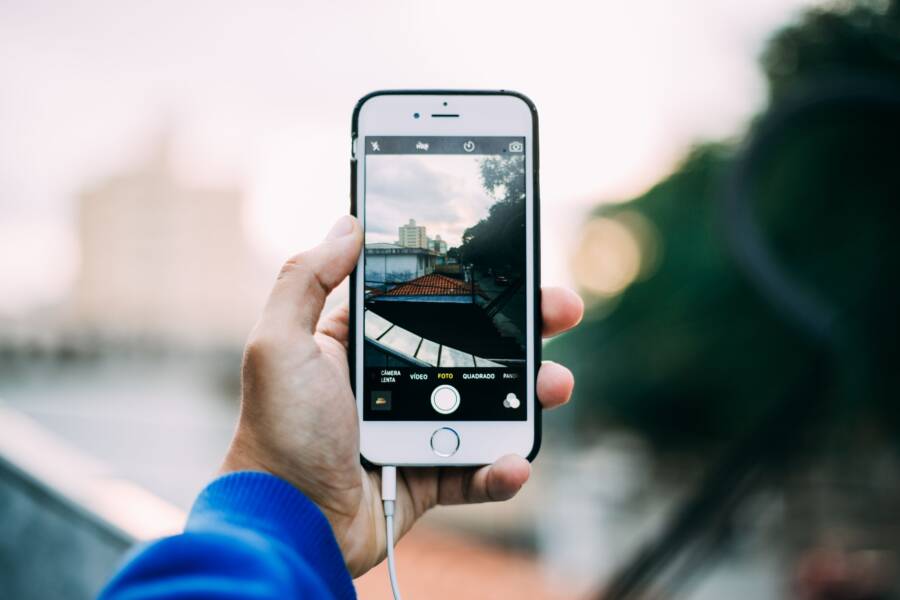
To create a professional before-and-after photo, you need consistent lighting, a stable surface, and an identical camera angle for both shots. Using your smartphone for these images is effective because modern cameras capture enough detail to track your physical progress accurately.
Progress pictures remain the most reliable way to visualize changes that the scale often misses. They provide objective proof of your hard work over time, which helps you stay motivated during long-term health or fitness journeys.
Simple adjustments to your phone settings and environment make these side-by-side images look polished and clear. You can follow these steps to capture better photos today.
Setting Up Your Smartphone for Consistent Results
Your environment directly dictates the quality of your progress photos. Even the most advanced smartphone struggles to show physical changes if your lighting is poor or your surroundings are cluttered. You need a setup that highlights your body clearly so you can focus on the results rather than the distractions in the frame. By controlling these variables, you keep the focus entirely on your fitness journey.
Finding the Right Lighting and Background
Natural light is your best friend when documenting physical changes. It reveals skin texture and muscle definition far more effectively than harsh overhead artificial lights. These bulbs often create orange or yellow tints that hide your true progress. Instead, position yourself facing a large window during the day. This soft, even illumination fills out shadows and prevents the blurry, grainy look often found in dimly lit interior shots.
Backgrounds also play a significant role in your final images. A blank wall or a clean, empty corner provides the contrast needed to see your silhouette clearly. If your room is messy, the eye naturally drifts toward the clutter instead of your body. Clear a dedicated space in your home where you can stand at any time without needing to move furniture or tidy up.
- Avoid standing directly under recessed lighting because it casts deep, unflattering shadows under your eyes and muscles.
- Keep the background color neutral to ensure your skin tone and clothing stand out without competing for attention.
- Time your photos for the same part of the day so the natural light intensity remains predictable across weeks.
Keeping the Angle and Distance Identical
Small shifts in distance or height change how your body appears in a photo. If your camera is too high, you might look shorter; if it sits too low, your proportions shift. To get consistent results, you must keep the camera height and distance from your body exactly the same every single time. Most modern smartphone cameras include grid lines that make this alignment much easier.
Go into your camera settings and turn on the grid overlay. This tool places two horizontal and two vertical lines across your screen, creating nine squares. Use these lines to anchor specific parts of your body. For example, keep your head in the top middle square and your feet aligned with the bottom grid line. If your shoulders always touch the same vertical line, your photos will look uniform regardless of when you take them.
- Place your phone on a tripod or a stable surface like a stack of books at chest height.
- Enable the grid feature in your camera settings to help with consistent framing.
- Mark your standing position on the floor with a small piece of tape so you always stand at the exact same distance from the lens.
- Note the zoom level you use, as changing from 1x to a zoomed-in setting distorts how your physique appears in comparison shots.
Easy Apps to Combine Your Photos Like a Pro
Combining two images into a single frame creates a clear visual timeline of your physical transformation. You don’t need expensive software to produce clean, professional results on your smartphone. Many tools already exist on your device, and several free applications offer simple ways to arrange your progress shots side-by-side.
Using Built-in Photo Editing Tools
Modern smartphones frequently include basic collage features directly within their photo gallery applications. You can often skip downloading third-party software because these integrated tools handle simple layouts with ease. They provide enough functionality to align two images without cluttering your phone with extra apps.
On most Android devices, you can open your gallery, select your two progress photos, and look for a Create or Collage button in the menu. iPhones allow similar actions through the Shortcuts app or by using third-party integrations that plug directly into your Photos library. These native features keep your file sizes manageable and ensure you maintain control over your original image quality.
Most built-in editors offer basic grid layouts that work perfectly for a before-and-after pair. You can usually adjust the border thickness or color to keep the look consistent. Because these tools are already present, they offer the fastest path to generating your progress updates. Check your device manual or settings menu to confirm if your specific model supports these quick collage functions.
Best Third-Party Apps for Custom Layouts
When you need more control over your image arrangement, dedicated applications provide better flexibility. These apps offer features like precise border adjustments, custom aspect ratios, and background editing that standard gallery tools might lack. Beginners find these apps helpful because they use simple touch controls to snap images into place.
Layout from Instagram serves as a popular choice for those who want a minimalist, clean interface. It allows you to select your photos and instantly generates several layout options. You can flip or mirror your shots within the app, which helps if you need to align your body position more accurately across the two frames.
Canva remains another strong contender for users who want more design control. This app provides templates that allow you to add text or dates to your images. Adding labels like “Week 1” and “Week 12” helps you track your progress more effectively over time. These apps perform well on almost any modern smartphone and offer a smooth experience for anyone who wants to document their fitness results with minimal effort.
Editing Tips to Make Your Transformation Pop
Refining your images turns raw files into clear evidence of your hard work. You do not need professional photography training to highlight muscle definition or weight loss results. Subtle changes to contrast, shadows, and sharpness often create the biggest visual impact on your smartphone.
Enhancing Clarity with Contrast and Shadows
Adjusting the light levels within your photo gallery is the most effective way to make your physique stand out. High contrast settings often emphasize muscle separation, while deep blacks provide a clean backdrop that frames your body. Most smartphone editing suites offer a simple slider for these adjustments.
Increase the contrast slightly to push your highlights and shadows further apart. You should also reduce the brightness if your skin appears washed out. Use the shadows tool to darken the areas around your muscles, which naturally adds dimension to the image.
- Boost contrast by 10% to 15% to sharpen the separation between muscle groups.
- Lower the exposure if the photo looks too bright or feels artificial.
- Adjust the black point to give the image a deeper, more professional look.
Avoid over-editing because extreme settings often distort reality. Your goal is to make the image look like the version of yourself you see in a clear mirror. If your skin texture looks pixelated or strange, you have pushed the settings too far.
Sharpening Details for Better Definition
Modern smartphone sensors sometimes apply soft focus to skin, which hides your progress. Using the sharpness or definition tool brings back the texture of your muscles and skin. Apply this sparingly to keep the image looking crisp without adding unwanted digital noise.
Start by bumping up the sharpness setting just enough to make the lines of your body look distinct. If your app includes a definition slider, use that instead, as it targets edges rather than the entire photo. This specific adjustment helps your abs, arms, or back muscles pop against the background.
Apply these edits consistently across both the before and after photos. If you sharpen the after photo by 20%, ensure you apply the same level to your original photo. This consistency keeps the comparison honest. Using different editing levels on your two photos might make one side appear healthier or stronger simply due to the filter strength. Stick to these light, uniform touches to keep your transformation looking authentic.
Common Mistakes That Ruin Progress Pictures
Poorly executed progress photos often mask the genuine results of your hard work. You might look different on the scale or in the mirror, but inconsistent photo habits can hide these changes from view. Avoiding these common traps ensures your documentation reflects your actual physical evolution.
Changing Distance and Angles
The most frequent error is failing to maintain the same distance between your body and the smartphone lens. Moving the camera even a few inches closer makes your torso appear larger, while moving it back creates a slimming effect. These shifts create false progress or regression that discourages you. You must stand in the exact same spot every time.
Camera height matters just as much as distance. Tilting the camera down creates a slimming perspective, while tilting it up often makes you look broader. Keep your smartphone lens level with your chest or midsection for a neutral, accurate view. Using a tripod or a stable, fixed shelf prevents these subtle but impactful shifts in perspective.
Relying on Variable Lighting
Lighting conditions fluctuate wildly throughout the day, which alters how your body appears in photos. Harsh overhead lights create deep shadows that hide muscle definition or cast unflattering dark patches on your face. Window light changes color temperature, turning skin tones from warm yellow to cool blue between sessions.
These shifts make it impossible to judge your progress fairly. You should pick one location with consistent, indirect light. Avoid times of day when direct sunlight enters the room. Consistency is more important than perfect lighting, so choose a spot that you can replicate at 7:00 AM or 7:00 PM without any changes.
Wearing Different Clothing
Your choice of clothing often acts as a visual filter that distorts your physique. Baggy shirts hide the very muscle definition or fat loss you aim to track. Conversely, different styles of underwear or shorts change how your waistline looks in the frame. These variables often confuse the eyes and lead you to doubt your actual results.
Wear the same outfit for every single session. A simple pair of shorts or gym gear works best for clear visibility. When you wear identical clothes, you remove another variable from the comparison process. You can then focus entirely on the physical changes in your body rather than differences in your attire.
Over-Editing Your Images
Excessive editing ruins the authenticity of your progress documentation. While small adjustments to contrast or brightness help clarify the image, heavy filters often blur the skin and smooth out muscle lines. You might think you look better with a filter, but you lose the objective truth of your transformation.
Stick to natural edits that mirror what you see in the mirror. Avoid using presets or artistic filters that add grain or color tints to your skin. If you cannot clearly see your skin texture or natural muscle shadows, you have edited the image too much. Your goal is a clear, honest record, not a stylized portrait for social media.
Frequently Asked Questions About Progress Pics
Tracking your fitness journey with images often raises questions about consistency and accuracy. Most people wonder if their results are visible yet or if they are taking photos correctly. Addressing these common concerns helps you maintain a clear, objective view of your body composition changes.
How often should I take new photos?
Taking photos too frequently makes it difficult to spot subtle shifts in your physique. You might feel frustrated if you do not see changes every few days. Monthly check-ins work best for most individuals because body composition adjustments take time to materialize.
If you want more frequent updates, try a bi-weekly schedule. Choose the same day and time for every session to keep your tracking habits predictable. Consistency matters more than the specific frequency you choose.
Should I flex my muscles or stand relaxed?
Many people ask whether they should pose or stand naturally in their images. Both methods provide valuable insights into your progress if you use them consistently. A relaxed pose shows how your body shape changes during daily life, while a flexed pose highlights muscle definition and growth.
Try taking both versions during your session to get the full picture. Stand in a neutral, relaxed position for your first shot. Then, add a second shot where you flex the specific muscle groups you want to emphasize. Keep the same sequence and poses for every future update to ensure your data remains comparable.
Why do I look different in photos than in the mirror?
Cameras capture a two-dimensional version of your body, which differs from how your eyes perceive depth and motion. A mirror provides a live, three-dimensional view, but it also reflects your daily biases or emotional state. Smartphone lenses can also create slight distortions depending on your distance from the camera.
Avoid judging your progress based on a single image. Look at your photos as a sequence rather than isolated snapshots. You will see trends emerge over several months that are not obvious when comparing two shots taken just days apart.
Can I track progress without using a scale?
Weight is only one indicator of health and does not reflect changes in body fat or muscle mass. Many people find that their weight remains stable while their clothes fit differently and their muscle tone improves. Photos provide visual proof of these body composition shifts that a scale cannot measure.
Focusing on photos helps you move past the stress of daily scale fluctuations. You can use measurements with a tape measure alongside your images for a more complete overview of your health goals. Tracking these visual and physical data points creates a more positive experience during your fitness journey.
Conclusion
Consistency is the secret to accurate body tracking. By selecting a fixed location, maintaining constant light, and using the same camera height, you remove variables that distort your results. Your smartphone is a highly capable tool for documenting these physical changes. Use it to build an honest visual record of your hard work.
Take your first set of photos today to start your baseline. You will find that these simple, structured updates provide more clarity than any scale or mirror alone. Stay patient as you build your library of progress, and let these images serve as the true measure of your transformation.