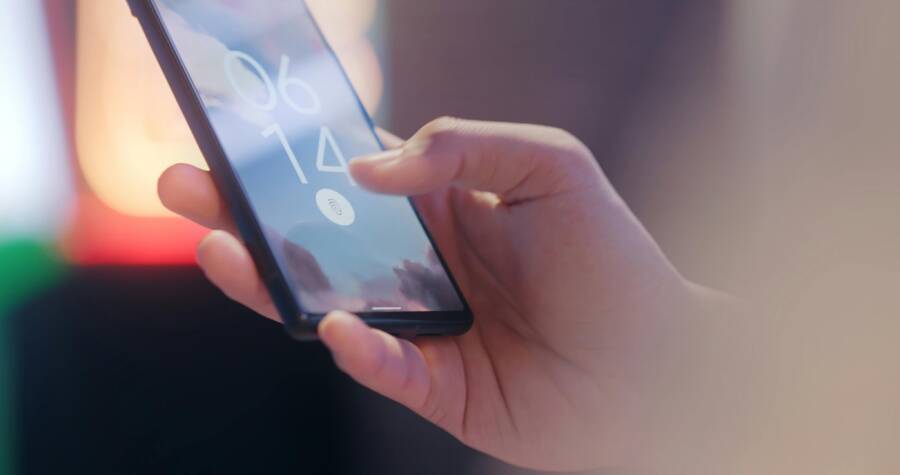
Are you using banking apps on your phone every day and wondering if your money is truly safe there? You’re not alone. With more people managing finances on smartphones, small slips can lead to big risks, so it’s worth a clear plan for safer mobile banking.
This introduction outlines practical steps you can take right away. You’ll learn how to tighten app security, protect personal data, and spot common threats. By the end, you’ll have a simple checklist you can apply across your devices and banks.
First, start with the basics that really move the needle. Keep your phone and banking apps updated, enable biometric or strong multi factor authentication, and review app permissions every month. These moves create a sturdy layer that makes it harder for attackers to access your accounts.
Next, build a habit of safer habits. Don’t use public Wi Fi for banking, and always verify you’re on the legitimate app store version of your bank’s software. Look for signs of tampering such as unusual prompts or unexpected warnings. A cautious mindset goes a long way toward protecting your funds.
An essential part of the strategy is device protection. Use a strong screen lock, enable device encryption if your phone offers it, and install a reputable security app that can scan for threats. Regular backups also help you recover quickly if something goes wrong.
Finally, stay alert to phishing and social engineering. Banks rarely ask for your password or one time codes in messages. If something feels off, pause, contact your bank directly using trusted channels, and report suspicious activity.
This guide is designed for everyday readers who want practical, easy steps. It emphasizes concrete actions you can take today with your smartphone to reduce risk. By combining technology settings, good habits, and a watchful eye, you can keep your banking on your phone safer and simpler.
Build a Safe Foundation for Mobile Banking
A solid safety foundation starts with how you manage your phone itself. Regular updates, a strong lock screen, and careful app sourcing set the stage for safer banking on a smartphone. These steps protect your financial apps from common attack vectors and reduce the risk of data exposure. Consider this foundation your first line of defense before you even open a banking app.
Keep Your Phone Updated and Use a Strong Lock
Regular software updates fix security holes that attackers could exploit. A secure lock screen adds another layer of protection if your device is lost or stolen. Enable automatic updates so you don’t have to remember to check for new versions, and pair that with a robust lock like a long passcode or biometric authentication. On iPhone, you can turn on automatic updates through Settings > App Store > App Updates. On Android, go to Settings > System > Advanced > System Update and enable automatic updates for the OS and apps. For most people, a four to six digit passcode plus biometrics provides a good balance of security and convenience, and you can enable features like Face ID or fingerprint unlock to speed access without weakening protection. If you want a deeper safeguard, enable device encryption and ensure your backups are current so you can recover quickly if something goes wrong. For additional reliability, review and update your lock options every few months. For more about keeping iOS devices secure, see Apple’s guidance on app updates and security practices, and for Android, check Google’s update essentials. https://support.apple.com/en-us/102629
Only Install Banking Apps from Trusted Sources
Sideloading apps outside official stores can bring malware into your banking ecosystem. Stick to official sources like the Apple App Store or Google Play and verify app developers before installing. Quick checks before downloading: verify the developer name, read multiple user reviews, confirm permissions align with the app’s purpose, and look for a long history of app updates from the publisher. If anything about the store or app feels off, pause and research first. For a deeper read on sideloading risks, consider reputable sources that explain why sticking to official stores protects you. When in doubt, search for the bank’s official app page in the store and confirm developer credibility. See official store guidance from Apple and Android for verification tips. https://www.apple.com/in/privacy/docs/Building_a_Trusted_Ecosystem_for_Millions_of_Apps_A_Threat_Analysis_of_Sideloading.pdf https://securitybriefing.net/cybersecurity/the-hidden-risks-of-sideloading-why-you-should-stick-to-official-app-stores/ https://devicesafety.org/the-risks-of-sideloading-apps-why-its-a-bad-idea/
Limit App Permissions and Privacy Settings
Grant only the permissions an app truly needs to function. Banks typically require minimal access compared with other apps, so review permissions and revoke any that aren’t essential. On iOS, go to Settings > Privacy > App Permissions and adjust per app, turning off access you don’t need. On Android, open Settings > Apps > [Your Bank App] > Permissions and revoke unused ones. Regularly auditing permissions keeps sensitive data like location or microphone from being exposed. For a quick guide on managing permissions, see trusted resources from Apple and Google that walk you through the steps. https://support.google.com/android/answer/9431959?hl=en https://www.asurion.com/connect/tech-tips/manage-app-permissions-iphone-tt/ https://www.smartphoneassistant.com/manage-app-permissions-iphone-android/
Strengthen Authentication and Access Control
Strong authentication and tight access control are the backbone of safer banking on your phone. By making it harder for others to access your accounts and by keeping sessions short, you reduce the risk of account takeover. This section covers practical steps you can implement today to lock down who can reach your banking apps and when.
Use Biometric or Strong PINs for Banking Apps
Enable biometrics or a robust PIN for quick yet secure access to your banking apps. Face ID or fingerprint unlock adds a layer that’s tough for others to bypass, while a four to six digit PIN can be safer than a simple pattern. Quick setup: open the banking app, go to Settings > Security, and choose biometric authentication or set a strong PIN. If your device supports it, use both for extra protection. Keep in mind some banks require PINs for sensitive actions like transfers.

Photo by I’m Zion
Enable Multi-Factor Authentication and Session Management
Multi-factor authentication adds a second wall. Use an authenticator app like Google Authenticator or Authy, or a hardware security key if your bank supports it. These options generate one-time codes that aren’t easily phished. Also, set short session timeouts and require reauthentication for sensitive actions. When you log in from a new device or after a period of inactivity, you’ll be prompted to verify again, keeping intruders at bay. Always review active sessions and log out from devices you no longer use.
Practice Password Hygiene and Secure Recovery Options
Treat passwords like a trusted vault. Use unique passwords for each bank account and store them in a reputable password manager. Enable secure recovery options with up-to-date email addresses and phone numbers, and verify those details periodically. A quick reminder: review your recovery channels to ensure you can regain access if you forget your credentials. For added peace of mind, enable alerts for unusual login attempts so you notice problems early.
Protect Data in Transit and at Rest
When you use banking apps on your phone, your data travels a path from your device to the bank’s servers. If that path is compromised, or if data sits unsecured on your device, your money and personal details are at risk. This section covers practical steps to guard data both in motion and while stored on your device. Think of it as building a fortress around your financial life without turning your phone into a fortress of friction.
Use Secure Networks and Be Cautious on Public Wi Fi
Public networks can be convenient, but they are prime hunting grounds for attackers. Data sent over unsecured Wi Fi can be intercepted, and even trusted networks may be spoofed to harvest login details or sensitive information. To stay safe, stick to networks you trust, especially when performing banking tasks. Turn off auto connect so your phone doesn’t automatically hop onto the first available network. If you must use public Wi Fi, a reputable VPN can add a protective shield by encrypting traffic between your device and the VPN server. This reduces the risk of eavesdropping on sensitive transactions. For quick, actionable guidance on public Wi Fi and online banking safety, see trusted safety resources and privacy guides. For a practical read, you can start with reputable tips on safe online banking on public networks.
Helpful resources:
- Public Wi Fi safety and online banking on public networks
- How to stay safe when accessing financial information over public Wi Fi
- Norton’s guide to staying safe on public Wi Fi
Enable In App Security Features and Card Controls
Modern banking apps come with built in defenses you should activate right away. An in app lock keeps the app itself secured if your phone is left unattended, while card controls let you respond to unauthorized activity quickly. Features like remote logout let you end sessions on devices you no longer own, and card freezing can prevent fraudulent charges if your card is misplaced. To enable these features, open your banking app’s Settings or Security section. Enable biometric authentication or a strong PIN for quick, secure access, then review session-management options to ensure you’re logged out on devices you no longer use. Use card freezing as a proactive step if you suspect unusual activity or when lending your phone to someone else briefly.
Practical tip: regularly review and test these controls so you know they work when you really need them. For real world examples of how apps implement these protections, see hands on guides from major banks and secure app developers. For further reading on building robust in app security, explore security-focused articles from banking app developers and security researchers.
Related reading:
- Building a secure app lock for banking apps
- Mobile banking app security tips from banks and fintechs
- Card freeze and unfreeze in mobile apps
Review Privacy and Data Sharing Settings
Data sharing with third party services is common, but you should control what information leaves your banking app. Start by inspecting the data you allow your bank and connected apps to access. Many banks offer dashboards that let you limit data sharing, revoke permissions, or disable screen scraping techniques used by some budgeting tools. Regularly review these settings to ensure you’re only sharing what’s necessary for features you actually use. It’s also worth understanding your bank’s privacy options, such as how it uses your data for product improvements or targeted marketing.
A proactive approach helps you protect your financial privacy without sacrificing useful features. If you’re unsure about a permission, err on the side of caution and disable it. You can also consult consumer guidance on data sharing with financial apps to understand what’s typical and what isn’t.
Further reading on privacy controls and data sharing:
- Banking data shared with financial apps
- What to consider when sharing your financial data
- Consumer guidance on data privacy and financial services
Additional pointers to keep in mind as you review settings:
- Look for a clear explanation of what data is shared and with whom
- Prefer granular controls over broad, sweeping permissions
- Enable alerts for unusual data access or sharing activity
External guidance and standards you may find useful:
- Open finance and data access security
- Regulatory updates on data privacy in financial apps
By taking control of networks, app security, and data sharing, you reinforce a strong shield around transactions and stored information. This trio of practices reduces risk whether you’re at home, commuting, or traveling. If you want to deepen your protection, combine these steps with ongoing device hygiene and cautious interaction with phishing attempts. The goal is simple: keep data in transit and at rest firmly under your control while making it easy to use banking apps on your smartphone.
Safe Habits for Real Time Monitoring
Real time monitoring is your first line of defense against fraud and unauthorized access. By combining quick, daily checks with smart alerting, you can catch problems the moment they happen. This section outlines practical habits you can adopt now to keep real-time visibility over your banking activity on your device.
Watch for Phishing and Fake Apps
Phishing and counterfeit apps are silent threats armed with convincing details. Look for signs like mismatched URLs, unusual app prompts, and requests for credentials outside the bank’s official flow. Verify authenticity by checking the developer, reading multiple reviews, and visiting the bank’s official store page rather than following from a link in an email or SMS. If anything seems off, pause and confirm through the bank’s official channels. For a detailed primer on spoofing and phishing, see the FBI’s guidance on Spoofing and Phishing. https://www.fbi.gov/how-we-can-help-you/scams-and-safety/common-frauds-and-scams/spoofing-and-phishing
Beyond that, counterfeit mobile banking apps are a real risk. Always confirm you’re downloading directly from trusted sources and double-check the publisher. A quick habit: compare the app name exactly with the bank’s published page and scan for a long update history. If you’re ever unsure, search for the bank’s official app page in the store and verify the developer’s identity. For context on counterfeit apps, see FraudNet’s definition of counterfeit banking apps. https://www.fraud.net/glossary/counterfeit-mobile-banking-apps
Set Alerts, Daily Checks and Transaction Monitoring
Alerts are your first alert system for suspicious activity. Turn on account activity alerts for large transactions, unusual login attempts, and changes to contact details. Then, perform a quick daily check: skim recent transactions, compare them to your memory, and note any unfamiliar entries. Keep a simple routine: first, open the banking app to review today’s activity; second, check any push or email alerts; third, log any discrepancies in a notepad or password manager note. This habit helps you respond quickly and minimize impact.
To get started with alerts, see how major banks implement notification features. For example, Bank of America explains setting up mobile banking alerts, while BankRate outlines essential alerts you should enable today. https://info.bankofamerica.com/en/digital-banking/how-to/mobile-banking-alerts-demo https://www.bankrate.com/banking/checking/mobile-banking-account-alerts/
Log Out and Manage Shared Devices
Log out after each banking session, especially on shared devices or public networks. Regularly review active sessions and remove devices you no longer own or trust. If your bank supports it, use the option to sign out of all active sessions from a single control and reauthenticate on each device you still trust. This practice limits even small windows of opportunity for attackers.
If you share devices or work across multiple machines, a quick reset helps too. For practical steps on signing out and managing sessions, see resources from IFS on signing out of active sessions, and Narmi’s guidance on forgetting a device and logging out. https://docs.ifs.com/techdocs/24r2/030_administration/010_security/040_iam_settings/038_sessions/020_signout_active_sessions/ https://help.narmi.com/docs/forget-this-device-and-logout
Images:
 Photo by Jakub Zerdzicki
Incident Response and Recovery
When something goes wrong with a banking app on your phone, quick and calm action matters. This section outlines the exact steps to take if you suspect a breach, how banks can help you, and a practical checklist to prevent recurrence. Use these guidelines to regain control, limit damage, and restore trust in your mobile banking experience.
What to Do If You Suspect a Breach
If you notice unfamiliar transactions, sudden login prompts, or alerts of unusual activity, act fast. Stop any ongoing banking activity, then contact your bank through official channels to freeze or monitor your accounts. Review recent activity line by line and report anything you don’t recognize. Have your account number, recent statements, and your bank’s fraud contact handy when you call. For reference, see guidance from banks on what to do if a bank account is hacked.
- Quick steps: pause activity, contact support, review transactions, update credentials, and enable alerts for new activity.
- Helpful actions: change passwords, enable multi factor authentication, and check device trust status.
- Useful resources: trusted bank fraud centers and security guidance.
Photo and guidance on breach response can help you stay on track.
- Image: Close-up of a smartphone displaying a fraud alert message on a wooden surface.
Photo by RDNE Stock project. https://www.pexels.com/@rdne
External references you can consult include banks’ fraud response pages and official safety tips for quick, actionable steps:
- “What to do if your bank account is hacked” from Discover
- “7 Things to Do if Your Bank Account Is Hacked” from BankFive
- “How to report fraud” from Bank of America
How Banks Help and When to Contact Support
Banks offer multiple channels when you need help fast. Most provide phone lines, secure messaging, and dedicated fraud centers that monitor suspicious activity. If you see unauthorized transactions, contact support immediately through the bank’s official site or app. Have your identity details, account number, transaction timestamps, and any alert codes ready. They’ll guide you through blocking further access, initiating temporary holds, and restoring normal activity. For concrete contact paths, see fraud prevention centers and fraud reporting pages from major banks.
- Typical channels: phone support, secure chat, in person branch help, and online fraud reporting forms.
- What to have ready: account number, last four digits of your SSN, recent transaction details, device information, and screenshots of alerts.
- What happens next: temporary freeze options, investigation timelines, and restoration steps.
External resources you can reference for official procedures:
- Fraud Prevention Center and contact options
- Banks’ fraud reporting pages
- Privacy and security resources from major issuers
Steps to Prevent Future Incidents
After you regain control, switch to prevention. Update authentication settings, review device trust, and tighten data sharing. Implement a short incident recovery checklist to reuse after any breach. Start with a clear sequence: verify identities, rotate credentials, re-enroll in MFA, and monitor all devices linked to your accounts. Maintain a ready list of contacts and steps so you can act swiftly next time. For broader guidance on incident prevention, consult cybersecurity checklists used by financial services and reputable privacy guides.
- Practical actions: enable alerts for unfamiliar logins, audit app permissions, and review connected devices monthly.
- Quick post-incident checklist: confirm all devices are signed out, update passwords, recheck MFA, and run a security scan.
- Additional reading: data breach response guides and financial service security best practices.
External reads to extend your understanding:
- The Cybersecurity Checklist for Financial Service Firms
- Data Breach Response: A Guide for Business
- Incident response planning essentials
Images (optional): If you add visuals, a relevant photo can reinforce the steps above and help readers scan quickly. For example, a photo of a person reviewing banking alerts on a phone can improve engagement.
- Image: Close-up of smartphone displaying a breach alert (see the image earlier for context).
Photo by RDNE Stock project. https://www.pexels.com/@rdne
This section equips you with practical, ready-to-use actions. By staying composed, knowing the right contact points, and following a simple recovery checklist, you can bounce back quickly from a breach and reinforce your defenses for the future.
Conclusion
Safer banking on your smartphone comes down to steady, simple habits plus smart controls. By keeping devices updated, tightening authentication, and watching data sharing, you build a shield that stays strong under everyday use. A focused approach to real time monitoring and incident recovery keeps you in control even when threats appear. Start today by choosing two steps to win this week and set your path to safer mobile banking.
5 point quick start checklist
- Update your phone and banking apps every week for speed and protection.
- Enable biometrics or a strong PIN and review session settings in the banking app.
- Limit app permissions to only what the bank needs.
- Turn on alerts for unusual logins and large transactions.
- Regularly sign out of devices you no longer own and review active sessions.
Take action now and share which two steps you will implement this week.