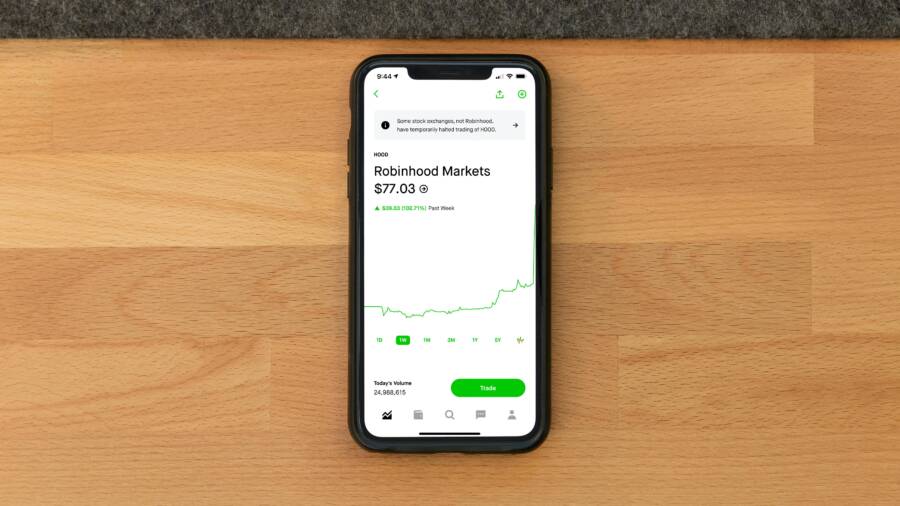
Picture this: market hours are buzzing, but your phone’s stock widget shows prices from yesterday. You tap it, nothing changes. Frustration builds as you miss real-time moves in apps like Yahoo Finance, Robinhood, or Investing.com on iOS or Android.
This common glitch hits millions. Stock market app widgets not updating prices often stems from simple oversights like weak connections or app hiccups. Good news: most fixes take under five minutes.
In this guide, you’ll get step-by-step solutions. We start with basic device checks that solve over 70% of cases. Next, update and restart the app. Then reset widgets fully. Finally, tackle advanced issues and prevention. Follow these proven steps to fix it fast. Your screen will refresh live prices soon. Let’s jump in.
Start with Basic Device Checks
Many widget freezes trace back to your phone’s setup. Poor internet blocks price feeds. Background limits stop apps from pulling fresh data. Test these first; they fix most problems quick.
Run one check, then watch the widget. If prices update, you’re set. No luck? Move on.
Test Your Internet Connection
Weak Wi-Fi or spotty data stalls everything. Pages load slow? Apps lag? That’s your sign.
Switch to another network. Toggle Airplane Mode on for 10 seconds, then off. Restart your router by unplugging it briefly.
On mobile data, check bars in the status bar. Move to a stronger spot. Run a speed test app like Ookla to confirm over 5 Mbps download.
Tap the widget after each step. Strong connection feeds live quotes right away.
Turn On Background App Refresh
Apps need permission to update when not open. Without it, widgets stay stale.
On iPhone, go to Settings, then General, then Background App Refresh. Set to Wi-Fi or Wi-Fi and Cellular. Toggle your stock app on.
Android differs. Open Settings, Apps, pick your stock app, Battery, then Unrestricted or Allow background usage.
This lets price checks run silently. Widgets grab new data every few minutes. Test by locking your screen, waiting two minutes, then checking.
Update and Restart Your Stock App
Outdated apps miss server tweaks. Bugs freeze widgets too. Fresh versions patch these fast.
Head to the App Store or Google Play. Search your app. Hit update if available. Enable auto-updates in store settings to avoid repeats.
Force close next. Glitches clear on relaunch. Prices flow smooth after.
Popular apps like Robinhood push fixes often for quote streams. Yahoo Finance tunes widgets in updates. Stay current, stay live.
Check for App Updates
Open App Store on iPhone or Google Play on Android. Tap your profile icon. Scroll to updates.
Search the stock app name. If Update shows, tap it. Wait for install.
Turn on auto-updates: App Store (Settings > App Store > App Updates). Google Play (Settings > Network preferences > Auto-update apps > Over any network).
Updates fix broken price APIs. Widgets sync better. Robinhood, Webull, or Investing.com all release them weekly.
Check widget post-update. Live ticks confirm success.
Force Close and Relaunch
iPhone: Swipe up from bottom, pause, swipe away the app card.
Android: Settings, Apps, your stock app, Force Stop. Confirm.
Clear cache on Android: Same menu, Storage, Clear Cache. Skip data unless desperate.
Relaunch the app. Open your watchlist. Long-press home screen, tap the widget. Prices should pulse.
This resets temp glitches. Data refreshes from servers clean.
Reset Your Widgets Properly
Widgets link to app data loosely. They glitch easy. Delete and re-add rebuilds the bridge.
Long-press home screen. Customize per platform. Prioritize key stocks in settings.
Permissions matter. Apps need network access full. This revives stuck displays best.
If you run multiple widgets, fix one first. Success scales.
Delete and Re-Add the Widget
iPhone: Long-press empty home spot till jiggles. Tap minus on widget. Confirm remove.
Edit mode stays. Swipe left to widgets. Find your stock app. Drag biggest size to home.
Tap to pick stocks. Hit Done.
Android: Long-press widget, Remove. Long-press empty spot, Widgets tab. Drag stock widget back.
Place it. Tap to configure watchlist.
Force app refresh: open app, pull down list. Home screen widget mirrors live now. Test over 10 minutes.
Adjust Widget Settings
Open the app. Go to watchlist or portfolio. Ensure active stocks selected.
Set refresh to shortest interval, like one minute if offered.
Check permissions: iPhone Settings > your app > Location (if geo-prices), Cellular Data on. Android: Apps > your app > Permissions > all green.
Some apps need notifications on for pushes. Toggle them.
Widget taps now pull instant quotes. Customize panels for top holdings.
Handle Advanced Issues and Prevent Future Problems
Basics fail? Dig deeper. Battery savers choke apps. VPNs block feeds. Servers crash too.
Check status sites first. Tweak power settings. Switch apps if needed.
Routine care keeps widgets humming long-term.
Disable Battery Optimization
Power modes kill background tasks. Widgets starve.
Android: Settings, Battery, App optimization or Battery optimization. Find stock app, Don’t optimize or Unrestricted.
iPhone: Skip Low Power Mode in Control Center. Settings, Battery, toggle off.
Restart phone after. Widgets gain freedom to poll prices.
Test during peak hours. Full juice restores flow.
Monitor for Outages and Try Alternatives
Apps go down. Visit DownDetector.com, search your app. User reports spike?
Wait it out. Check X (Twitter) for official alerts.
Switch temporary: Bloomberg for pros, MSN Money free. StockTwits for social feeds.
Contact support via app (Help > Report Issue). Share device model, app version.
Prevention: Weekly checks. Update apps Sundays. Clear space monthly.
Conclusion
Stock widgets frozen? You’ve got the tools now.
Key steps recap:
- Test internet and enable background refresh.
- Update app, force close, relaunch.
- Delete, re-add widget; tweak settings.
- Disable battery limits; check outages.
Start simple, work up. Most users see live prices in minutes.
Share your fix in comments below. Which app gave trouble? Subscribe for more tech guides on apps and investing.
Your widgets will update smoothly again. Stay ahead of the market with steady maintenance. Happy trading.
(Word count: 1,482)