He Was Drowning in Bills and Burnout Until a Simple Daily Ritual Rewired His Brain for Wealth in Less Than a Week
>>> Start Your Shift Today <<<

Can a simple setup on your phone improve sleep tonight? This practical guide helps you build a night routine using your phone that reduces blue light, silences notifications, and signals your brain that it’s time to wind down. With a few quick taps on your smartphone, you can start tonight and enjoy calmer evenings, less stress, and easier mornings.
Make Your Phone Sleep Friendly with a Night Mode Setup
Creating a night mode setup on your phone is a small change with big sleep payoffs. By reducing blue light, dimming the display, and shaping notifications for the evening, you cue your brain that it’s time to wind down. This section walks you through practical steps you can take tonight on both iPhone and Android, so you can start sleeping easier without a complicated routine.
Turn on Blue Light Filters and Dim Screens
Blue light can delay sleep by suppressing melatonin, the hormone that helps regulate your clock. Even low levels of blue light in the evening can keep you alert longer. Start by turning on blue light filters and adjusting color temperature to warmer tones.
- iPhone: Enable Night Shift and set the Schedule to “Sunset to Sunrise” or create a custom hours window. Go to Settings > Display & Brightness > Night Shift. Tap “Manual” to test and then set a reliable schedule. You can also adjust Color Temperature to a warmer setting.
- Android: Look for Blue Light or Night Light in Settings, then turn it on. Some devices offer “Color temperature” sliders or a “Warp/Comfort view” option. Set it to warmer hues and schedule it to run in the evening. If your device supports automatic brightness, enable it to keep the screen readable without bright glare.
- Quick tips: Schedule automatic activation so it starts at sunset and ends at wake time. Use a warmer color profile for a softer glow. For reference, blue light can affect sleep quality and duration in both short and long terms, which is why a simple filter can help. Learn more from trusted sources like Harvard Health and Sleep Foundation.
Relevant reading:
He Was Drowning in Bills and Burnout Until a Simple Daily Ritual Rewired His Brain for Wealth in Less Than a Week
>>> Start Your Shift Today <<<
- Harvard Health: Blue light has a dark side
- Sleep Foundation: Blue Light: What It Is and How It Affects Sleep
Schedule Quiet Hours and Do Not Disturb
Even with a calm night screen, alerts can pull you back to wakefulness. A little structure goes a long way. Schedule quiet hours and fine tune which calls or messages can break through.
- Set a bedtime window: Choose a start time each night and a stop time in the morning. This creates a predictable cue that you’re resting.
- Customize interruptions: Allow calls from favorites or repeated callers, and rely on emergency alerts if your device supports it. You can also allow reminders from trusted apps that you might need in emergencies.
- Practical setup: On iPhone, use Do Not Disturb or Focus modes with a bedtime schedule. On Android, use Do Not Disturb and set exceptions by contacts or apps. Keep a clear boundary so you feel protected without constant buzzing.
Why it matters: reducing interruptions helps you fall asleep faster and stay asleep, yet you remain reachable for real emergencies. A well tuned schedule minimizes the chance you’ll miss an important alert.
Use Sleep Focus or Mode Rules
Focus or mode features tailor your notifications for the night. They let you silence non essential apps while still letting through critical ones.
- iOS Focus: Create a Sleep Focus with a simple rule set. Silence non essential apps, mute work communications, and allow notifications from family or health apps. You can start a scheduled focus or trigger it automatically when your battery hits a certain level or when you go to bed.
- Android equivalents: Use a Bedtime or Sleep mode to limit notifications. Create exceptions for important people and any health or alarm apps you rely on.
- Simple example routine:
- Silence social media, gaming, and news apps from 10 PM to 6 AM.
- Allow the alarm app, health monitoring apps, and a select few contacts (family or emergency numbers).
- Keep essential services like weather or home security alerts active if needed.
Using Focus modes helps you wind down without feeling cut off from the world. It keeps your night predictable and your morning refreshed. For deeper context on how blue light interacts with sleep and overall nightly performance, you can check reliable sources that explain the science behind these settings.
Create a Calming Wind-Down Routine with Your Apps
Turning to your apps for a peaceful close to the day can be simple, practical, and surprisingly effective. The goal is to cue your brain that sleep is near without adding friction or friction. With a few well-chosen tools and small steps, you can create a reliable wind-down that fits any busy evening. Here are three concise subsections you can plug into your post to guide readers toward a soothing, tech-supported routine.
Guided Relaxation and Mindfulness on Your Phone
A short guided session can shift your mood from hurried to calm in minutes. Start with easy, beginner-friendly options you can trust. Try a 5 to 15 minute guided meditation or a breathing exercise before bed. Built-in tools and popular apps offer gentle vocal cues, soothing soundscapes, and simple breath patterns. Even if you’re new to mindfulness, a quick routine can become a trusted cue that signals it’s time to unwind. For solid recommendations, consider apps that reviewers consistently praise for sleep benefits, such as Insight Timer or Calm. Reading a quick, guided session right before lights out makes the transition smoother. If you’re curious about top picks, see reputable reviews like The New York Times Wirecutter and Calm’s own sleep-focused content.
- Quick start: choose one 5 to 10 minute session, set a gentle alarm to wake you without jarring tones, and keep volume low.
- Pro tip: try a body-scan or 4-7-8 breathing pattern to release tension. If you prefer built-in options, many phones include basic guided relaxation tools that work well in a pinch.
Recommended links:
- The 3 Best Meditation Apps of 2025 | Wirecutter
- Calm — Sleep and meditation app
Short Read or Audio Wind Down
An article or a short audio piece can ease you toward sleep without screen glare or mental stimulation. Pick a calm, non-stimulating read or a soothing podcast that lasts 5 to 15 minutes. Reading on a device is fine as long as you dim the screen and reduce blue light. If you listen, choose a soothing voice and gentle topics rather than high-energy news or suspenseful fiction. A low-light, low-volume wind down helps drift your thoughts toward rest. If you’re unsure where to start, a curated calm podcast or an eBook with quiet, reflective content can be perfect for bed.
- Set a brief timer to avoid overexposure while you read or listen.
- Tip: dim the screen brightness to a comfortable level to reduce glare and eye strain.
Suggested sources for calm listening or reading:
- Calm sleep content and guided meditations
- The best sleep oriented audiobooks or podcasts for quiet evenings
Journaling or Gratitude Prompts
A quick journaling or voice memo session can empty the mind of to-do lists and racing thoughts. Spend 2 to 5 minutes jotting a gratitude note, a gentle reflection on the day, or a single goal for tomorrow. If you prefer speaking, use a quick voice memo to capture fleeting thoughts before they linger in your head overnight. This practice helps you clear cognitive clutter and creates a positive note to end the day on. Keep prompts simple and specific to avoid overthinking at bedtime.
- Journal prompts to try: What went well today? What small thing am I grateful for? What can I let go of tonight?
- Voice memo idea: “Today I’m grateful for…” followed by a one sentence plan for tomorrow.
If you want a starter prompt bank, you can adapt these: “Three good things from today,” “One challenge I faced and how I handled it,” and “What would make tomorrow a little easier?” These quick prompts pair well with a short wind-down routine, helping you finish the day with intention.
External reading and inspiration:
He Was Drowning in Bills and Burnout Until a Simple Daily Ritual Rewired His Brain for Wealth in Less Than a Week
>>> Start Your Shift Today <<<
- Insight Timer sleep content and guided options
- Sleep-focused journaling ideas and prompts
Note: Throughout your wind-down, the smartphone remains a helpful tool, not a distraction. Keep the screen dim, limit notifications, and choose content that signals rest rather than stimulation. A consistent routine trains your body to expect sleep, making it easier to drift off and stay asleep through the night. For deeper exploration of sleep aids and mindfulness, consider reading trusted reviews and guides from established sources.
Protect Sleep Quality with Notifications and Apps
Even with a strong night routine, the way your devices handle alerts in the evening can make or break your sleep. This section focuses on practical tweaks to limit stimulating apps and set gentle reminders for the morning. The goal is to reduce noise and cognitive load at night while still keeping you connected to what matters. Start with simple rules for social media, games, and news, then pair them with a calm, productive morning setup.
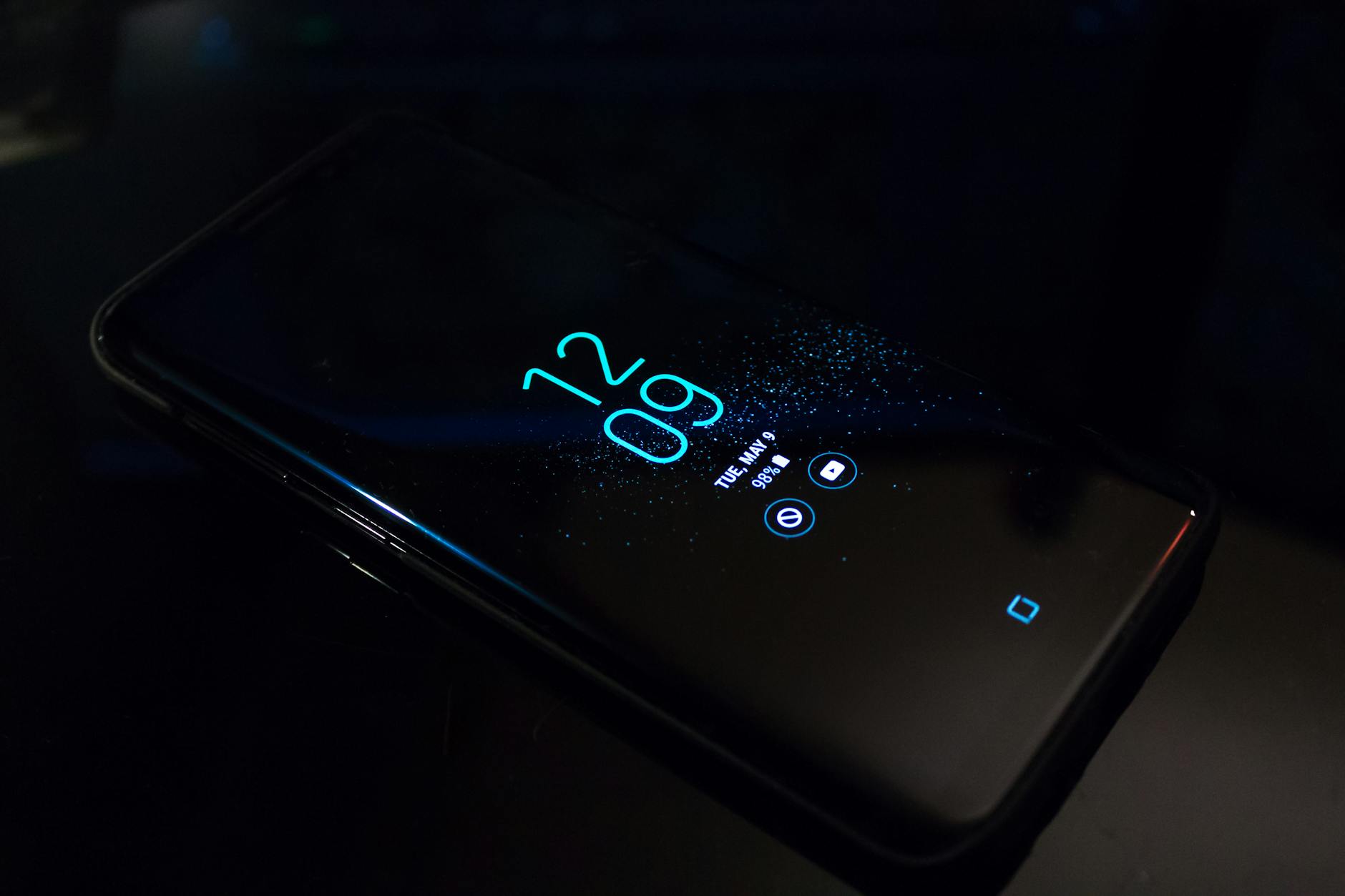 Photo by Noah Erickson
Limit Stimulating Apps Before Bed
Set clear boundaries for social media, games, and news apps at night. A practical cut-off helps your brain switch from active to rest mode. For example, stop nonessential scrolling by 9:00 PM, and avoid quick hits that spike dopamine or anxiety. Replace these with calmer options like a sleep-friendly playlist, a meditation app, or an e-book.
- Social media: end interactive use at least 60 minutes before bed; enable a one-tap bedtime mode if available.
- Games: skip matches and avoid real-time competition after 8:30 PM; switch to low-stimulation puzzles or slow-paced alternatives.
- News: avoid breaking news alerts after dinner; opt for a daily recap feed once a day.
- Alternatives: use a dedicated wind-down playlist, a guided breath session, or a short reflective article.
Evidence and guidance from reputable sources emphasize that reducing evening screen time improves sleep quality and duration. For deeper reading, see Sleep Foundation’s guidance on social media and sleep and Harvard Health summaries on blue light effects.
Relevant links:
- https://www.sleepfoundation.org/how-sleep-works/sleep-and-social-media
- https://www.health.harvard.edu/staying-healthy/blue-light-has-a-dark-side
Use Gentle Reminders for the Next Day
A simple morning briefing or to-do list appearing after waking can anchor your day without pulling you back into sleep inertia. Set a minimal, non-intrusive routine that surfaces essential tasks and helps you start calmly. A brief summary of priorities from your phone can reduce morning chaos and set a positive tone for the day ahead.
- Morning briefing: an automated summary of today’s calendar, top tasks, and any critical reminders.
- To-do list: a short, 3-item list that you review in bed or first thing after waking.
- Trigger: have the briefing appear as a widget or a quick notification right after you unlock your phone.
- Quick tip: keep the content concise and actionable to avoid decision fatigue.
A well-designed morning brief acts like a gentle nudge toward productivity without jolting you awake. For broader strategies on limiting phone use before bed, consult trusted resources such as Amerisleep and UTSW Brain health articles.
External reading:
- https://amerisleep.com/blog/how-to-stop-using-phone-before-bed/?srsltid=AfmBOore8WJUXcf26_Dm5iATFOdWYEjrWwV8jOblDFvr6iYAAGi3Y7WI
- https://utswmed.org/medblog/6-tech-tips-get-better-nights-sleep/
Track Progress and Stay Consistent
A strong night routine relies on steady practice more than rare bursts of willpower. The moment you treat sleep like a habit, progress compounds. Track what you do, celebrate small wins, and adjust as needed. With clear metrics and a simple feedback loop, you’ll stay consistent without feeling boxed in. Below are two focused subsections to help readers monitor progress and refine their approach.
Sleep Tracking and Habit Journaling
Use built in sleep features or simple apps to log how well you slept and how faithfully you followed your routine. Track sleep duration, quality, and consistency for at least two weeks to spot patterns. Many phones offer sleep summaries or integrate with health apps, making daily logging quick and nonintrusive. If you prefer more detail, add a 1 sentence note about what disrupted or supported sleep that night.
- Built in options: use your phone’s sleep tracking and health apps to capture duration and sleep stages, then review weekly trends.
- Quick journaling habit: jot one line about tonight’s wind down and one line about any deviations from your plan.
- Useful reference: see expert guidance on how sleep tracking can illuminate patterns and guide adjustments.
Recommended sources for deeper understanding:
- Harvard Health: Blue light has a dark side
- Sleep Foundation: Best Sleep Apps of 2025
Review and Adjust Your Routine
Set a monthly review to recognize small wins and tweak timing or app choices. Look at trends in when you fall asleep, how often you wake, and what activities correlate with better rest. If you consistently hit the pillow late, shift your wind down a bit earlier. If a particular app or meditation feels off, try a different option for a week and compare results.
- Track small wins: earlier bedtime, fewer awakenings, calmer mornings.
- Adjust timing: shift wind down by 10–15 minutes or swap an activity (for example, from a guided session to journaling).
- Test new tools: try a different sleep app or relaxation routine for 2–3 weeks before deciding.
- Keep it simple: document the core changes you made and their outcomes so you can repeat what works.
A consistent review cycle keeps you moving forward without overwhelming you. For practical ideas on refining routines and understanding sleep impact, consult trusted sources like Sleep Foundation and health-focused outlets.
Conclusion
A phone based night routine pays off with steadier sleep, calmer evenings, and fresher mornings. By starting small and choosing one easy step, you can build real momentum without overhauling your habits. Your smartphone becomes a helpful ally, guiding you toward rest rather than distraction. Stay consistent, respect your limits, and adjust until it fits your life.
If you try a simple change this week, share your wins and what felt doable for you. Your experience can help others begin the same path.
He Was Drowning in Bills and Burnout Until a Simple Daily Ritual Rewired His Brain for Wealth in Less Than a Week
>>> Start Your Shift Today <<<
There Is a Frequency That the Wealthiest Families Have Used for Generations and Most People Will Never Know It Exists
>>> Open the Door <<<
