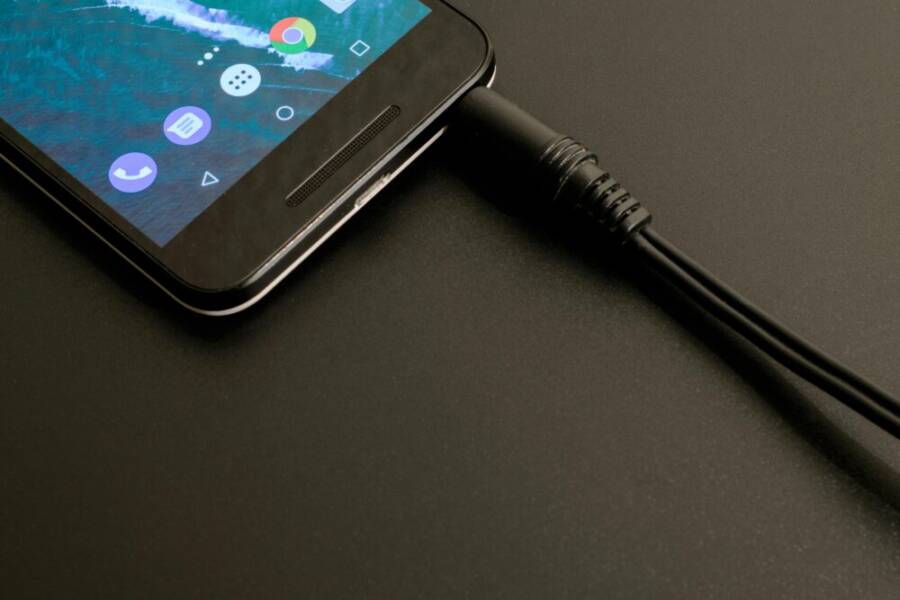
Have you ever wondered why your phone dies faster than expected, even when you charge it every night? The answer often lies in simple charging habits that affect battery health and long term usefulness. This post shows practical ways to charge safely without harming your lithium ion battery.
You’ll learn clear, step by step charging tips designed for real life. From avoiding heat buildup to choosing the right charger and cable, these guidelines help you extend your phone’s lifespan while staying ready when you need it.
By the end, you’ll know how to charge safely, protect battery health, and get the most from your everyday device. We’ll cover common myths, simple habits, and quick checks you can do at home.
Understanding Battery Health and How Charging Affects It
Understanding how your smartphone battery behaves helps you charge smarter and get the most life out of each charge. Li-ion batteries power most devices today, and small daily habits add up. This section breaks down how these batteries work, what shortens their life, and common charging myths you might still believe. You’ll come away with practical steps you can apply right away.
How Lithium Ion Batteries Work
Lithium ion batteries store energy by moving lithium ions between two electrodes. When you charge, ions travel from the cathode to the anode, and when you use the phone, they move back. This movement creates electric current that powers your device. Two ideas matter for everyday use:
- A charge cycle is one full sequence of charging from a low level back to full and using that energy. Most phones count partial cycles as fractions of a cycle, so small top-ups still add up over time.
- Heat and voltage sensitivity: high temperatures speed chemical reactions inside the battery, which can wear it down faster. Voltage levels matter too; keeping the battery within a safe range helps maintain capacity over time. For a plain-English view of how this works, see resources that explain the basics of lithium ion technology, such as explanations from Apple and energy research sites. For a broad overview, you can read more here: https://www.apple.com/batteries/why-lithium-ion/ and here https://www.energy.gov/energysaver/articles/how-lithium-ion-batteries-work. If you want a deeper dive, this explainer covers the chemical movement inside the cell: https://electrontogo.com/blog/the-power-behind-your-phone-how-batteries-work.
What Hurts Battery Life
Batteries wear down from everyday stressors. Here are the main culprits and simple ways to minimize their impact:
- Heat: Leaving a phone on a hot dashboard or in direct sun can push the battery beyond its comfort zone. If you can, park in shade or use a vented clip while charging in hot weather.
- Full discharges: Letting the battery drop to 0% frequently stretches its life. Try to recharge after you notice the gauge dipping into the low range rather than waiting for a complete drain.
- Long charging times: Prolonged charging, especially at top-off, can keep the battery warm. If your charger or cable takes unusually long, consider a slower, cooler charging option overnight or use a timer to disconnect once full.
- Aging: No battery lasts forever. After a couple of years, capacity naturally declines, and that’s normal. You’ll notice shorter times between charges and more time plugged in to reach the same screen-on life.
Concrete tips you can apply now:
- Avoid leaving the phone on a hot surface or in a sunlit car. When possible, charge in a cooler room and keep the device out of direct heat.
- Try not to drain to 0% every day. If you’re using the phone normally, a mid-range recharge is better for longevity.
- Use a charger that matches the device’s recommended specification, and avoid repeatedly forcing a full 100% charge if you don’t need it.
- If you notice your battery heightening in temperature during charging, unplug and let it cool before resuming.
Quick real-life examples:
- A driver leaves their phone on the dashboard during a sunny drive. The heat and high voltage from a fast charger can push the battery beyond its comfortable range, accelerating wear.
- A student uses the phone heavily through the day and charges overnight on a fast charger. Top-off charging can keep the battery warmer for hours, which isn’t ideal for longevity.
For a deeper dive into how these factors affect real devices, see the credible sources referenced earlier. They explain why heat and voltage matter and how charging speed interacts with battery health. You can also consult Apple’s battery guidance for practical tips on maintaining health over time.
Common Charging Myths Debunked
Misinformation about charging can lead to needless worry or poor habits. Here are the most common myths, busted with simple truths and practical steps:
- Myth: Always drain the battery to 0% before charging.
- Reality: Regularly hitting 0% isn’t necessary and can shorten life. Partial charges are fine. In fact, charging in smaller, frequent bursts tends to be gentler on the cell than waiting for a hard, deep discharge.
- Myth: Use only the original charger for safety.
- Reality: The safest approach is to use a charger and cable that meet the device’s power needs and have proper certification. Third-party accessories that meet the right specs can work well. Check the device’s recommended wattage and avoid very underpowered or overpowered adapters.
- Myth: Charging overnight is always bad.
- Reality: Modern phones manage charging carefully. Overnight charging is typically safe if the device includes protections that stop or limit the current once the battery is full. If you’re worried about heat, place the phone in a cool spot and avoid stacked chargers or cases that trap heat.
- Myth: High-speed wireless charging is always worse than wired.
- Reality: Wireless charging can be convenient and safe when the charger is designed for your device. It may generate more heat in some cases, so if you notice warmth, try spacing out charging sessions or using a cooler pad.
How these myths tie back to safe habits:
- Don’t rely on a myth to guide your charging strategy. Instead, match charging practices to your daily routine.
- Keep temperatures in mind. If your phone becomes hot during charging, pause and let it cool before continuing.
- Use charging gear that aligns with your device’s recommended power level. When in doubt, consult the manufacturer’s guidance.
If you want more detailed guidance on lithium ion batteries and their behavior, the linked sources above provide reliable explanations and context you can reference. They help translate technical facts into practical steps you can apply in everyday life, whether you’re at home, in the car, or traveling with your smartphone. For a broader educational view, Apple’s battery page offers straightforward explanations and tips, while government and independent explanations provide technical context you can trust.
Practical Charging Habits for Everyday Phone Use
Charging your phone every day is second nature, but small choices add up to meaningful battery health over time. This section breaks down practical habits you can adopt now to keep your device reliable and ready when you need it. From the 20 to 80 percent rule to heat management and choosing the right charger, these tips are simple to implement and easy to maintain in a busy lifestyle.
The 20 to 80 Percent Rule
Keeping your battery between roughly 20% and 80% most of the time helps preserve capacity and prolongs overall life. The idea is not about hitting exact numbers every time, but about avoiding deep discharges and prolonged full charges that stress the cells. Here’s how to apply it in daily life:
- Top up in small bursts: If you’re at 30%, you can top up to 70% or 80% without worry. Frequent, gentle top ups are kinder to the battery than waiting until you’re at 5% and charging to 100%.
- Use smart charging when available: Many phones have adaptive or optimized charging that learns your routine and slows the last part of charging to reduce heat. If your device supports it, enable this feature.
- Know when to leave it alone: If you’re already at 60–70% and you won’t be using the phone soon, you can wait instead of charging to 100%. The goal is to avoid unnecessary long hours at high voltage.
- Real-world examples: A commuter plugs in at 25% during a coffee break and moves on. A student charges from 50% to 80% before class so the phone stays cooler and ready for the day. Small, frequent top ups like these add up.
- Quick note on myths: Some folks worry that any charging above 80% is bad, but modern devices manage charging well. The practical takeaway is to avoid keeping the phone at 100% for long periods whenever possible.
For further context on why this rule makes sense, you can explore perspectives from credible sources that discuss practical charging habits, including how staying in a mid-range state reduces wear over time. While sources vary, the core idea remains consistent: frequent, moderate charging is gentler on lithium ion cells than constant full charges.
- See discussions and overviews here:
- https://www.apple.com/batteries/why-lithium-ion/
- https://www.energy.gov/energysaver/articles/how-lithium-ion-batteries-work
- https://discussions.apple.com/thread/251045965
- https://www.wired.com/story/how-to-improve-battery-life-tips-myths-smartphones/
Avoid Heat and Direct Sunlight
Heat is the silent battery killer. High temperatures accelerate chemical reactions inside the cell and wear down capacity faster. The result is shorter overall battery life and more quick drops in performance.
- Practical steps:
- Remove bulky cases while charging in hot weather if the device tends to warm up quickly.
- Avoid charging in hot cars, near sunny windows, or on a kitchen counter that gets warm from appliances.
- If your phone feels warm to the touch, pause charging and move it to a cooler spot. A cooler environment helps the device settle into a safer temperature.
- Everyday tips: Park in shade during sunny commutes, and consider charging in a well-ventilated room rather than a sealed space. If you’re traveling, a portable fan or a simple fan-assisted setup can help when you need to charge on the go.
- Quick win: A small effort like removing a snug case in hot weather can noticeably reduce heat buildup during charging.
If you want a deeper look at how temperature affects battery chemistry, credible resources explain heat’s impact on lithium ion cells and practical ways to minimize it. You’ll find clear guidance on safe charging temperatures and how to spot hotspot warnings.
Choose the Right Charger and Cable
Using quality chargers and cables that match your phone’s requirements protects both safety and performance. Cheap or mismatched gear can miscalibrate charging, generate excess heat, or deliver inconsistent power that wears the battery unevenly over time.
- Match the specs: Check your device manual for the recommended wattage and amperage. Use a charger and cable that meet or exceed those specs without going far over them.
- Avoid very cheap options: Extremely low-cost adapters may not regulate voltage well and can cause charger heat or failure over time.
- USB-C Power Delivery (PD) matters: When your device supports fast charging, use USB-C PD compatible accessories. They deliver power efficiently and reduce heat buildup compared with some older standards.
- Cable quality matters: Durable cables with good shielding prevent energy loss and heat at the connector. Replacing worn cables can make a big difference in charging consistency.
- Real-world habit: If you notice a charger taking unusually long to reach full or the cable getting warm, try a different quality accessory that matches the phone’s requirements.
Integrated tips for a smoother charging routine:
- Keep a single, reliable charger at your desk and another in your bag for travel. This reduces the need to buy inexpensive options every time you travel.
- If you share a charger with others, verify the power rating and ensure it matches the phone’s needs to avoid miscalibration or overcharging.
For additional guidance on selecting chargers and cables, refer to manufacturer recommendations and reputable tech guidance that explains how proper power delivery supports battery health. You might also explore general charging guidelines from Apple and energy research resources for a broader understanding of how power delivery interacts with battery chemistry.
Links to get you started:
- https://www.apple.com/batteries/why-lithium-ion/
- https://www.energy.gov/energysaver/articles/how-lithium-ion-batteries-work
- https://discussions.apple.com/thread/251045965
- https://www.wired.com/story/how-to-improve-battery-life-tips-myths-smartphones/
End of section. Continue with the next part of your guide when ready.
Charging in Special Situations
Charging your phone away from home can be tricky. In this section, you’ll find practical, no-nonsense guidance for staying powered up during travel, in busy public spaces, and when you rely on backup charging. The focus is on safety, battery health, and reliability, so you stay connected when you need it most.
Traveling and On the Go
Long trips demand smart charging strategies. Hotels, airports, and transit hubs often lack ideal outlets or climate control, so plan ahead and stay flexible.
- Pack a compact power bank with a sensible capacity: a 10,000 to 20,000 mAh bank fits most daily cycles and fits easily in a bag. If you expect longer waits or flights, consider a 20,000 to 26,800 mAh battery, but keep airline rules in mind. TSA guidelines require you carry power banks in your carry-on, and most banks under 100 Wh are allowed. For specifics, see reputable travel guidance on power banks and air travel.
- Use a simple cycling strategy: recharge in short bursts during layovers or hotel downtime. Avoid keeping the device plugged in for hours in a warm room, which can raise heat and stress the battery.
- Be mindful of heat buildup: a charger left in a hot car or on a sunny windowsill will push temperatures higher. If you notice warmth, unplug and move the device to a cooler spot before resuming.
- Hands-on example: you’re at a layover and have access to a 15% charge. Plug in for 20–30 minutes to reach 40–60%, then repeat during the next break. This approach keeps heat lower and reduces wear compared to a single long charge.
- Safe travel gear: carry one reliable USB-C PD charger for fast charging and a separate micro-USB or USB-A option as a backup. If you share a power source, ensure it offers proper protection and doesn’t push the device beyond its safe range.
For additional context on traveling with power banks and how to stay compliant while on the move, see practical guides from trusted sources on power bank travel and airline rules. These resources explain how to manage capacity, safety checks, and when to recharge during transit. You can also review TSA and airline guidance for the latest policies.
- TSA and travel guidance: TSA-approved power banks and best practices for travel
- Airline tips for portable chargers and safety considerations
Wireless Charging Tips
Wireless charging is a convenient option when you’re on the move, but it comes with nuances worth knowing to keep heat in check and charging efficient.
- When it’s convenient: use wireless charging in quiet moments at home, in a hotel room, or at your desk. It’s great for overnight power top ups and when you want to avoid fiddling with cables.
- Minimize heat: avoid using a charger that sits between the phone and a warm surface. If the pad gets warm, remove the case or relocate to a cooler area and allow air to circulate around the device.
- Alignment matters: place the device centered on the pad. A misaligned phone can charge more slowly and generate extra heat as the coil isn’t optimally engaged.
- Case compatibility: thicker or metal cases can interfere with wireless charging. If you notice slower charging or warmth, try removing the case or using a thinner one.
- Expect slower charging times: wireless charging is convenient but often slower than wired charging, especially on older pads or when the device is already warm. Plan accordingly so your phone isn’t left in a vulnerable state on long trips.
- Practical tip: if you rely on wireless charging during travel, pair it with a pocketed, compact stand or pad that allows good ventilation. In tight hotel rooms, a small pad with a stand can keep you from leaving the device on a warm surface.
When you need a quick reality check on wireless charging, credible resources outline how heat, alignment, and case design influence performance. If you want practical context on everyday charging with wireless pads, manufacturer guidance and reputable tech outlets offer clear tips for optimizing setup while on the road.
- Wireless charging alignment and heat considerations from reputable guides
- Manufacturer tips on case compatibility and charging efficiency
Power Banks and Backup Charging
Power banks keep you connected when outlets are scarce. The key is choosing the right bank, using it safely, and avoiding heat buildup when charging multiple devices.
- Choosing a power bank: look for a capacity that matches your typical day, plus a safety rating from recognized standards. A 10,000–20,000 mAh bank covers daily needs, while 20,000–26,800 mAh provides extra headroom for travel days or multiple devices. Check for features like pass-through charging, which allows you to charge the bank and device simultaneously, and a built-in protection circuit to guard against overcurrent and overheating.
- Safe use: never charge a power bank unattended on soft surfaces or under a pillow. Place it on a cool, hard surface with good air circulation. Use the bank that matches your device’s input requirement to avoid overworking the battery.
- Avoid overheating when charging multiple devices: if you’re charging a phone and a tablet or Bluetooth devices at the same time, distribute the load. Prefer a bank with enough output to handle the combined draw without pushing any single port too hard.
- On-the-go charging habits: prioritize top-ups rather than full charges when you’re away from power. Small boosts during the day keep you topped up without stressing the battery or the charger.
To help you make informed choices, check authoritative guidance on power bank use and travel policies. These resources explain capacity limits, safety standards, and best practices for charging on the move. When in doubt, choose reputable brands with clear safety certifications and robust protection features.
- Practical guidance on selecting power banks and charging safely
- Tips for safe, on-the-go charging with multiple devices
Practical takeaway: keep a light but capable power bank in your bag and a second compact charger at your desk or hotel room. Use them to top up in short bursts, avoid heat buildup, and stay within the device’s recommended specs.
External resources you can consult for broader context and ongoing updates:
- https://www.belkin.com/company/blog/tsa-approved-power-bank-travel-guide/
- https://www.travelandleisure.com/airline-power-bank-ban-tsa-approved-portable-chargers-11795383
- https://iniushop.com/blogs/blog/power-bank-flight-rules-travel-guide
End of section. Continue with the next part of your guide when ready.
Maintaining Battery Health Over Time
Your phone’s battery health is not a fixed trait. It changes with how you charge, the temperatures you expose it to, and how you use it day to day. This section offers practical steps to protect capacity over the long haul, while keeping you powered when you need it. We’ll cover seasonal effects, how to calibrate the gauge, when to replace, and what to do if health declines.
 Photo by Lum3n
Seasonal Care and Software Updates
Temperature shifts across seasons impact how you charge. In hot weather, charging generates more heat, which accelerates battery wear. In cold weather, chemical reactions slow down, which can temporarily reduce usable capacity but isn’t inherently damaging. The key is to avoid letting heat spike during charging and to keep the device in a comfortable, breezy spot when possible. In practice, this means charging in a shaded room in summer and using a cooler container or room during winter.
Keeping software up to date matters. System and battery management updates often include smarter charging profiles, better heat management, and improved cutoffs that protect longevity. When you install updates, you’re giving your device a chance to optimize charging behavior based on the latest safeguards and hardware support.
Practical takeaways:
- Avoid charging in direct sun or hot cars, especially during peak summer.
- Enable adaptive or optimized charging if your device offers it; it learns your routine to reduce heat at the end of a full charge.
- Regularly check for and install OS updates to benefit from the latest battery protections.
Further reading on how temperature and charging speed affect batteries can be found in articles and studies that discuss heat, cold, and charging strategies. For broader context, see discussions around heat effects and safe charging practices from credible tech sources:
- Wired explains how heat, not just speed, influences battery life. https://www.wired.com/story/how-to-improve-battery-life-tips-myths-smartphones/
- Temperature-aware charging studies show the impact of cold and heat on charging performance. https://www.sciencedirect.com/science/article/abs/pii/S0306261923013090
Calibrating Battery and When to Replace
If your battery gauge seems unreliable, a simple calibration can help restore accuracy. Do this only if you notice persistent mismatches between the shown level and actual runtime.
Simple calibration method:
- Use the phone until it naturally shuts down at around 1–2% battery.
- Charge uninterrupted to 100% without heavy use.
- Repeat once or twice to align the gauge with real capacity.
What to consider for replacement:
- If capacity drops noticeably and you notice shorter intervals between charges, replacement may be worth it.
- If the phone shuts down before reaching 0% or becomes unstable at mid ranges, that’s a red flag.
- If the device loses peak performance or the battery becomes visibly swollen, consult support and explore options.
Calibration is a quick maintenance step, but it won’t restore lost capacity. When replacement becomes sensible, you’ll usually see a clear drop in usable time and a need for frequent recharges.
For context on battery behavior and best practices, you can explore consumer guidance and research:
- Reddit discussion on temperature effects and battery behavior. https://www.reddit.com/r/batteries/comments/rkugko/does_cold_whether_affect_phone_batteries/
- General battery life tips and myths coverage from Wired. https://www.wired.com/story/how-to-improve-battery-life-tips-myths-smartphones/
What If Battery Health Drops
A decline in health calls for targeted checks and safe charging habits. Start with diagnostics to rule out software or app issues, then consider hardware factors.
Troubleshooting steps:
- Run a battery diagnostics check in your device’s settings or a trusted diagnostics app. Look for abnormal drain patterns or temperature spikes.
- Inspect for rogue apps: some apps run background processes that spike CPU usage and heat. Uninstall or restrict those that you don’t use.
- Update the system and apps to ensure compatibility with power management features.
- If health continues to degrade, contact the device maker or a qualified service provider to assess battery wear.
Safe charging habits during decline:
- Avoid heat sources and fast charging during the worst periods of wear.
- Use a charger that matches the device’s recommended specs, and avoid repeatedly pushing to 100% unless needed.
- If the device becomes unstable during charging, stop charging and let it cool before resuming.
If you want deeper context on lithium ion behavior, these resources provide reliable explanations and practical tips:
- Apple’s battery page on lithium ion basics and safe charging practices: https://www.apple.com/batteries/why-lithium-ion/
- Energy Department overview of how lithium ion batteries work: https://www.energy.gov/energysaver/articles/how-lithium-ion-batteries-work
- A broad explainer on battery chemistry and charging dynamics: https://electrontogo.com/blog/the-power-behind-your-phone-how-batteries-work
External resources you can consult for ongoing updates on battery health and charging practices:
- Reddit battery discussions and practical experiences: https://www.reddit.com/r/batteries/comments/rkugko/does_cold_whether_affect_phone_batteries/
- Wired battery life tips and myths: https://www.wired.com/story/how-to-improve-battery-life-tips-myths-smartphones/
End of section. Continue with the next part of your guide when ready.
Conclusion
Steady charging habits protect battery health over the long run. Aim to keep your battery around 20 to 80 percent most of the time, avoid heat while charging, and use a charger that matches your device’s needs. A reliable cable and USB-C PD accessory can make charging cleaner and cooler, especially on the go.
Quick takeaways you can try today: top up in short bursts, enable adaptive charging if available, and remove bulky cases if the phone gets warm during charging. If you routinely rely on a smartphone for travel or work, these small habits add up to real value. Share your own tips in the comments and I’ll add them to future updates.