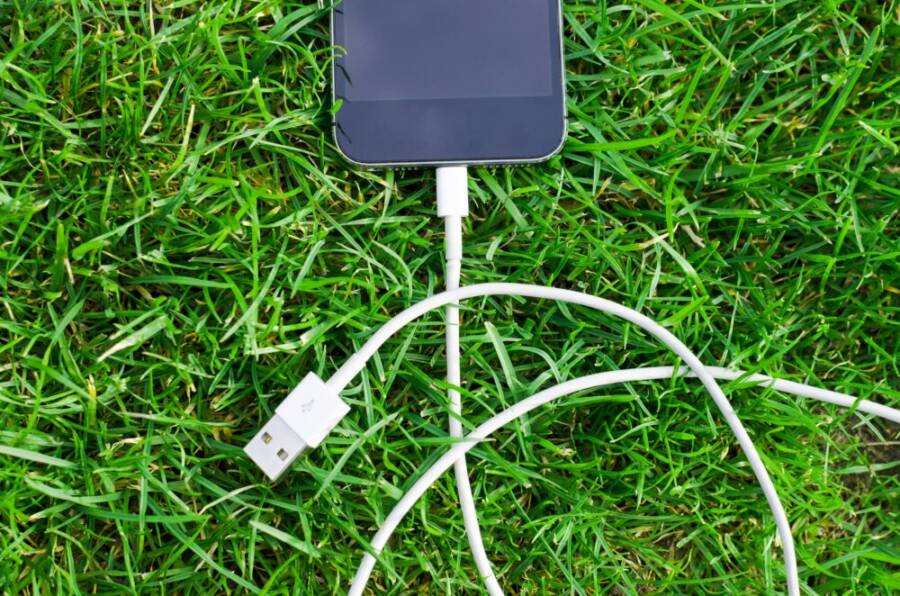
A few smart charging habits can noticeably extend how long your phone battery lasts. This guide cuts through the noise to show you practical steps you can apply today, with real results you can feel in daily use.
We’ll cover the classic 20% to 80% rule, keeping your device cool while charging, and choosing the right charger and cable. You’ll also learn easy daily habits and how to read your battery health so you know when it’s time to replace.
In the end, the goal is simple: fewer full cycles, less heat, and clearer signals about your phone’s battery health. For smartphone users, small changes add up to longer intervals between charges and better performance over time.
How to Charge Your Phone Properly for Longer Battery Life
Charge within a healthy range to extend battery life
Charging your phone in a sensible window protects the battery’s longevity and keeps you from chasing low-power alerts all day. By treating charging like a habit you can actually sustain, you reduce wear and still stay connected. Below you’ll find practical, human-friendly guidance you can apply today to keep your smartphone battery healthier for longer.
Why staying between 20% and 80% helps
Small, steady charging cycles put less stress on the battery than letting it swing from near empty to full every day. Think of it like filling a water bottle at a time when it’s not completely empty or full. If you wait until the bottle is nearly dry, you end up pouring more water into a container that’s already stressed; if you top it up gradually, the container stays calm and stable.
- Less stress on the cells: Lithium-ion chemistry handles mid-range voltages more gently, so frequent quick jumps from 0% to 100% aren’t ideal.
- Fewer full cycles, longer life: Each full charge counts as a cycle. Keeping the range narrower reduces the number of times you exhaust and refill the battery completely.
- Everyday practicality: Most days you don’t need a full day’s battery at 100%. Staying between 20% and 80% usually covers you for typical use, from commuting to afternoon meetings.
A simple takeaway you can apply today: aim to charge when you’re around 20% and unplug near 80% whenever possible. If you do occasionally ride beyond 80% or dip below 20%, don’t panic. It’s the cumulative effect over many cycles that matters most. For further reading, this recent coverage explains why many experts still emphasize a balanced charging window rather than chasing full charges all the time. Wired
Using built in features to stay in the ideal range
Modern phones offer handy features that help you stay in the sweet spot without thinking about it.
- On iPhone, enable Optimized Battery Charging. This feature times your charging so the phone reaches 100% as you wake up or start your day, reducing wear from staying at 100% for long periods. The option is easy to find and is designed to adapt to your routine. You can review it in your Battery settings when you have a moment. If you want the specifics, Apple’s support guidance walks through how it works and why it helps over time. [Support article on Optimized Battery Charging]
- On Android, look for Charging Optimization or Adaptive Battery features. Many devices include an option to limit charging to around 80% or to adapt charging behavior based on your usage patterns. The exact path varies by brand, but you’ll typically find it under Battery or Device Care settings. For Pixel devices, Charging optimization is a built-in tool that can limit the top charge to 80% if you enable it. This feature is especially useful for overnight charging, because it reduces the time the battery sits at high voltage. [Pixel help article on Charge Optimization]
- Useful note about overnight charging: these features are designed to be unobtrusive. They work in the background so you don’t have to babysit your phone. If you rely on overnight charging for a reliable morning battery, these modes can help you maintain health without sacrificing convenience.
If you want a quick, reputable read on how these features fit into broader battery care, this guide from Apple and a related reference from a tech publication provide practical context. [Apple support], [Wired battery guide]
What to do when you need a full charge
There are times when a full 100% charge is necessary — for travel, a long day, or a battery-heavy plan with unpredictable access to a charger. In those moments, you can still minimize stress on the battery by planning ahead and avoiding habitually charging to 100% every day.
- Plan ahead. If you know you’ll need a long day away from a charger, top up to 90–95% the night before, then do a quick top-off in the morning if you can. This avoids leaving the battery at a high voltage for extended periods while still giving you a full day.
- Use full charges sparingly. 100% charging is fine occasionally, but avoid making it your default. The goal is to minimize time spent at high charge levels, which is where the most stress occurs.
- Don’t run to 0% too often. Let your battery dip to around 10–20% before charging up again. It keeps the chemistry balanced and reduces strain.
- If you must charge to 100% for travel, consider charging earlier in the day and unplugging as soon as you reach a practical full level. This keeps the battery from sitting at 100% for hours, which can add unnecessary wear.
When you’re in a pinch, a full charge is acceptable. The key is to resume normal charging habits as soon as you can. If you’re curious about broader opinions on 100% charging, a range of sources discuss the trade-offs and suggest that the impact is small in the short term but accumulates over many cycles. [Honor battery guidance]
External resources you may find helpful:
- Optimized Battery Charging on iPhone: overview and steps to enable. [Apple support]
- How Android devices handle charging optimization and 80% limit. [Pixel help / Android charging optimization article]
- Practical perspectives on charging to 100% and long term battery health. [Honour battery guidance]
If you’d like more tailored steps for your specific device, tell me your phone model and OS version and I’ll map out the exact menus and toggles you should use.
The safe temperature window for charging
Keeping your phone within a safe temperature range during charging protects the battery’s health and helps you avoid sudden shutdowns or slower charging. The recommended charging temperature range is between 10°C and 40°C (50°F to 104°F). When temperatures stray outside this window, chemical reactions inside the battery become stressed. In cold conditions, charging can slow and reduce immediate battery capacity; in heat, charging can accelerate wear and risk temporary swelling or performance throttling. Staying within this range makes charging more predictable and helps your battery hold its charge longer over time.
- Why the range matters: Lithium-ion chemistry performs best in moderate heat. Sustained high heat can form unwanted reactions inside the cell, while extreme cold can impede ion flow and reduce the effective capacity you see on the screen.
- Real-world impact: Consistently charging in hot cars or direct sun leads to faster aging. Occasional heat spikes are not catastrophic, but repeated exposure compounds wear.
To protect your battery, aim to keep the phone in a shaded, cool spot when charging, and avoid charging in vehicles that heat up quickly. If you must charge outdoors in warm weather, give the device a bit of air circulation and remove bulky accessories that can trap heat. For a deeper look into safe temperature ranges and the science behind them, you can read a practical overview here: https://www.eblofficial.com/blogs/battery-101/lithium-ion-battery-temperature-range?srsltid=AfmBOor8pIvLt3pf9OzBfij0_BKHLGwpuGX4yWRC-EJdq3cY796AWE3u
Image suggestion
 Photo by Lukas
Practical tips to stay cool during charging
Charging in a way that minimizes heat is a small habit that pays off in battery longevity. Here are actionable steps you can take today.
- Remove bulky cases during charging. A thick case can trap heat and insulate the device, making cooling slower. If you’re using a heavy case most of the time, consider a slim reus setup for charging times.
- Charge in a shaded area. A patch of shade or an indoor room away from direct sunlight can keep the ambient temperature down.
- Avoid charging in a hot car. Cars heat up quickly, and the phone can reach temperatures well above the safe window even with a charger connected.
- Keep the device exposed to air. Don’t tuck it inside a purse or pocket while it charges; a small amount of air flow helps dissipate heat.
- Let the phone breathe. If possible, place the phone on a desk or open surface rather than atop soft materials that trap heat.
Practical habits that help you stay in range
- Use a high-quality charger and cable. Cheaper cables often have inconsistent current delivery, which can cause extra heat during charging.
- Don’t block ventilation around the phone. Avoid charging on soft surfaces like a bed or couch where heat buildup is more likely.
- Consider room temperature charging. If you live in a hot climate, a cool indoor room is ideal for daily charging rituals.
If you want additional strategies that align with what experts recommend, these sources offer broader guidance on keeping devices cool while charging. For a concise read, see Apple’s guidance on charging optimization and cooling tips, and a practical guide from a tech publication. https://www.apple.com/support/article/iphone-battery-optimization and https://www.wired.com/story/how-to-improve-battery-life-tips-myths-smartphones/
Image suggestion
 Photo by Tim Sint
What to do if your phone feels warm
If you notice the device becoming warm during charging, take a few quick steps to protect the battery and your safety. A warm phone is not an immediate danger, but it signals that the charging environment or load is stressing the cell.
- Pause charging briefly. If the phone is uncomfortably warm, unplug and let it cool down before resuming.
- Turn off high power apps. Heavy tasks like gaming, navigation with brightness maxed, or streaming can add heat. Pausing these activities reduces the load while the charger does its work.
- Let the device cool before resuming. Place the phone in a cooler room or shaded area and wait until it returns to a comfortable temperature before plugging back in.
- Avoid fast charging when warm. Fast charging is useful in a pinch, but it tends to generate more heat. If heat is present, switch to a standard charge until the device cools.
- Prioritize safety and patience. We often equate speed with convenience, but a little extra time now pays off in long-term battery health.
If you often notice heat while charging, consider adjusting your daily routine. Charge in a cooler room, remove heat-producing accessories, and choose charging times that fit your schedule without forcing the phone to stay at high temperature for an extended period. For more on safe charging temperatures and why they matter, see this reputable overview: https://www.us.support.redarcelectronics.com/hc/en-us/articles/13856244101007-Why-you-should-not-charge-a-lithium-battery-below-0-C-or-32-F
Further reading on keeping devices cool during charging
- How to keep your phone cool and prevent overheating: https://www.optimum.com/articles/mobile/keep-your-phone-cool
- Tips for preventing overheating from your phone while charging: https://www.voltacharger.com/blogs/news/10-easy-ways-to-prevent-overheating-from-your-phone-while-charging?srsltid=AfmBOooes5NBqYoMFNEfYXvWWXKzqG3jBSOKyvLLGWYPO-YGSrxsnZO-
- Why your phone gets hot when charging and how to fix it: https://www.anker.com/blogs/chargers/why-does-my-phone-get-hot-when-charging
If you’d like, I can tailor these steps to your exact model and charger type. Just share your phone model and OS version and I’ll map out the best settings and habits.
Image suggestion
 Photo by Pixabay
Images credits and notes
- Photo by Lukas, image URL: https://images.pexels.com/photos/296625/pexels-photo-296625.jpeg?auto=compress&cs=tinysrgb&dpr=2&h=650&w=940 Credit: Photo by Lukas
- Photo by Tim Sint, image URL: https://images.pexels.com/photos/4823118/pexels-photo-4823118.jpeg?auto=compress&cs=tinysrgb&dpr=2&h=650&w=940 Credit: Photo by Tim Sint
- Photo by Pixabay, image URL: https://images.pexels.com/photos/1631257/pexels-photo-1631257.jpeg?auto=compress&cs=tinysrgb&dpr=2&h=650&w=940 Credit: Photo by Pixabay
External reading and sources referenced in this section include practical guides on safe charging temperatures and cooling strategies from reputable outlets. If you want more device-specific advice, tell me your phone model and I’ll tailor the steps accordingly.