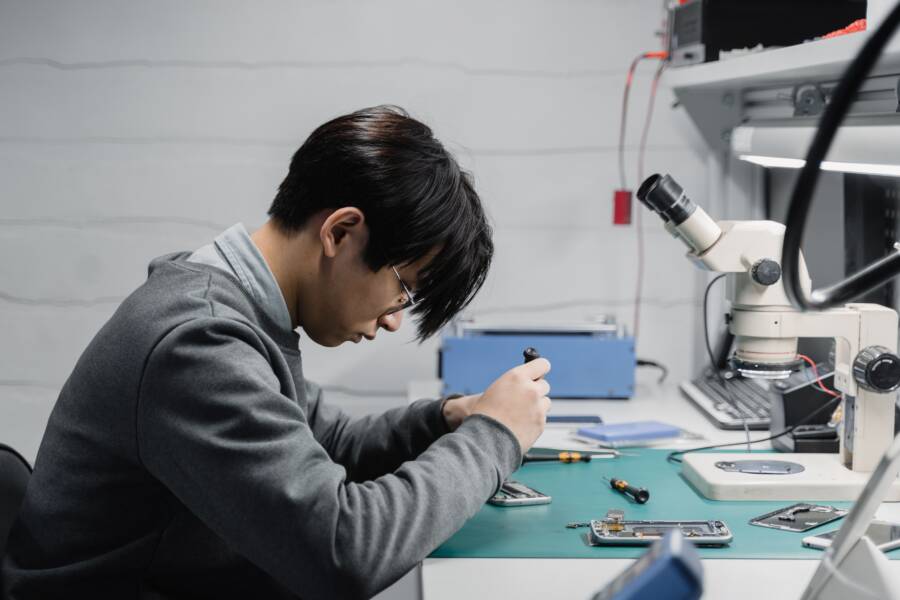
A stuck or unresponsive mute switch on your smartphone is a frustrating, yet common, hardware annoyance. You likely find yourself unable to silence your device during meetings or loud environments, which makes the physical toggle feel unreliable.
Most cases occur because debris lodges itself inside the switch housing, or a persistent software glitch prevents the toggle from registering your input. You don’t need a professional technician or a costly repair shop to regain control of your device. This guide provides practical steps to clear out obstructions and reset your system settings so your mute switch functions as expected again.
Why Your Smartphone Mute Switch Stops Responding
A mute switch on your smartphone operates as a bridge between your physical input and the internal system settings. When you toggle the switch, it triggers a contact sensor that tells the device software to silence all notifications and media alerts. If this physical bridge fails, your device remains in its previous state, ignoring your manual command entirely. Understanding whether the failure stems from a physical blockage or a software communication error is the first step toward a working device.
Recognizing Physical Obstructions
The mute switch on many handsets resides in a small cutout on the side of the chassis. Because this area is constantly exposed to your pocket, bag, or daily environment, it acts as a collection point for various particles. Over time, small amounts of lint, dust, or sand can pack tightly into the narrow gap surrounding the switch. This accumulation creates a wall that prevents the toggle from moving through its full range of motion.
If the switch cannot move fully from one position to the other, the internal sensor never registers the change. Even if the button moves slightly, it might not reach the specific contact point required to flip the system state. Furthermore, if you use a protective case, sticky residue or oils from your hands can harden inside the switch housing. This creates a mechanical resistance that keeps the switch in a fixed position. You can test this by checking if the switch feels mushy or offers uneven resistance when you try to move it. If it lacks that satisfying click, you likely have a physical obstruction preventing a clean connection.
Identifying Software Glitches That Affect Hardware
Sometimes the mute switch moves perfectly, yet the smartphone remains stuck in silent or loud mode. This indicates that the physical hardware is fine, but the communication path to the operating system is disrupted. A frozen system process can prevent the phone from recognizing the state change reported by the switch sensor. If an app or system update conflicts with the hardware driver, the mute command simply fails to execute on the screen.
A simple restart is often the most effective solution for this specific issue. Turning your device off and back on clears the temporary memory and forces the system to re-poll all hardware components. During the startup sequence, the operating system checks every sensor, including the mute toggle. If the software was just temporarily hung, a reboot resets the connection and restores functionality. You should also check your accessibility settings, as some custom configurations can override the physical switch behavior. If the problem persists after a restart, you can feel confident that the issue lies within the system software rather than a broken internal spring.
Simple Ways to Clean and Reset the Mute Switch
You can often resolve a sticky mute switch on your smartphone by removing debris that prevents the mechanism from moving. These physical issues are common, and you can usually handle them without visiting a repair shop. If the switch remains unresponsive after cleaning, you must determine if the problem is mechanical or related to your system software.
Safe Cleaning Techniques for Sticky Switches
Before you begin, turn off your smartphone to prevent accidental screen taps or system errors. You need a few common household items to dislodge trapped lint or dust. A soft-bristled toothbrush, a wooden toothpick, or a can of compressed air are your best tools.
Use compressed air to blow out the gap around the switch. Hold the nozzle a few inches away to avoid forcing particles deeper into the device. Short bursts are more effective than one long blast.
If the switch still feels stuck, use a wooden toothpick to gently scrape the edges of the opening. Be careful not to apply heavy pressure, as you might scratch the chassis or damage the delicate internal spring.
Apply a tiny amount of high-percentage isopropyl alcohol, at least 90 percent, to a soft brush or the tip of a cotton swab. Dab the area around the switch, allowing the liquid to seep into the gaps. This helps dissolve oils or sticky residue that cause the toggle to jam.
Move the switch back and forth multiple times after applying the alcohol. This action helps clear the path and ensures the solution reaches the interior components.
Always remain gentle throughout the process. If you force the switch, you risk breaking the internal connection point, which turns a simple cleaning task into a hardware repair.
Testing for Mechanical Failure
Sometimes the hardware itself is the source of the problem. You can distinguish between a dirty switch and a broken one by how it feels when you toggle it. A functional mute switch provides a crisp, audible click at both ends of its travel.
If the toggle feels loose, mushy, or offers no physical resistance, the internal spring mechanism is likely compromised. You should also check if the switch sits flush with the side of the smartphone or if it appears crooked. A switch that hangs unevenly often signals a failed internal component rather than a simple obstruction. If the device was recently dropped or exposed to heavy impact, the internal plastic housing may have cracked, preventing the switch from engaging the sensor.
When you cannot feel a distinct click, the mechanical link is likely disconnected. You might still see the software toggle change occasionally, but it will be erratic and unreliable. If you confirm the switch is physically broken, it is time to contact your manufacturer or a repair center, as replacing the toggle requires opening the smartphone and replacing internal flex cables.
Digital Alternatives When the Physical Switch Fails
If your hardware mute switch remains stuck, you do not need to settle for a permanently loud or silent device. Modern smartphone operating systems include built-in software tools designed to mimic physical button behavior. These virtual controls allow you to toggle sound profiles instantly, bypassing the broken switch entirely. By configuring your device to handle audio through the screen, you regain full control over your alerts and media volume without needing a physical repair.
Setting Up On-Screen Mute Controls
Accessibility menus provide a centralized hub for system commands that usually require physical buttons. On an iPhone, the AssistiveTouch menu is the most effective way to replace a faulty switch. You can activate this by going to the Settings app, selecting Accessibility, and choosing Touch. Once you toggle on AssistiveTouch, a semi-transparent button appears on your screen. You can customize the top-level menu to include a Mute or Unmute command, allowing you to silence your phone with a single tap.
Android devices offer similar flexibility through the Accessibility Menu. You can enable this feature in the Accessibility section of your system settings. Once enabled, a small icon appears in the navigation bar at the bottom of your screen. Tapping this icon opens a grid of common controls, including a volume slider and a mute toggle. These software menus remain available across almost every screen, ensuring that you can quiet your device even while inside other applications.
Using Software Shortcuts for Silent Mode
Beyond accessibility menus, both major platforms provide quick access to sound settings through their system-wide control panels. These panels serve as your primary interface for daily volume management when the physical toggle stops working. On most smartphones, swiping down from the top right or up from the bottom edge reveals the control center or quick settings panel. You will find a volume or sound icon that allows you to adjust your ringer and media settings directly.
You can also rely on the following methods to keep your device silent throughout the day:
Use the dedicated volume buttons on the side of the device, which often allow you to drop the ringer volume to zero.
Create a Focus or Do Not Disturb schedule in your settings to automatically silence the phone during meetings or sleep hours.
Add a volume widget to your home screen, providing a one-touch gateway to mute your ringer without digging into deep menus.
Use voice commands such as “Hey Siri, mute my phone” or “OK Google, set my phone to silent” to manage audio hands-free.
Managing your audio through the software interface is often more reliable than a physical switch that prone to jamming. While it takes an extra moment to swipe or tap, these digital alternatives ensure that your smartphone remains functional and professional in every environment. By integrating these shortcuts into your daily routine, you avoid the need for immediate hardware intervention and keep your device quiet whenever you need it.
When It Is Time to Contact a Professional
You should reach out to a repair professional when self-help steps fail to restore switch functionality or if you suspect deeper hardware damage. Attempting to force a physical switch that refuses to move often results in a broken internal connection. If the toggle feels completely loose or lacks resistance, it is time to stop troubleshooting at home. Repair technicians possess the specialized tools required to open your smartphone without damaging the display or internal seals.
Recognizing Permanent Hardware Failure
Physical damage often requires professional intervention, especially after a significant drop or liquid exposure. If you notice the mute switch sitting at an odd angle or if it remains unresponsive despite a thorough cleaning, the internal mechanism is likely broken. A damaged internal spring or a disconnected ribbon cable cannot be repaired through software updates or external cleaning.
Signs that indicate a professional repair is necessary include:
The mute switch is physically loose or wiggles in the housing.
There is visible metal or plastic debris inside the switch cutout that you cannot remove safely.
Your smartphone experienced a hard impact that coincides with the switch stopping.
The switch moves perfectly but the device fails to respond in both software and hardware.
If you observe these symptoms, do not attempt to pry the casing open yourself. Modern devices contain tightly packed components, and improper disassembly often ruins the battery or the screen.
Weighing Repair Costs Versus Device Value
Once you confirm the hardware is at fault, you must decide if a repair is worth the cost. Some older models lose their waterproof rating once opened for a repair. You should check if your smartphone is still covered under a manufacturer warranty or an extended service plan. Many companies offer free or low-cost repairs for hardware defects, provided you haven’t opened the device yourself.
If your warranty expired, ask for an estimate at an authorized repair center before proceeding. Sometimes the cost of replacing a small hardware switch is high because the technician must disassemble the entire unit to access the internal logic board. In these scenarios, using the software-based accessibility alternatives discussed earlier remains a practical and cost-effective strategy. Only pursue a professional repair if the physical toggle is essential for your daily workflow or if you plan to trade in the device soon.
Conclusion
Most mute switch issues on your smartphone stem from simple physical debris that gathers in the small side gap. A quick cleaning with a soft brush or compressed air usually restores the mechanical click and fixes the connection problem without professional help.
If cleaning the switch doesn’t work, don’t worry. You can rely on software accessibility menus to control your ringer and alerts until you decide on a permanent repair. Maintaining a clean device keeps your hardware functional and helps you avoid future frustration.