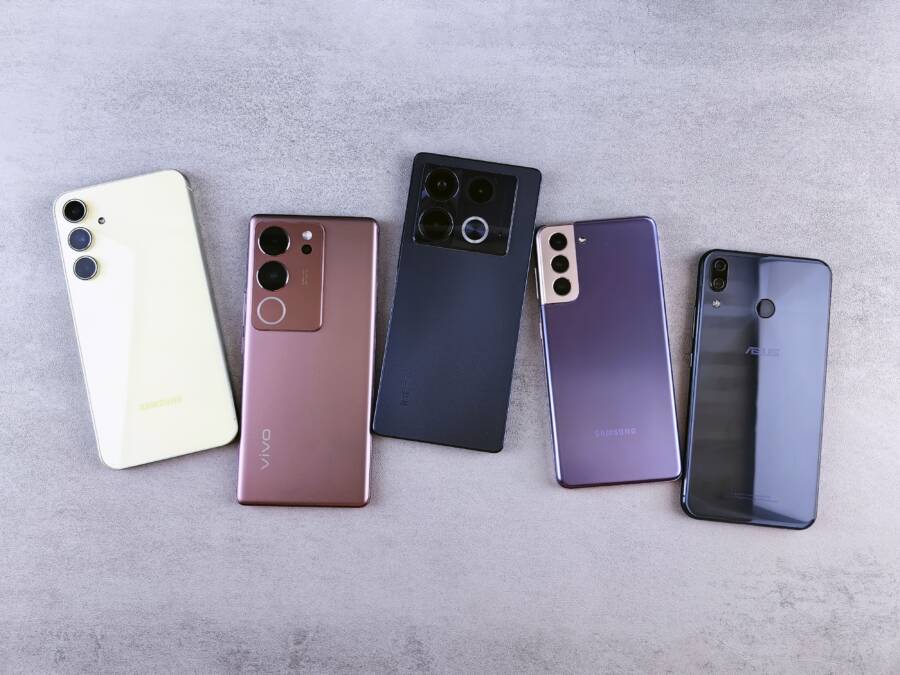
Sticky volume buttons on your smartphone are usually the result of trapped dust, pocket lint, or dried liquid residue. You can typically restore full functionality by cleaning the crevices around the button with a soft-bristled brush or a small amount of isopropyl alcohol.
These stuck keys often feel mushy or fail to register a click when you press them. While it might seem like a hardware failure, a brief physical cleaning is often enough to fix the problem without needing professional repairs.
You can read on to learn the exact steps for safely clearing this debris from your device.
Why Your Smartphone Volume Keys Get Stuck
Sticky volume buttons on your smartphone often result from daily wear and tear. You touch your phone constantly, and the small crevices around physical buttons frequently collect substances that impede movement. Understanding how these buttons fail helps you choose the right cleaning method for your specific situation.
Accumulated Grime and Pocket Lint
The most frequent culprit for a button that refuses to click is debris. Pocket lint, dust, and fine particles enter the small gap between the volume rocker and the phone frame. Over time, these materials pack into the mechanical spring mechanism. This blockage creates friction, which makes the button feel mushy or keeps it permanently depressed.
Think of how sand collects in the crevices of a watch. Your smartphone acts much the same way whenever it sits in a pocket or bag. The button itself remains intact, but the pathway is obstructed. You can often solve this by clearing the debris without any tools other than a soft brush.
Dried Liquid Residue
Sticky residue is another primary reason buttons stop functioning properly. If you spill a sugary drink, coffee, or even salty water on your device, the liquid inevitably seeps into the button housing. Once the water evaporates, it leaves behind sticky sugars or mineral deposits. These substances act like a natural glue that binds the button to the frame.
Even a minor splash can cause significant friction inside the switch assembly. You might feel a subtle resistance that prevents the button from rebounding after a press. Unlike dry dust, this residue often requires a mild solvent like isopropyl alcohol to break the bond. Using water alone often makes the situation worse by further spreading the sticky material inside the phone casing.
Physical Wear or Component Fatigue
Internal hardware components also suffer from natural degradation. Every time you press the volume rocker, you apply pressure to a small metal dome or rubber switch underneath the plastic or metal exterior. After years of heavy use, the tension springs that keep the button responsive can weaken or shift out of alignment.
While dirt and liquid are the most common issues, a misaligned internal component is a structural failure. You might notice the button sits at an odd angle or feels loose even when the phone is clean. If your buttons seem physically damaged or detached from the underlying board, professional repair services are necessary. However, most button issues are external and yield to basic maintenance.
Safe Methods to Clean and Free Up Sticky Buttons
Restoring a stuck button requires patience and the right touch. You must avoid forcing the button, as excessive pressure can damage the internal switch or break the plastic housing. The following methods focus on dissolving buildup and clearing physical obstructions without liquid damage or mechanical strain. Always power off your smartphone before you begin to prevent accidental inputs or electrical shorts.
Using Isopropyl Alcohol and a Soft Brush
Isopropyl alcohol works well because it dissolves sugary residue and evaporates quickly. You need 70 percent or higher concentration to minimize water content, which protects the sensitive internal electronics of your smartphone. A soft-bristled toothbrush or a clean, unused makeup brush provides the necessary control to reach the button perimeter.
Moisten the bristles of your brush with a small amount of isopropyl alcohol. Do not soak the brush, as liquid should never drip into the phone.
Gently scrub around the edges of the volume button while the device is oriented sideways. Keeping the phone sideways prevents gravity from pulling the liquid deeper into the internal assembly.
Press the volume button repeatedly while you brush. This action helps the alcohol work its way into the crevices and breaks up the stubborn debris.
Wipe away any excess moisture with a clean microfiber cloth.
Allow the device to sit for five minutes so the remaining alcohol fully evaporates before you turn it back on.
This process removes surface-level gunk and sticky film. If the button still feels mushy after the alcohol dries, repeat these steps one more time.
The Paper Method for Reaching Tight Edges
Sometimes debris is wedged too firmly for a brush to dislodge. In these cases, a thin piece of paper or a rigid business card works as a precision scraper. This method relies on the physical edge of the card to hook and pull out compacted pocket lint or grime that sits deep within the button gap.
Select a piece of paper that is thick enough to hold its shape but thin enough to fit between the button and the phone frame.
Slide the edge of the card into the gap along the perimeter of the volume key.
Move the card in a back-and-forth motion to scrape against the sides of the button and the frame.
Continue sliding the card around the entire circumference of the button.
Wipe the area with a dry cloth to remove any material that the paper pulls to the surface.
This manual scraping clears the mechanical path of the button without introducing liquids to the device. You might see small fibers or dust flakes appear during this process. Once the gap is clear, the button should regain its tactile click. Repeat the process on all four sides of the button if the resistance persists.
What to Avoid When Repairing Your Device
Repairing your own smartphone requires a careful approach to avoid turning a minor sticky button issue into a costly hardware failure. Many common mistakes during the cleaning process happen because of good intentions that clash with the delicate nature of internal components. You can keep your device safe by avoiding a few specific habits that often cause more harm than good.
Avoid Using Excessive Liquids
Electronics and liquids are a dangerous combination, even when the liquid is a cleaning agent like isopropyl alcohol. If you pour alcohol directly onto the button, it will likely seep past the seals and reach the sensitive motherboard or the display backlight. This causes permanent shorts or leaves unsightly streaks behind the screen glass.
Always apply your cleaning agent to the brush or cloth rather than the device. A damp tool provides enough moisture to dissolve sticky residue without leaving pools of liquid that travel inside the casing. You should only use the minimum amount necessary to dampen the bristles. If you see liquid dripping or running down the side of the phone, you are using too much.
Stop Using Sharp Metal Tools
It is tempting to use a needle, a metal safety pin, or a knife blade to pry debris out of a tight gap. Metal tools are significantly harder than the plastic or aluminum frame of a modern smartphone. If your hand slips, the metal will scratch the finish or pierce the rubber seals that protect the internal components from moisture.
Avoid using sewing needles or metal pins to scrape the button perimeter.
Do not use standard household knives or box cutters.
Steer clear of any sharp metal objects that can deform the button housing.
Using wood, stiff paper, or soft plastic tools is a much safer alternative. These materials are softer than the device frame, so they will break or bend before they damage the phone if you press too hard.
Do Not Apply Excessive Pressure
You might feel the urge to press down hard on the button to force it past the obstruction. This is counterproductive because the mechanical switch underneath the button has a limited travel distance. Excessive force often snaps the tiny plastic clips that hold the button in place or crushes the delicate metal dome switch that registers your clicks.
If the button does not respond to gentle, repeated presses while you clean, stop immediately. Applying more force will not dislodge the debris; it will only increase the risk of breaking the internal assembly. A button that feels stuck should be treated with patience and light, repetitive motion rather than brute force.
Stay Away From Household Cleaners
Many household cleaning products contain chemicals that damage your phone beyond repair. Avoid using window cleaners, bleach, kitchen degreasers, or abrasive scouring powders. These chemicals often contain ammonia or harsh solvents that strip away the protective oleophobic coating on your screen and potentially dissolve the adhesives holding your device together.
Stick strictly to isopropyl alcohol with a concentration of 70 percent or higher. It evaporates quickly and poses the lowest risk to electronic circuits compared to general-purpose cleaners. If you are unsure about a product, it is safer to avoid it entirely. Using only the recommended materials keeps your smartphone in top condition while you fix the sticky button.
When to Consider Professional Repair Services
You should contact a technician if your DIY cleaning attempts fail or if the buttons show signs of internal mechanical failure. While routine maintenance keeps most smartphone buttons functional, some issues require tools and expertise beyond what a typical owner possesses. Knowing when to stop trying to fix the problem yourself prevents unnecessary damage to the phone casing or internal circuitry.
Persistent Hardware Malfunctions
If you have carefully cleaned the crevices and the volume buttons remain unresponsive, the issue likely resides inside the device. A button that clicks physically but fails to trigger a volume change indicates a broken contact switch or a damaged ribbon cable. These parts sit beneath the chassis and require disassembly of the smartphone to reach. Attempting to force the button in this state often breaks the surrounding plastic housing, which increases the total cost of the repair.
Visible Physical Damage
Signs of physical trauma often necessitate expert intervention. If you dropped your phone and the volume rocker is indented, bent, or completely detached from the frame, the underlying mechanism is likely compromised. Repairing a misaligned button involves replacing specific internal brackets or the entire housing. Professionals have the specialized adhesive, precision screwdrivers, and replacement parts required to restore the button to its original, factory-sealed state.
After Exposure to Corrosive Liquids
Spilling sticky or corrosive substances like soda or saltwater creates risks beyond a simple sticky button. Even after the initial cleaning, sugar and salt can continue to oxidize internal components over time. If you notice strange screen flickering, audio distortion, or battery overheating alongside your stuck volume button, stop using the device immediately. These symptoms suggest liquid has traveled past the buttons into the main logic board. A professional technician needs to open the smartphone to perform a thorough internal inspection and corrosion treatment before the damage becomes permanent.
Comparing DIY Solutions and Professional Repairs
Deciding between a home fix and professional service depends on the severity of the issue and your comfort level with hardware maintenance. The following table provides a quick reference to help you determine the best path forward.
If your specific problem does not improve after one or two rounds of gentle cleaning, do not continue the process. Professional repair shops often provide free estimates for these types of mechanical issues, allowing you to weigh the repair cost against the age and value of your smartphone.
Conclusion
Preventing sticky buttons is easier than fixing them. Keeping your smartphone free of dust and pocket lint is the best way to maintain responsive volume controls over the long term. You should wipe your device regularly and keep it away from spills to ensure the mechanical switches remain clear of debris.
If a button becomes unresponsive, gentle cleaning with a small amount of isopropyl alcohol usually resolves the issue. This simple maintenance routine helps you avoid unnecessary repair costs. When these steps fail to restore the click, seek professional service to prevent further damage to the internal hardware.